
1. Product Overview
The Homall Office Chair is a high-back computer desk chair designed for comfort and productivity. It features an ergonomic design with lumbar support, premium PU leather upholstery, and a double-padded seat. The chair offers smooth mobility with 360° swivel and rolling wheels, adjustable height, and a reclining function for various sitting preferences. Its durable construction ensures long-lasting use in various office and home environments.
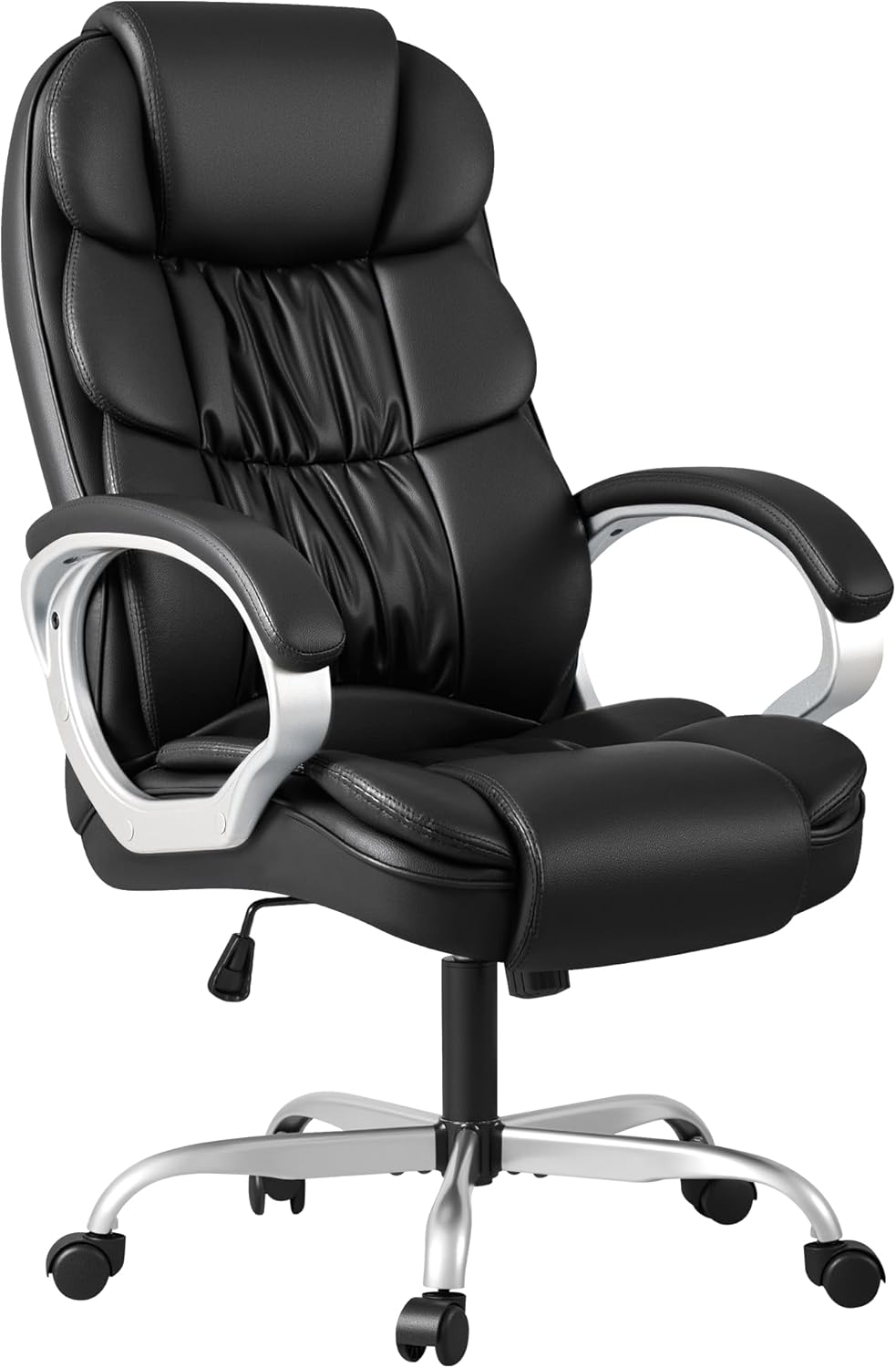
Figure 1.1: Front view of the Homall Office Chair, showcasing its high back, padded armrests, and five-star base with casters.
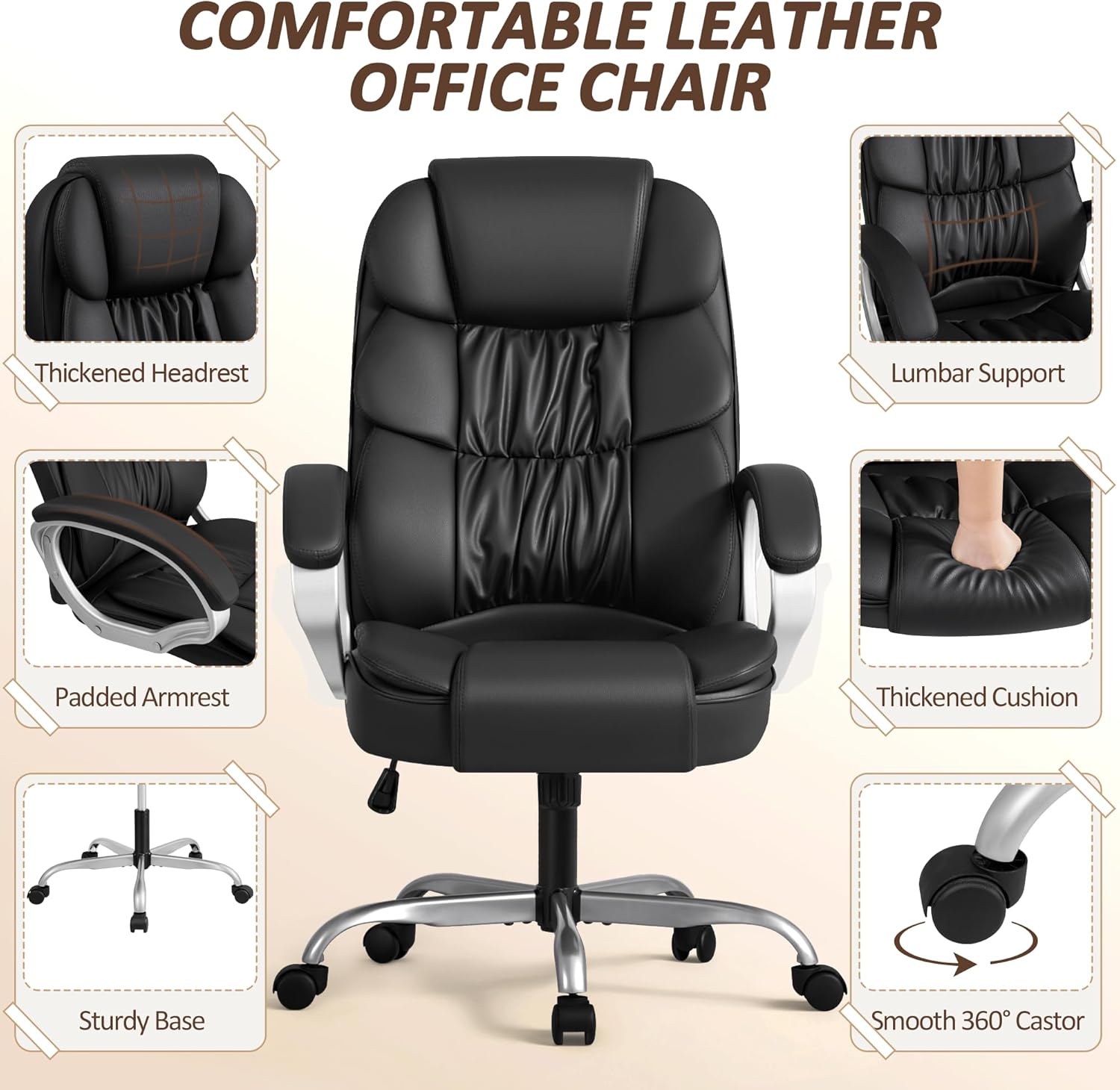
Figure 1.2: Key comfort features of the Homall Office Chair, including a thickened headrest, lumbar support, padded armrests, thickened cushion, sturdy base, and smooth 360° casters.
2. Safety Information
Please read and understand all safety information before assembling or using this product.
- This product has a maximum weight capacity of 300 pounds. Do not exceed this limit.
- Use caution while tilting the chair and operating adjustable mechanisms to prevent injury.
- Assemble the product carefully following the instructions provided in the user manual. Ensure all parts are securely fastened before use.
- Be cautious while using the chair on delicate flooring to avoid scuff marks or damage. Consider using a floor mat.
- Keep small parts and packaging materials away from children to prevent choking hazards.
3. Package Contents
Before assembly, verify that all components are present and undamaged. If any parts are missing or damaged, please contact customer support.
- Chair Components (Seat, Backrest, Armrests, Base, Casters, Gas Lift)
- Installation Hardware (Screws, Washers, Allen Wrench)
- User Manual (This document)
4. Setup and Assembly
The Homall Office Chair is designed for easy assembly, typically taking approximately 30 minutes. A detailed paper instruction manual is included with the product to guide you through each step.
- Unpack all components and lay them out on a clean, flat surface.
- Attach the casters to the five-star base by pushing them firmly into the holes.
- Insert the gas lift into the center hole of the five-star base.
- Attach the armrests to the seat cushion using the provided screws and Allen wrench. Do not fully tighten screws until all are in place.
- Connect the backrest to the seat and armrests, securing with screws. Once all screws are aligned, tighten them firmly.
- Place the assembled seat and backrest onto the gas lift.
- Ensure all connections are secure before using the chair.

Figure 4.1: Product dimensions, useful for assembly and space planning.
5. Operating Instructions
The Homall Office Chair offers several adjustment features to customize your seating experience.
- Height Adjustment: Locate the lever under the right side of the seat. Pull the lever up to raise the seat. To lower the seat, remain seated and pull the lever up. Release the lever at the desired height. The seat height is adjustable by 4 inches.
- Reclining Function: The chair features a 90°–135° reclining range. Pull the lever under the left side of the seat outwards to unlock the rocking function. Lean back to recline to your desired angle. Push the lever inwards to lock the chair in an upright position. Note: The chair cannot be locked in a reclined position.
- Tilt Tension Adjustment: A round knob is located under the front of the seat. Turn the knob clockwise to increase the tension, making it harder to recline. Turn it counter-clockwise to decrease tension, allowing for easier reclining.
- 360° Swivel: The chair's seat can rotate 360 degrees for flexible movement.
- Smooth-Rolling Casters: The nylon wheels allow for effortless movement across various floor surfaces.
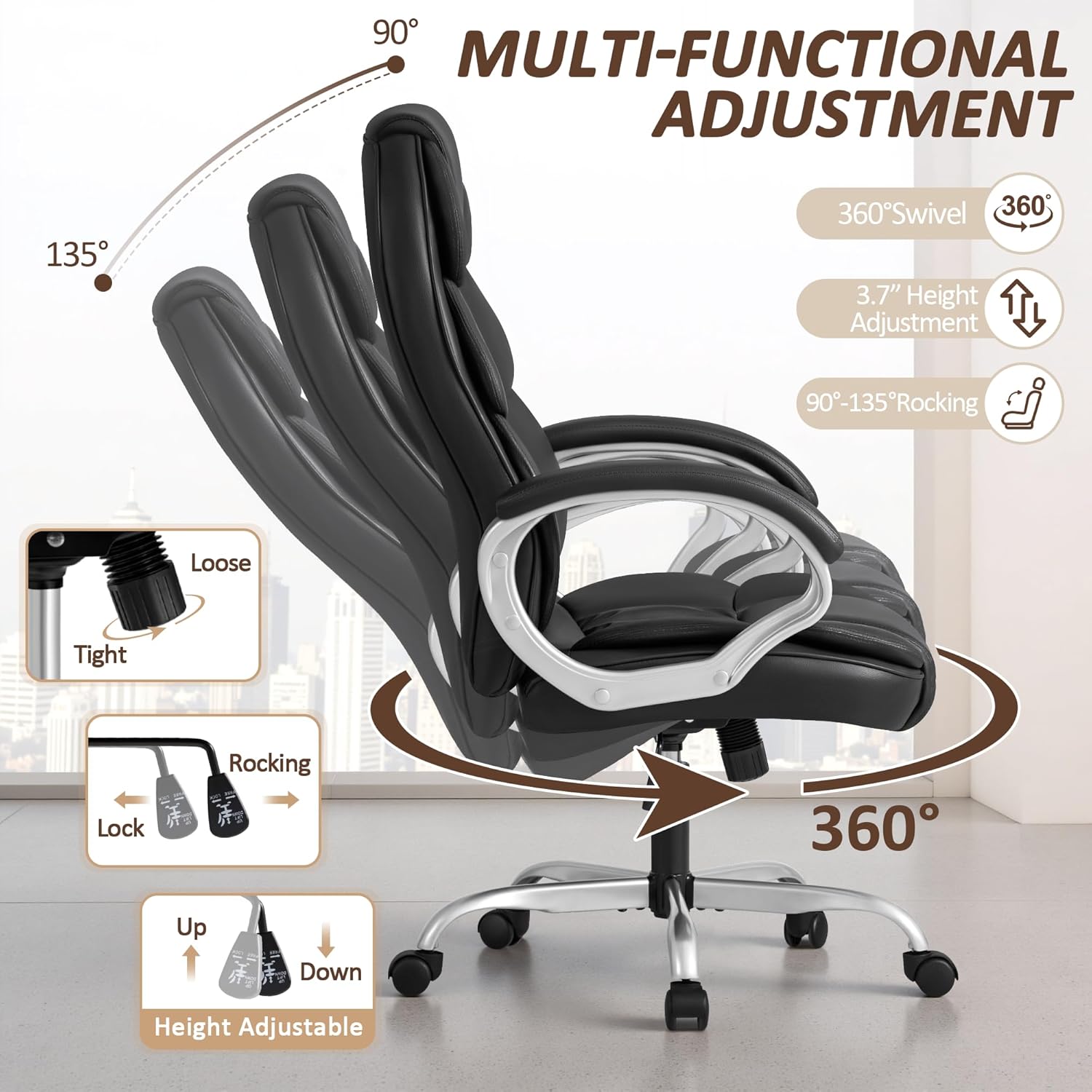
Figure 5.1: Illustration of the chair's multi-functional adjustments, including 360° swivel, height adjustment, and 90°-135° rocking.
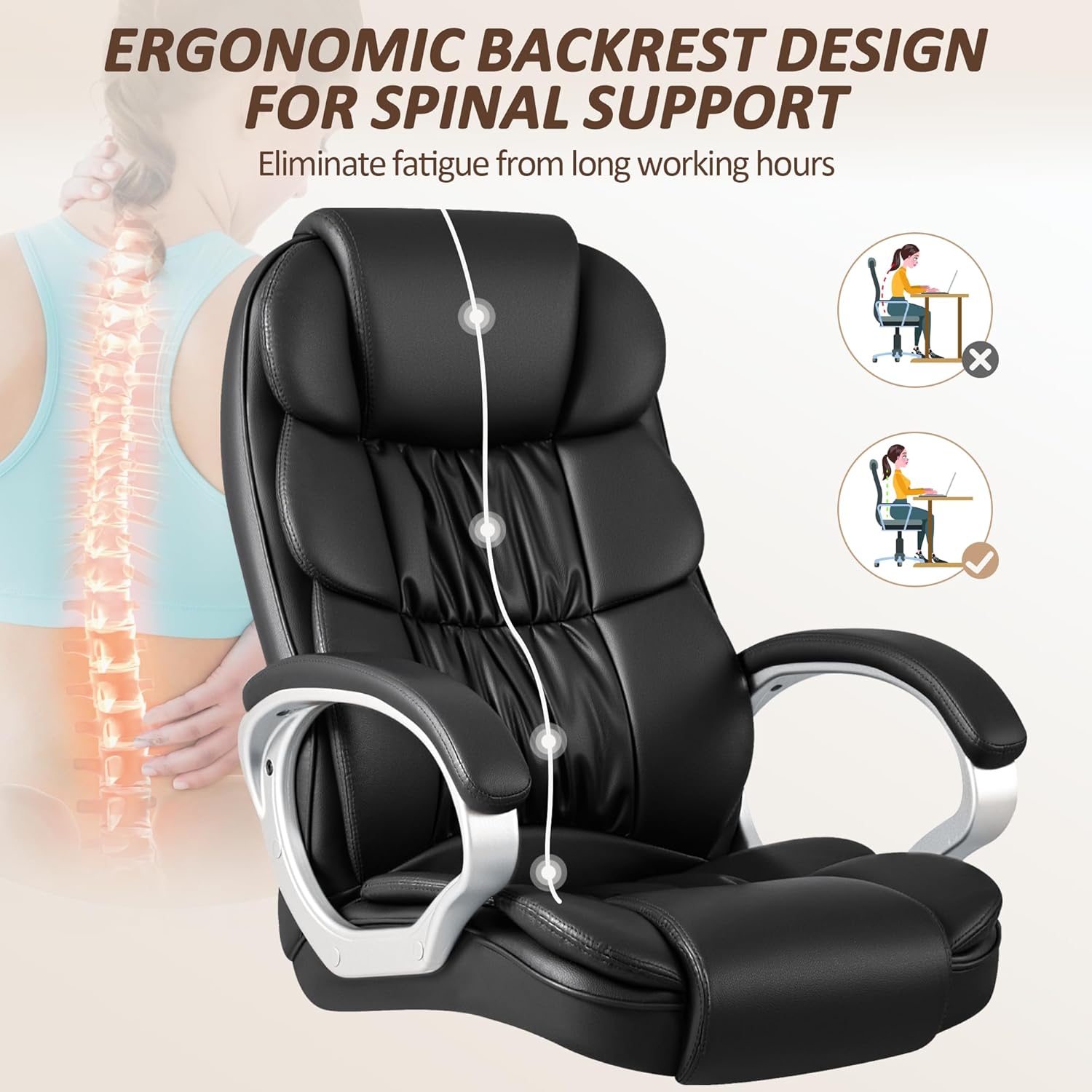
Figure 5.2: The ergonomic backrest design provides comfortable lumbar support, helping to reduce strain during extended use.
6. Maintenance and Care
Proper care will extend the life and appearance of your Homall Office Chair.
- Cleaning: The chair is crafted with full PU leather, which is waterproof and easy to clean. Simply wipe clean with a damp cloth. Avoid harsh chemicals or abrasive cleaners.
- Spills: Wipe up spills immediately to prevent staining.
- Inspection: Periodically check all screws and bolts to ensure they remain tight. Re-tighten if necessary.
- Avoid Direct Sunlight: Prolonged exposure to direct sunlight can cause the PU leather to fade or crack over time.
7. Troubleshooting
If you encounter any issues with your Homall Office Chair, please refer to the following general advice. For specific problems not addressed here, or if issues persist, contact Homall customer support.
- Chair is Wobbly: Ensure all assembly screws are fully tightened. Check that the gas lift is properly seated in the base.
- Height Adjustment Not Working: Verify that the gas lift is correctly installed. Ensure the lever mechanism is not obstructed.
- Chair Not Reclining/Locking: Check the reclining lever and tilt tension knob. Ensure they are in the correct position for the desired function.
- Casters Not Rolling Smoothly: Check for debris (hair, lint) wrapped around the caster wheels. Clean if necessary.
8. Specifications
| Brand | Homall |
| Model Name | office chair (OCBC7000) |
| Color | Black |
| Material Type | Faux Leather |
| Product Dimensions (D x W x H) | 19.2"D x 21"W x 44"H |
| Item Weight | 35.8 pounds |
| Maximum Weight Capacity | 300 pounds |
| Seat Height | 17.4 Inches (Adjustable) |
| Reclining Range | 90°–135° (Rocking function) |
| Included Components | Installation Hardware, User Manual |
9. Warranty and Support
For warranty information, product support, or to inquire about replacement parts, please contact Homall customer service directly. Refer to the contact information provided on the product packaging or the official Homall website.
Return Policy: This product is subject to a 30-day return policy from the date of purchase. Please refer to your retailer's return guidelines for details.