
ZHDBD MD-300
ZHDBD MD-300 Handheld Metal Detector Instruction Manual
Model: MD-300 | Brand: ZHDBD
1. Introduction
This manual provides detailed instructions for the safe and effective use of your ZHDBD MD-300 Handheld Metal Detector. This device is designed for detecting various metal objects with high sensitivity, offering a lightweight and portable solution for security screening and metal detection applications. Please read this manual thoroughly before operating the device and retain it for future reference.
2. Product Features
- Durable Construction: The shell is made of ABS plastic, ensuring strong strength, refined technology, and light weight for easy portability.
- High Sensitivity Detection: Capable of detecting various metal objects hidden on the human body, including small metals, box-shaped cutter holders, jewelry, and electrical components.
- Versatile Application: Suitable for use in security checkpoints at airports, customs, docks, banks, buildings, stadiums, hospitals, and schools.
- Multiple Alarm Modes: Features low voltage indication, LED light sound alarm, and vibration alarm for effective detection of illegal items.
- Efficient Scanning: Designed with a large detection area, fast scanning speed, and high sensitivity to meet security industry requirements.
3. Setup
3.1 Battery Installation
The ZHDBD MD-300 requires batteries for operation. Ensure you use the correct type and quantity of batteries as specified in the 'Specifications' section.
- Locate the battery compartment cover, typically on the handle or rear of the device.
- Slide or unclip the cover to open the compartment.
- Insert the batteries, observing the correct polarity (+/-) markings inside the compartment.
- Close the battery compartment cover securely.

Figure 3.1: Close-up of the MD-300 showing the battery compartment and power switch. The image highlights the 'OFF' position for the switch and the 'OPEN' indicator for the battery cover.
4. Operating Instructions
4.1 Powering On/Off
To power on the device, slide the power switch to the 'ON' position. To power off, slide the switch to the 'OFF' position.
4.2 Scanning Procedure
Hold the metal detector by the handle and sweep it slowly and steadily over the area or person to be scanned. Maintain a consistent distance from the surface for optimal detection.

Figure 4.1: The MD-300 in use, illustrating its large detection area and high sensitivity during a security scan.

Figure 4.2: Demonstrating the MD-300's capability to detect various metal objects hidden on a person.
4.3 Alarm Indications
When a metal object is detected, the device will provide an alarm. The MD-300 features:
- LED Light Alarm: A visual indicator will illuminate.
- Sound Alarm: An audible alert will be emitted.
- Vibration Alarm: The device will vibrate, providing a tactile alert.
- Low Voltage Indication: A specific indicator will alert you when the battery level is low, signaling that battery replacement is needed.
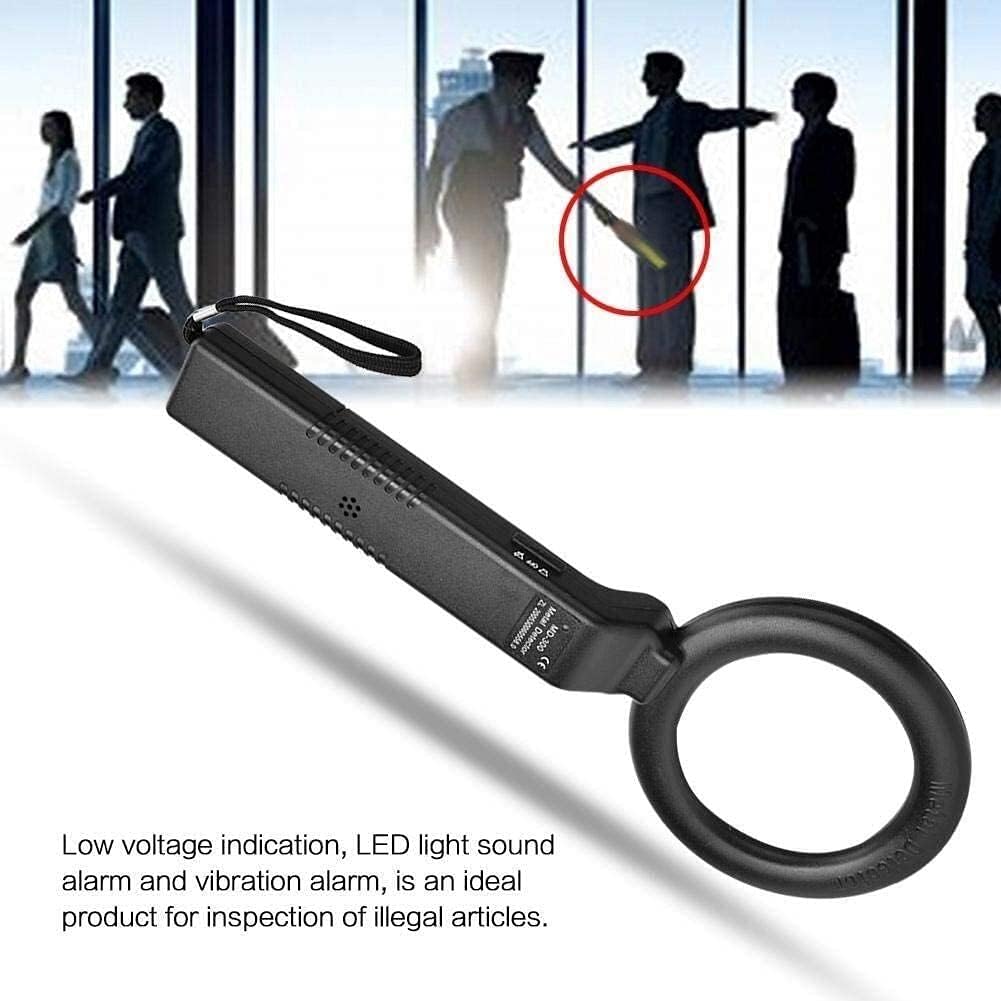
Figure 4.3: Visual representation of the MD-300's alarm features and low voltage indication.
5. Maintenance
- Cleaning: Wipe the device with a soft, dry cloth. Do not use abrasive cleaners or solvents.
- Storage: Store the metal detector in a cool, dry place when not in use. Remove batteries if storing for extended periods to prevent leakage.
- Avoid Impact: Protect the device from drops and impacts, as this can damage internal components.
6. Troubleshooting
| Problem | Possible Cause | Solution |
|---|---|---|
| Device does not power on. | Dead or incorrectly installed batteries. | Check battery polarity. Replace with fresh batteries. |
| Weak or inconsistent detection. | Low battery power. Scanning too quickly. | Replace batteries. Sweep the detector more slowly and steadily. |
| False alarms or constant beeping. | Interference from other electronic devices or large metal objects nearby. | Move away from sources of interference. Ensure the scanning area is clear of known metal objects. |
7. Specifications
| Brand | ZHDBD |
| Model | MD-300 |
| Material | Acrylonitrile Butadiene Styrene (ABS) |
| Color | Black |
| Power Source | Battery Powered |
| Batteries Required | Yes (Type and quantity not specified in product data, typically 9V or AA) |
| Adjustable Length | Yes |
| Item Weight | 1 pound (approx.) |
| Recommended Uses | Metal Detection for security screening |
8. Safety Information
- Do not expose the device to extreme temperatures or direct sunlight for prolonged periods.
- Keep the device away from water and high humidity, as it is not fully waterproof unless specified.
- Do not attempt to open or modify the device, as this will void the warranty and may cause damage or injury.
- Dispose of batteries according to local regulations.
- This device is intended for security screening and metal detection purposes only. Do not use it for any other unauthorized applications.
9. Warranty and Support
For warranty information or technical support, please refer to the documentation included with your purchase or contact the retailer/manufacturer directly. Keep your purchase receipt as proof of purchase.
Manufacturer: ZHDBD