
Introduction
This manual provides comprehensive instructions for the HUYVMAY T6S Fitness Tracker Pedometer Watch. This device is designed to track daily activity without the need for a smartphone application or Bluetooth connection. It features time display, step counting, distance measurement, calorie tracking, multiple alarm settings, and a stopwatch function. Please read this manual carefully before use to ensure proper operation and maintenance.
Package Contents
Verify that all items are present in your package:
- 1 x HUYVMAY Fitness Tracker Watch (Model T6S)
- 1 x USB Charging Cable
- 1 x User Manual
- 1 x Packaging Box

Image: Top, bottom, left, right, front, and back views of the HUYVMAY T6S Fitness Tracker packaging box.
Product Overview
The HUYVMAY T6S Fitness Tracker features a square LED display and a soft silicone strap. It is designed for ease of use with two soft silicone-covered buttons for navigation and settings.
Key Components:
- LED Display: Large, clear digital display for time, date, steps, distance, and calories. Visible in low light conditions.
- Control Buttons: Two buttons located on the side for navigating menus and adjusting settings.
- USB Charging Port: Integrated into the watch module, accessible by removing one side of the strap.
- Silicone Strap: Durable and skin-friendly material.

Image: The HUYVMAY T6S Fitness Tracker worn on a wrist, displaying the time and various activity icons.

Image: The HUYVMAY T6S Fitness Tracker on a wrist, illustrating the silent vibration alarm feature with wave icons.
Setup
1. Initial Charging
Before first use, fully charge the fitness tracker. The device charges via a standard USB port.
- Gently remove one side of the silicone strap to expose the USB charging connector.
- Insert the USB connector into a standard USB charging port (e.g., computer, USB wall adapter).
- The watch will display a charging indicator. A full charge takes approximately 0.5 to 1 hour.
- Once fully charged, remove the watch from the USB port and reattach the strap securely.

Image: The HUYVMAY T6S Fitness Tracker module detached from its strap and plugged into a laptop's USB port for charging.
2. Setting Time and Personal Data
The watch allows adjustment of time, date, and personal parameters (height, weight) to ensure accurate tracking. Refer to the detailed instructions in the included paper manual for specific button press sequences to enter settings mode and adjust values.
- Time/Date: Set the current time and date.
- User Parameters: Input your height and weight to improve the accuracy of distance and calorie calculations.
Operating Instructions
Navigating the Display
Press the control button(s) to cycle through different display modes:
- Time/Date/Week: Displays current time, date, and day of the week.
- Step Count: Shows the total number of steps taken.
- Distance: Displays the estimated distance covered.
- Calories: Shows the estimated calories burned.
- Stopwatch: Access the stopwatch function.
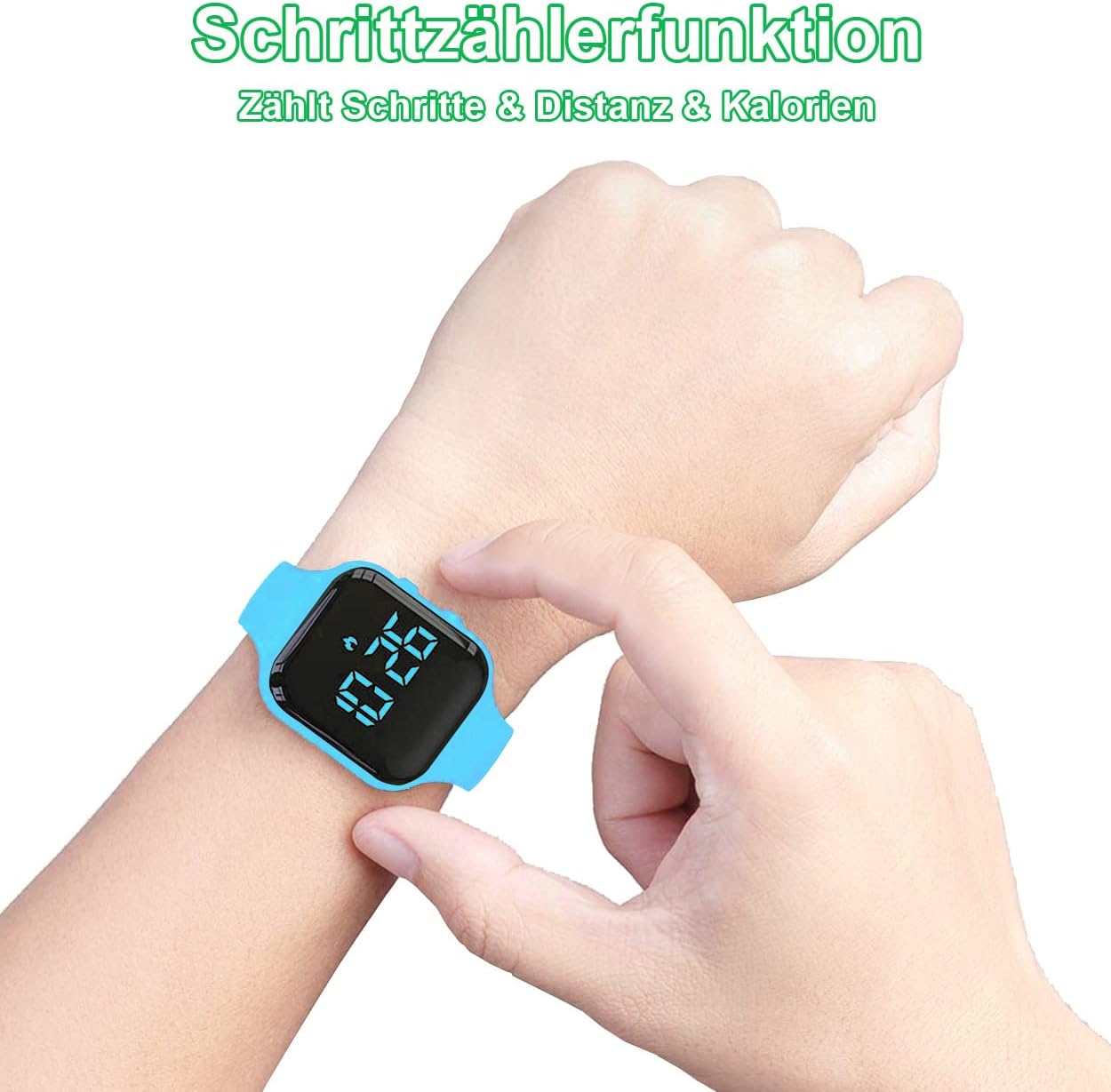
Image: The HUYVMAY T6S Fitness Tracker on a wrist, showing the step counting function with a foot icon and numerical display.
Alarm Function
The tracker supports up to three vibrating alarms. These alarms provide a silent vibration to alert the user without disturbing others.
- To set an alarm, navigate to the alarm setting mode using the control buttons.
- Adjust the hour and minute for each alarm.
- Confirm your settings to activate the alarm.
Stopwatch Function
The integrated stopwatch can be used for timing activities.
- Navigate to the stopwatch display mode.
- Use the control buttons to start, pause, and reset the stopwatch.
Maintenance
Cleaning
To clean the watch, wipe it with a soft, damp cloth. Avoid using harsh chemicals or abrasive materials.
Water Resistance (IP68)
The HUYVMAY T6S Fitness Tracker is IP68 waterproof, meaning it is resistant to splashes, rain, hand washing, and face washing. It is not suitable for showering, swimming, or diving. If water accidentally enters the watch, allow it to dry naturally before continued use.

Image: The HUYVMAY T6S Fitness Tracker with icons indicating its water resistance for hand washing, rain, and face washing.
Battery Life
A fully charged battery provides approximately 21 days of usage, depending on usage patterns.
Troubleshooting
| Problem | Possible Cause | Solution |
|---|---|---|
| Watch does not turn on or respond. | Low battery or completely discharged. | Charge the watch for at least 1 hour using the provided USB cable. |
| Inaccurate step/distance/calorie count. | Incorrect personal data (height/weight) or inconsistent arm movement. | Ensure height and weight settings are accurate. Wear the watch snugly on your wrist. |
| Display is dim or unreadable. | Low battery. | Charge the watch. |
| Watch not charging. | USB connector not fully inserted or faulty USB port/cable. | Ensure the USB connector is fully inserted. Try a different USB port or cable. |
Specifications
| Model Name | T6S |
| Brand | HUYVMAY |
| Display Type | Digital, LED |
| Connectivity Technology | USB (for charging) |
| Wireless Communication Standard | None (No Bluetooth/App required) |
| Water Resistance | IP68 (Splash, rain, hand wash, face wash resistant) |
| Battery Type | Lithium-ion Polymer |
| Battery Capacity | 50 mAh |
| Charging Time | 0.5 - 1 hour |
| Usage Time (Full Charge) | Approximately 21 days |
| Product Dimensions (L x W x H) | 22.5 x 3.8 x 0.9 cm |
| Product Weight | 24 Grams |
| Main Material | Silicone |
| Special Features | Pedometer, Distance Counter, Calorie Counter, 3 Vibration Alarms, Stopwatch |
Warranty and Support
This product comes with a 12-month product warranty. Additionally, a 30-day money-back guarantee is offered to all customers.
For any questions or support needs, please contact customer service. You can send a message to the seller regarding your Amazon order for prompt assistance.
- Warranty Period: 12 months from the date of purchase.
- Return Policy: 30-day money-back guarantee.
- Customer Service: Available 24 hours a day. Contact the seller through your Amazon order details.