
Introduction
The KLIQ UberTuner-Max is an advanced clip-on tuner designed for a wide range of musical instruments, including guitar, bass, violin, ukulele, and other instruments. It features an ultra-fast response time, high sensitivity piezo sensor, and a brilliant full-color display for accurate and easy tuning. This manual provides detailed instructions for setting up, operating, and maintaining your UberTuner-Max.
Setup
1. Battery Installation
The UberTuner-Max comes with a CR2032 Lithium Metal battery. To install or replace the battery:
- Locate the battery compartment on the side of the tuner unit.
- Gently pull out the battery tray.
- Place the CR2032 battery into the tray with the positive (+) side facing up.
- Slide the battery tray back into the compartment until it clicks securely into place.
2. Attaching the Tuner
The UberTuner-Max features an improved clip design for superior hold and instrument protection.
- Open the clip by pressing the two ends together.
- Attach the tuner securely to the headstock of your instrument. Ensure the rubber padding on the clip protects your instrument's finish.
- Adjust the screen for optimal viewing. The tuner offers multi-point screen adjustability with a 360° pivot and 125° tilt.

Image: KLIQ UberTuner-Max securely clipped onto a guitar headstock, displaying tuning information.
3. Initial Power On
Press and hold the power button (usually labeled 'KEY/I/O' or a power symbol) on the side of the tuner for a few seconds until the display lights up.
Video: This video demonstrates the unboxing, battery installation, and basic power-on sequence of the KLIQ UberTuner-Max, showing its initial display and button functions.
Operating Instructions
1. Power On/Off
- To turn on: Press and hold the power button (labeled 'KEY/I/O' or power symbol) for 2 seconds.
- To turn off: Press and hold the power button for 2 seconds.
- The tuner features an automatic power-save feature to extend battery life. It will automatically turn off after a period of inactivity.
2. Selecting Tuning Modes
The UberTuner-Max offers dedicated modes for various instruments and a chromatic mode for all others.
- Press the 'MODE' button to cycle through the available tuning modes: Chromatic (C), Guitar (G), Bass (B), Violin (V), and Ukulele (U).
- The selected mode will be indicated on the display.

Image: The tuner's display highlighting the different tuning modes (Chromatic, Guitar, Bass, Violin, Ukulele) and the octave indicator.
3. Reference Pitch Calibration
The reference pitch can be calibrated from 430Hz to 450Hz (in 1Hz steps).
- While the tuner is on, press and hold the 'A4' button until the Hz value starts flashing.
- Press the 'A4' button repeatedly to adjust the reference pitch.
- Once the desired pitch is set, release the button. The tuner will automatically save the setting.
4. Transposition Settings
For woodwind and brass instruments, transposition settings for Bb, Eb, F, and D are available.
- In Chromatic mode, press the 'KEY/I/O' button to cycle through transposition settings (C, Bb, Eb, F, D).
- The selected key will be displayed.
5. Tuning Your Instrument
The UberTuner-Max uses a high-sensitivity piezo sensor for vibration-based detection, ensuring accurate tuning even in noisy environments.
- Ensure the tuner is securely clipped to your instrument's headstock.
- Select the appropriate tuning mode for your instrument.
- Pluck a single string. The display will show the note being played and indicate whether it is sharp, flat, or in tune.
- Adjust your instrument's tuning peg until the display shows the correct note and the indicator is centered (green).
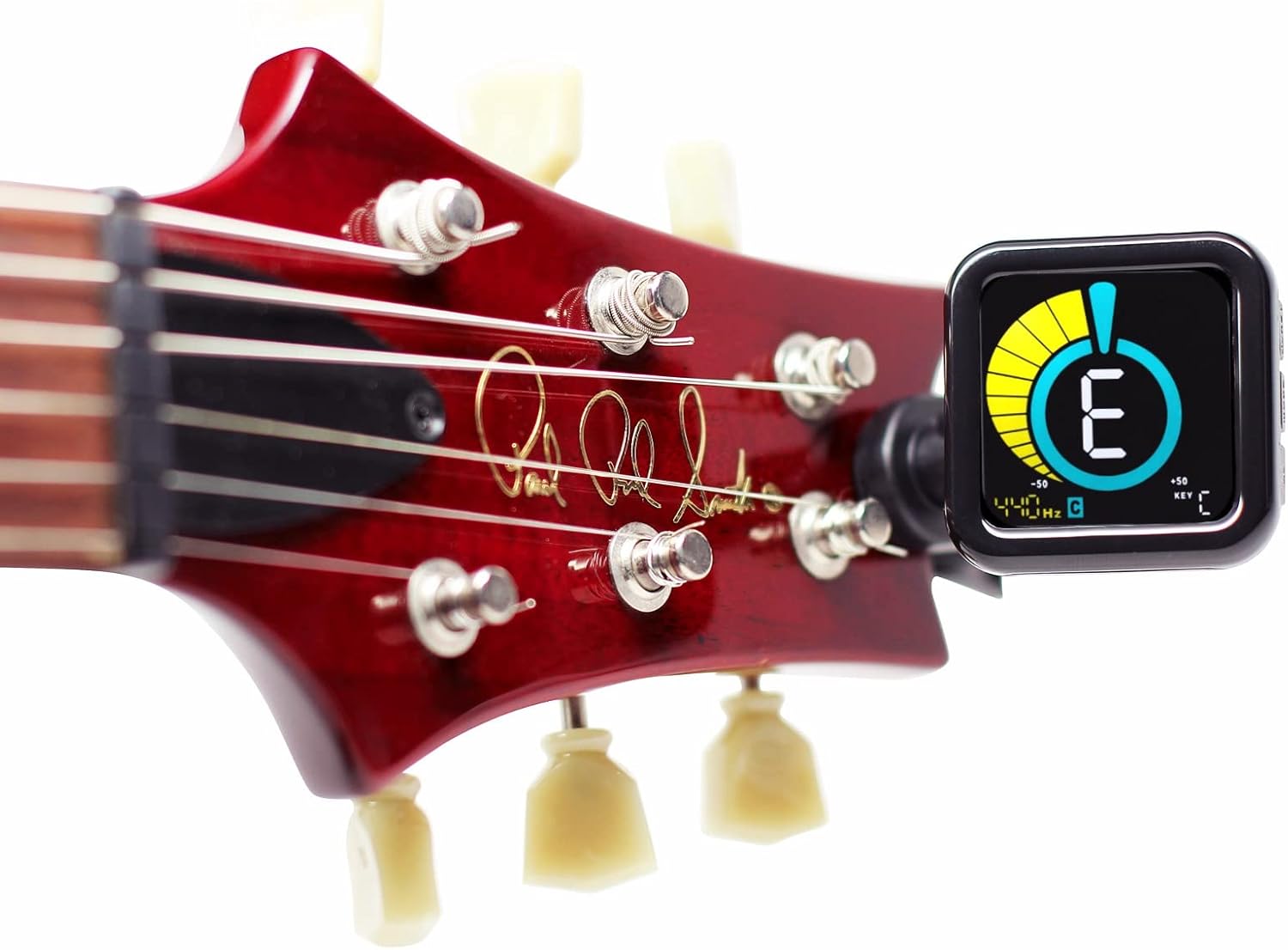
Image: The tuner's full-color display illustrating the visual cues for a flat note (yellow/red), an in-tune note (green), and a sharp note (red).
Video: This video showcases the KLIQ UberTuner-Max in action, demonstrating its bright display and accurate response while tuning a guitar, highlighting its ease of use.
Features
- Fast & Accurate Tuning: Advanced processor and piezo sensor for precise tuning.
- Bright & Easy-to-Read Display: Vivid, full-color LED screen with 3-point adjustment for clear visibility.
- Vibration-Based Detection: Reads pitch directly through vibration, unaffected by background noise.
- Durable & Portable Design: Lightweight yet rugged, built for travel and daily use with secure hold.
- Multi-Key Modes & Calibration: Dedicated tuning modes for various instruments, calibration from 430–450Hz, and transpose settings.
- Rechargeable Battery: Powered by a long-lasting built-in Lithium-Polymer rechargeable battery.

Image: The KLIQ UberTuner-Max highlighting its long-lasting rechargeable lithium battery, micro-USB port for charging, and auto-off feature.

Image: The KLIQ UberTuner-Max demonstrating its highly adjustable clip with 360° pivot and 125° tilt, superior hold, and protective padding for instrument finish.
Maintenance
- Cleaning: Use a soft, dry cloth to clean the tuner's display and body. Avoid abrasive cleaners or solvents.
- Battery Care: If the tuner is not used for an extended period, remove the CR2032 battery to prevent leakage.
- Storage: Store the tuner in a cool, dry place away from direct sunlight and extreme temperatures.
Troubleshooting
- Tuner not turning on: Check if the CR2032 battery is correctly installed with the positive (+) side facing up. Replace the battery if it is depleted.
- Inaccurate tuning: Ensure the tuner is securely clipped to the instrument's headstock. Verify that the correct tuning mode (Chromatic, Guitar, Bass, etc.) is selected. Minimize background noise for optimal vibration detection.
- Display issues: If the display is dim or unresponsive, the battery may be low and needs replacement.
Specifications
| Feature | Detail |
|---|---|
| Tuning Range | A0 (27.50Hz) – C8 (4,186.01Hz) |
| Tuning Precision | ±1 cent |
| Reference Pitch Calibration | 430-450Hz (1Hz steps) |
| Tuning Modes | Chromatic, Guitar, Bass, Violin, Ukulele |
| Transposition Range | C, Bb, Eb, F, D |
| Pitch Detection Method | Piezo Sensor |
| Display | Full Color LED-backlit LCD Display |
| Energy Save Feature | Automatic Power Save/Off |
| Power Source | CR2032 Lithium Battery (3V, included) |
| Tuner Body Size | 41x41x13 mm / 1.6x1.6x0.5 inch |
| Weight | 41g / 1.4oz (including battery) |

Image: A visual representation of the KLIQ UberTuner-Max's technical specifications, including tuning modes, range, reference pitch, and tolerance.
Warranty and Support
The KLIQ UberTuner-Max comes with a 3-year warranty, ensuring long-lasting quality and reliability. For any support inquiries or warranty claims, please refer to the contact information provided with your product packaging or visit the official KLIQ Music Gear website.

