
Introduction
This manual provides detailed instructions for the safe and efficient operation, installation, and maintenance of your COSTWAY Portable Air Conditioner. Please read this manual thoroughly before using the appliance and retain it for future reference.
The COSTWAY 8000BTU Portable Air Conditioner is designed to cool rooms up to 230 sq. ft. It features multiple modes including cool, dry, fan, and sleep, along with a 24-hour timer and remote control for convenient use.
Safety Information
To ensure safe operation, always adhere to the following guidelines:
- Ensure the air filter screen is regularly cleaned to maintain air quality and unit efficiency.
- Utilize the child lock feature and grid design to prevent accidental interaction, especially around children.
- The unit is equipped with auto-defrost and overload protection functions to prolong its service life. Do not attempt to bypass these safety features.
- This product has passed ETL & DOE certification, indicating compliance with safety and energy efficiency standards.
- Always place the unit on a stable, level surface.
- Do not block air inlets or outlets.
- Unplug the unit before cleaning or performing any maintenance.

Image: The portable air conditioner shown in a living room with a family, highlighting safety features like child lock and certifications.
Package Contents
Verify that all components are present in the package:
- COSTWAY Portable Air Conditioner Unit
- Remote Control
- Window Kit (for double/single hung window or sliding slash window up to 47 inches long/wide)
- Exhaust Hose
- Drainage Hose (if applicable, for continuous drainage)
- User Manual (this document)
Setup and Installation
Follow these steps to set up your portable air conditioner:
- Unpacking: Carefully remove the unit and all accessories from the packaging. Keep the unit upright for at least 24 hours before initial use.
- Positioning: Place the air conditioner on a flat, stable surface near a window and a power outlet. Ensure there is at least 20 inches of space around the unit for proper airflow.
- Window Kit Installation:
- Assemble the window sealing plate kit according to your window type (double/single hung or sliding slash window). The kit is suitable for windows no more than 47 inches long/wide.
- Connect the exhaust hose to the unit and then to the window kit adapter. Ensure a secure fit to prevent hot air from re-entering the room.
- Power Connection: Plug the power cord into a grounded 115V AC outlet.
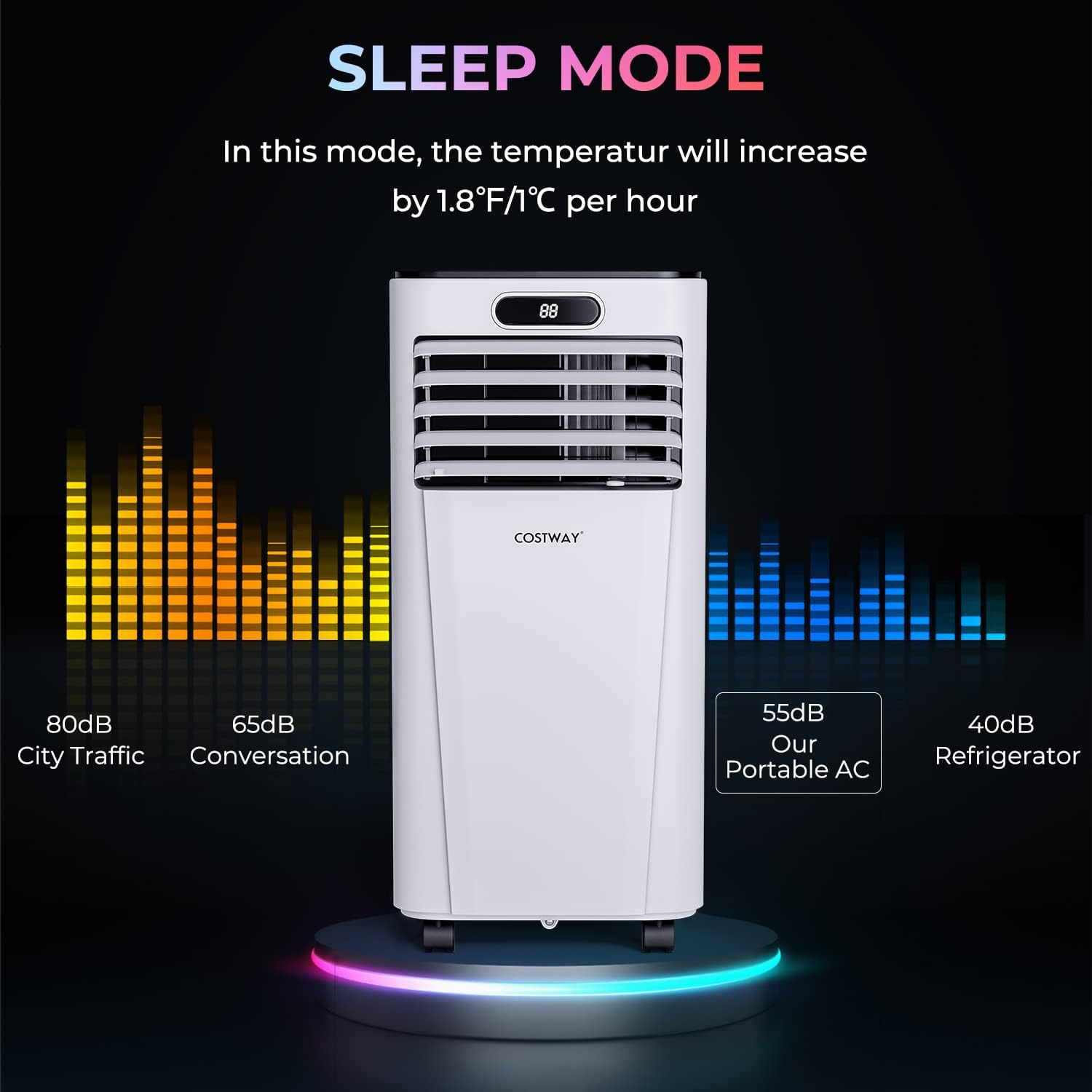
Image: Diagram illustrating the flexible installation of the exhaust hose with a window kit for various window types.
Operating Instructions
Your portable air conditioner can be operated using the control panel on the unit or the included remote control.
Control Panel
The smart control panel allows direct interaction with the unit. The front LED display shows the current settings.

Image: Close-up of the unit's control panel and the remote control, showing various function buttons.
Remote Control
The remote control provides convenient operation from up to 16.5 feet away without obstruction.
- Power Button: Turns the unit on or off.
- Mode Button: Cycles through Cool, Dry, Fan, and Sleep modes.
- Up/Down Buttons: Adjust temperature settings (60.8°F to 89.6°F) or timer settings.
- Speed Button: Selects high or low fan speed.
- Timer Button: Sets the 24-hour on/off timer.
- Lock Button: Activates/deactivates the child lock function on the control panel.
Video: Official COSTWAY video demonstrating the portable air conditioner in operation, showcasing its features and control panel.
Modes and Features
The unit offers various operational modes to suit your comfort needs:
- Cool Mode: Provides cooling with adjustable temperature (60.8°F - 89.6°F) and fan speed.
- Dry Mode (Dehumidifier): Removes moisture from the air (capacity: 40 Pints/Day).
- Fan Mode: Circulates air without cooling, with adjustable fan speed.
- Sleep Mode: Operates quietly with a gradual temperature increase (1.8°F/1°C per hour) for comfortable sleep.
- 24-Hour Timer: Allows you to program the unit to turn on or off automatically.
- Wide Range Oscillation: Airflow can be manually adjusted 90° vertically and 60° horizontally for optimal air distribution.

Image: Visual representation of the air conditioner's multi-functionality, including Cool, Dry, and Fan modes.

Image: Diagram illustrating the adjustable horizontal and vertical airflow oscillation feature of the unit.

Image: The portable AC unit highlighting its quiet operation in sleep mode, with a comparison of noise levels to city traffic and conversation.
Maintenance
Regular maintenance ensures optimal performance and longevity of your air conditioner.
- Air Filter Cleaning: The removable and washable air filter screen should be cleaned regularly (e.g., every two weeks, depending on usage) to maintain air quality and cooling efficiency.
- Unplug the unit from the power outlet.
- Remove the air filter screen from the back of the unit.
- Rinse the filter under running water to remove dust and debris.
- Allow the filter to air dry completely before re-installing.
- Water Drainage: The unit collects condensation during operation.
- For manual drainage, periodically check the water level and drain the water through the drainage hole at the bottom of the unit.
- For continuous drainage, connect a drainage hose (not always included, check package contents) to the drainage port and direct it to a suitable drain.
- Exterior Cleaning: Wipe the exterior of the unit with a soft, damp cloth. Do not use harsh chemicals or abrasive cleaners.
Troubleshooting
If you encounter issues with your air conditioner, refer to the following common problems and solutions:
| Problem | Possible Cause | Solution |
|---|---|---|
| Unit does not turn on. | No power, power cord unplugged, circuit breaker tripped. | Check power connection, reset circuit breaker. |
| Insufficient cooling. | Dirty air filter, blocked air intake/outlet, room too large, windows/doors open, exhaust hose not properly installed. | Clean air filter, ensure clear airflow, close windows/doors, check exhaust hose connection. |
| Water leakage. | Drainage plug not properly sealed, unit not level, water tank full (if not using continuous drainage). | Ensure drainage plug is secure, place unit on a level surface, drain water tank. |
| Unit is noisy. | Unit not on a level surface, internal components vibrating. | Ensure unit is on a level surface. If noise persists, contact customer support. |
If the problem persists after attempting these solutions, please contact COSTWAY customer support.
Specifications
| Feature | Detail |
|---|---|
| Brand | COSTWAY |
| Model Name | Portable Air Conditioner, 8000BTU AC Unit |
| Cooling Power | 8000 British Thermal Units (BTU) |
| Cooling Area | Up to 230 sq. ft. |
| Dehumidifying Capacity | 40 Pints/Day |
| Adjustable Temperature Range | 60.8°F - 89.6°F |
| Airflow | 290 m³/h |
| Product Dimensions (D x W x H) | 13"D x 13"W x 27.5"H |
| Item Weight | 52 Pounds |
| Voltage | 115 Volts (AC) |
| Wattage | 920 watts |
| Noise Level | 65 Decibels (Max) |
| Refrigerant | R 410A |
| Filter Type | Washable |
| Control Method | Remote Control, Control Panel |
| Window Kit Compatibility | Double/Single Hung, Sliding Slash (Max 47" long/wide) |
Warranty and Support
Warranty: This COSTWAY Portable Air Conditioner comes with a 6-month limited warranty from the date of purchase. Please retain your proof of purchase for warranty claims.
Return Policy: The product is eligible for a 30-day return policy from the date of purchase. Refer to your retailer's return policy for specific details.
Customer Support: For technical assistance, troubleshooting beyond this manual, or warranty inquiries, please contact COSTWAY customer support. Visit the official COSTWAY website or refer to your purchase documentation for contact information.