
Threepluslink TC09
Stylus Pen User Manual
Model: TC09 | Brand: Threepluslink
Product Overview
The Threepluslink Stylus Pen (Model TC09) is designed to enhance your iPad experience, offering precise and smooth interaction for various tasks. It features palm rejection technology, a magnetic design for convenient storage, and a long-lasting battery.

Image: The Threepluslink Stylus Pen in white, shown with three spare nibs and a colorful digital scribble, highlighting its functionality.
Compatibility
This stylus pen is compatible with a wide range of Apple iPad models released from 2018 to 2024. Please verify your iPad model number before use to ensure compatibility.
- iPad 10th/9th/8th/7th/6th Generation
- iPad Pro 11 inches/12.9 inches
- iPad mini 5th/6th Generation
- iPad Air 3rd/4th/5th Generation

Image: A detailed compatibility chart illustrating the supported iPad models and generations for the stylus pen.
Note: The stylus is not compatible with iPad Pro 12.9" (1st Gen & 2nd Gen), iPad Pro 9.7, iPad Pro 10.5, iPhone, Android, or Microsoft devices.
Setup
The Threepluslink Stylus Pen is designed for ease of use with no complex setup required.
- Power On/Off: Simply double-tap the cap button of the stylus to turn it on or off. No Bluetooth pairing or app installation is needed.
- Initial Charge: For optimal performance, ensure the stylus is fully charged before its first use.
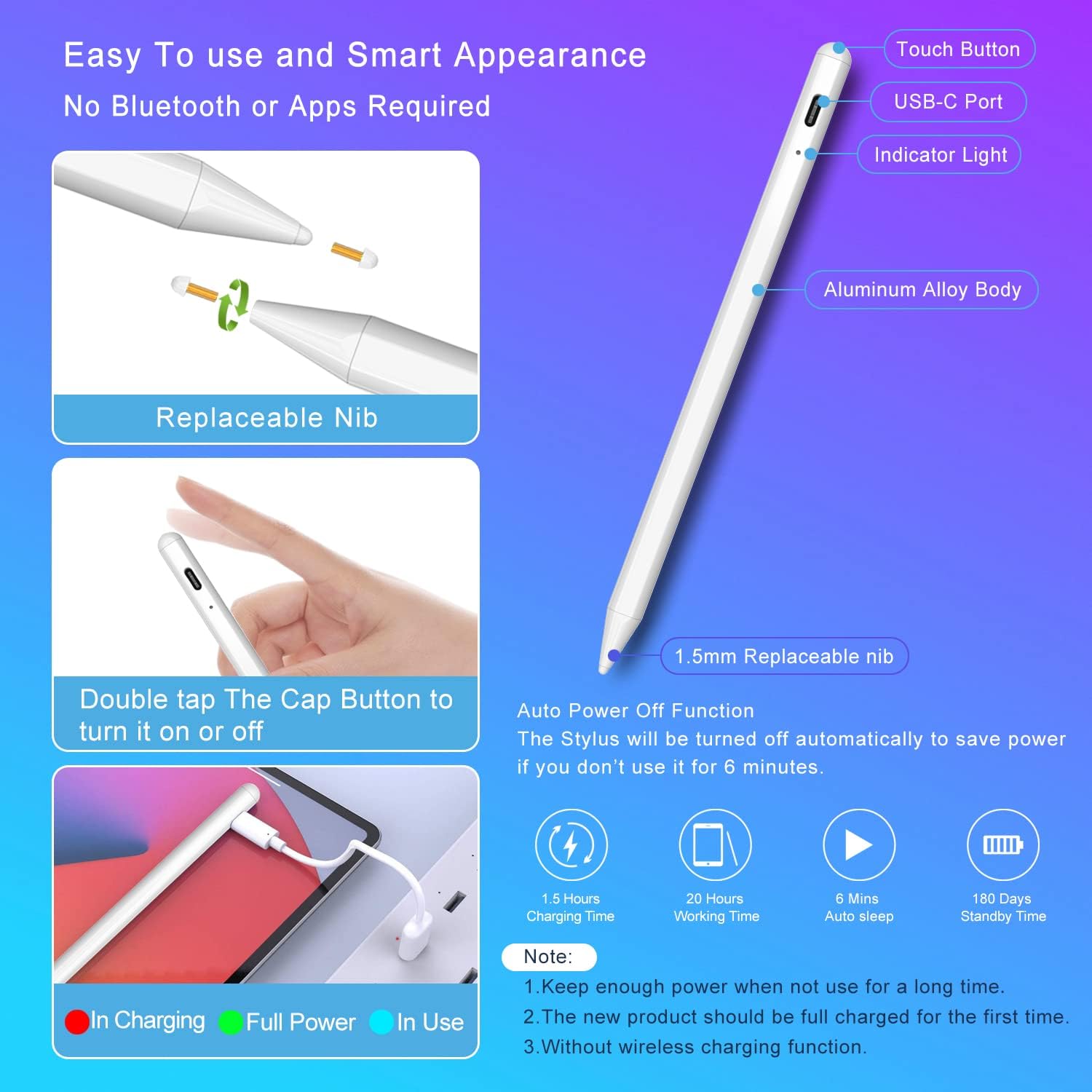
Image: A visual guide detailing the stylus pen's components and simple power on/off operation via the cap button.
Operating Instructions
General Usage
Once powered on, the stylus is ready for immediate use with your compatible iPad. It offers a precise and smooth writing/drawing experience without lag or breaking points.
- Palm Rejection: Rest your hand comfortably on the iPad screen while writing or drawing. The stylus's palm rejection feature prevents unintended marks from your hand.
- Precision: The 1.5mm fine tip allows for accurate and detailed input, replacing your finger for finer instructions.
- Magnetic Adsorption: The stylus features a magnetic design, allowing it to attach securely to the side of your iPad (if supported by your iPad model) for convenient storage and to prevent loss.
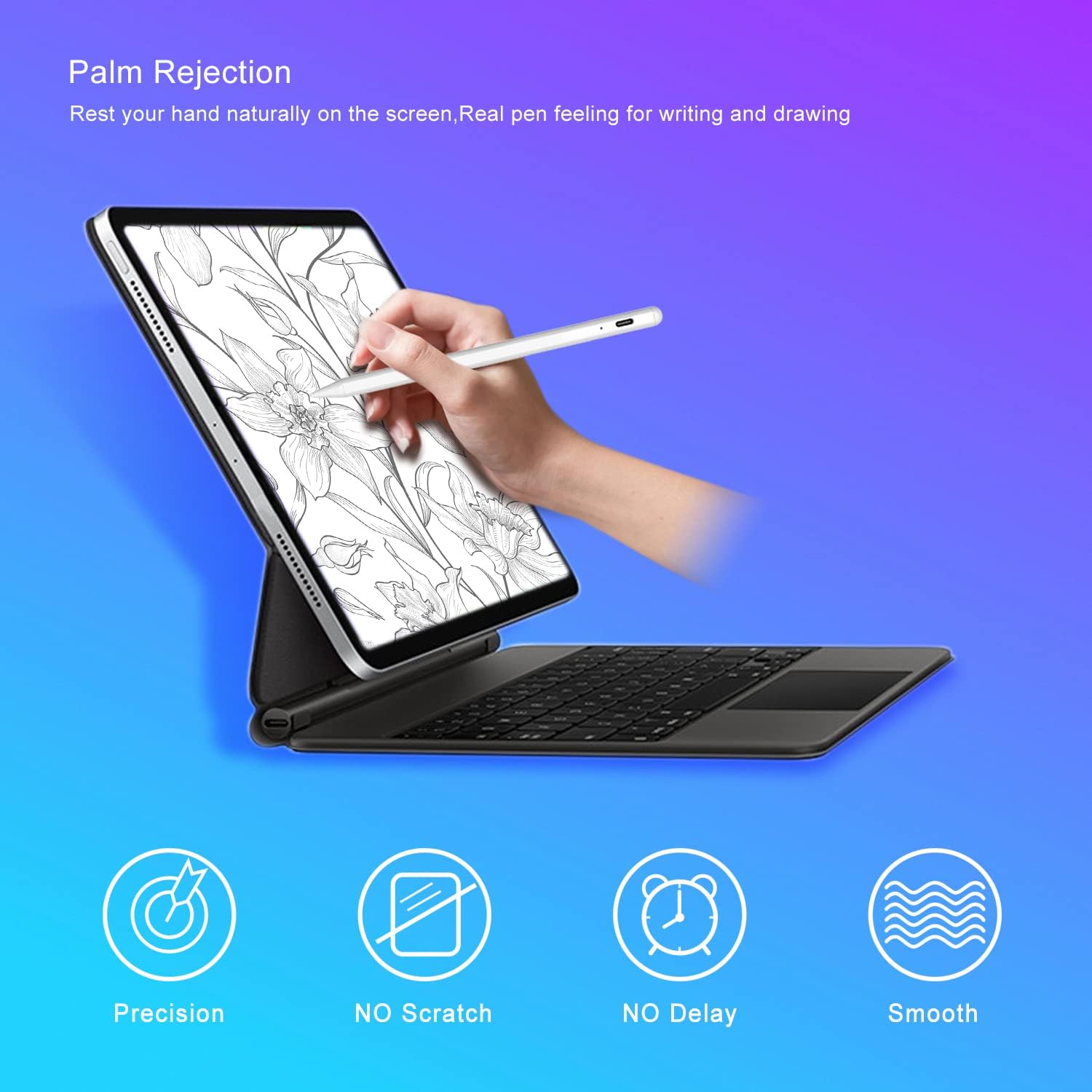
Image: A user demonstrating the palm rejection feature, comfortably resting their hand on the iPad screen while drawing with the stylus.
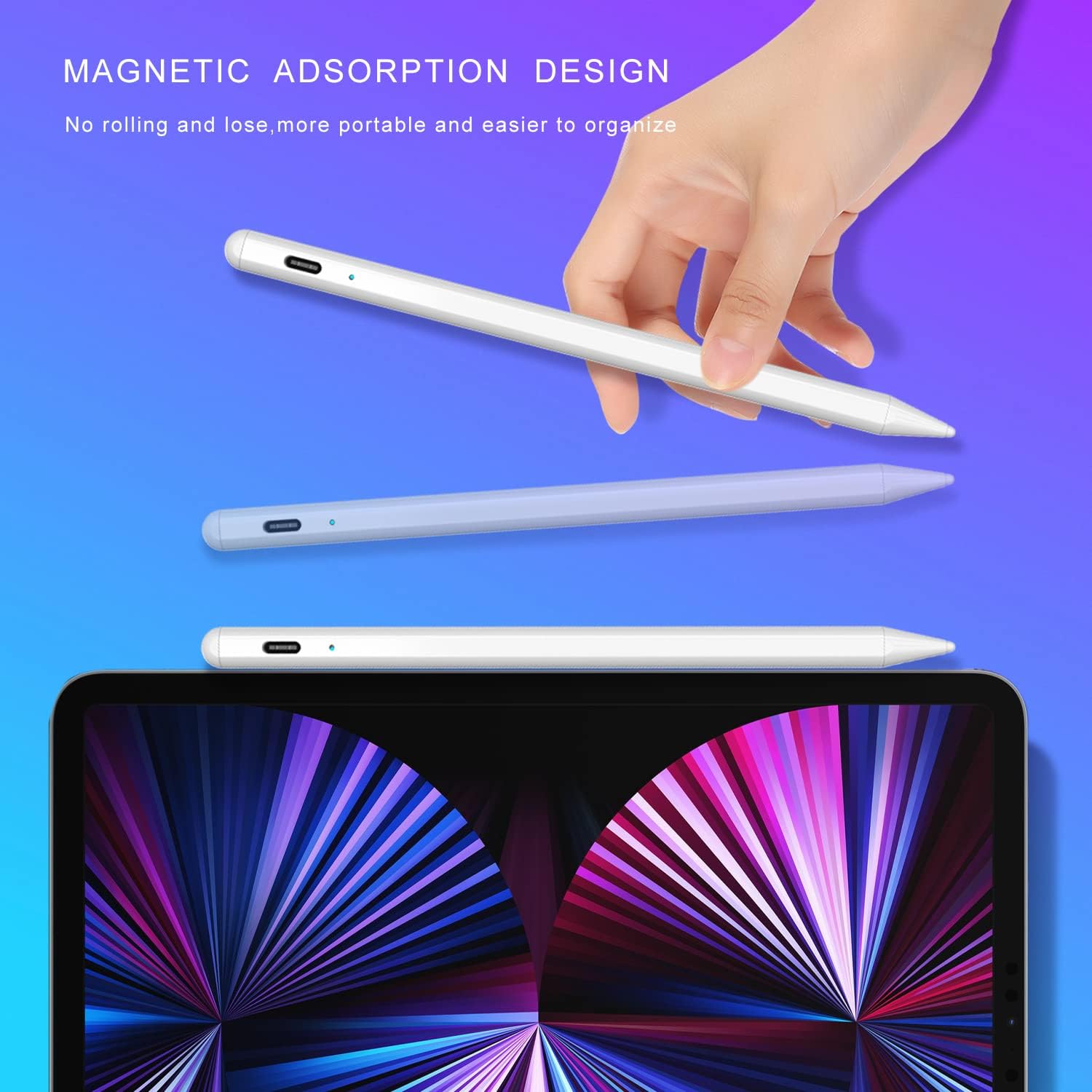
Image: The stylus pen is shown magnetically attached to the side of an iPad, illustrating its convenient storage feature.
Applications
The stylus is ideal for various scenarios:
- Note-taking
- Drawing and sketching
- Drafting
- Playing games

Image: A collage of images showcasing the stylus being used for various activities such as note-taking, drawing, drafting, and gaming.
Official Product Video
Video: An official product video from Threepluslink demonstrating the stylus pen's features and functionality with an iPad.
Maintenance
Charging
The stylus pen features a long-lasting battery for extended use.
- Charging Time: Approximately 60 minutes for a full charge.
- Continuous Working Time: Up to 20 hours.
- Standby Time: Up to 180 days.
- Sleep Mode: The stylus automatically enters "Sleep Mode" after 6 minutes of inactivity to conserve power.
- Charging Method: Charge via the USB-C port. This model does not support magnetic wireless charging.
Replacing the Nib
The stylus comes with three spare pen tips for easy replacement.
- Gently twist the existing nib counter-clockwise to remove it.
- Align a new nib and twist clockwise until secure. No special tools are required.

Image: A close-up view illustrating the simple process of replacing the stylus nib.
Troubleshooting
- Stylus not responding: Ensure the stylus is charged and powered on (double-tap the cap button). Verify your iPad model is compatible.
- Inaccurate input/lag: Check if the nib is securely attached. If the nib is worn, replace it with a spare.
- Accidental touches from palm: Ensure palm rejection is enabled in your iPad settings (if applicable for your specific iPadOS version). The stylus is designed to work with palm rejection automatically.
- Stylus not charging: Ensure the USB-C cable is properly connected to both the stylus and a power source.
Specifications
| Feature | Detail |
|---|---|
| Model Number | TC09 |
| Brand | Threepluslink |
| Color | White |
| Material | Aluminum |
| Item Weight | 2.08 ounces (59 Grams) |
| Package Dimensions | 8.19 x 2.24 x 0.75 inches |
| Battery Type | 1 Lithium Ion battery (included) |
| Charging Time | 60 minutes |
| Battery Average Life (Standby) | 180 days |
| Compatible Devices | iPad series 2018-2024 (iPad 10th/9th/8th/7th/6th Gen, iPad Pro 11"/12.9", iPad mini 5th/6th Gen, iPad Air 3rd/4th/5th Gen) |
Warranty and Support
The Threepluslink Stylus Pen comes with a 12-month warranty.
For any problems or technical support, please contact us. We aim to respond to your inquiries within 24 hours.
Online Technical Support is available.
Ask a question about this manual
Ask about setup, troubleshooting, compatibility, parts, safety, or missing instructions. Manuals+ will review the question and use this page’s manual context to help answer it.