
1. Introduction
This manual provides detailed instructions for the safe and effective use of your DEETOK FIND U Ear Wax Removal Tool Camera. This device integrates a 1080P HD camera with an ear pick, allowing for visual inspection and removal of earwax. It connects wirelessly to your smartphone or tablet for a clear view of the ear canal.
2. Safety Information
- Always use the device gently and slowly, especially when first familiarizing yourself with its operation.
- Ensure the silicone sleeve is tightly secured on the ear pick before each use to prevent scratching the ear canal.
- Do not attempt to break or forcefully bend the ear pick.
- This device is suitable for adults. For children and pets, use with caution and only if proficient in otoscope use, as movement can increase risk.
- If you experience pain, discomfort, or bleeding, discontinue use immediately and consult a medical professional.
- Keep out of reach of children.
- The built-in Wi-Fi does not access personal data; use with confidence.
3. Package Contents
Verify that all items are present in your package:
- Otoscope with light (1)
- Protective cap (1)
- Charging cable (1)
- Ear pick accessories (50 replacement tips)
- Ear pick storage bottle (1)
- Earwax removal 7-piece set (additional tools)
- Instruction manual (this document)

Image 3.1: Contents of the DEETOK Ear Wax Removal Tool Camera package, including the main device, various ear picks, charging cable, and replacement tips.
4. Product Overview
The DEETOK FIND U features a 1080P HD camera for clear visuals, integrated LED lights for illumination, and a 3.5mm precision lens. It is designed with a 6-axis upgraded gyroscope to provide stable images during use. The device is IP67 waterproof for easy cleaning of the lens.

Image 4.1: Detailed view of the 1080P HD camera and its components, highlighting the 6 LED lights, 360-degree wide angle, and 3.5mm precision lens for clear imaging.

Image 4.2: Illustration of the IP67 waterproof lens and the various arc designs of the silicone ear spoons, designed for comfort and effectiveness.
Ear Pick Types
The kit includes various ear picks to suit different needs and preferences. The primary ear picks are made of soft, flexible silicone to prevent scratches.

Image 4.3: Close-up of the device with a dust cover and three distinct silicone ear pick shapes, emphasizing their soft and flexible nature.

Image 4.4: An array of earwax removal tools, including the wireless otoscope and a 7-piece set of metal ear picks (spring, spiral, and traditional designs).
5. Setup
5.1 Charging the Device
Before first use, fully charge the device. Connect the provided charging cable to the device's charging port and a suitable USB power source. The built-in 350mAh rechargeable battery provides up to 90 minutes of continuous use when fully charged, with a standby time of up to 30 days.

Image 5.1: Illustration of the device's charging process via USB-C, highlighting its 350mAh battery capacity and long battery life.
5.2 App Download and Installation
To use the camera function, you need to download the companion application on your smartphone or tablet (iOS or Android). Scan the QR code provided in the packaging or search for the app name (usually indicated in the quick start guide) in your device's app store.
5.3 Connecting to Your Device via Wi-Fi
- Press and hold the power button on the ear wax removal tool for 3 seconds to turn it on.
- Open the Wi-Fi settings on your smartphone or tablet.
- Locate and connect to the Wi-Fi network broadcast by the ear wax removal tool (e.g., "DEETOK_XXXX"). No password is typically required.
- Once connected, open the downloaded application. The camera feed should now be visible.
Note: Bluetooth connections are not supported. The built-in Wi-Fi is for device connectivity only and does not provide internet access.

Image 5.2: Visual representation of the wireless otoscope connecting to both Android and iOS devices via Wi-Fi, emphasizing clear and stable transmission.
6. Operating Instructions
6.1 Attaching the Ear Pick
Select the appropriate silicone ear pick for your needs. Gently but firmly slide the silicone sleeve onto the tip of the otoscope. Ensure it is securely attached to prevent it from detaching during use.

Image 6.1: Visual guide demonstrating the correct method for attaching the silicone ear pick securely to the device, contrasting with incorrect methods.
6.2 Using the Otoscope
- With the device connected to the app, carefully insert the otoscope into your ear canal.
- Observe the live feed on your smartphone screen. The 6-axis gyroscope helps maintain a stable image regardless of the device's orientation.
- Gently maneuver the ear pick to dislodge and remove earwax. Always move slowly and avoid pushing wax deeper into the ear.
- The app may offer features such as video recording and picture capture to monitor ear health over time.
- Switch between left and right ear modes within the app if available for optimized viewing.
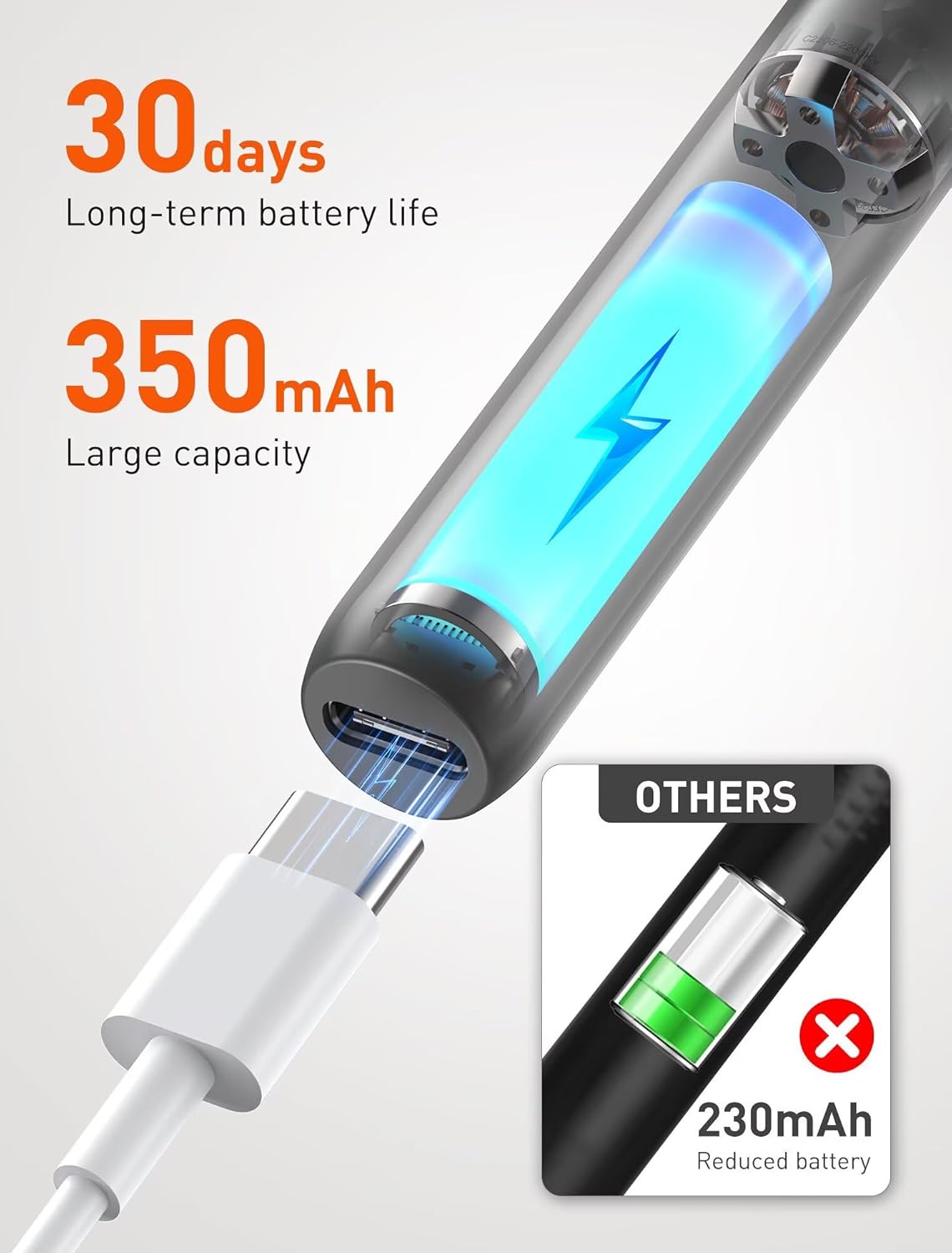
Image 6.2: The DEETOK otoscope in action, with a smartphone displaying the internal ear canal view. This image illustrates the 6-axis gyroscope for stable imaging and app functionalities like video recording and picture capture.

Image 6.3: A user demonstrating the application of the DEETOK Wireless Visual Otoscope for personal ear health checkups, with the live camera feed visible on a smartphone.
7. Maintenance
7.1 Cleaning the Device
After each use, remove the silicone ear pick and dispose of it if it's a single-use type, or clean it thoroughly if reusable. The camera lens is IP67 waterproof and can be gently wiped with a soft, damp cloth. Ensure no debris obstructs the lens for optimal image clarity. Do not immerse the main body of the device in water.
7.2 Storage
Store the device and its accessories in a clean, dry place, away from direct sunlight and extreme temperatures. Use the provided protective cap to cover the camera lens when not in use.
8. Troubleshooting
| Problem | Possible Cause | Solution |
|---|---|---|
| Device does not turn on. | Low battery. | Charge the device fully using the provided USB cable. |
| Cannot connect to Wi-Fi. | Device not broadcasting Wi-Fi; incorrect Wi-Fi selected. | Ensure the device is powered on. Select the correct Wi-Fi network (e.g., "DEETOK_XXXX") from your phone's Wi-Fi settings. Restart both devices if necessary. |
| No image in the app. | Wi-Fi not connected; app not open or permissions denied. | Verify Wi-Fi connection. Ensure the app has camera and local network permissions. Close and reopen the app. |
| Image is blurry or unclear. | Lens is dirty; insufficient light. | Gently clean the camera lens with a soft, damp cloth. Ensure the device's LED lights are functioning. |
| Silicone ear pick detaches. | Ear pick not securely attached. | Ensure the silicone sleeve is tightly and firmly pushed onto the ear pick tip before use. |
9. Specifications
- Model Number: FIND U
- Camera Resolution: 1080P HD
- Lens Diameter: 3.5mm
- LED Lights: 6
- Battery Capacity: 350mAh Lithium Polymer
- Continuous Use Time: Up to 90 minutes
- Standby Time: Up to 30 days
- Connectivity: Wi-Fi (supports iOS and Android)
- Waterproof Rating: IP67 (lens only)
- Product Dimensions: 6.3 x 2.36 x 0.59 inches
- Weight: 2.4 ounces
- Manufacturer: DEETOK
10. Warranty and Support
For warranty information and customer support, please refer to the documentation included with your purchase or contact DEETOK customer service through their official website or the retailer where the product was purchased.
11. Legal Disclaimer
Statements regarding dietary supplements have not been evaluated by the FDA and are not intended to diagnose, treat, cure, or prevent any disease or health condition. This product is intended for personal hygiene and inspection purposes only and should not replace professional medical advice or treatment.


