1. Introduction
The ATOTO AD3-B Wireless CarPlay Adapter is designed to convert your existing wired CarPlay system into a wireless one. This device allows you to enjoy all CarPlay functionalities without the need for a physical cable connection to your iPhone, offering enhanced convenience and a seamless user experience. It supports 5GHz Wi-Fi for stable and fast data transmission.

This image illustrates the transition from a wired CarPlay setup, where an iPhone is physically connected, to a wireless CarPlay setup using the ATOTO AD3-B adapter, showing a cleaner dashboard and wireless connectivity.
2. Package Contents
Upon opening the package, you should find the following items:
- ATOTO AD3-B Wireless CarPlay Adapter
- USB-C to USB-A Power Cable
- USB-C to USB-C Cable (for modern CarPlay ports)
- User Manual
- Warranty and Online Support Leaflet
This video provides an unboxing overview of the ATOTO AD3-B Wireless CarPlay Adapter, showcasing all included components such as the adapter unit, USB cables, and documentation.
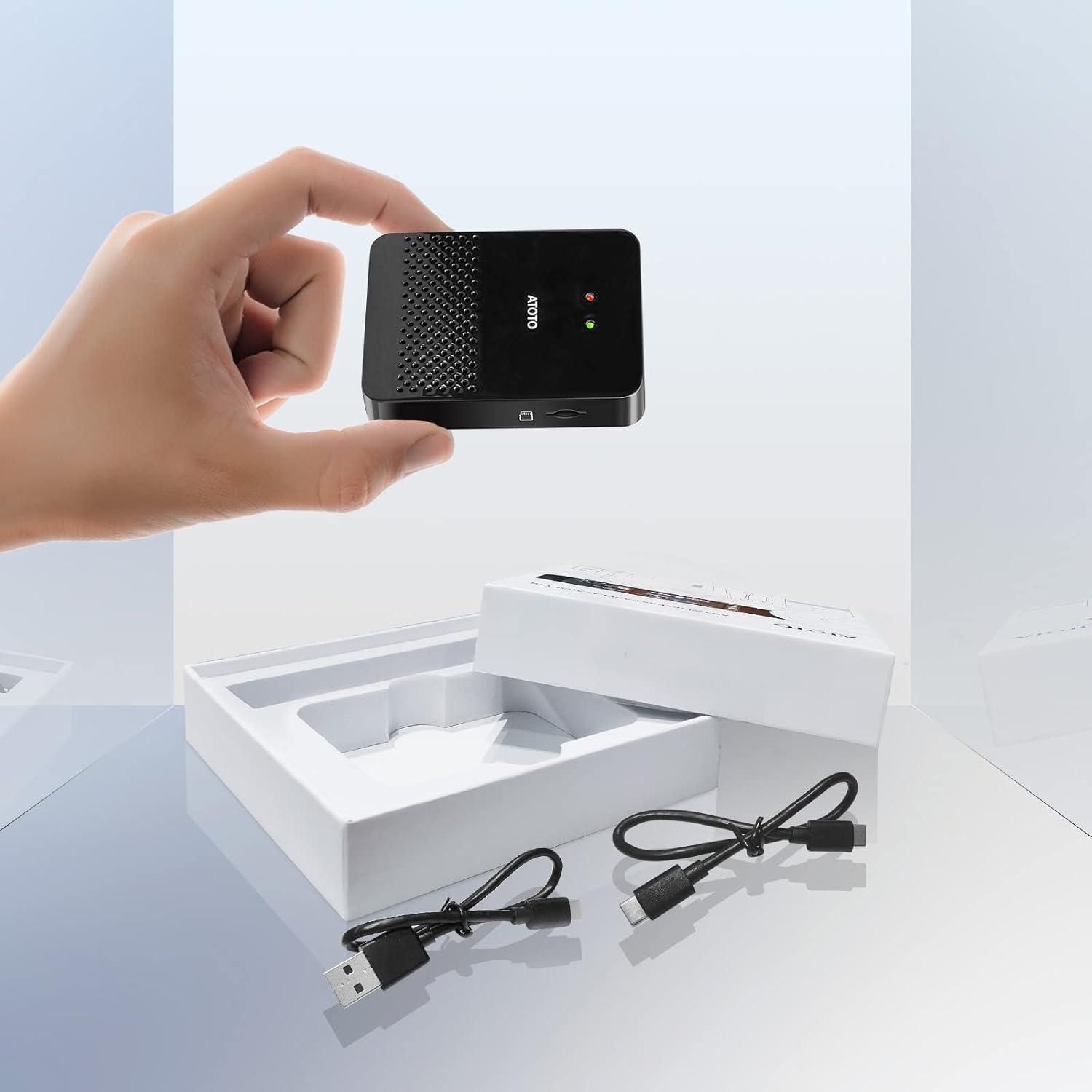
The image displays the ATOTO AD3-B adapter, a USB-C to USB-A cable, and a USB-C to USB-C cable, which are all included in the product package.
3. Setup Guide
Follow these steps to set up your ATOTO AD3-B Wireless CarPlay Adapter:
- Connect the Adapter: Plug the AD3-B adapter into your car stereo's USB or Type-C port using the appropriate USB cable provided. Ensure your car stereo supports wired CarPlay.
- Enable Bluetooth on iPhone: On your iPhone, go to Settings > Bluetooth and turn Bluetooth on. Search for and tap on "AD3" to initiate the pairing process.
- Confirm Pairing and CarPlay Use: Follow the prompts on your iPhone and car stereo screen to confirm the Bluetooth pairing and grant permission to use CarPlay with "AD3". Once connected, wireless CarPlay will launch automatically. For subsequent uses, CarPlay will connect automatically when you start your car.

This image visually guides users through the three essential steps for setting up the ATOTO AD3-B adapter: connecting the device to the car's USB port, pairing it via Bluetooth with an iPhone, and confirming the CarPlay connection.
4. Operation
Once connected, the ATOTO AD3-B adapter enables full wireless CarPlay functionality, allowing you to access your iPhone's features directly on your car's display.
- Navigation: Utilize map applications for directions.
- Audio Playback: Listen to music, podcasts, and audiobooks.
- Communication: Make and receive calls, send and listen to messages.
- Voice Control: Use Siri for hands-free commands.
- Steering Wheel Controls: Maintain full functionality of your OEM steering wheel controls for safe operation.

Online navigation through CarPlay, showing a map and music playback on the car's display.
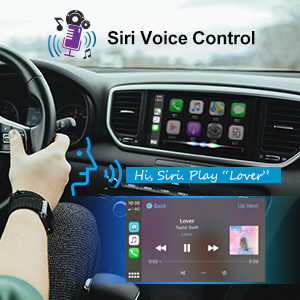
Siri voice control activated in CarPlay, demonstrating hands-free interaction for tasks like playing music.
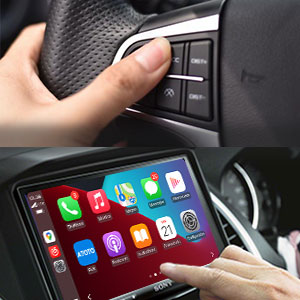
A hand using steering wheel controls, indicating that the adapter maintains compatibility with existing vehicle controls for CarPlay functions.
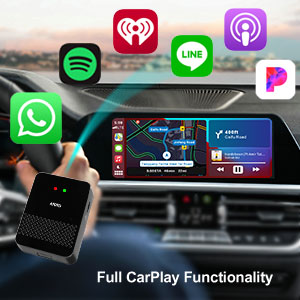
The CarPlay interface displaying multiple application icons, highlighting the full range of CarPlay functionalities available through the adapter.
5. Compatibility
The ATOTO AD3-B adapter is designed for broad compatibility, but certain limitations apply:
5.1 Vehicle and Head Unit Compatibility
- Compatible with Factory Head Units: Supports Toyota, Audi, Porsche, Volvo, Volkswagen, Mercedes-Benz, Hyundai, Honda Civic CR-V, Peugeot, Chevrolet, Ford, and many others that feature wired CarPlay.
- Compatible with Aftermarket Head Units: Works with aftermarket units from Pioneer, JVC, Kenwood, Dual, Jensen, Boss Audio, etc., that support wired CarPlay.
- Not Compatible:
- Factory head units without wired CarPlay.
- Car stereos that already have built-in wireless CarPlay (e.g., ATOTO A6 PF, F7 XE, S8 Gen2).
- ATOTO A6 Y.
- Most Sony XAV models, except XAV-AX100 and XAV-AX5000.
- Skoda vehicles.
- Special Requirement: For Nissan Sylphy, Jeep, and Mazda CX5, external power for the AD3-B is required using a Y-shaped USB cable (one plug into AD3, one into head unit, one into a power port).
5.2 Phone and Application Compatibility
- iPhone: Compatible with iPhone 5 and later models running iOS 9.0 or higher.
- Android Phones: Not compatible.
- Applications: Compatible with CarPlay only; not compatible with Android Auto.

This table provides a list of various OEM and aftermarket car models that have been tested and confirmed to be compatible with the ATOTO AD3-B Wireless CarPlay Adapter.
6. Troubleshooting
If you encounter issues with your ATOTO AD3-B adapter, consider the following:
- Connection Issues: Ensure the adapter is securely plugged into the car's USB port. Verify Bluetooth is enabled on your iPhone and correctly paired with "AD3".
- No CarPlay Launch: Confirm your car stereo supports wired CarPlay. The adapter converts wired to wireless, it does not add CarPlay functionality to a non-CarPlay system.
- Intermittent Connectivity: Check for firmware updates (see Section 8). Ensure there are no other devices interfering with the 5GHz Wi-Fi signal.
- Compatibility Check: Refer to the compatibility section (Section 5) to ensure your vehicle, head unit, and iPhone model are supported.
- External Power: If you own a Nissan Sylphy, Jeep, or Mazda CX5, ensure the adapter is receiving external power via a Y-shaped USB cable.
7. Specifications
| Feature | Specification |
|---|---|
| Model Number | AD3-B |
| Connectivity Technology | Bluetooth, USB, Wi-Fi (5GHz) |
| Wireless Communication Standard | Bluetooth |
| Compatible Devices | iPhone (iOS 9.0 or higher) |
| Special Feature | Auto Reconnection |
| Item Weight | 5.6 ounces |
| Package Dimensions | 4.92 x 4.76 x 1.14 inches |
8. Maintenance, Warranty, and Support
8.1 Firmware Updates
ATOTO continuously optimizes the adapter's firmware. You can update to the latest firmware over the air using the Online Update System. This ensures optimal performance and compatibility.

The image shows the ATOTO AD3 Online Update System interface, indicating a firmware update in progress.
8.2 Warranty and Technical Support
The ATOTO AD3-B comes with a one-year free warranty. By registering your AD3-B at the AOCSS system, you may be eligible for an additional 180-day free warranty. ATOTO provides lifetime technical support for its products.

This image highlights the availability of online firmware upgrades and professional customer support provided by ATOTO.


