Product Overview
The Xmenha Wireless Earbuds are designed for versatile use, offering a comfortable and secure fit for both casual listening and intense workouts. Featuring Bluetooth 5.1 technology, these earbuds provide stable connectivity and clear audio. They are equipped with detachable earhooks for customizable wear and are IPX6 waterproof, making them suitable for various activities.

Image: Blue Xmenha Wireless Earbuds with earhooks, resting in their open charging case. The earbuds are visible with their L and R markings.

Image: A display of Xmenha earbuds in various colors (blue, white, black, pink, orange) with their charging cases, illustrating key features such as Bluetooth 5.1, one-step connection, long battery life, IPX6 waterproofing, Hi-Fi sound, and lightweight design.
Package Contents
Please verify that all items are present in the package:
- Xmenha Wireless Earbuds (Left and Right)
- Portable Charging Case
- USB Type-C Charging Cable
- Detachable Earhooks (2 pairs)
- Silicone Ear Tips (S/M/L sizes)

Image: The product package contents laid out, showing the earbuds, charging case, USB-C cable, multiple sizes of ear tips, and two pairs of detachable earhooks.
Setup
1. Charging the Earbuds and Case
Before first use, fully charge the earbuds and the charging case. The charging case extends the earbuds' playtime significantly.
- Place the earbuds into the charging case. Ensure they are correctly seated.
- Connect the USB Type-C charging cable to the charging port on the case and plug the other end into a USB power source (e.g., wall adapter, computer USB port).
- The indicator lights on the charging case will show the charging status. Once fully charged, the lights will indicate completion or turn off.
A full charge for the case takes approximately 1-2 hours. The earbuds provide up to 6 hours of listening time, and the portable charging case can recharge them 3 times, extending total playtime to 24 hours.
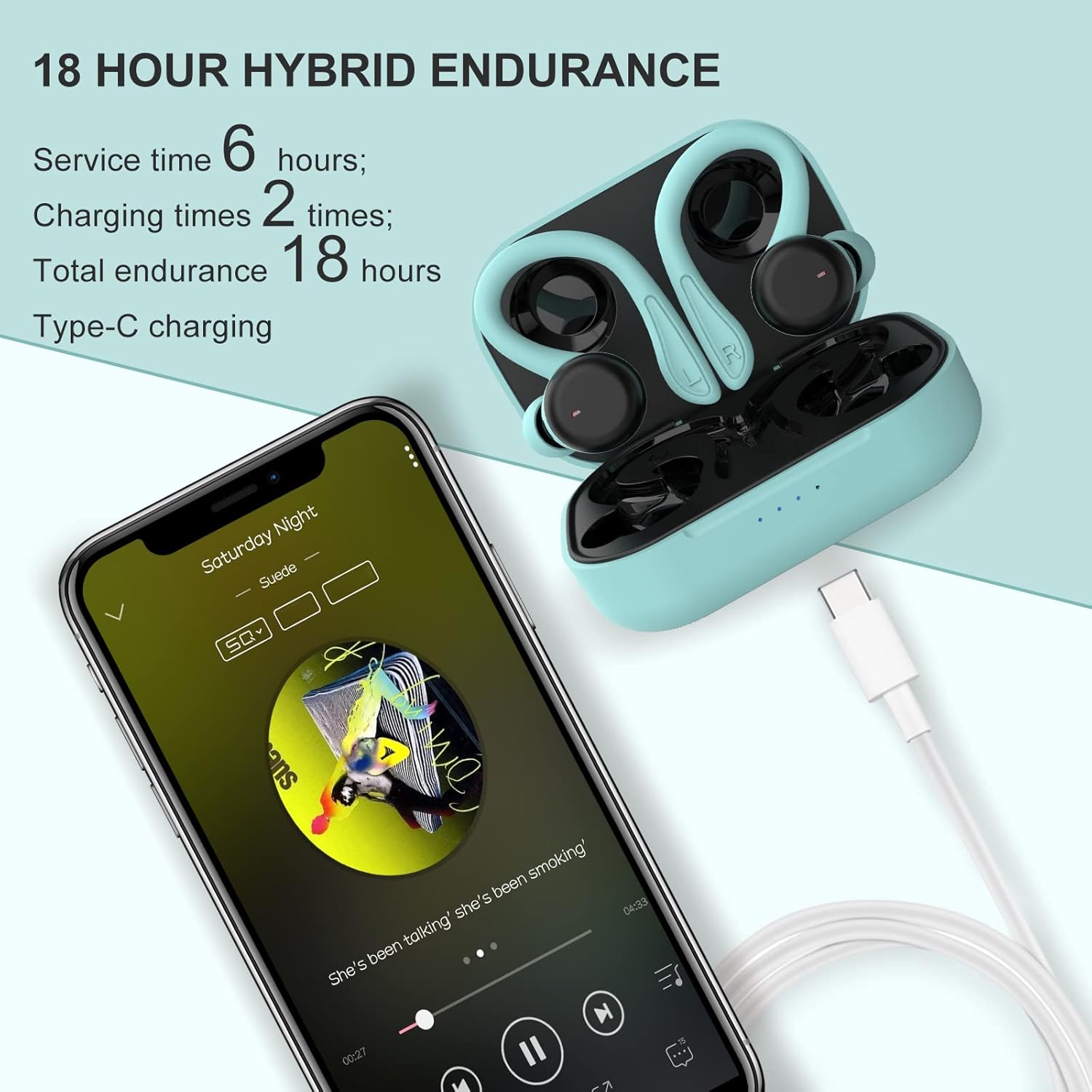
Image: The Xmenha earbuds and their charging case are shown connected via a USB-C cable, with a smartphone displaying a music player interface. Text indicates a service time of 6 hours, 2 charging times, and a total endurance of 18 hours with Type-C charging.
2. Pairing with Your Device
The earbuds feature automatic pairing for convenience.
- Open the charging case and take out both earbuds. They will automatically enter pairing mode.
- On your device (smartphone, tablet, etc.), go to Bluetooth Settings.
- Search for available devices and select "MS-T40" (or similar model name) from the list to connect.
- Once connected, you will hear a confirmation tone, and the earbuds will be ready for use.

Image: The Xmenha earbuds are shown in their open charging case, positioned next to a smartphone displaying its Bluetooth settings. The device name "MS-T40" is highlighted as connected, illustrating the automatic pairing process.
3. Wearing the Earbuds
The earbuds come with detachable earhooks and multiple ear tip sizes to ensure a comfortable and secure fit.
- Choose the Right Ear Tips: Select the silicone ear tips (S/M/L) that provide the best seal and comfort for your ears. A good seal is crucial for optimal sound quality and noise isolation.
- Attach/Detach Earhooks: The earhooks can be attached for a secure fit during sports or detached for casual use. Gently slide the earhook onto the earbud until it clicks into place. To remove, gently pull it off.
- Positioning: Insert the earbud into your ear canal and rotate it slightly to ensure a snug fit. If using earhooks, position the hook over the top of your ear.

Image: A visual guide demonstrating two wearing styles for the Xmenha earbuds: one with earhooks for secure fit during sports and another without for comfortable casual use. Accompanying images show individuals enjoying music casually and engaging in fitness activities while wearing the earbuds.

Image: Two scenarios depicting the versatility of the earbuds. On the left, a woman is running, wearing the earbuds with earhooks for a secure fit during exercise. On the right, a woman is smiling, wearing the earbuds without earhooks, suitable for casual listening or office work.
Operating Instructions
The Xmenha Wireless Earbuds feature intuitive touch controls for easy management of audio playback and calls.
Touch Controls
The touch sensitive area is located on the outer surface of each earbud. Refer to the diagram for common functions:

Image: A detailed diagram of an earbud highlighting its touch-sensitive area and various control functions, including play/pause, skipping tracks, answering/ending calls, and activating the voice assistant.
| Action | Function |
|---|---|
| Single Tap (L/R) | Play/Pause Music, Answer/End Call |
| Double Tap (Right Earbud) | Next Track |
| Double Tap (Left Earbud) | Previous Track |
| Long Press (L/R, 2 seconds) | Reject Call, Activate Voice Assistant |
| Triple Tap (L/R) | Volume Control (specific implementation may vary, refer to device settings) |
Note: Volume control functionality via triple tap may depend on your connected device's operating system and settings. For precise volume adjustments, use your device's volume controls.
Making and Receiving Calls
- Answer Call: Single tap either earbud.
- End Call: Single tap either earbud during a call.
- Reject Call: Long press either earbud for 2 seconds.
The earbuds are equipped with 2 microphones and environmental noise reduction technology for clear call quality.
Maintenance
Proper maintenance ensures the longevity and optimal performance of your Xmenha Wireless Earbuds.
Cleaning
- Regularly clean the earbuds, ear tips, and charging contacts with a soft, dry, lint-free cloth.
- For ear tips, you can remove them and wash with mild soap and water, then dry thoroughly before reattaching.
- Do not use abrasive cleaners, alcohol, or chemical solvents.
Storage
- When not in use, always store the earbuds in their charging case to protect them from dust, dirt, and physical damage.
- Store in a cool, dry place, away from extreme temperatures and direct sunlight.
Water Resistance (IPX6)
The earbuds are IPX6 waterproof, meaning they are protected against high-pressure water jets from any direction. This makes them suitable for workouts and light rain.
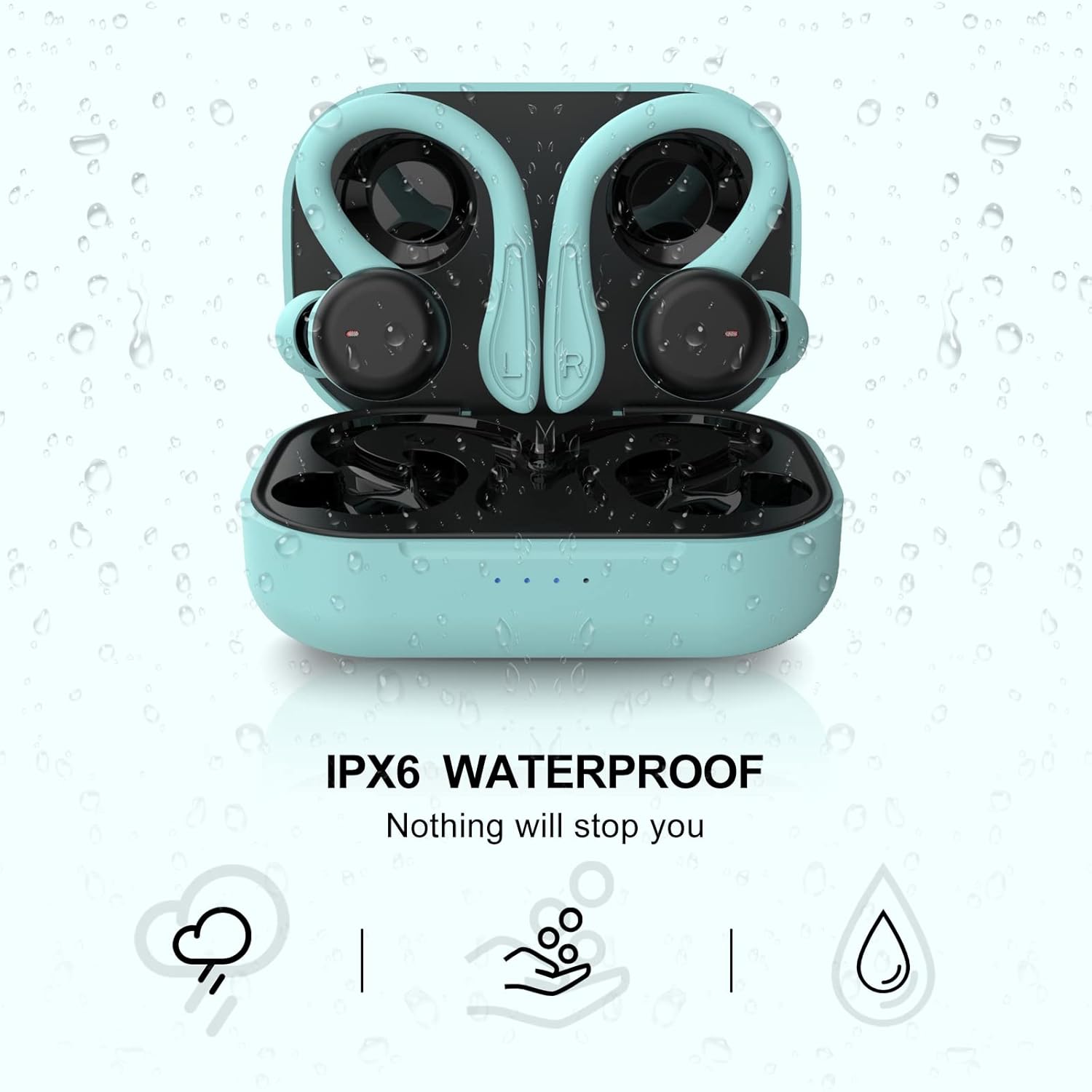
Image: The Xmenha earbuds in their charging case are depicted with water droplets splashing around them, accompanied by the text "IPX6 WATERPROOF" and "Nothing will stop you," illustrating their water resistance.
- Do not submerge the earbuds in water.
- Ensure the charging port on the case is dry before charging.
- If the earbuds get wet, wipe them dry before placing them back in the charging case.
Troubleshooting
If you encounter issues with your Xmenha Wireless Earbuds, please refer to the following common solutions:
| Problem | Possible Cause / Solution |
|---|---|
| Earbuds not pairing / connecting |
|
| Only one earbud working |
|
| Low volume or poor sound quality |
|
| Charging case not charging |
|
If the issue persists after trying these steps, please contact customer support.
Specifications
Key technical specifications for the Xmenha Wireless Earbuds:
| Feature | Detail |
|---|---|
| Connectivity Technology | Wireless (Bluetooth) |
| Bluetooth Version | 5.1 |
| Bluetooth Range | 15 Meters |
| Battery Life (Earbuds) | Up to 6 Hours |
| Total Playtime with Case | Up to 24 Hours |
| Charging Time (Case) | 1-2 Hours (Type-C Fast Charge) |
| Water Resistance Level | IPX6 Waterproof |
| Control Method | Touch, Voice |
| Ear Placement | In Ear |
| Earpiece Shape | Ear Hook (Detachable) |
| Noise Control | Sound Isolation, Environmental Noise Reduction (for calls) |
| Material | Silicone |
| Item Weight | 4.55 Ounces (approx. 129g) |
| Product Dimensions | 1.18 x 4.52 x 6.88 inches |
Warranty and Support
Warranty Information
Xmenha products are manufactured to high quality standards. Specific warranty details, including duration and coverage, are typically provided with your purchase documentation or on the official Xmenha website. Please retain your proof of purchase for warranty claims.
Customer Support
For further assistance, technical support, or warranty inquiries, please contact Xmenha customer service. Contact information can usually be found on the product packaging, the official Xmenha website, or through the retailer where you purchased the product.
Note: As per the provided data, the seller is "Xmenha" (AWQZHOZ0UXMBP). You may visit the Xmenha Store on Amazon for more information or to contact the seller directly.