
1. Introduction
This manual provides essential information for the safe and efficient operation of your Mienta CP10429A Electric Citrus Juicer. Please read all instructions carefully before first use and retain this manual for future reference.
2. Important Safety Instructions
When using electrical appliances, basic safety precautions should always be followed to reduce the risk of fire, electric shock, and injury to persons, including the following:
- Read all instructions.
- Do not immerse the motor base in water or other liquids.
- Close supervision is necessary when any appliance is used by or near children.
- Unplug from outlet when not in use, before assembling or disassembling parts, and before cleaning.
- Avoid contact with moving parts.
- Do not operate any appliance with a damaged cord or plug, or after the appliance malfunctions or has been dropped or damaged in any manner.
- The use of attachments not recommended or sold by the manufacturer may cause fire, electric shock, or injury.
- Do not use outdoors.
- Do not let cord hang over edge of table or counter or touch hot surfaces.
- Always ensure the juicer is properly assembled before operation.
3. Product Overview
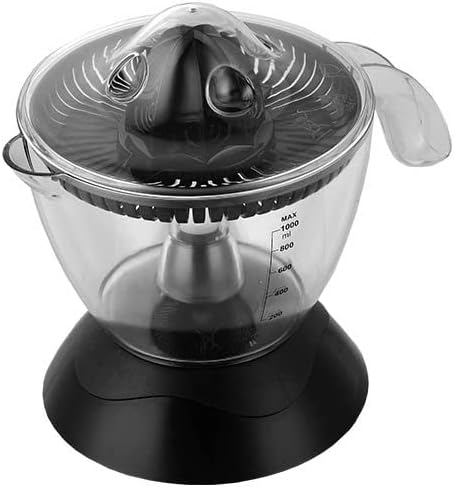
Familiarize yourself with the components of your Mienta CP10429A Electric Citrus Juicer:
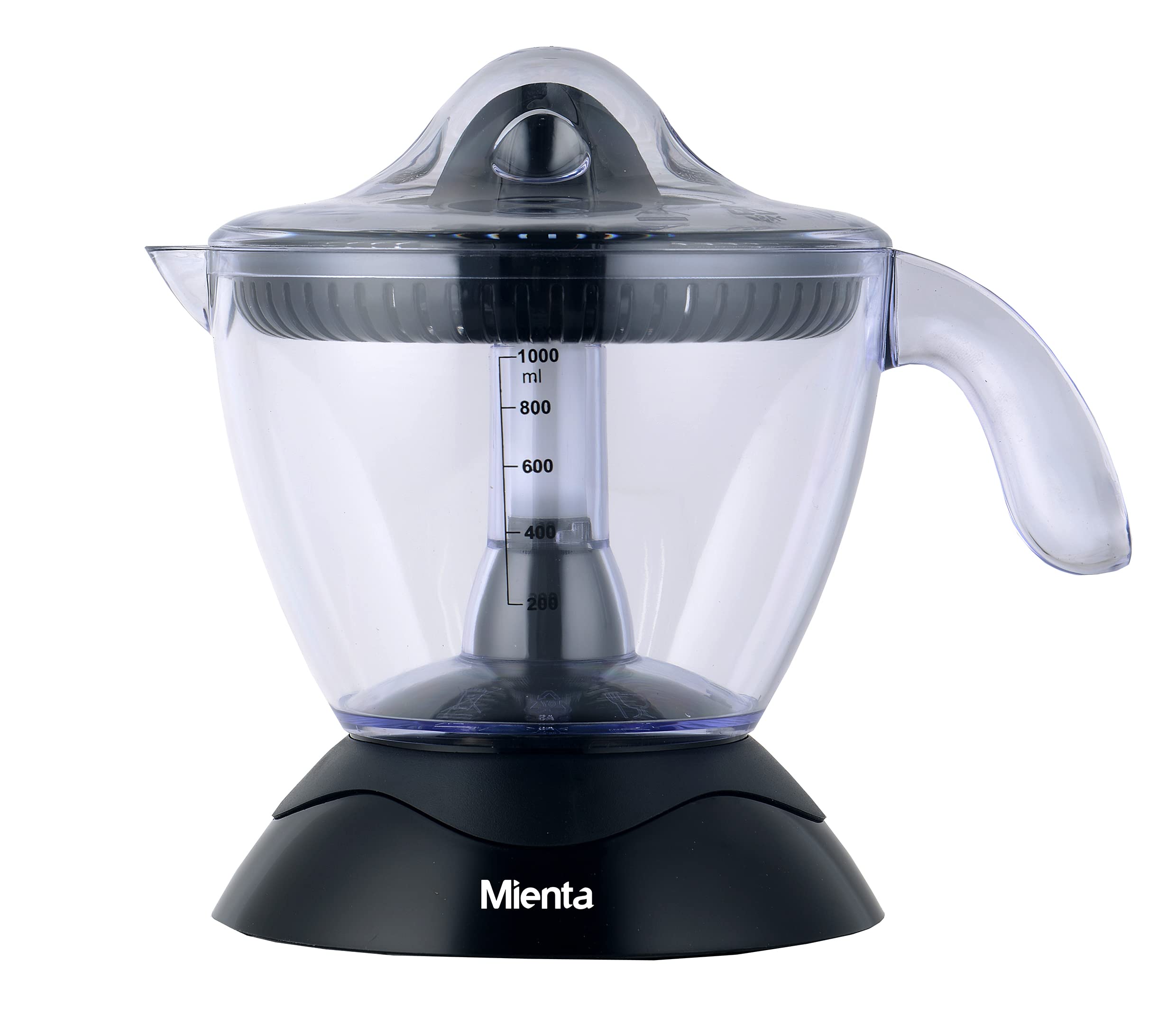
- Dust Cover: Protects the reamer when not in use.
- Reamer: Extracts juice from citrus halves.
- Filter: Separates pulp and seeds from the juice.
- Juice Collector (Jug): Collects the extracted juice, with a 1-liter capacity and level indicator.
- Motor Base: Contains the motor and power cord.
4. Setup
- Unpack: Carefully remove all parts from the packaging.
- Clean: Wash all removable parts (dust cover, reamer, filter, juice collector) in warm, soapy water. Rinse thoroughly and dry. Do not wash the motor base.
- Assemble:
- Place the juice collector onto the motor base.
- Insert the filter into the juice collector.
- Place the reamer onto the shaft in the center of the filter.
- Ensure all parts are securely fitted.
- Position: Place the assembled juicer on a stable, flat, and dry surface.
5. Operating Instructions
- Prepare Fruit: Cut citrus fruits (oranges, lemons, grapefruits, etc.) in half.
- Plug In: Connect the power cord to a suitable electrical outlet.
- Juice Extraction:
- Place a fruit half onto the reamer.
- Press down firmly on the fruit. The motor will start automatically and rotate in two directions for optimal juice extraction.
- Release pressure to stop the motor.
- Continue with remaining fruit halves until the desired amount of juice is collected in the jug. The juice level indicator will show the volume.
- Serve: Once juicing is complete, unplug the appliance. Remove the juice collector from the motor base and pour the fresh juice.
6. Maintenance and Cleaning
Regular cleaning ensures optimal performance and extends the life of your juicer.
- Unplug: Always unplug the juicer from the power outlet before cleaning.
- Disassemble: Remove the dust cover, reamer, filter, and juice collector from the motor base.
- Wash Removable Parts: Wash the dust cover, reamer, filter, and juice collector in warm, soapy water. Use a brush if necessary to remove pulp from the filter. Rinse thoroughly and dry immediately. These parts are not dishwasher safe (hand wash only).
- Clean Motor Base: Wipe the motor base with a damp cloth. Do not immerse the motor base in water or any other liquid.
- Storage: Reassemble the clean, dry parts and store the juicer in a dry place.
7. Troubleshooting
| Problem | Possible Cause | Solution |
|---|---|---|
| Juicer does not start. | Not plugged in; parts not assembled correctly; insufficient pressure on fruit. | Ensure power cord is securely plugged in. Check that all parts are correctly assembled. Apply firm, consistent pressure on the fruit. |
| Low juice yield. | Fruit not fresh; insufficient pressure; reamer or filter clogged. | Use fresh, ripe citrus fruits. Apply firm pressure. Clean the reamer and filter thoroughly. |
| Excessive pulp in juice. | Filter not properly seated or damaged. | Ensure the filter is correctly placed. Inspect the filter for damage; replace if necessary. |
8. Specifications
| Feature | Detail |
|---|---|
| Brand | Mienta |
| Model Number | CP10429A |
| Power | 30 Watts |
| Capacity | 1 Liter |
| Color | Black |
| Dimensions (L x W x H) | 30 x 30 x 35 cm |
| Weight | 250 grams |
| Material | Multi-materials |
| Special Features | Portable, Two-way rotation, Removable filter |
| Recommended Use | Citrus fruits |
| Care Instructions | Hand wash removable parts |
| Power Source | Corded Electric |
9. Warranty and Support
Mienta products are manufactured to high-quality standards. For warranty information, product support, or service inquiries, please refer to the warranty card included with your purchase or contact Mienta customer service directly. Keep your purchase receipt as proof of purchase.
For further assistance, please visit the official Mienta website or contact their customer support line.

