
1. Introduction
This instruction manual provides essential information for the assembly, operation, and maintenance of your Bruder John Deere 7R 350 Tractor with Rear Trailer and Logs. Please read this manual thoroughly before use to ensure proper handling and to maximize the product's lifespan. This product is a detailed toy model designed for recreational use.
2. Product Overview and Features
The Bruder John Deere 7R 350 tractor and trailer set is a highly detailed 1:16 scale model, designed to replicate real-world agricultural and forestry operations. Key features include:
- The tractor doors open, allowing a Bworld figure (sold separately) to be placed in the driver's seat.
- The hood opens, providing a view of the detailed engine block.
- The front weight is removable.
- The trailer hitch features a height-adjustable lifting mechanism.
- The tractor can be steered using an additional steering rod inserted through the sliding roof.
- The trailer is equipped with a rotating and swiveling loading crane, enabling both transport and loading/unloading of the included tree trunks.

Image 1: The complete Bruder John Deere 7R 350 tractor and trailer set, including four logs.
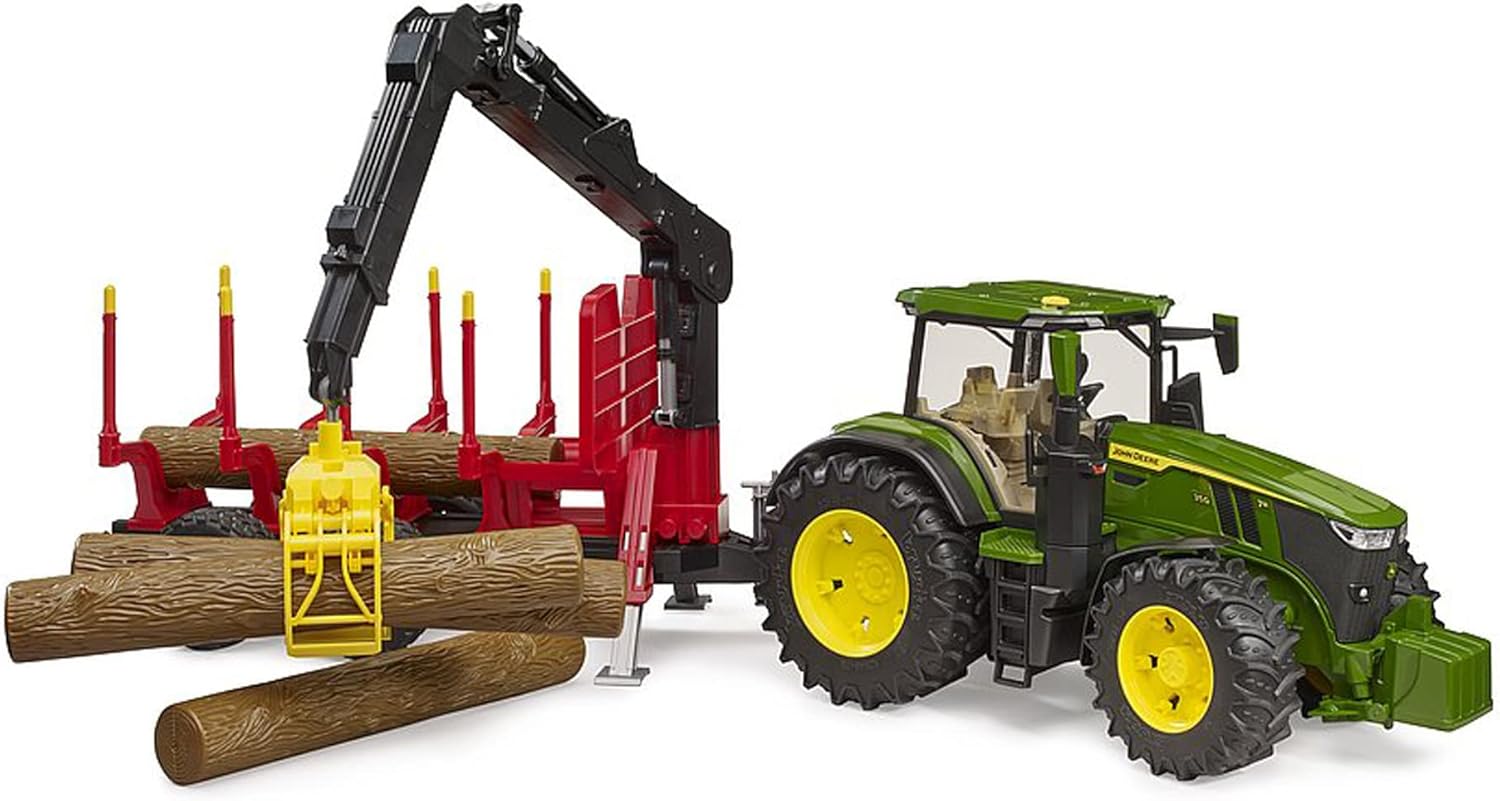
Image 2: Side view of the John Deere 7R 350 tractor connected to the rear trailer, showcasing the detailed design.
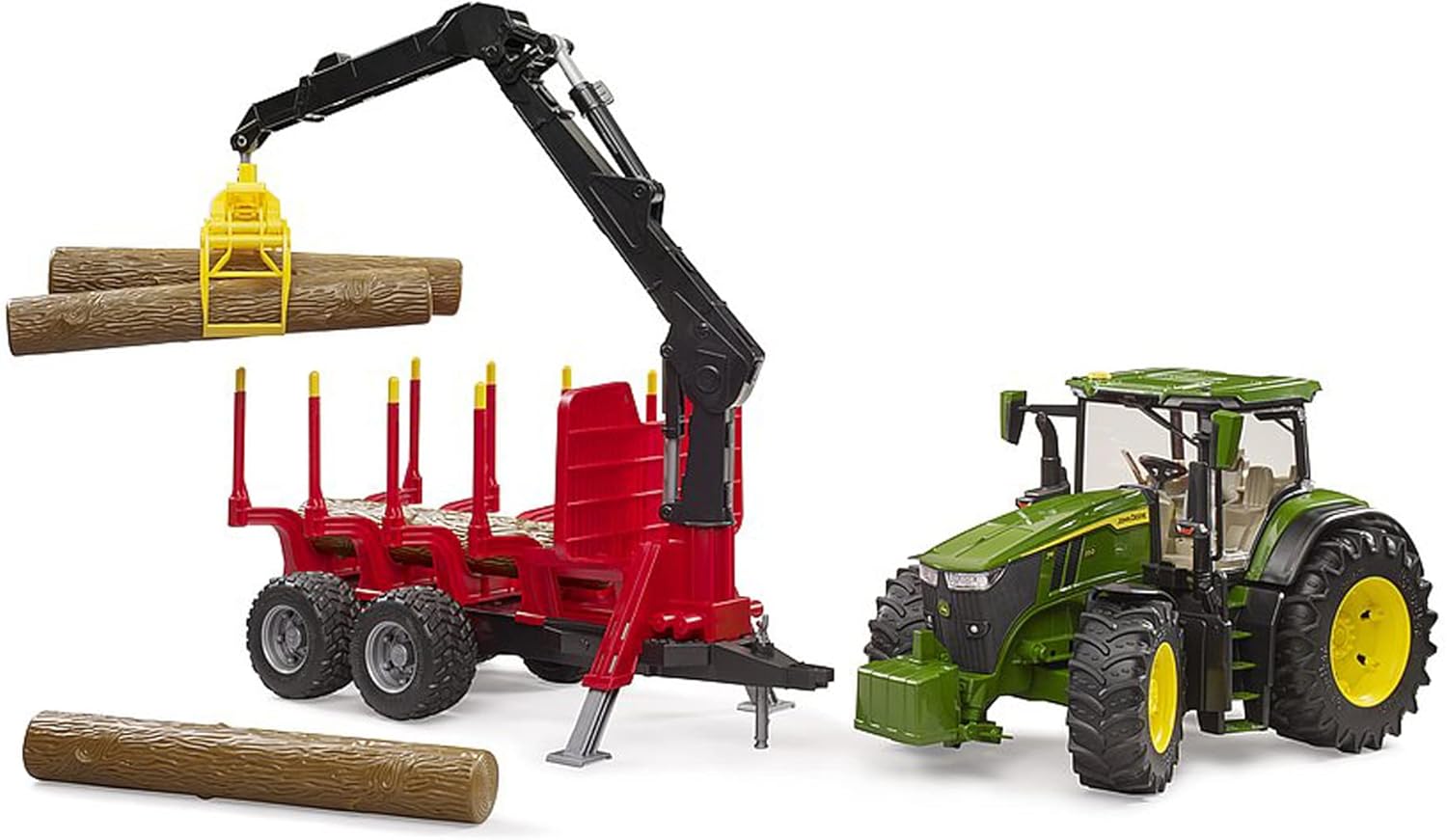
Image 3: The rear trailer with its operational crane lifting one of the included logs, demonstrating its functionality.

Image 4: Rear view of the tractor and trailer combination, highlighting the connection point and trailer structure.

Image 5: The tractor and trailer set depicted with Bworld figures (not included) interacting with the logs, illustrating potential play scenarios.
3. Setup
- Unpacking: Carefully remove all components from the packaging. Ensure all parts, including the tractor, trailer, and four logs, are present.
- Attaching the Trailer: Connect the rear trailer to the tractor's hitch. The hitch mechanism is height-adjustable to ensure a secure connection.
- Steering Rod Insertion: For enhanced steering control, insert the additional steering rod through the sliding roof of the tractor's cabin.
- Loading Logs: Place the four included logs onto the trailer's designated carrying area. The loading crane can be used for this purpose.
- Optional Front Weight: The front weight can be attached or removed from the front of the tractor as desired.
4. Operating Instructions
- Tractor Steering: Use the steering wheel inside the cabin or the external steering rod (inserted through the roof) to control the tractor's direction.
- Door and Hood Operation: The tractor doors can be opened and closed to place or remove figures. The hood can be opened to view the engine detail.
- Trailer Crane Operation: The trailer's loading crane is rotatable and swiveling. Use the crane to pick up, move, and place the logs. Practice controlling the crane's movements for precise loading and unloading.
- Transporting Logs: Once logs are securely placed on the trailer, the tractor can be driven to transport them.
5. Maintenance
- Cleaning: Wipe the product with a damp cloth to remove dust and dirt. Avoid using harsh chemicals or abrasive cleaners.
- Storage: Store the product in a clean, dry place away from direct sunlight and extreme temperatures to prevent material degradation.
- Inspection: Periodically inspect all moving parts and connections for any signs of wear or damage.
6. Troubleshooting
This product is a mechanical toy. Most issues can be resolved by checking for physical obstructions or incorrect assembly.
- Steering Difficulty: Ensure the steering rod is correctly inserted and not bent. Check for any debris obstructing the steering mechanism.
- Crane Malfunction: Verify that the crane's joints are free of obstructions and that all parts are securely connected.
- Loose Parts: If any parts become loose, attempt to reattach them securely. If a part is broken, contact customer support for assistance.
7. Specifications
| Attribute | Value |
|---|---|
| Brand | bruder |
| Vehicle Type | Tractor |
| Material | Plastic |
| Color | Multicolor |
| Age Range | Child |
| Theme | Agriculture, Forestry, Transport |
| Character | Tractor |
| Model Name | 7R 350 |
| Power Source | Manually Powered |
| Special Feature | Portable |
8. Safety Information
Please observe the following safety guidelines:
- This product contains small parts and is not suitable for children under 3 years due to choking hazards.
- Adult supervision is recommended during play.
- Do not modify the product in any way, as this may compromise its safety and functionality.
- Keep packaging materials away from children to prevent suffocation risks.
9. Warranty and Support
Bruder products are manufactured to high-quality standards. For any questions, concerns, or support needs regarding your product, please refer to the manufacturer's official website or contact their customer service department. Specific warranty details may vary by region and purchase location.


