
Introduction
Thank you for choosing the Generic STN-01 Wireless Stereo Over-Ear Headphones. This manual provides essential information for the safe and efficient use of your new headphones. Please read this guide thoroughly before use and retain it for future reference.
Safety Information
- Volume Control: To prevent hearing damage, avoid listening at high volume levels for extended periods.
- Driving Safety: Do not use headphones while driving, cycling, or operating machinery where the inability to hear ambient sounds could pose a danger.
- Water Exposure: These headphones are not water-resistant. Avoid exposure to liquids, moisture, or extreme temperatures.
- Cleaning: Clean the headphones with a soft, dry cloth. Do not use harsh chemicals or abrasive materials.
- Disassembly: Do not attempt to disassemble or modify the headphones. This will void the warranty and may cause damage.
Package Contents
Please check the package for the following items:
- Generic STN-01 Wireless Stereo Over-Ear Headphones
- USB Charging Cable
- Audio Cable (3.5mm Jack)
- Ear Cushions (pre-installed or as spare)
- User Manual
Product Overview
The Generic STN-01 headphones offer a comfortable over-ear design with wireless Bluetooth connectivity, allowing for a seamless audio experience. They feature integrated controls for media playback and call management.
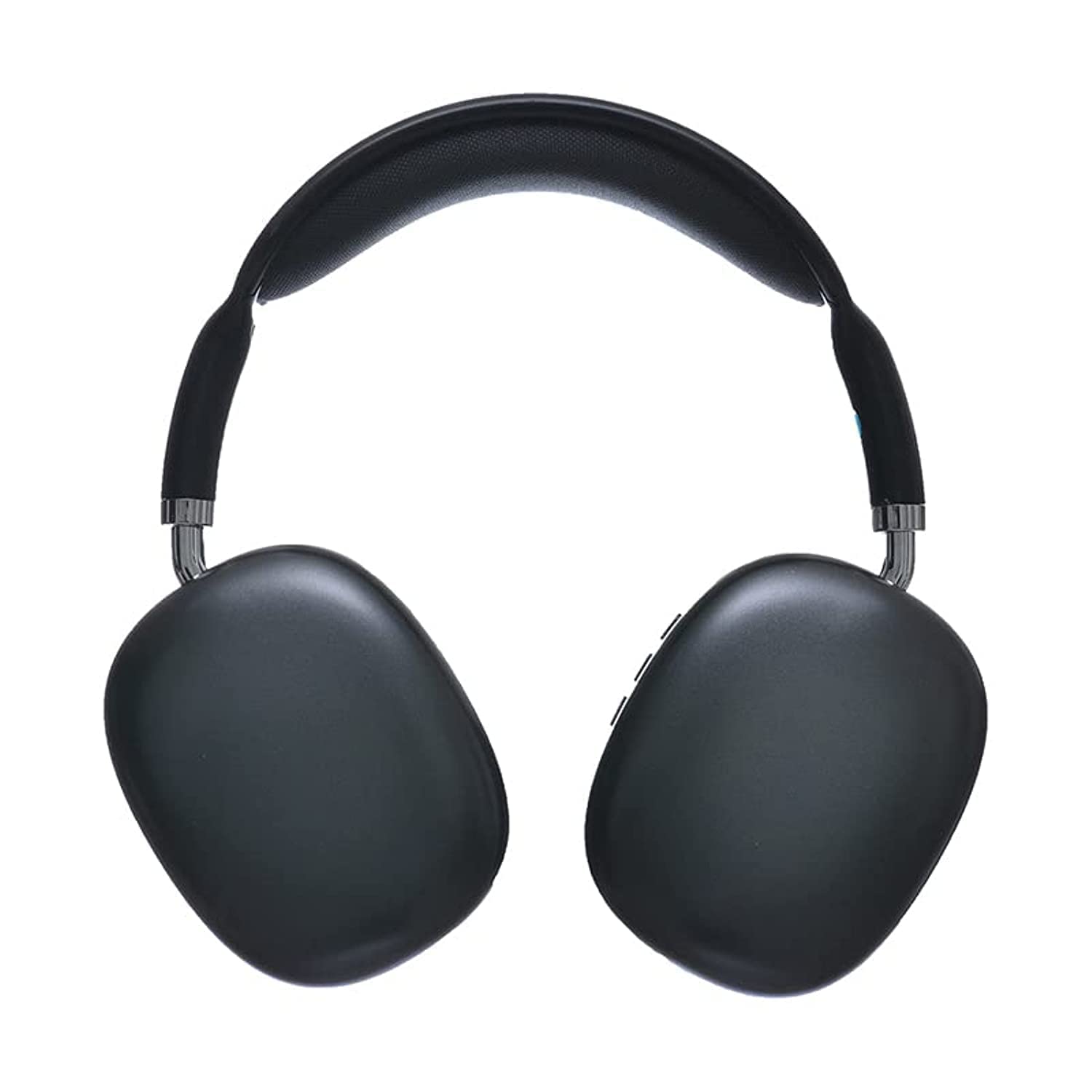
Figure 1: Front view of the Generic STN-01 Wireless Over-Ear Headphones, showcasing the adjustable headband and earcups.
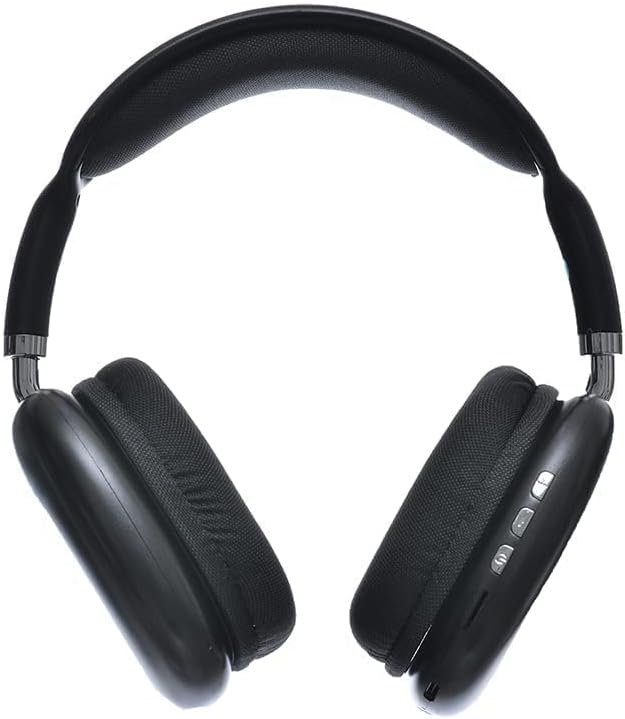
Figure 2: Side view of the Generic STN-01 Wireless Over-Ear Headphones, highlighting the control buttons on the earcup.
Setup
1. Charging the Headphones
- Connect the small end of the USB charging cable to the charging port on the headphones.
- Connect the larger end of the USB charging cable to a USB power adapter (not included) or a computer's USB port.
- The LED indicator will illuminate to show charging status. It will typically turn off or change color once fully charged.
- A full charge usually takes approximately 2-3 hours.
2. Bluetooth Pairing
- Ensure the headphones are fully charged.
- Press and hold the Power button on the headphones until the LED indicator flashes blue and red, indicating pairing mode.
- On your device (smartphone, tablet, computer), enable Bluetooth.
- Search for available Bluetooth devices and select "STN-01" from the list.
- Once connected, the LED indicator will typically flash blue slowly or remain solid blue.
- If prompted for a password, enter "0000".
Operating Instructions
Power On/Off
- Power On: Press and hold the Power button for 3 seconds.
- Power Off: Press and hold the Power button for 3-5 seconds.
Music Playback
- Play/Pause: Press the Play/Pause button once.
- Next Track: Press and hold the Volume Up (+) button.
- Previous Track: Press and hold the Volume Down (-) button.
- Volume Up: Press the Volume Up (+) button briefly.
- Volume Down: Press the Volume Down (-) button briefly.
Call Management
- Answer/End Call: Press the Play/Pause button once.
- Reject Call: Press and hold the Play/Pause button for 2 seconds.
- Redial Last Number: Double-press the Play/Pause button.
Using the 3.5mm Audio Jack
To use the headphones with a wired connection, simply plug the included 3.5mm audio cable into the headphone's audio jack and the other end into your audio source. The Bluetooth function will automatically disable when the audio cable is connected.
Maintenance
- Cleaning: Wipe the headphones and ear cushions with a soft, dry, lint-free cloth. Do not use liquid cleaners or sprays.
- Storage: Store the headphones in a cool, dry place away from direct sunlight and extreme temperatures.
- Battery Care: To prolong battery life, charge the headphones regularly, even if not in frequent use. Avoid fully discharging the battery for extended periods.
Troubleshooting
| Problem | Solution |
|---|---|
| Headphones do not power on. | Ensure the headphones are fully charged. Connect to a power source and try again. |
| Cannot pair with device. | Make sure headphones are in pairing mode (flashing blue/red LED). Turn off and on Bluetooth on your device. Ensure headphones are within range (10 meters). |
| No sound or low volume. | Check volume levels on both headphones and your connected device. Ensure the headphones are properly paired. If using wired connection, ensure cable is fully inserted. |
| Poor audio quality. | Move closer to your device to reduce interference. Avoid obstacles between headphones and device. Disconnect and re-pair the headphones. |
Specifications
| Feature | Detail |
|---|---|
| Model Name | STN-01 |
| Brand | Generic |
| Connectivity Technology | Wireless (Bluetooth) |
| Headphone Form Factor | Over Ear |
| Ear Placement | Over Ear |
| Headphone Jack | 3.5 mm Jack |
| Color | Black |
| Material | Plastic |
| Item Weight | 110 Grams |
| Product Dimensions | 21 x 6.2 x 22.5 cm |
| Control Type | Media Control |
| Control Method | Touch |
| Compatible Devices | Cellphones |
| Sensitivity | 94 dB |
| Noise Control | None |
| Water Resistance Level | Not Water Resistant |
| Included Components | Ear cushions |
Warranty and Support
For warranty information and customer support, please refer to the documentation included with your purchase or contact the retailer where you purchased the Generic STN-01 headphones. Keep your proof of purchase for any warranty claims.