
QDSYLQ BT 520
QDSYLQ External CD/DVD Drive User Manual
Brand: QDSYLQ | Model: BT 520
1. Introduction
The QDSYLQ External CD/DVD Drive is a portable optical drive designed for modern laptops and desktops that may lack built-in CD/DVD capabilities. This device provides a convenient solution for reading and burning CD/DVD discs, enabling various functions such as watching movies, installing software, backing up data, and playing games. It features high-speed data transfer via both USB 3.0 and Type-C interfaces, ensuring efficient performance.
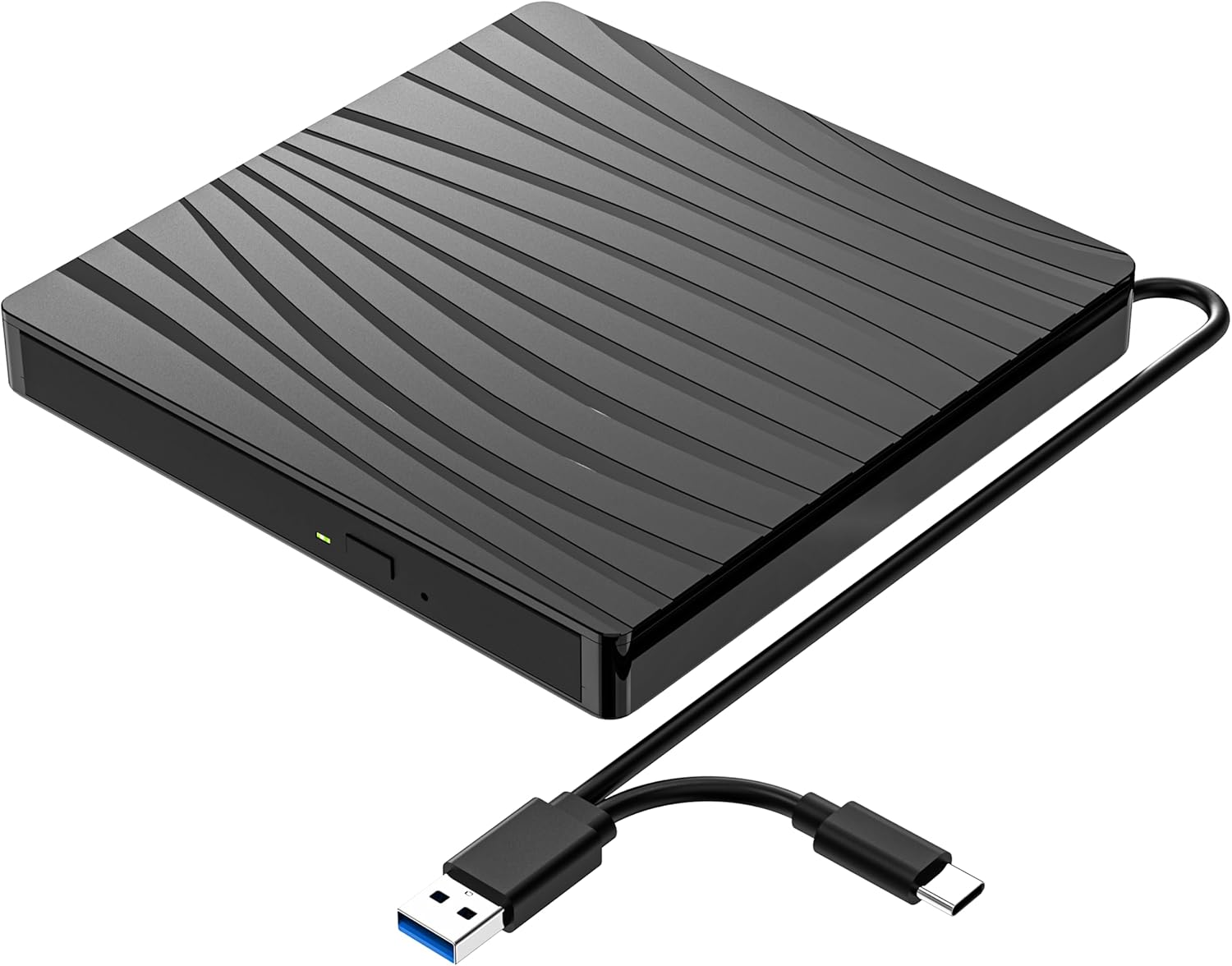
Image: The QDSYLQ External CD/DVD Drive, a compact black unit with a textured top surface, shown with its integrated USB 3.0 and Type-C dual-interface cable.
2. What's in the Box
The package includes the following items:
- QDSYLQ External CD/DVD Drive (Model: BT 520)
- Integrated USB data cable (USB 3.0 & Type-C dual interface)
3. Specifications
| Feature | Detail |
|---|---|
| Brand | QDSYLQ |
| Model Number | BT 520 |
| Interface | USB 3.0 & Type-C (backward compatible with USB 2.0, USB 1.0) |
| Optical Storage Read Speed | DVD: 8x max, CD: 24x max |
| Optical Storage Write Speed | CD: 24x max |
| Supported Disc Types | DVD-ROM, DVD-Video, CD-R/RW, CD-ROM/XA, CD-ROM, CD-EXTRA, CD-TEXT, DVD-R, DVD+R, DVD-RW, DVD+RW, DVD+R DL, DVD-R DL, DVD-RAM |
| Item Weight | 11.3 ounces |
| Product Dimensions | 5.7 x 5.7 x 0.62 inches |
| Color | Black |

Image: The external DVD drive connected to a laptop, illustrating its USB 3.0 and Type-C connectivity and highlighting features like noise reduction, shock proofing, error correction, fast recording, and durability.
4. Compatibility
This external DVD drive offers wide compatibility with various operating systems and hardware platforms:
Supported Operating Systems:
- Windows 11 / 10 / 8.1 / 7 / XP
- Linux
- All versions of Mac OS
Supported Hardware Platforms:
- MacBook Pro
- MacBook Air
- iMac
- Mac Mini
- Laptops
- Notebooks
- Desktops
- PC
Incompatible Devices:
- Surface Pro
- Ubuntu
- TV
- Blu-ray players
- iPad
- Projectors
- Chromebook
- Car systems
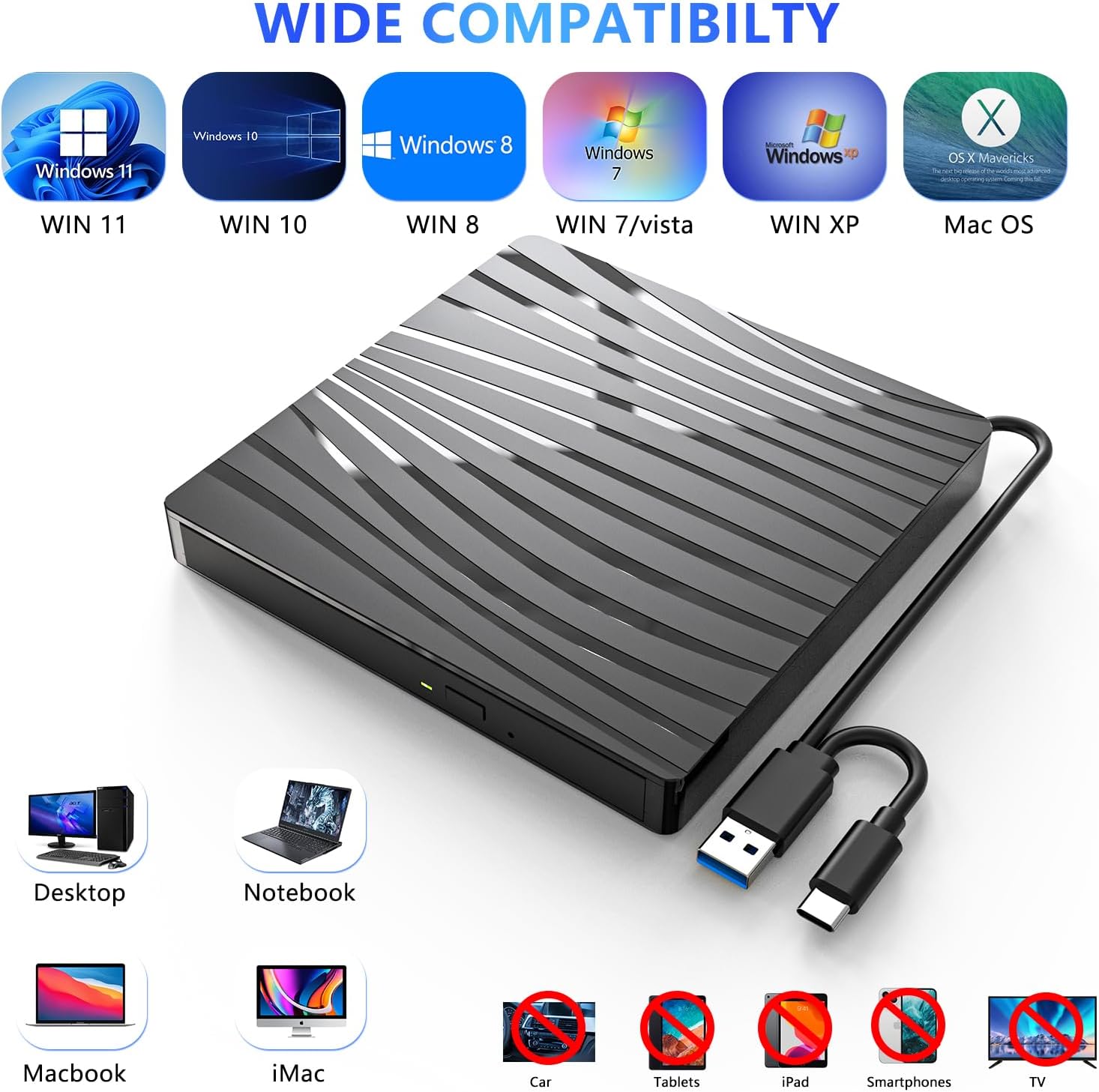
Image: A visual representation of the drive's wide compatibility, showing supported operating systems (Windows 11, 10, 8, 7, XP, Mac OS) and compatible devices (Desktop, Notebook, Macbook, iMac), alongside incompatible devices (Car, Tablets, iPad, Smartphones, TV).
5. Setup Guide
The QDSYLQ External CD/DVD Drive is designed for plug-and-play functionality, requiring no additional driver installation for most operating systems.
- Connect the Drive: Connect the integrated USB data cable from the external CD/DVD drive to an available USB 3.0 or Type-C port on your computer (laptop or desktop). Ensure the connection is secure.
- System Recognition: Your operating system should automatically detect and install the necessary drivers for the drive. This process typically takes a few seconds.
- Ready for Use: Once recognized, the drive will appear as an available optical drive in your computer's file explorer (e.g., "This PC" on Windows, "Finder" on Mac).

Image: The external DVD drive connected to a laptop, with a disc partially inserted, illustrating its plug-and-play nature and various functions like watching movies, playing games, listening to music, creating backups, installing software, burning CDs, copying files, and data backup.
6. Operating Instructions
Reading Discs (CD/DVD Playback):
- Ensure the drive is connected to your computer.
- Gently press the eject button on the front of the drive to open the disc tray.
- Place your CD or DVD onto the tray, ensuring it is centered and securely seated.
- Gently push the tray back into the drive until it clicks shut.
- Your computer's operating system should detect the disc. You can then open it via File Explorer/Finder or use your preferred media player software (e.g., VLC Media Player, Windows Media Player) to play movies, music, or access data.
Writing Discs (CD/DVD Burning):
- Ensure the drive is connected and recognized by your computer.
- Insert a blank recordable CD-R/RW or DVD-R/RW disc into the drive as described above.
- Use your preferred burning software (e.g., Windows built-in burning utility, Nero, Roxio, or other third-party software) to select the files you wish to burn.
- Follow the on-screen instructions of your burning software to initiate the burning process.
- Do not disconnect the drive or interrupt the burning process until it is complete to avoid data corruption or disc damage.
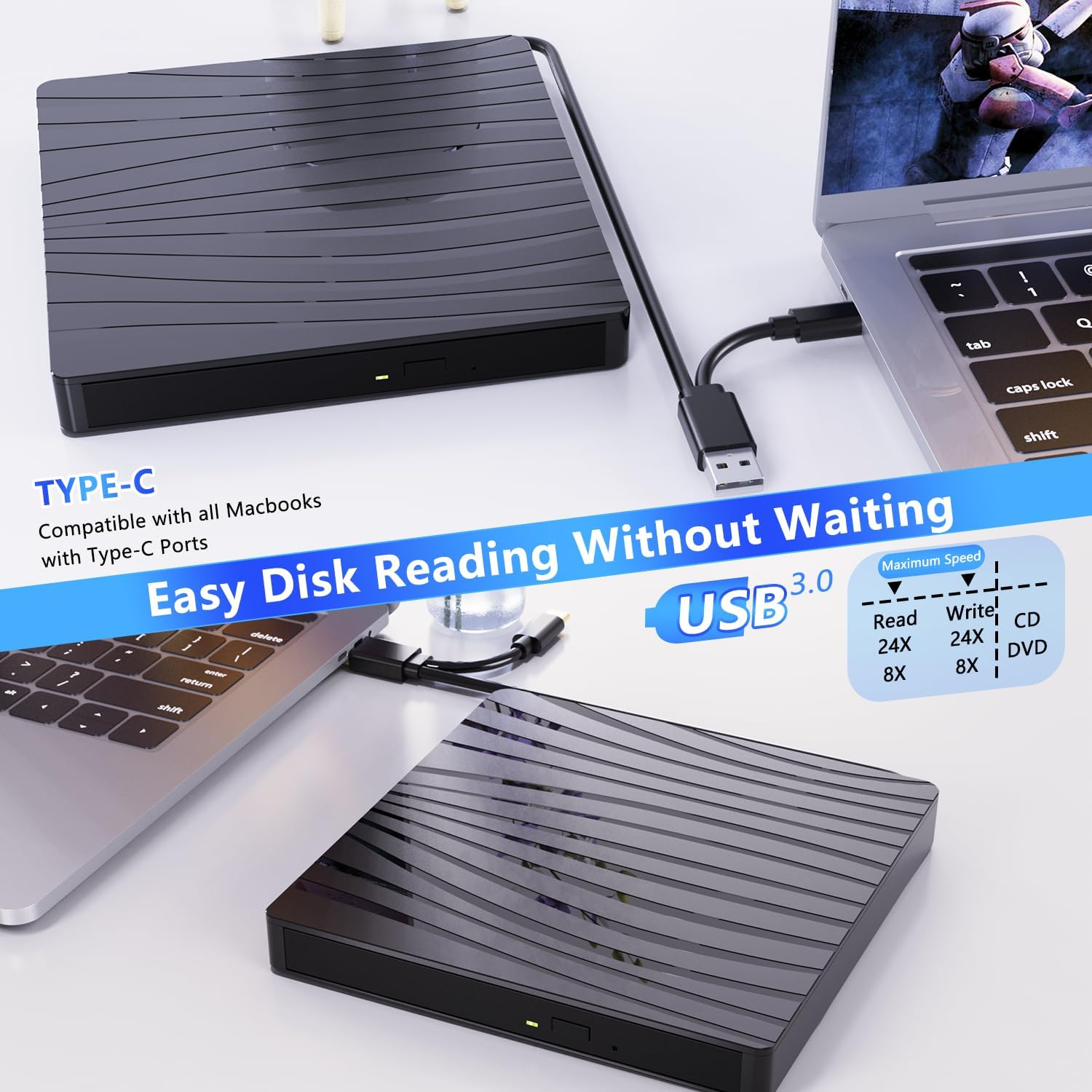
Image: The external DVD drive connected to a MacBook via Type-C, emphasizing "Easy Disk Reading Without Waiting" and displaying maximum read/write speeds for CD (24X) and DVD (8X).
Video: A brief product display of the QDSYLQ External CD/DVD Drive, showcasing its design and features.
7. Maintenance and Care
- Cleaning: Use a soft, dry cloth to clean the exterior of the drive. Do not use liquid cleaners or abrasive materials. For the lens, use a specialized CD/DVD lens cleaning kit if necessary, following its instructions carefully.
- Disc Handling: Always handle discs by their edges to avoid fingerprints and scratches. Store discs in their cases when not in use.
- Storage: Store the drive in a cool, dry place away from direct sunlight and extreme temperatures.
- Avoid Impact: The drive contains delicate optical components. Avoid dropping or subjecting it to strong impacts.
- Cable Care: Do not bend or crimp the integrated USB cable excessively.

Image: The compact external DVD drive being easily slipped into a laptop bag, demonstrating its portability and "Plug and Play" feature for DVD, CD, and VCD discs.
8. Troubleshooting
Issue: Drive is not recognized by the computer.
- Solution 1: Ensure the USB cable is securely connected to both the drive and the computer.
- Solution 2: Try connecting the drive to a different USB port on your computer.
- Solution 3: Restart your computer.
- Solution 4: For desktop PCs, try connecting to a USB port on the back of the computer, as front ports may sometimes provide insufficient power.
Issue: Disc is not reading or burning, or is ejected.
- Solution 1: Ensure the disc is clean and free of scratches or smudges. Clean the disc with a soft, lint-free cloth if necessary.
- Solution 2: Try a different disc to rule out a faulty disc.
- Solution 3: Ensure the disc is placed correctly and securely in the disc tray.
- Solution 4: Verify that your burning software is up-to-date and configured correctly for the type of disc you are using.
- Solution 5: Some older or copy-protected discs may not be compatible.
Issue: Slow read/write speeds.
- Solution 1: Ensure you are connected to a USB 3.0 or Type-C port for optimal speed. USB 2.0 ports will result in slower performance.
- Solution 2: Close other applications running in the background that might be consuming system resources.
9. Warranty and Support
QDSYLQ stands by the quality of its products. With 7 years of professional experience in manufacturing CD/DVD drives, we ensure reliable quality and professional customer service.
If you encounter any problems after purchase, please do not hesitate to contact our customer service team for assistance or a free replacement. We are committed to resolving any issues you may experience with your product.
For support, please refer to the contact information provided with your purchase or visit the official QDSYLQ website.
Related documentsBT 520


Ask a question about this manual
Ask about setup, troubleshooting, compatibility, parts, safety, or missing instructions. Manuals+ will review the question and use this page’s manual context to help answer it.