
1. Introduction
The LEYF PA-2211 is a Full HD 1080p DVB T2 Digital Terrestrial Receiver designed to provide a high-quality television viewing experience. This device is engineered for robust signal reception and supports various multimedia formats, ensuring versatility in your home entertainment setup. Its elegant design, featuring a metal top cover and an LED display, combines aesthetics with performance.
Key features include support for display resolutions such as 1080i, 1080p, and 720p, as well as playback of images (JPEG), music (MP3), and movies (MKV) from a USB drive. The receiver offers an Electronic Program Guide (EPG), supports 10 menu languages, and can store up to 1000 channels. It also includes teletext support and advanced locking systems for system, configuration, parental, and channel control, creating a secure environment for all users. Wi-Fi connectivity and YouTube compatibility enhance its functionality.
2. Safety Information
Please read all safety instructions carefully before operating the LEYF PA-2211 receiver to ensure safe and proper use. Keep this manual for future reference.
- Power Supply: Use only the provided power adapter. Ensure the voltage matches the requirements specified on the device.
- Ventilation: Do not block any ventilation openings. Ensure adequate airflow around the device to prevent overheating.
- Moisture: Do not expose the receiver to rain, moisture, dripping, or splashing. Do not place objects filled with liquids, such as vases, on the apparatus.
- Heat Sources: Keep the device away from heat sources such as radiators, heat registers, stoves, or other apparatus (including amplifiers) that produce heat.
- Cleaning: Unplug the device from the power outlet before cleaning. Use a dry cloth for cleaning. Do not use liquid cleaners or aerosol cleaners.
- Servicing: Do not attempt to service this product yourself. Refer all servicing to qualified service personnel.
- Protective Film: Remove any protective film from the device's display or casing before use for optimal performance and appearance.
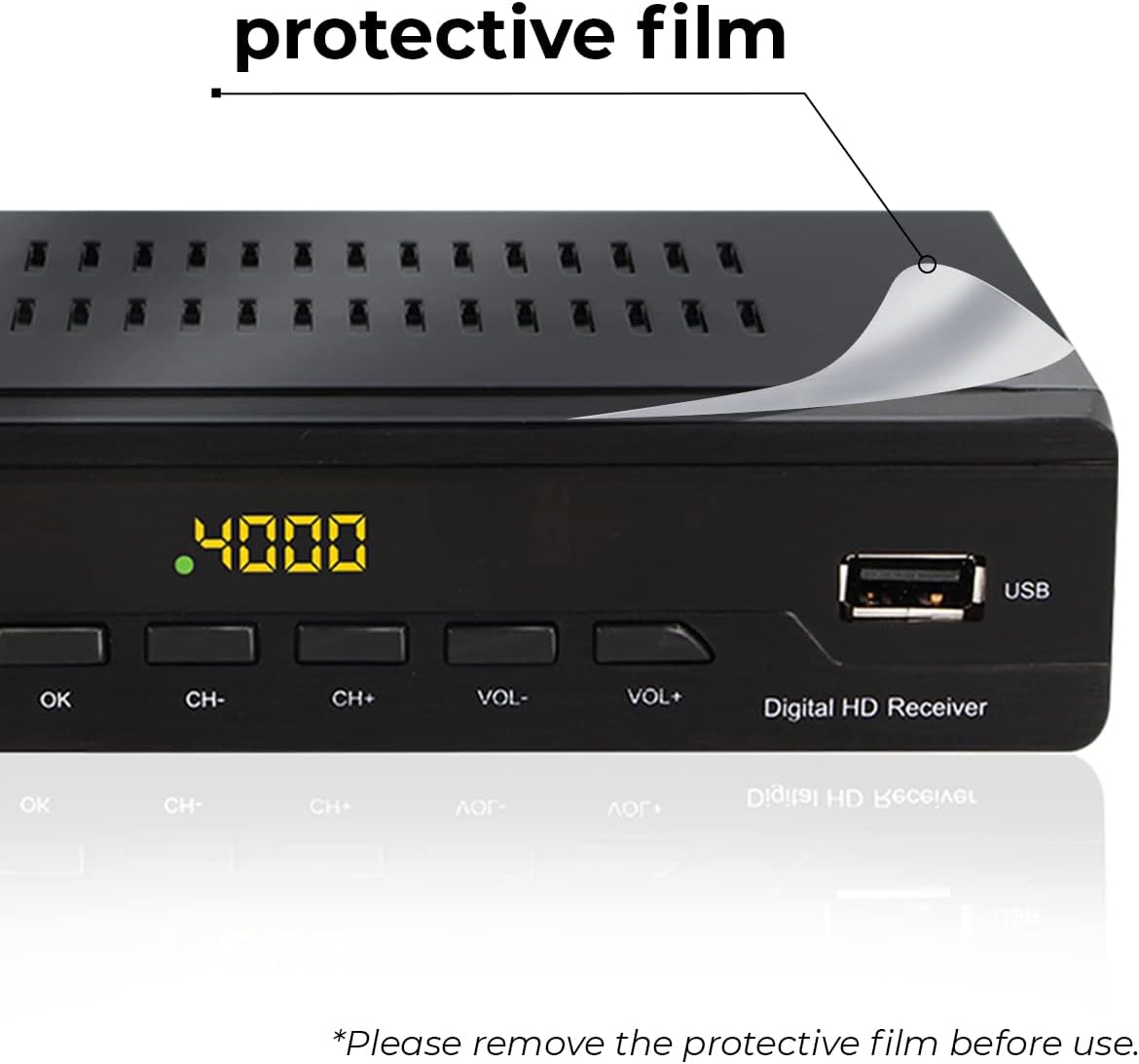
Image: Front view of the LEYF PA-2211 receiver, showing a protective film being removed from the top surface. The LED display shows '4000' and a USB port is visible on the right.
3. Package Contents
Please check the package contents upon unboxing to ensure all items are present:
- 1x LEYF PA-2211 Terrestrial Receiver
- 1x Remote Control
- 1x HDMI Cable
- 1x User Manual (this document)
- 1x Power Adapter
4. Product Overview
4.1 Front Panel
The front panel of the LEYF PA-2211 features essential controls and indicators:
- POWER Button: To turn the device on or off.
- MENU Button: To access the main menu.
- OK Button: To confirm selections.
- CH+/- Buttons: To change channels.
- VOL+/- Buttons: To adjust volume.
- USB Port: For connecting USB storage devices for multimedia playback or software updates.
- LED Display: Shows channel number or time.

Image: Close-up front view of the LEYF PA-2211 receiver, showing the power button, menu, OK, channel and volume controls, LED display, and USB port.
4.2 Rear Panel
The rear panel provides various connection ports:
- ANT IN: Connect your terrestrial antenna cable here.
- LOOP OUT: For connecting to another DVB-T2 receiver or TV.
- COAXIAL: Digital audio output.
- HDMI: High-Definition Multimedia Interface for connecting to your TV.
- SCART: Standard analog connection for older TVs.
- DC-IN: Power input for the adapter.

Image: Rear view of the LEYF PA-2211 receiver, displaying all available ports including ANT IN, LOOP OUT, COAXIAL, HDMI, SCART, and DC-IN.
4.3 Remote Control
The included remote control allows for convenient operation of the receiver.
- POWER: Turns the receiver on/off.
- EPG: Accesses the Electronic Program Guide.
- GOTO: Jumps to a specific time in media playback.
- TIMER: Sets recording or power-on/off timers.
- TTX: Activates Teletext.
- CH+/-, PAGE+/-: Changes channels or navigates pages.
- VOL+/-, MUTE: Adjusts volume or mutes sound.
- OK: Confirms selections.
- MENU, EXIT: Accesses/exits menus.
- FAV, TV/RADIO, RECALL, INFO: Special function buttons.
- Number Buttons (0-9): Direct channel input.
- Playback Controls: Play, Pause, Stop, Fast Forward, Rewind.

Image: Front and back view of the LEYF PA-2211 remote control, highlighting its compact design and button layout.
5. Setup
5.1 Connecting the Receiver
- Antenna Connection: Connect your terrestrial antenna cable to the ANT IN port on the rear panel of the receiver.
- TV Connection (HDMI): For high-definition video and audio, connect one end of the provided HDMI cable to the HDMI port on the receiver and the other end to an available HDMI input on your television. Select the corresponding HDMI input on your TV.
- TV Connection (SCART - Optional): For older televisions, connect a SCART cable (not included) from the SCART port on the receiver to the SCART input on your TV. Select the corresponding SCART input on your TV.
- Power Connection: Connect the power adapter to the DC-IN port on the receiver, then plug the adapter into a wall outlet.
5.2 Initial Setup and Channel Scan
- Turn on your TV and the LEYF PA-2211 receiver using the POWER button on the front panel or remote control.
- The first time you power on the device, an initial setup wizard may appear. Follow the on-screen prompts to select your preferred language and country.
- Initiate an automatic channel scan. This process will search for and store all available DVB T2 channels in your region. The receiver supports storing up to 1000 channels.
- Once the scan is complete, the receiver will display the first available channel.
6. Operating Instructions
6.1 Basic Operation
- Power On/Off: Press the POWER button on the remote control or front panel.
- Channel Selection: Use the CH+/- buttons to navigate through channels sequentially, or use the number buttons (0-9) for direct channel input.
- Volume Control: Use the VOL+/- buttons to adjust the audio volume. Press MUTE to temporarily silence the audio.
6.2 Menu Navigation and Settings
- Press the MENU button on the remote control to access the main menu.
- Use the directional arrow buttons (up/down/left/right) to navigate through menu options.
- Press OK to confirm a selection or enter a sub-menu.
- Press EXIT to return to the previous menu or exit the menu entirely.
- The menu allows you to manage channels, adjust system settings, configure parental controls, and access multimedia options.
6.3 Multimedia Playback (USB)
Insert a USB storage device into the front USB port. The receiver supports playback of JPEG images, MP3 audio files, and MKV video files.
- Access the multimedia menu (usually via the main menu or a dedicated button on the remote).
- Select the desired media type (Photo, Music, Movie).
- Browse your USB device for the file you wish to play.
- Press OK to start playback. Use the playback control buttons on the remote (Play, Pause, Stop, etc.) as needed.
6.4 Parental Control
The LEYF PA-2211 includes advanced locking systems to manage access to channels and settings.
- Navigate to the Parental Control section in the main menu.
- Enter your PIN (default is usually 0000 or 1234, refer to on-screen prompts).
- You can set locks for specific channels, restrict access to certain age-rated content, or lock system settings to prevent unauthorized changes.
6.5 Wi-Fi and YouTube
The receiver supports Wi-Fi connectivity for accessing online features like YouTube.
- Ensure a compatible Wi-Fi adapter (not included) is connected to the USB port if the device does not have built-in Wi-Fi.
- Go to the Network Settings in the main menu.
- Select your Wi-Fi network and enter the password.
- Once connected, you can access the YouTube application from the main menu or applications list.

Image: The LEYF PA-2211 receiver and its remote control positioned in a modern living room, with a television displaying a vibrant image in the background.
7. Maintenance
7.1 Cleaning
- Always unplug the receiver from the power outlet before cleaning.
- Use a soft, dry cloth to wipe the exterior surfaces of the receiver.
- Do not use liquid cleaners, abrasive pads, or chemical solvents, as these can damage the finish.
- For the remote control, use a slightly damp cloth if necessary, ensuring no moisture enters the battery compartment.
7.2 Storage
- If storing the device for an extended period, disconnect it from the power supply and all connected cables.
- Store the receiver in a cool, dry place, away from direct sunlight and extreme temperatures.
- Keep it in its original packaging if possible to protect it from dust and physical damage.
8. Troubleshooting
If you encounter issues with your LEYF PA-2211 receiver, refer to the following common problems and solutions:
| Problem | Possible Cause | Solution |
|---|---|---|
| No power | Power cable not connected; Power outlet faulty; Power adapter damaged. | Ensure power cable is securely connected. Test the power outlet with another device. Check the power adapter for damage. |
| No signal / No picture | Antenna not connected or faulty; Incorrect TV input selected; Channel scan not performed or incomplete. | Check antenna connection. Ensure your TV is on the correct HDMI/SCART input. Perform a channel scan (refer to Section 5.2). Adjust antenna direction if signal strength is low. |
| Remote control not working | Batteries are dead or incorrectly inserted; Obstruction between remote and receiver; Remote sensor on receiver is blocked. | Replace batteries with new ones, ensuring correct polarity. Remove any obstructions. Ensure the remote sensor on the receiver is clear. |
| No audio | Volume is muted or too low; Incorrect audio settings. | Press the MUTE button on the remote. Increase the volume. Check audio settings in the receiver's menu. |
| USB device not recognized | USB device is not formatted correctly; USB device is damaged; File system not supported. | Ensure USB device is formatted to FAT32 or NTFS. Try another USB device. |
If the problem persists after trying these solutions, please contact customer support.
9. Specifications
Below are the technical specifications for the LEYF PA-2211 DVB T2 Digital TV Receiver:
| Feature | Specification |
|---|---|
| Brand | LEYF |
| Model Number | PA-2211 |
| Color | Black |
| Connectivity Technology | Wi-Fi (external adapter may be required), USB |
| Video Output | HDMI, SCART |
| Audio Output | Stereo, 5.1 Surround Sound (Coaxial) |
| Video Encoding | H.264 |
| Resolution Support | 1080i, 1080p, 720p |
| Channel Storage | Up to 1000 channels |
| Special Features | EPG, Teletext, Parental Control, USB Multimedia Playback (JPEG, MP3, MKV), YouTube compatibility, Motion Detector |
| Controller Type | Remote Control |
| Compatible Devices | YouTube |
| Origin | Turkey |
10. Warranty and Support
10.1 Warranty Information
Specific warranty details for the LEYF PA-2211 receiver are not provided in the product data. Please refer to the warranty card included with your purchase or contact your retailer for information regarding warranty coverage and terms.
Information regarding the availability of spare parts and guaranteed software updates is also not available in the provided product data.
10.2 Customer Support
For technical assistance, troubleshooting beyond this manual, or inquiries about your product, please contact the manufacturer or your point of purchase. Keep your purchase receipt and product model number (PA-2211) ready when contacting support.