
Introduction
This manual provides comprehensive instructions for the setup, operation, and maintenance of your Poppin Black Slim Stow 3-Drawer Rolling File Cabinet. Designed for durability and organization, this cabinet features powder-coated steel construction, three drawers, and a single lock for security.

Image: Front view of the Poppin Black Slim Stow 3-Drawer Rolling File Cabinet, showcasing its sleek design and three drawers.
Setup
Your Poppin Slim Stow File Cabinet ships fully assembled, with the exception of the casters. Follow these steps to attach the casters:
- Carefully lay the cabinet on its side on a soft, protective surface to avoid scratching the finish.
- Locate the four caster wheels provided. Two casters are locking, and two are non-locking.
- Insert the stem of each caster into the designated holes on the bottom corners of the cabinet. Push firmly until each caster is securely in place.
- Once all casters are attached, carefully return the cabinet to an upright position. Ensure the locking casters are positioned at the front for easy access when you need to secure the cabinet in place.

Image: A set of four casters, two with locking mechanisms, designed for the file cabinet.
Operating Instructions
Drawer Usage
- Utility Drawers: The top two drawers are utility drawers, suitable for storing office supplies, personal items, and other small accessories. They include adjustable dividers to help organize contents.
- File Drawer: The bottom drawer is designed for hanging files and can accommodate both letter and legal-sized documents.
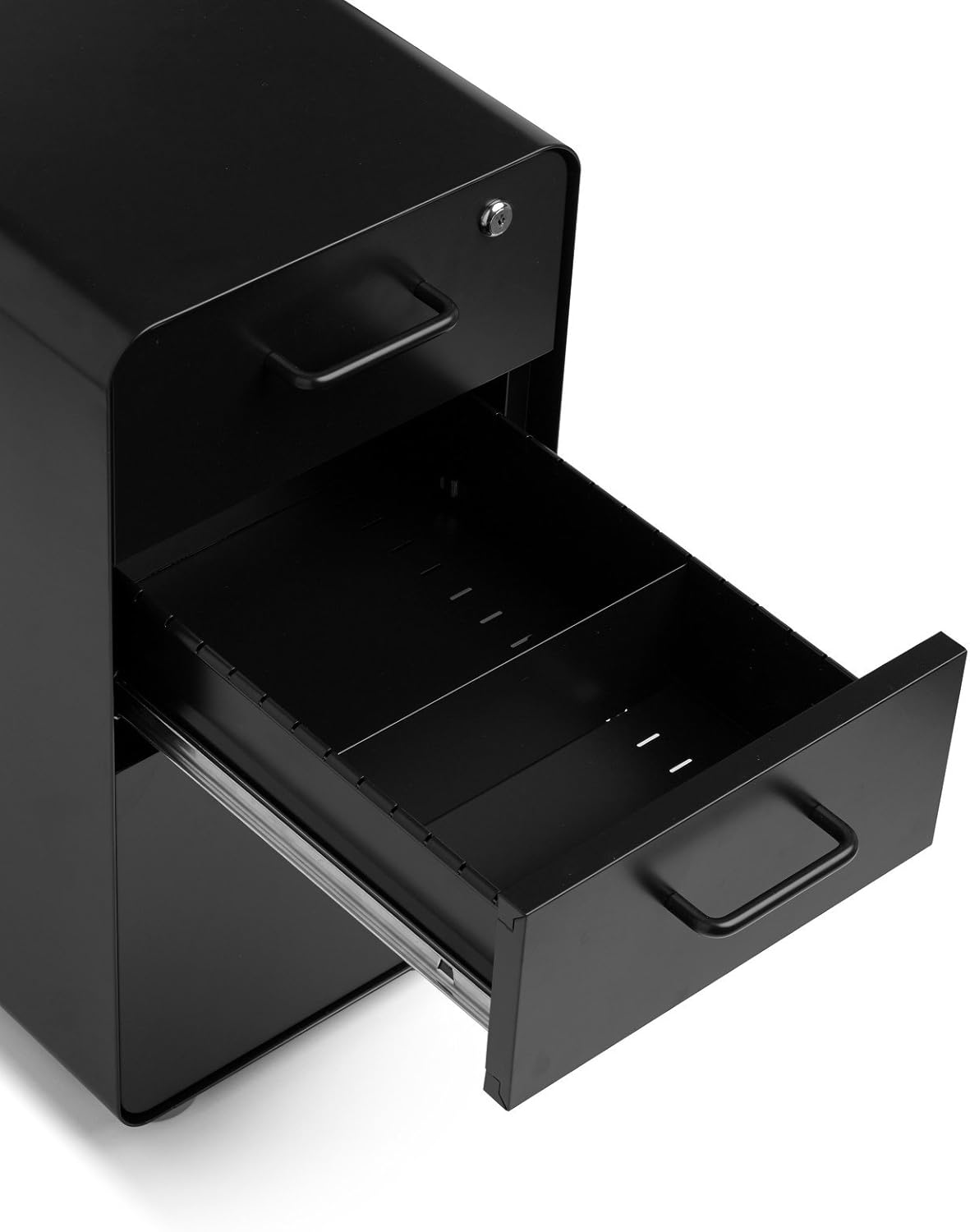
Image: An open utility drawer of the file cabinet, showing the internal space and adjustable dividers for organizing small items.

Image: An open file drawer of the cabinet, displaying hanging files for letter-sized documents.

Image: An open file drawer of the cabinet, displaying hanging files for legal-sized documents.
Locking Mechanism
The cabinet features a single lock located on the top drawer that secures all three drawers simultaneously. Two keys are provided.
- To lock the cabinet, ensure all drawers are fully closed. Insert a key into the lock cylinder on the top drawer and turn it clockwise until it clicks into the locked position. Remove the key.
- To unlock the cabinet, insert a key into the lock cylinder and turn it counter-clockwise until it clicks into the unlocked position.

Image: A close-up view of the lock mechanism on the top drawer of the file cabinet, with a key inserted.
Maintenance
To maintain the appearance and functionality of your file cabinet:
- Wipe clean with a soft cloth dampened with mild soap and water.
- Avoid using abrasive cleaners or harsh chemicals, as these can damage the powder-coated finish.
- Periodically check caster wheels for debris and clean as needed to ensure smooth rolling.
Troubleshooting
Drawers are difficult to open or close:
- Ensure the cabinet is on a level surface.
- Check for any obstructions within the drawer or along the drawer slides.
- Verify that the cabinet is not overloaded beyond its 60-pound weight limit.
Lock is not engaging:
- Confirm all three drawers are fully closed before attempting to lock.
- Ensure the key is fully inserted and turned completely clockwise.
Specifications
| Brand | Poppin |
| Model | Slim Stow 3-Drawer Rolling File Cabinet |
| Color | Black |
| Material | Alloy Steel |
| Product Dimensions (D x W x H) | 20" x 12.5" x 25" |
| Item Weight | 58.9 Pounds |
| Weight Limit | 60 Pounds |
| Assembly Required | No (Casters attachment required) |
| Included Components | File Cabinet, Two Keys, Set of Four Casters |
Product Video
Video: An official product video showcasing the features and functionality of the Poppin Stow File Cabinets, including drawer organization and mobility.
Warranty and Support
Poppin products are built to last and are backed by best-in-class warranties. For specific warranty details or support inquiries, please visit the official Poppin website or contact customer service.
You can find more information and contact details at the Poppin Store on Amazon.


