
1. Introduction
This manual provides detailed instructions for the safe and effective use of your Fabenix HX-801 Bluetooth 5.0 Neckband Wireless Headphones. Please read this manual thoroughly before using the product and retain it for future reference.
2. Package Contents
Verify that all items listed below are present in your package:
- Fabenix HX-801 Bluetooth Neckband Headphones
- Charging Cable (USB)
- Ear Cushions (S, M, L sizes)
- Protective Case
- User Manual
3. Product Overview
Familiarize yourself with the components of your headphones:
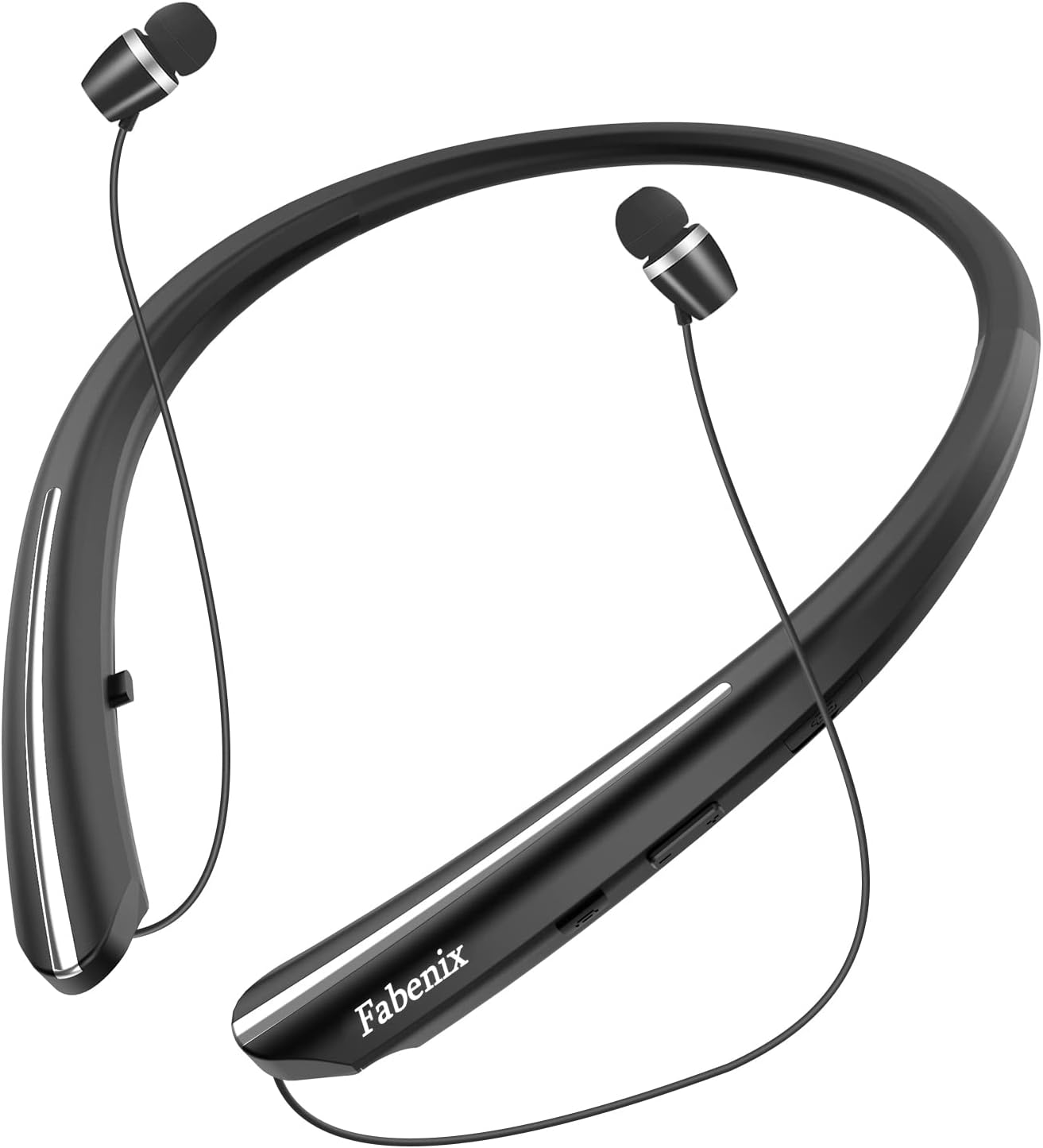
Image 3.1: Fabenix HX-801 Neckband Headphones. This image displays the overall design of the neckband headphones, featuring the flexible neckband, integrated control panel, and retractable earbuds.
Control Panel Layout (Typical)
- Power Button: On/Off, Play/Pause, Answer/End Call.
- Volume Up (+): Increase volume, Next track (long press).
- Volume Down (-): Decrease volume, Previous track (long press).
- Microphone: For calls and voice commands.
- Charging Port: USB input for charging.
- LED Indicator: Displays power, pairing, and charging status.
4. Setup and Pairing
4.1 Initial Charging
Before first use, fully charge the headphones. Connect the charging cable to the headphone's charging port and a USB power source. The LED indicator will show charging status and turn off or change color when fully charged.
4.2 Power On/Off
- Power On: Press and hold the Power Button for approximately 3 seconds until the LED indicator flashes.
- Power Off: Press and hold the Power Button for approximately 3-5 seconds until the LED indicator turns off.
4.3 Bluetooth Pairing
The HX-801 headphones utilize Bluetooth 5.0 for stable connections.

Image 4.1: Bluetooth 5.0 Connection. This diagram illustrates the stable and uninterrupted connection provided by Bluetooth 5.0 technology, highlighting the Qualcomm CSR Chip and up to 33ft wireless range.
- Ensure the headphones are powered off.
- Press and hold the Power Button for approximately 5-7 seconds until the LED indicator flashes red and blue alternately, indicating pairing mode.
- On your device (smartphone, tablet, computer), enable Bluetooth and search for available devices.
- Select "HX-801" from the list of found devices.
- Once connected, the LED indicator will flash blue slowly or remain solid blue.
4.4 Connecting to Two Devices
The HX-801 supports multi-point connection, allowing it to be paired with two Bluetooth devices simultaneously.
- Pair the headphones with the first device as described in Section 4.3.
- Disable Bluetooth on the first device. The headphones will re-enter pairing mode.
- Pair the headphones with the second device.
- Enable Bluetooth on the first device. The headphones should automatically connect to both devices.
5. Operating Instructions
5.1 Music Playback
- Play/Pause: Press the Power Button once.
- Volume Up: Press the Volume Up (+) button.
- Volume Down: Press the Volume Down (-) button.
- Next Track: Long press the Volume Up (+) button.
- Previous Track: Long press the Volume Down (-) button.
5.2 Call Management
The headphones feature a CVC 8.0 noise-cancelling microphone for clear communication.
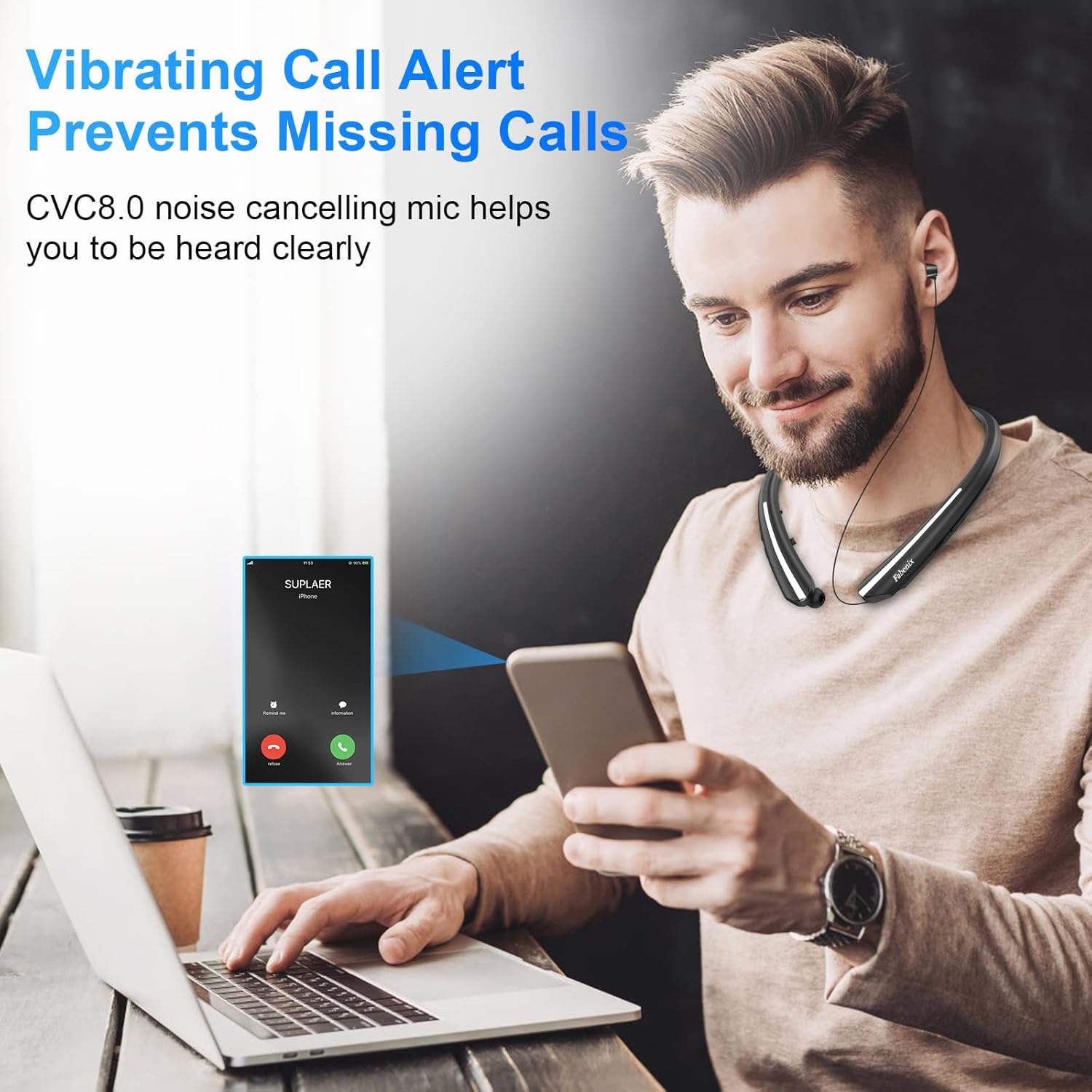
Image 5.1: Vibrating Call Alert. This image demonstrates the vibrating alert feature for incoming calls, ensuring you do not miss important communications.
- Answer/End Call: Press the Power Button once.
- Reject Call: Long press the Power Button for 2 seconds.
- Redial Last Number: Double-press the Power Button.
- Voice Assistant: Triple-press the Power Button (if supported by your device).
- Vibration Alert: The neckband will vibrate for incoming calls.
6. Charging
To maintain optimal battery life, charge your headphones regularly.
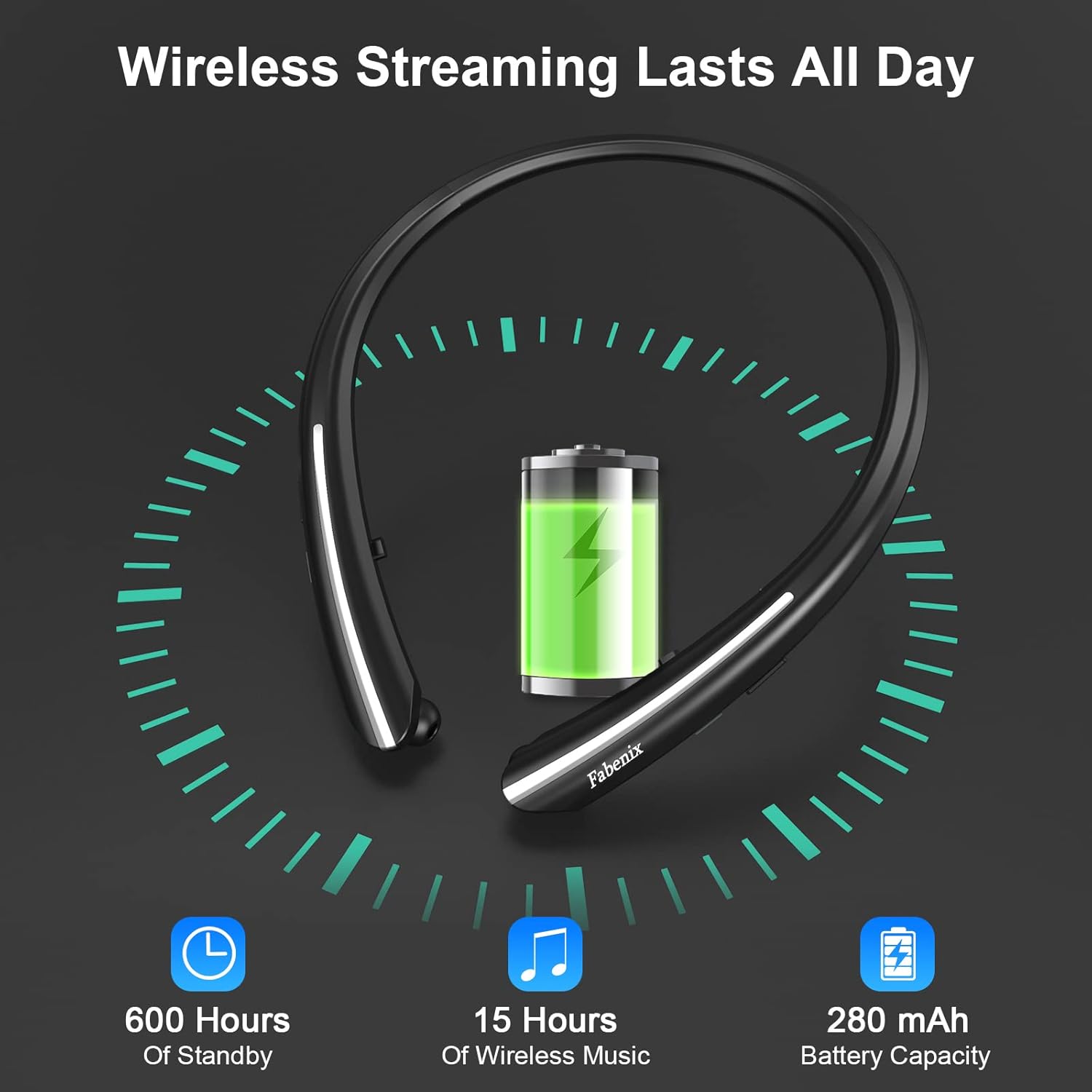
Image 6.1: Battery Performance. This graphic illustrates the battery capacity (280 mAh) and estimated usage times, including 600 hours of standby and 15 hours of wireless music playback.
- Connect the provided USB charging cable to the charging port on the headphones.
- Connect the other end of the cable to a USB power adapter (5V/1A recommended) or a computer's USB port.
- The LED indicator will illuminate during charging. It will typically turn off or change color when charging is complete.
- A full charge takes approximately 1.5-2 hours.
- The headphones offer up to 15 hours of music playback and 600 hours of standby time on a full charge.
7. Maintenance and Care
7.1 Cleaning
- Wipe the headphones with a soft, dry cloth.
- Do not use abrasive cleaners, alcohol, or chemical solvents.
- Remove ear tips and clean them separately with mild soap and water if necessary, ensuring they are completely dry before reattaching.
7.2 Storage
- Store the headphones in the provided protective case when not in use to prevent damage.
- Avoid storing in extreme temperatures, direct sunlight, or high humidity.
7.3 Retractable Earbuds
The HX-801 features a durable retractable wire system designed for longevity.
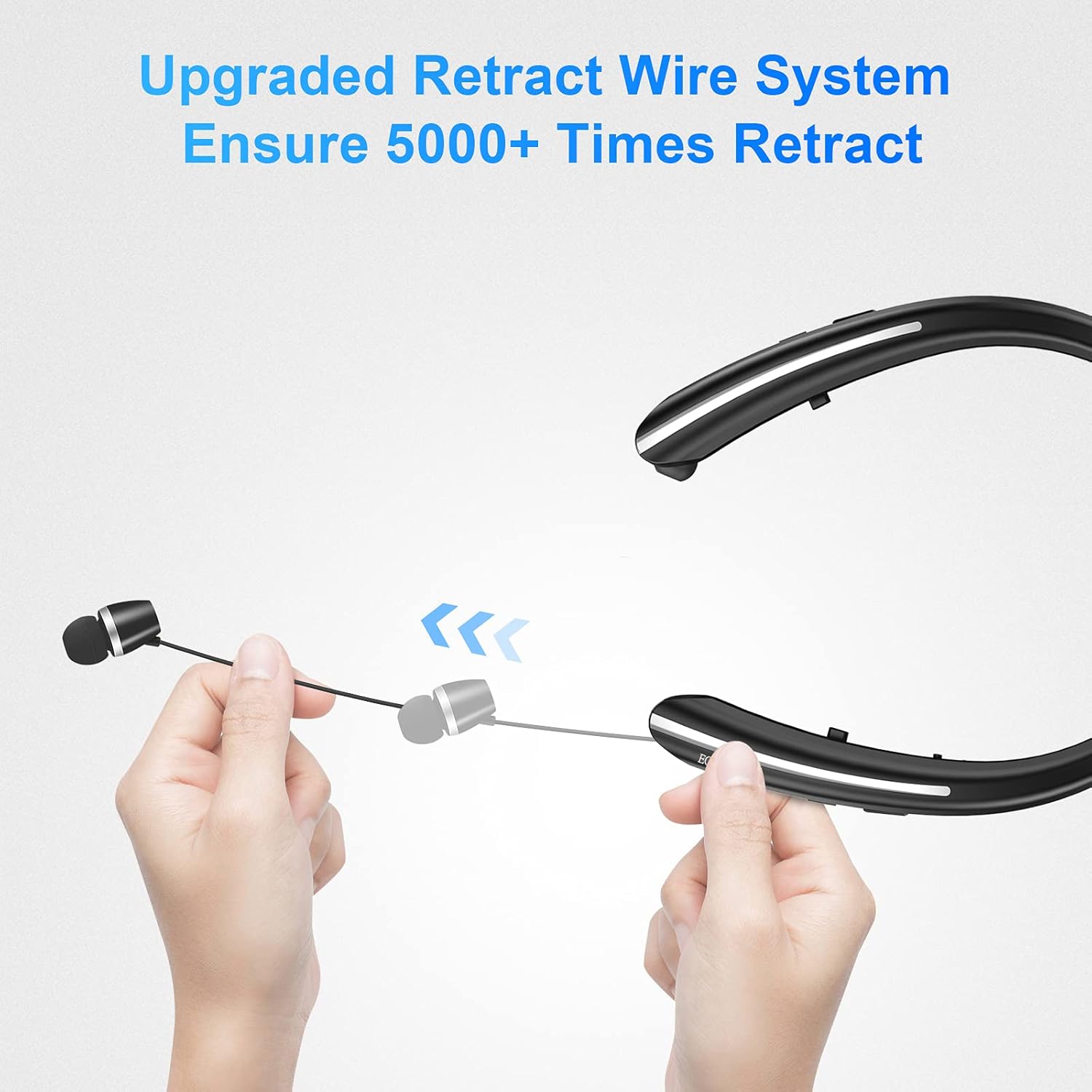
Image 7.1: Upgraded Retract Wire System. This image demonstrates the mechanism for retracting the earbud wires into the neckband, designed for over 5000 retraction cycles.
- To retract the earbuds, gently pull the earbud wire slightly, then release. The wire will automatically retract into the neckband.
- Do not force the retraction mechanism or pull the wires excessively.
7.4 Sweat Resistance

Image 7.2: Sweatproof Design. This image shows a person engaged in physical activity while wearing the headphones, highlighting their sweat-resistant properties (IPX4 rated).
The headphones are rated IPX4 for sweat resistance, making them suitable for workouts and light rain. They are not designed for submersion in water.
8. Troubleshooting
If you encounter issues, refer to the following common problems and solutions:
| Problem | Solution |
|---|---|
| Headphones do not power on. | Ensure the headphones are fully charged. |
| Cannot pair with device. | Ensure headphones are in pairing mode (flashing red/blue LED). Disable and re-enable Bluetooth on your device. Move closer to the device. |
| No sound or low volume. | Check volume levels on both headphones and connected device. Ensure headphones are properly connected. |
| Intermittent connection. | Ensure no obstacles between headphones and device. Avoid strong electromagnetic interference. Keep within the 33ft (10m) range. |
| Microphone not working. | Ensure headphones are selected as the audio input device on your connected device. |
9. Specifications
| Feature | Detail |
|---|---|
| Model Number | HX-801 |
| Bluetooth Version | 5.0 |
| Wireless Range | Up to 33 feet (10 meters) |
| Battery Capacity | 280 mAh Lithium Ion |
| Music Playback Time | Up to 15 hours |
| Standby Time | Up to 600 hours |
| Charging Time | Approx. 1.5-2 hours |
| Microphone | CVC 8.0 Noise Cancelling |
| Speaker Size | 10mm |
| Water Resistance Rating | IPX4 (Sweat Resistant) |
| Weight | 2.08 ounces (approx. 59 grams) |
| Dimensions | 3.94 x 1.18 x 4.72 inches |
10. Warranty and Support
Fabenix products are designed for reliability and performance. For warranty information or technical support, please refer to the contact details provided on the product packaging or visit the official Fabenix website. Please retain your proof of purchase for warranty claims.