Introduction
Thank you for choosing the boxtech Ultra Quiet Aquarium Air Pump. This manual provides essential information for the safe and efficient operation, installation, and maintenance of your new air pump. Designed for 1-30 gallon freshwater and marine fish tanks, this pump delivers powerful airflow with ultra-quiet operation, ensuring a healthy and vibrant aquatic environment.
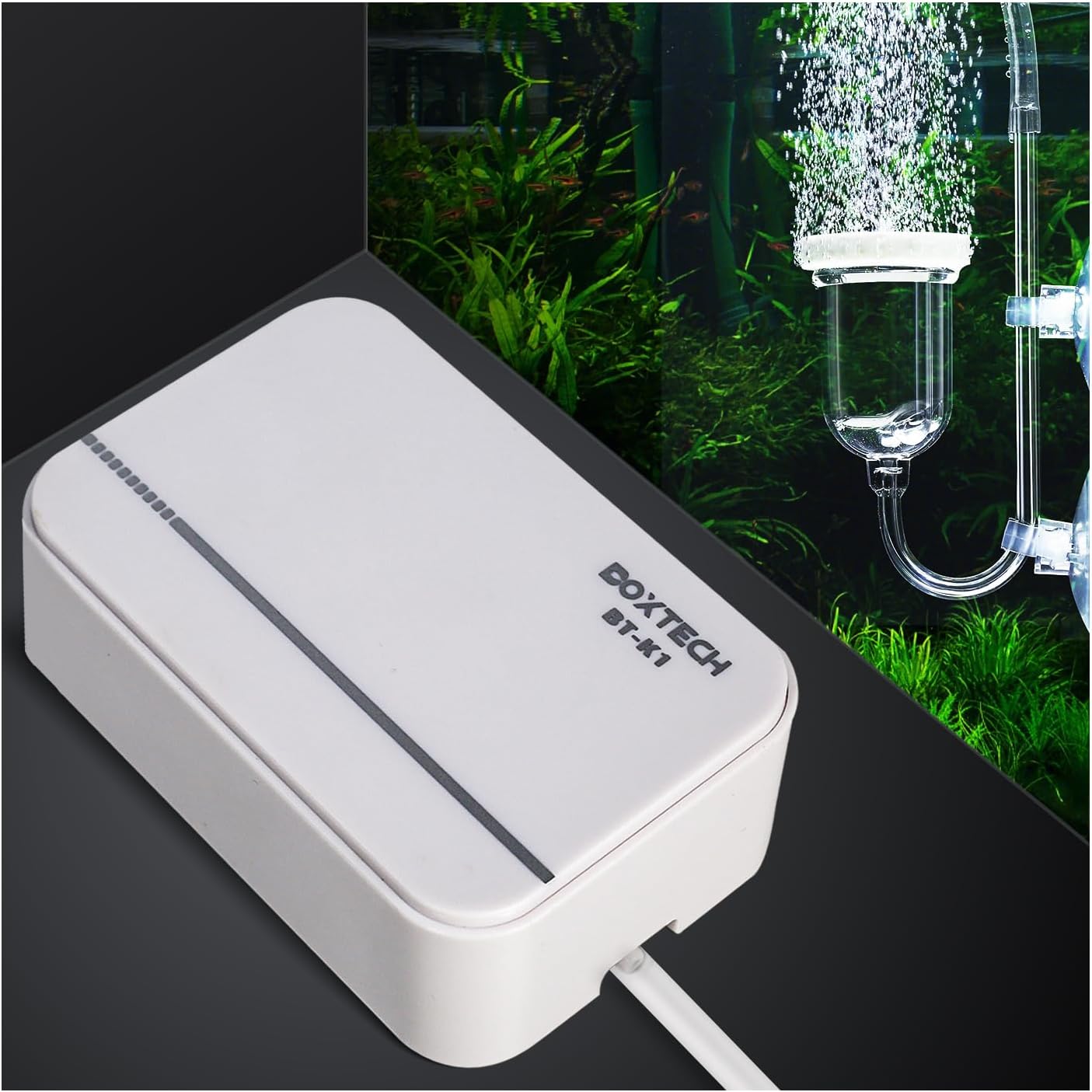
Image: The boxtech Ultra Quiet Aquarium Air Pump, a compact white device, positioned next to an aquarium with bubbles rising from an air stone.
Safety Instructions
Please read and follow these safety instructions carefully to prevent injury or damage to the product.
- Always disconnect the power supply before performing any maintenance or handling the pump.
- Ensure the power cord and plug are not damaged. Do not operate the pump if they are compromised.
- The air pump is designed for indoor use only. Do not expose it to water or extreme temperatures.
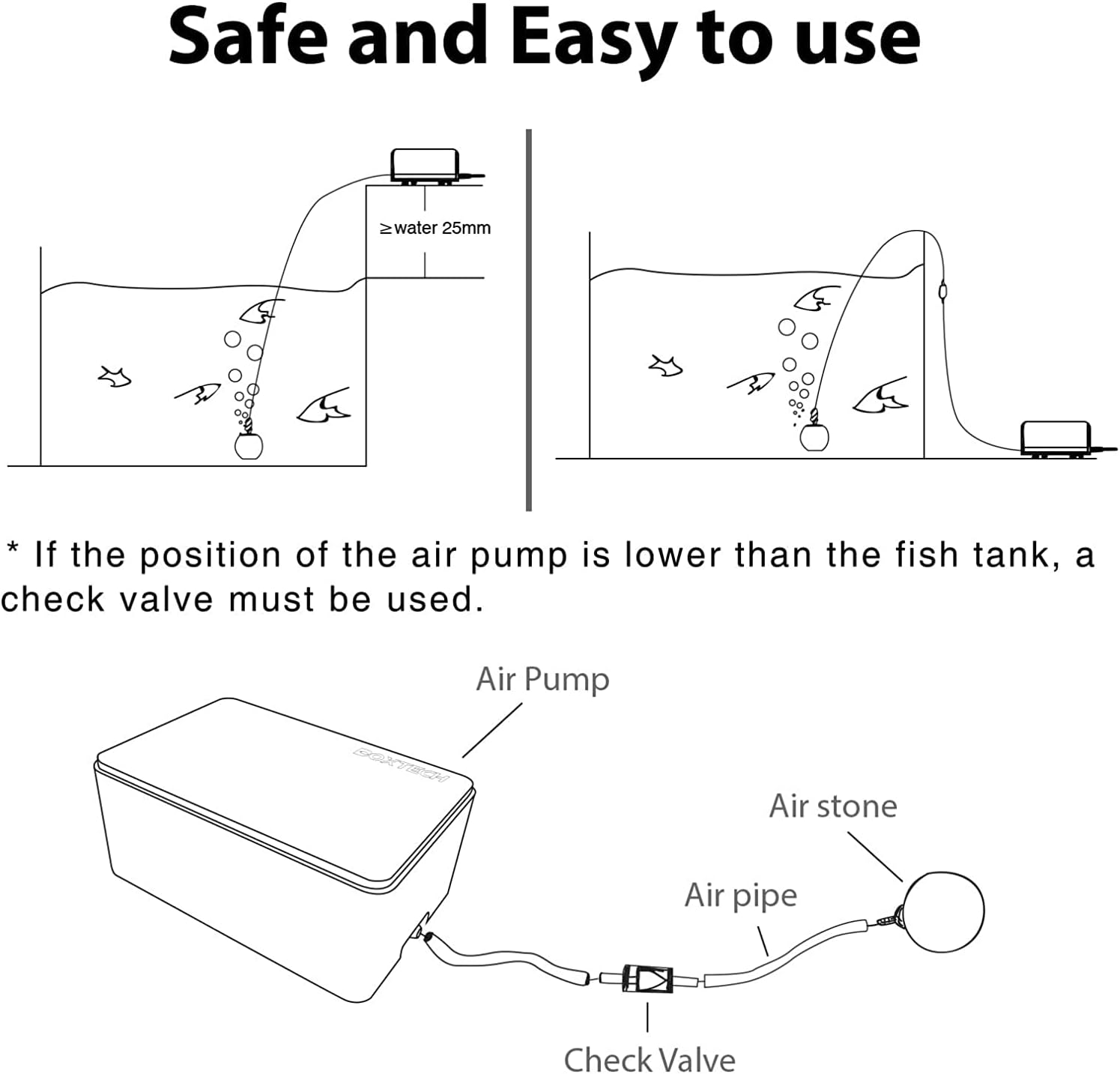
- Place the air pump above the water level of the aquarium to prevent water backflow. If placing below water level, a check valve must be used.
- Keep out of reach of children and pets.
- Do not attempt to disassemble or repair the pump yourself. Refer to qualified personnel for service.
- Ensure the voltage and frequency of your power supply match the specifications on the pump's label.
Package Contents
Verify that all items are present in the package:
- boxtech Ultra Quiet Aquarium Air Pump (Model K1)
- Air Tube (if included in your package variant)
- Air Stone (if included in your package variant)
- Check Valve (if included in your package variant)
- Control Valve (if included in your package variant)
- User Manual
Product Features

Ultra-Quiet Operation
Experience minimal noise with this air pump, operating at less than 35dB. Constructed from thickened ABS engineering plastic and featuring rubber feet, it significantly reduces operational sound, making it ideal for quiet environments like bedrooms.

Powerful Air Flow
The pump delivers a strong and consistent airflow, ensuring uniform, natural, and stable bubbles for optimal oxygenation in your aquarium.

Versatile Tank Compatibility
Suitable for both freshwater and marine fish tanks and aquariums ranging from 3 to 30 gallons.
Stable and Durable Design
Features a full copper wire motor for energy efficiency and extended service life. The special synthetic rubber membrane ensures durability, while the bottom air intake filter blocks contaminants for cleaner air and reliable operation. Includes non-slip anti-vibration rubber pads for stability.

Compact Dimensions
The pump features a mini size, measuring approximately 4.8 inches in length, 3.2 inches in width, and 2 inches in height, allowing for easy placement.
Specifications
| Brand | boxtech |
| Model Number | K1 |
| Color | White |
| Material | Plastic |
| Item Weight | 12 Ounces |
| Power Source | Corded Electric |
| Air Flow Capacity | 2.0 L/Min |
| Maximum Pressure | 0.014 MPa (2.03 PSI) |
| Operation Mode | Automatic |
| Noise Level | <35dB |
| Recommended Tank Size | 3 - 30 Gallons |
Setup Guide
Follow these steps to set up your boxtech Aquarium Air Pump:
- Unpack: Carefully remove all components from the packaging.
- Connect Air Tube: Attach one end of the air tube (not included in all packages) to the air outlet nozzle on the pump.
- Install Air Stone: Connect the other end of the air tube to your air stone (not included in all packages).
- Position Air Stone: Place the air stone at the desired location inside your aquarium.
- Pump Placement:
- If possible, place the air pump above the water level of the aquarium. This prevents water from siphoning back into the pump in case of a power outage.
- If the pump must be placed below the water level, you must install a check valve (not included in all packages) in the air tube between the pump and the aquarium. This prevents water backflow and protects the pump from damage.
- Connect Power: Once all connections are secure and the pump is safely positioned, plug the power cord into a suitable electrical outlet.

Image: Diagram illustrating proper air pump setup, including placement above water level and the use of a check valve when placed below water level.
Setup and Operation Video
Video: A demonstration of the boxtech Ultra Quiet Aquarium Air Pump in operation, showcasing its quiet performance and the effect of adjusting airflow. This video highlights the ease of setup and the visual impact of the bubbles in an aquarium.
Operating Instructions
The boxtech Ultra Quiet Aquarium Air Pump operates automatically once connected to power. There are no manual controls on the pump itself for adjusting airflow. If your setup includes a control valve (not included in all packages), you can use it to regulate the air output to your desired level.
- To start the pump, simply plug it into a power outlet.
- To stop the pump, unplug it from the power outlet.
- If using a control valve, rotate the valve to increase or decrease the airflow.
Maintenance
Regular maintenance ensures the longevity and optimal performance of your air pump.
- Air Filter Cleaning: Periodically check the air intake filter at the bottom of the pump for dust or debris. Gently clean it with a soft, dry cloth or a small brush. Do not use water or cleaning agents.
- Air Stone Cleaning/Replacement: Over time, air stones can become clogged, reducing airflow. Clean or replace your air stone as needed to maintain efficient bubbling.
- Tube Inspection: Inspect the air tube for kinks, blockages, or damage. Replace if necessary to ensure unobstructed airflow.
- General Cleaning: Wipe the exterior of the pump with a soft, damp cloth. Ensure no water enters the pump's internal components.
- Storage: If storing the pump for an extended period, clean it thoroughly, disconnect all tubing, and store it in a dry, cool place.
Troubleshooting
Refer to the table below for common issues and their solutions.
| Problem | Possible Cause | Solution |
|---|---|---|
| No Air Output |
|
|
| Weak Air Output |
|
|
| Pump is Noisy |
|
|
| Air Tube Detaches |
|
|
Warranty and Support
boxtech products are manufactured with high-quality standards. For any issues or inquiries regarding your air pump, please contact boxtech customer support. Refer to your purchase documentation for specific warranty details and contact information.
For further assistance, you may visit the official boxtech store on Amazon: boxtech Amazon Store.


