1. Product Overview
This document provides instructions for the installation, operation, and maintenance of the Generic Carburetor, designed as a direct replacement for Walbro carburetors in Oleo Mac 936 chainsaw models. This carburetor is an aftermarket component intended to restore proper fuel delivery and engine performance.
Before proceeding with installation, carefully read all instructions and ensure this carburetor is compatible with your specific chainsaw model. Always compare the new part with the original part to confirm fitment.

Image 1.1: Front view of the Generic Carburetor. This image shows the general appearance and primary components.
2. Safety Information
Always prioritize safety when working with power tools and fuel systems. Failure to follow these safety guidelines can result in serious injury or property damage.
- Disconnect Spark Plug: Before performing any maintenance or installation, always disconnect the spark plug wire to prevent accidental engine startup.
- Fuel Handling: Work in a well-ventilated area. Avoid open flames, sparks, or other ignition sources. Fuel is highly flammable.
- Eye Protection: Wear appropriate eye protection to shield against fuel splashes or debris.
- Gloves: Wear protective gloves to prevent skin contact with fuel and other chemicals.
- Drain Fuel: Before removing the old carburetor, drain the fuel tank to minimize spills.
- Professional Assistance: If you are unsure about any step of the installation process, consult a qualified service technician.
3. Package Contents
Verify that all components are present and undamaged upon opening the package.
- 1 x Generic Carburetor (Replacement for Oleo Mac 936 / Walbro)
Note: Gaskets, fuel lines, or other accessories may not be included and might need to be purchased separately or reused from the original carburetor if in good condition.
4. Setup and Installation
This section outlines the general steps for replacing the carburetor. Specific procedures may vary slightly depending on your chainsaw model. Refer to your chainsaw's original service manual for detailed instructions.
- Prepare the Chainsaw: Ensure the chainsaw is turned off, the spark plug wire is disconnected, and the fuel tank is drained. Place the chainsaw on a stable, flat surface.
- Access the Carburetor: Remove the air filter cover, air filter, and any other components obstructing access to the carburetor. This typically involves removing screws or clips.
- Disconnect Linkages and Lines: Carefully disconnect the throttle linkage, choke linkage, and any fuel lines connected to the old carburetor. Note their positions for reassembly.
- Remove Old Carburetor: Unscrew the mounting bolts or nuts that secure the carburetor to the engine intake manifold. Carefully remove the old carburetor and any old gaskets.
- Install New Carburetor: Place new gaskets (if applicable) onto the intake manifold. Position the new Generic Carburetor, ensuring it aligns correctly with the mounting studs/holes. Secure it with the mounting bolts/nuts, tightening them evenly.
- Reconnect Linkages and Lines: Reattach the throttle linkage, choke linkage, and fuel lines to their correct positions on the new carburetor. Double-check all connections for security.
- Reassemble: Reinstall the air filter, air filter cover, and any other components that were removed.
- Refill Fuel and Prime: Refill the fuel tank with the appropriate fuel mixture. Prime the carburetor according to your chainsaw's instructions (e.g., by pressing the primer bulb several times until fuel is visible).
- Reconnect Spark Plug: Reconnect the spark plug wire.
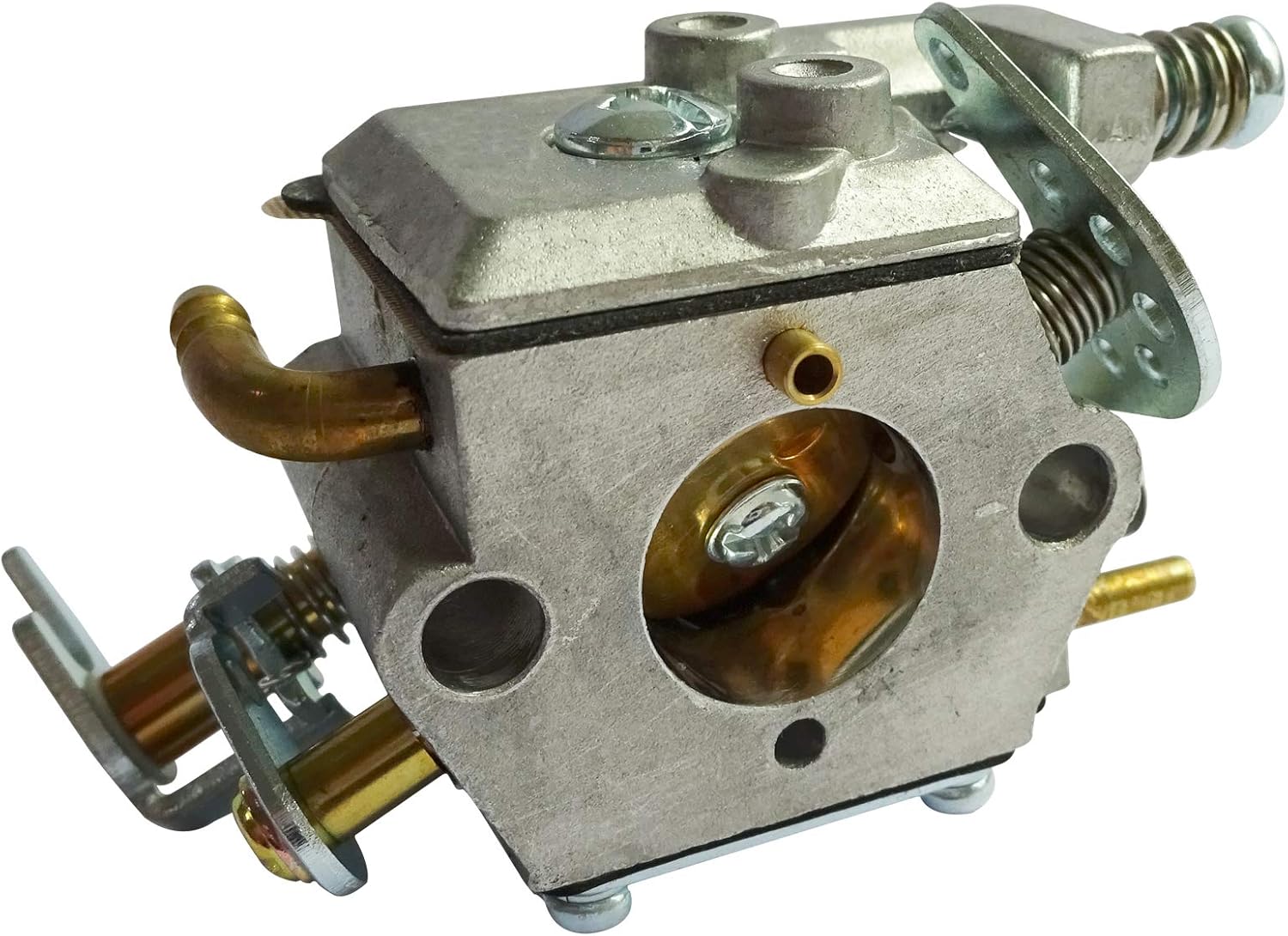
Image 4.1: Angled view of the carburetor, highlighting potential connection points for fuel lines and linkages.
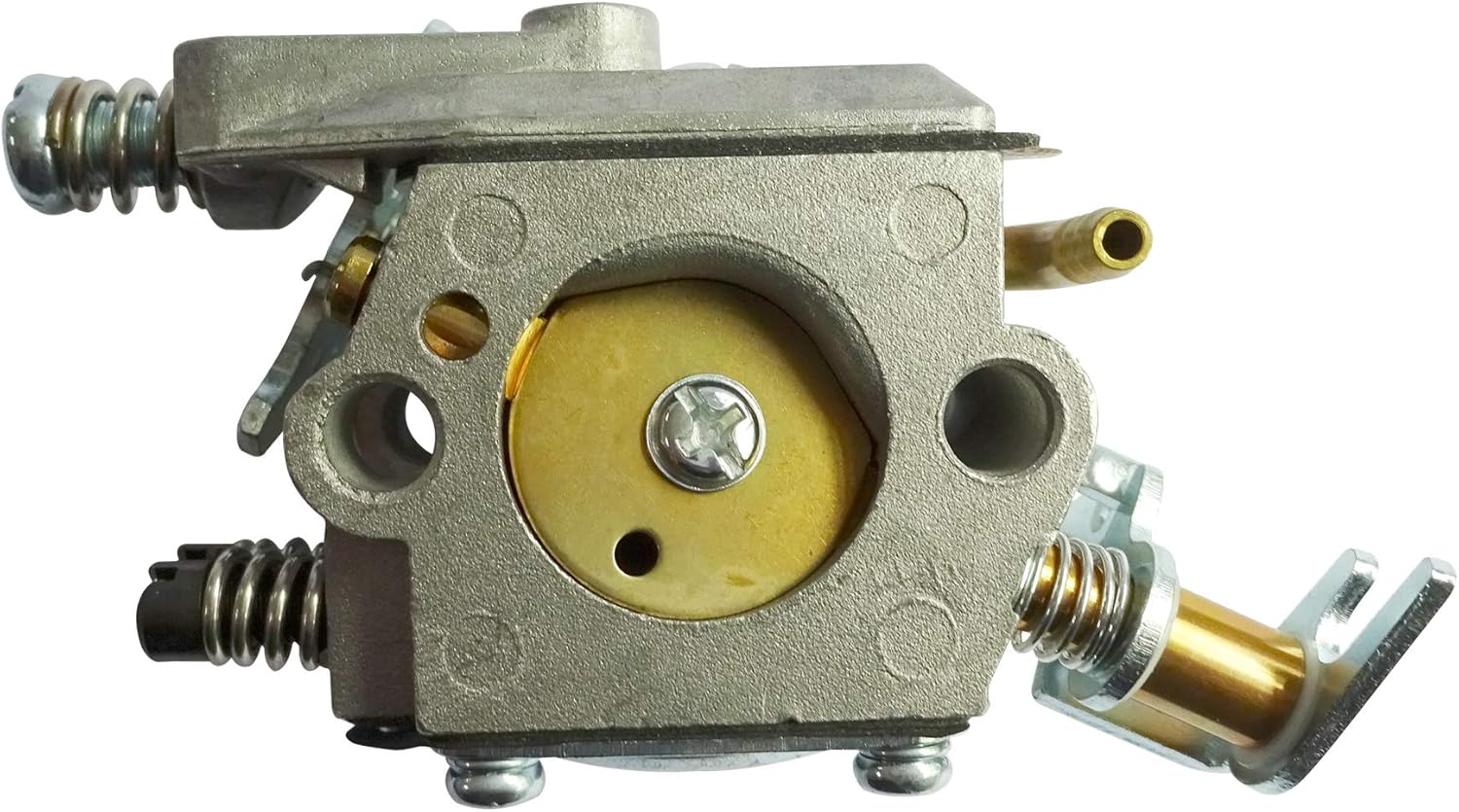
Image 4.2: Side view of the carburetor, showing the location of typical adjustment screws (High, Low, Idle).
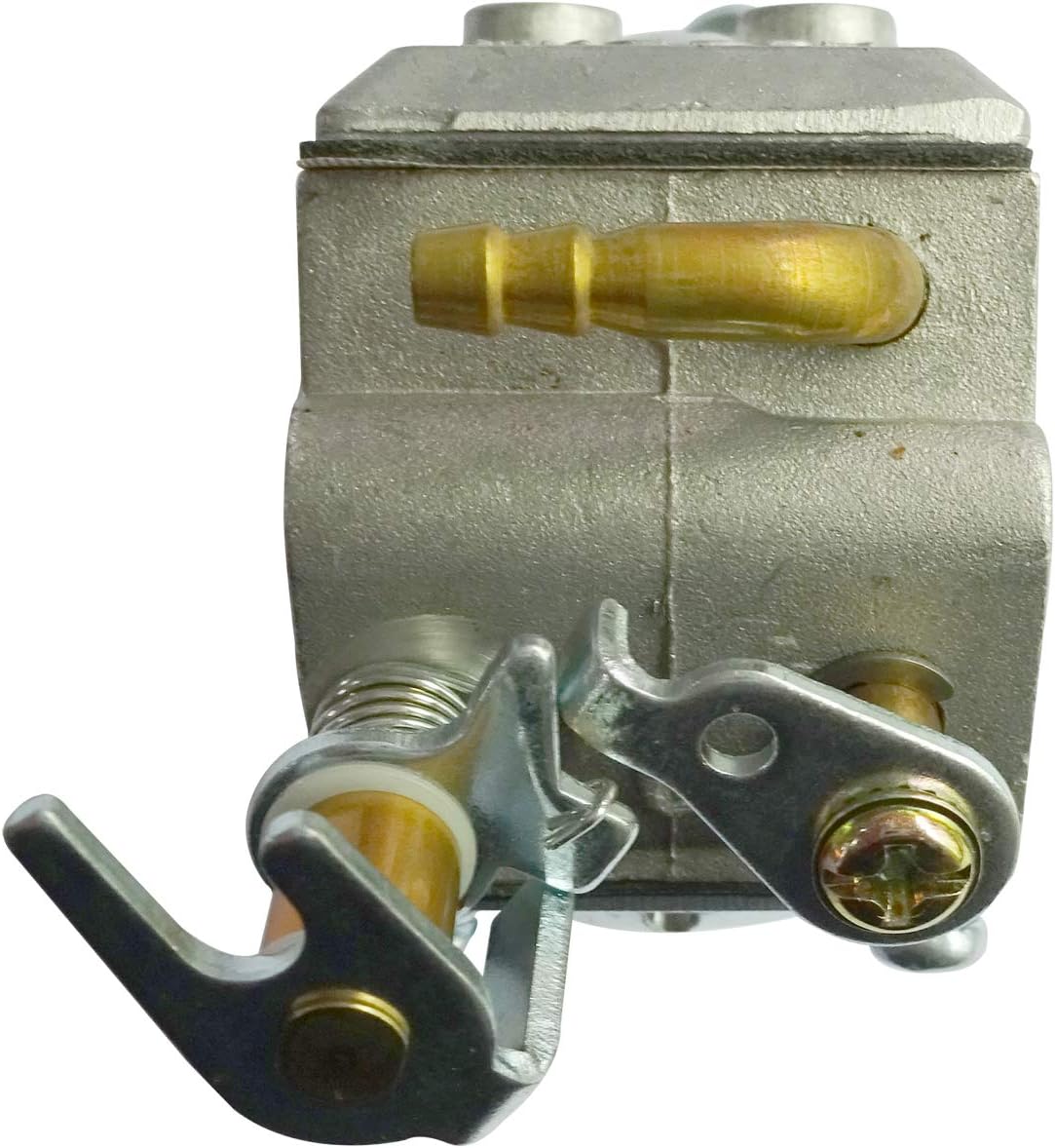
Image 4.3: Front view of the carburetor, illustrating the area where throttle and choke linkages connect.
5. Operating and Adjustment
After installation, the carburetor may require minor adjustments for optimal performance. Refer to your Oleo Mac 936 chainsaw's original manual for specific carburetor tuning procedures. Generally, carburetors have three adjustment screws:
- Idle Speed (T): Adjusts the engine's RPM at idle.
- Low Speed (L): Controls the fuel/air mixture at low engine speeds.
- High Speed (H): Controls the fuel/air mixture at high engine speeds.
Start with the factory default settings (often 1 to 1.5 turns out from lightly seated for L and H screws) and make small adjustments while the engine is running, listening for smooth operation and proper acceleration. Avoid over-leaning the mixture, as this can damage the engine.
6. Maintenance
Regular maintenance helps ensure the longevity and performance of your carburetor and chainsaw.
- Fuel Quality: Always use fresh, clean fuel mixed with the correct ratio of 2-stroke oil as specified by your chainsaw manufacturer. Stale or contaminated fuel is a common cause of carburetor issues.
- Air Filter: Regularly inspect and clean or replace the air filter. A clogged air filter can restrict airflow, leading to a rich fuel mixture and poor engine performance.
- Fuel Filter: Check and replace the fuel filter periodically to prevent debris from reaching the carburetor.
- Carburetor Cleaning: If performance issues persist, the carburetor may need cleaning. This involves disassembling the carburetor and cleaning its internal passages with carburetor cleaner. This task is best performed by experienced individuals or a professional.
7. Troubleshooting
If your chainsaw experiences issues after carburetor replacement, consider the following common problems and solutions:
| Problem | Possible Cause | Solution |
|---|---|---|
| Engine will not start |
|
|
| Engine runs poorly / lacks power |
|
|
| Engine idles rough or stalls |
|
|
If these steps do not resolve the issue, professional diagnosis and repair may be necessary.
8. Specifications
- Compatibility: Oleo Mac 936 Chainsaws (Replaces Walbro Carburetors)
- Package Dimensions: 5.91 x 5.91 x 1.97 inches
- Item Weight: 5.3 ounces
- Manufacturer: DCSPARES
9. Warranty and Support
For warranty information regarding this Generic Carburetor, please refer to the terms and conditions provided by the seller at the time of purchase. As this is an aftermarket part, warranty coverage may differ from original equipment manufacturer (OEM) parts.
For technical support or further assistance, please contact the seller directly through your purchase platform. Ensure you have your order details available when contacting support.


