
Introduction
Thank you for choosing the Reaks Heated Blanket Full. This electric blanket, measuring 72" x 84", is designed to provide warmth and comfort with its soft flannel material. It features 4 fast heating levels and a 10-hour auto-off function for safety and energy efficiency. This manual provides essential information for safe operation, maintenance, and care of your heated blanket.
Key features include:
- ETL and FCC dual certification for safety.
- 10-hour auto-off feature to prevent overheating.
- 4 heating levels (86-113°F) for customizable warmth.
- Soft and luxurious flannel material with OEKO-TEX certification.
- Machine washable design for easy care.
Important Safety Instructions
Please read all instructions carefully before using your heated blanket. Failure to follow these instructions may result in fire, electric shock, or injury.
- Do not use with infants, children, incapacitated persons, or anyone insensitive to heat.
- Do not use if wet.
- Do not use with a damaged cord or plug. If the cord or plug is damaged, contact customer support.
- Do not use with pointed objects.
- Do not use if folded, bunched, or tucked in. Ensure the blanket lies flat during use.
- Do not dry clean. Dry cleaning solvents may damage the insulation of the heating element.
- Always disconnect the power cord from the outlet before cleaning or storing.
- This blanket is equipped with a 10-hour auto-off feature for safety. Do not attempt to override this feature.
- Keep the control unit away from water.
- Do not use this blanket with other heating devices.
Setup and Connection
Before first use, ensure the blanket is unfolded and lies flat on your bed or desired surface.
- Locate the connector on the blanket and the control unit.
- Firmly plug the control unit's cord into the blanket's connector. Ensure a secure connection.
- Plug the power cord into a standard 120V AC electrical outlet.

This image shows a close-up of the white detachable connector on the red flannel blanket. The connector is designed for easy attachment and removal of the control unit, which is essential for washing the blanket.
Operating Instructions
The Reaks Heated Blanket features an easy-to-use control unit with 4 heating levels and an automatic shut-off timer.
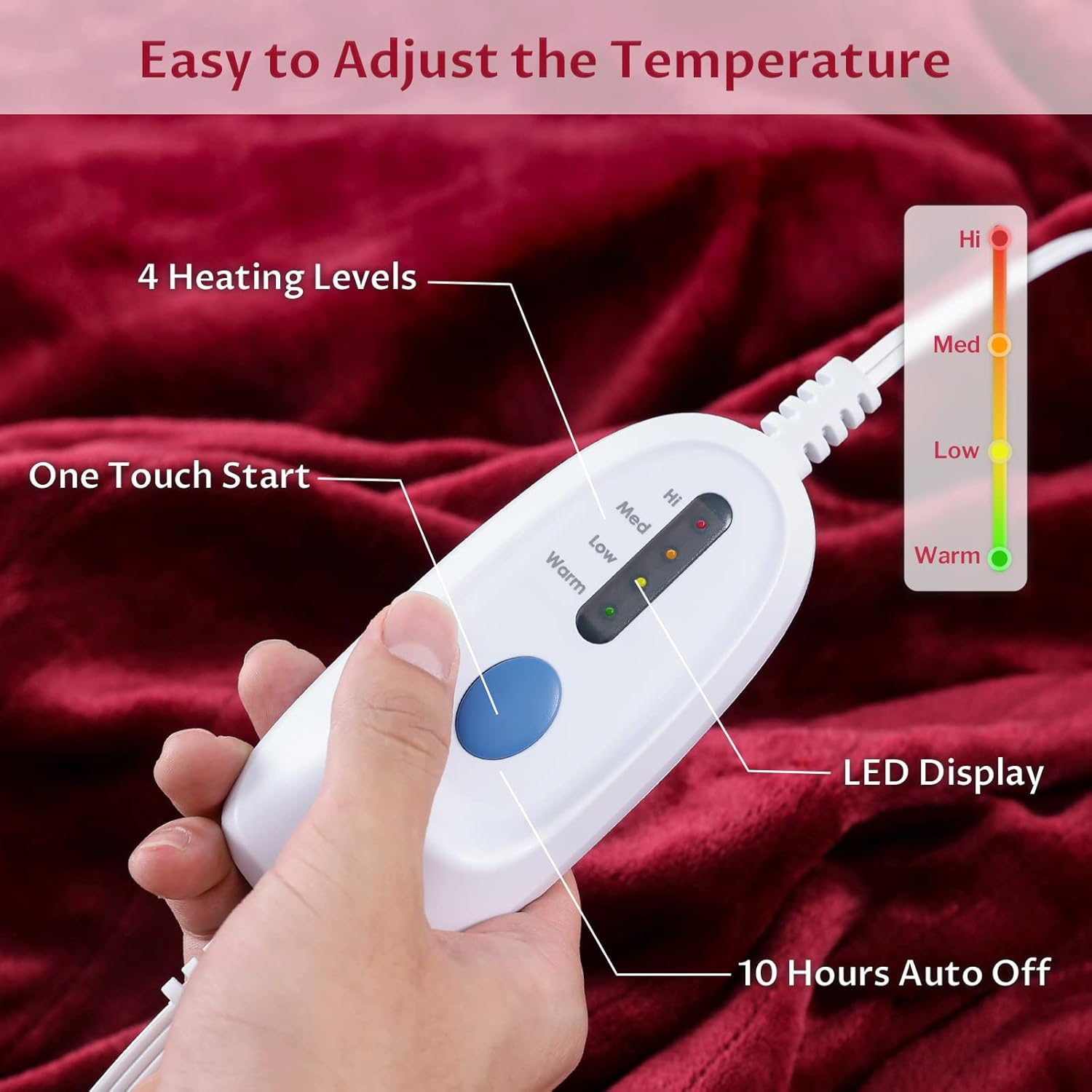
This image displays the white control unit held in a hand against the red blanket. It highlights the "One Touch Start" button, four LED indicators for heat levels (Warm, Low, Med, Hi), and text indicating "10 Hours Auto Off". A color gradient on the right illustrates the temperature range from Warm (green) to Hi (red).
- Power On: Press the blue "One Touch Start" button to turn on the blanket. The blanket will typically start at a default heat setting.
- Adjust Heat Level: Press the "One Touch Start" button repeatedly to cycle through the 4 heating levels: Warm, Low, Med, and Hi. The corresponding LED indicator will light up to show the selected level.
- Warm: Approximately 86°F
- Low: Approximately 95°F
- Med: Approximately 104°F
- Hi: Approximately 113°F
- Auto-Off Timer: The blanket is equipped with a 10-hour auto-off feature. After 10 hours of continuous operation, the blanket will automatically turn off for safety and energy conservation. To restart, simply press the "One Touch Start" button again.
- Power Off: To turn off the blanket manually, continue pressing the "One Touch Start" button until all LED indicators are off, or unplug the unit from the wall outlet.
Maintenance and Care
Proper care ensures the longevity and safe operation of your Reaks Heated Blanket. This blanket is machine washable.

This image shows a woman sleeping peacefully under the red heated blanket. Above her, four icons illustrate key features: "Rapid Heating" (steam icon), "Heat Evenly" (radiator icon), "Overheating Protection" (shield with checkmark), and "Machine Washable" (washing machine icon).
Washing Instructions:
- Disconnect: Crucially, ensure the control unit and power cord are completely disconnected from the blanket before washing.
- Pre-soak (Optional): For best results, pre-soak the blanket for 15 minutes in mild soap and lukewarm water.
- Machine Wash: Wash on a gentle or delicate cycle in a washing machine with cold water (maximum 30°C / 86°F). Use a small amount of mild detergent. Do not bleach.
- Rinse: Rinse on a normal cycle.
- Spin Dry: Spin dry on a slow speed to remove excess water.
- Tumble Dry: Tumble dry on a low heat setting for a maximum of 5 minutes. Remove the blanket while still damp and drape it over a clothesline or shower rod to finish drying. Do not use clothespins or clips that could damage the heating wires.
- Air Dry: Ensure the blanket is completely dry before reconnecting the control unit and storing or using.
Do Not:
- Do not dry clean.
- Do not iron.
- Do not use bleach or cleaning fluids.
- Do not wring or twist the blanket.
- Do not plug in the control unit until the blanket is completely dry.
Troubleshooting
If your heated blanket is not operating correctly, please refer to the following common issues and solutions:
| Problem | Possible Cause | Solution |
|---|---|---|
| Blanket does not heat. |
|
|
| Blanket heats unevenly. |
|
|
| Control unit lights are flashing. |
|
|
If you experience any other issues or the problem persists after following these steps, please contact Reaks customer support for assistance.
Product Specifications
| Feature | Detail |
|---|---|
| Model Name | Reaks Heated Blanket Full |
| Dimensions | 72"L x 84"W (Full Size) |
| Material | Flannel |
| Color | Red |
| Heating Levels | 4 (Warm, Low, Med, Hi) |
| Temperature Range | Approx. 86°F - 113°F |
| Auto-Off Timer | 10 Hours |
| Certifications | ETL, FCC, OEKO-TEX |
| Care Instructions | Machine Washable |
| Manufacturer | Reaks |
| Item Weight | 1 pounds (16 ounces) |

This diagram illustrates the four layers of the heated blanket: (1) Plush Cozy Flannel, (2) Fixing Layer fabricated on Non-Woven Fabric, (3) Fast Heating Wires with Overheat Protection, and (4) another layer of Plush Cozy Flannel. The ETL certification logo is also visible, emphasizing safety standards.
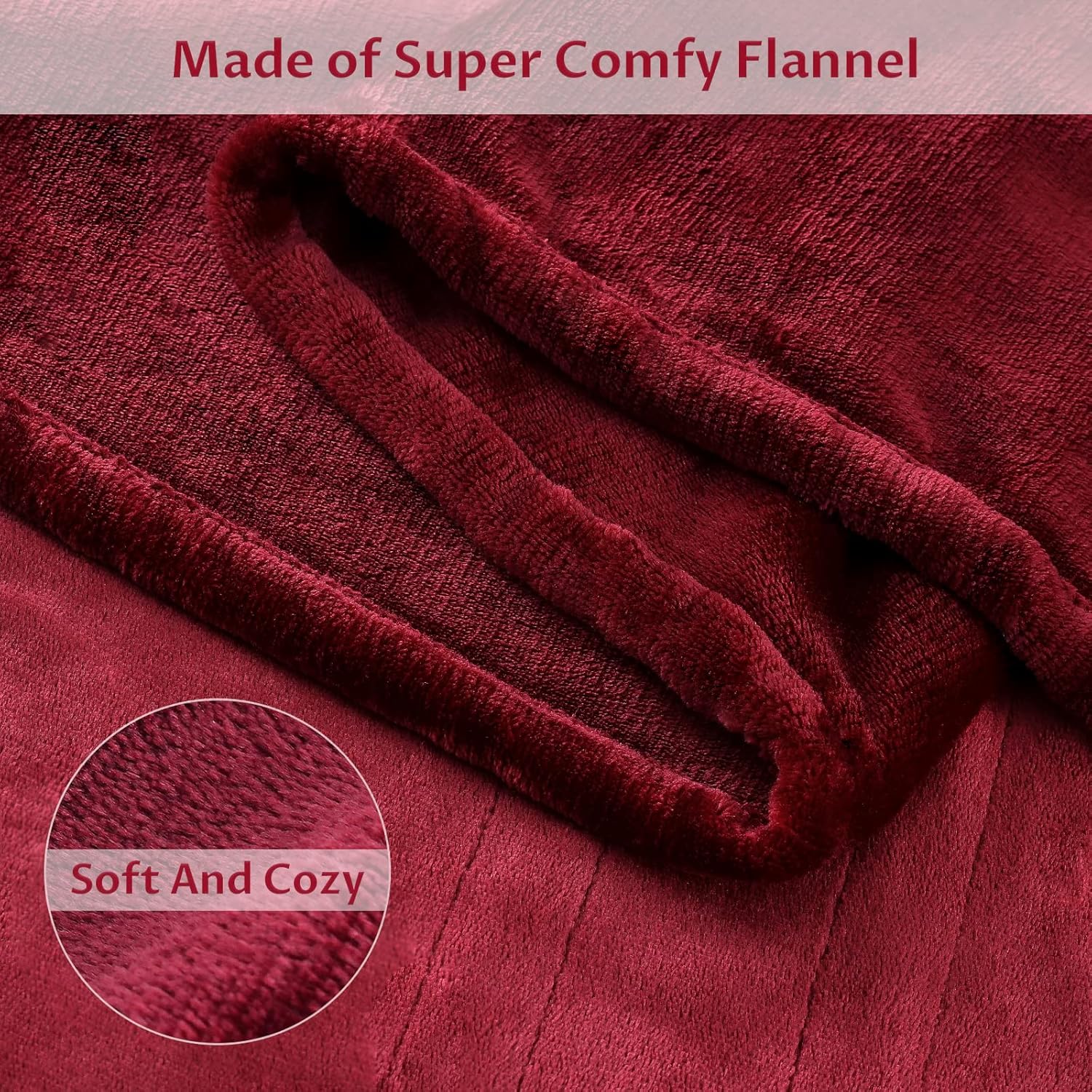
This image provides a detailed view of the blanket's material, highlighting its soft and cozy flannel texture. The text "Soft And Cozy" is overlaid on a circular magnified section of the fabric.
Warranty and Support
Reaks offers a 30-Day Return/Replacement Service for this product. If you are dissatisfied with the product for any reason, or if you encounter issues not covered in the troubleshooting section, please contact Reaks customer support for assistance.
For further support, please refer to the contact information provided with your purchase or visit the official Reaks website.
