
HXSJ J900
HXSJ J900 USB Wired Gaming Mouse User Manual
Model: J900 | Brand: HXSJ
1. Introduction
This user manual provides comprehensive instructions for the HXSJ J900 USB Wired Gaming Mouse. It covers product features, setup, operation, maintenance, and troubleshooting to ensure optimal performance and user experience. The HXSJ J900 is designed for gaming and general computer use, featuring adjustable DPI, customizable RGB lighting, and an ergonomic, lightweight design.

Figure 1: Overview of the HXSJ J900 USB Wired Gaming Mouse.
2. Key Features
The HXSJ J900 mouse incorporates several features designed to enhance your gaming and computing experience:
- Programmable RGB Backlight: Offers 7 distinct RGB backlight modes for personalized visual effects.
- Adjustable DPI Settings: Supports 800/1600/2400/3200/4800/6400 DPI for precise control and adaptability to various tasks.
- Ergonomic Design: Shaped for comfortable hand feel, reducing fatigue during extended use.
- Honeycomb Hollow Design: Promotes ventilation and cooling, preventing hand sweat and offering a unique aesthetic.
- Plug and Play: USB powered, requiring no additional drivers for immediate use.
- Wide Compatibility: Compatible with Windows 2000/XP/Win7/Win8/Win10/Vista 32bit/iOS or latest operating systems.

Figure 2: Illustration of RGB backlight modes and DPI settings.
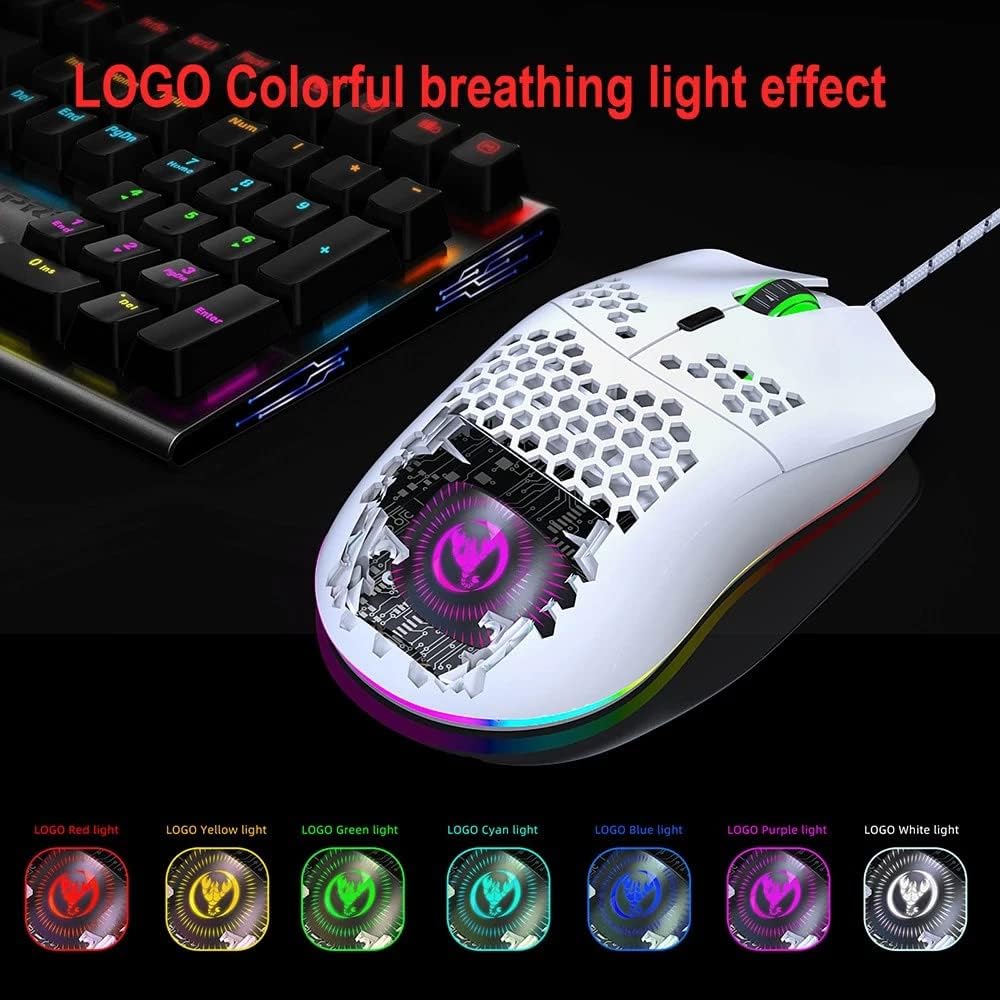
Figure 3: Close-up of the mouse's illuminated logo and RGB effects.
3. Setup Guide
Setting up your HXSJ J900 mouse is straightforward:
- Unpack: Carefully remove the mouse from its packaging.
- Connect: Plug the USB connector of the mouse into an available USB port on your desktop or laptop computer.
- Automatic Installation: The operating system will automatically detect and install the necessary drivers. This process usually takes a few seconds.
- Ready to Use: Once the installation is complete, the mouse is ready for immediate use.

Figure 4: The HXSJ J900 mouse in use with a laptop.
4. Operating Instructions
The HXSJ J900 mouse features multiple buttons for enhanced functionality:

Figure 5: Button layout and functions of the HXSJ J900 mouse.
- Left Button: Standard left-click function.
- Right Button: Standard right-click function.
- Middle Button (Scroll Wheel): Used for scrolling and as a clickable middle button.
- Forward Key: Navigates forward in web browsers or file explorers.
- Back Button: Navigates backward in web browsers or file explorers.
- DPI Key: Press this button to cycle through the available DPI settings (800-1600-2400-3200-4800-6400). Each press changes the sensitivity.
- Light Mode Key: Press this button to cycle through the 7 programmable RGB backlight modes.
5. Maintenance and Care
To ensure the longevity and optimal performance of your HXSJ J900 mouse, follow these maintenance guidelines:
- Cleaning: Use a soft, dry cloth to wipe the surface of the mouse. For stubborn dirt, slightly dampen the cloth with water or a mild cleaning solution. Avoid harsh chemicals or abrasive materials.
- Sensor Care: Keep the optical sensor on the underside of the mouse clean and free from dust or debris to ensure accurate tracking.
- Cable Management: Avoid sharp bends or excessive pulling on the USB cable to prevent damage.
- Storage: When not in use for extended periods, store the mouse in a clean, dry environment.
6. Troubleshooting
If you encounter issues with your HXSJ J900 mouse, refer to the following common problems and solutions:
| Problem | Possible Cause | Solution |
|---|---|---|
| Mouse not responding | Loose USB connection, faulty USB port, driver issue. | Ensure the USB cable is securely plugged in. Try a different USB port. Restart your computer. |
| DPI setting not changing | DPI button not pressed correctly, software conflict. | Press the DPI button firmly. Ensure no other mouse software is interfering. |
| RGB lighting not working or stuck | Light mode button not pressed, power issue. | Press the Light Mode key to cycle through modes. Re-plug the USB cable. |
| Inaccurate tracking or cursor jumps | Dirty optical sensor, unsuitable mouse pad surface. | Clean the optical sensor. Use a clean, uniform mouse pad surface. |
7. Product Specifications
| Attribute | Detail |
|---|---|
| Item Name | Wired mouse |
| Brand | HXSJ |
| Model | J900 |
| Color | White |
| DPI Settings | 800-1600-2400-3200-4800-6400 |
| Interface | USB |
| Switch Life | 20 million cycles |
| Product Dimensions | 13 x 6.7 x 3.8 cm (5.12 x 2.64 x 1.5 in) |
| Item Weight | Approx. 95.4g (3.37oz) |
| Connectivity Technology | USB |
| Special Features | Ergonomic Design |
| Movement Detection | Optical |
| Button Quantity | 6 (Left, Right, Middle, Forward, Back, DPI) + 1 (Light Mode Key) |
| Hand Orientation | Right |
| Recommended Uses | Gaming, Office |
| Compatible Devices | Laptop, Personal Computer |
8. Warranty Information
The HXSJ J900 mouse comes with a standard manufacturer's warranty. Please refer to the warranty card included in your product packaging for specific terms, conditions, and duration. Keep your purchase receipt as proof of purchase for any warranty claims.
9. Customer Support
For further assistance, technical support, or inquiries regarding your HXSJ J900 mouse, please contact HXSJ customer service through their official website or the contact information provided with your product. You may also refer to the retailer's support channels where you purchased the product.
Related Documents - J900
 |
HXSJ J900 RGB Gaming Mouse - Specifications and Usage Guide Detailed specifications and usage instructions for the HXSJ J900 RGB Lighting Programmable Gaming Mouse, including button customization, DPI settings, and lighting modes. |
 |
HXSJ J900 RGB Lighting Programmable Gaming Mouse User Guide Detailed specifications and usage instructions for the HXSJ J900 RGB Lighting Programmable Gaming Mouse, featuring 6400 DPI, customizable buttons, and multiple RGB lighting modes. |
 |
HXSJ T66 Wireless Charging Mouse: User Manual and Specifications Detailed information and instructions for the HXSJ T66 Wireless Charging Mouse, featuring 2.4G wireless connectivity, RGB lighting, and a rechargeable battery. Includes technical parameters, product specifications, and usage guide. |
 |
HXSJ X400 RGB Macro Programming Gaming Mouse Instructions Detailed instructions for the HXSJ X400 RGB Macro Programming Gaming Mouse, covering setup, software usage, DPI settings, lighting modes, and macro customization. |
 |
HXSJ Dual Mode Wireless Mouse - Specifications and Features Detailed specifications and features of the HXSJ Dual Mode Wireless Mouse, including its Type-C charging, adjustable DPI, dual connectivity (Bluetooth/2.4GHz), ergonomic design, and silent operation. |
 |
HXSJ J300 RGB Gaming Mouse: Programmable Buttons, 6400 DPI, and Lighting Modes Discover the HXSJ J300, a programmable RGB gaming mouse featuring 7 customizable buttons, adjustable DPI up to 6400, and multiple lighting modes. Includes detailed specifications and usage instructions for PC gaming. |