
CubiCubi EU-Y-SDLJP-47G
CubiCubi 47-Inch Computer Desk Instruction Manual
Model: EU-Y-SDLJP-47G
Brand: CubiCubi
Introduction
Thank you for choosing the CubiCubi 47-Inch Computer Desk. This manual provides essential information for the assembly, operation, and maintenance of your new desk. Designed for versatility and durability, this desk is an ideal solution for home offices, gaming setups, or study areas, offering ample storage and an ergonomic design.

Product Features
- Integrated Monitor Stand: The upper shelf is designed to elevate your monitor, promoting a healthy viewing height and freeing up valuable desk space.
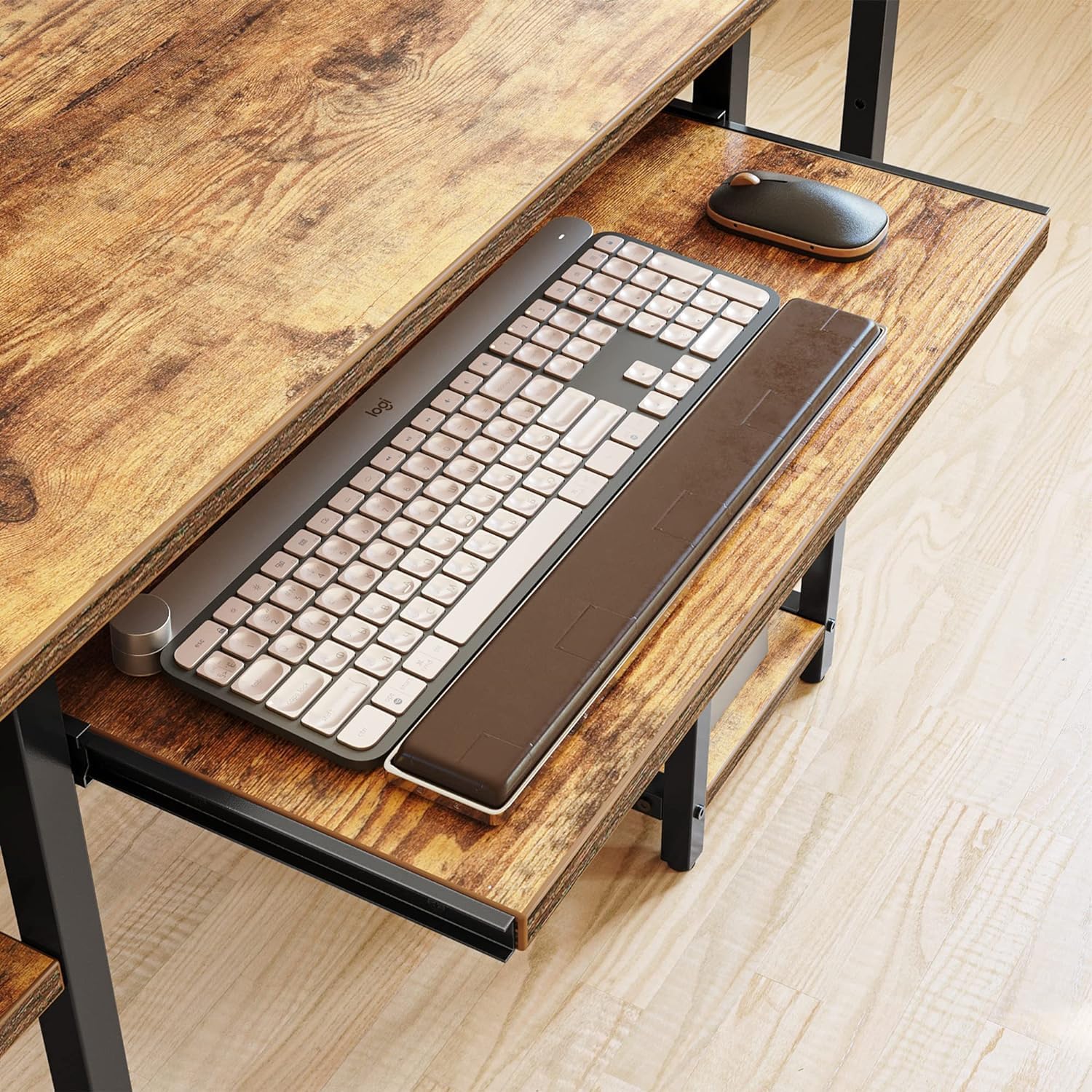
- Ample Storage Space: Features under-desk open shelves for organizing daily essentials and a dedicated keyboard tray to optimize desktop area.
- Stable Construction: Built with a premium metal frame and high-quality MDF board, reinforced with an X-shaped crossbar for enhanced stability and durability.
- Versatile Design: Functions effectively as a computer desk, office desk, workstation, or study table, suitable for various room types including bedrooms, home offices, and dormitories.
- Easy Assembly: Comes with detailed instructions and all necessary tools for a straightforward installation process.

Specifications
| Brand | CubiCubi |
| Model Number | EU-Y-SDLJP-47G |
| Product Dimensions | 19"D x 47"W x 29"H |
| Color | Rustic Brown |
| Material | Engineered Wood (MDF), Metal |
| Item Weight | 37 Pounds |
| Maximum Weight Recommendation | 220 Pounds |
| Number of Shelves | 4 (including monitor stand and keyboard tray) |
| Special Features | Built-In Monitor Stand, Keyboard Tray Included, Adjustable Shelves |

Setup and Assembly
Your CubiCubi desk is designed for straightforward assembly. All necessary tools and detailed instructions are included in the package. It is recommended to assemble the desk in the room where it will be used.
Before You Begin:
- Unpack all components and lay them out on a clean, soft surface to prevent scratches.
- Verify that all parts and hardware listed in the instruction manual are present.
- Familiarize yourself with the assembly diagrams provided in the included manual.
Assembly Steps (General Overview):
- Begin by assembling the metal frame components, ensuring all connections are secure but not fully tightened until all parts are in place.
- Attach the main desktop surface to the assembled frame.
- Install the keyboard tray rails and the keyboard tray itself.
- Mount the monitor stand to the main desktop.
- Attach the side storage shelves. Note that some shelves may be adjustable to accommodate different item sizes.
- Once all components are in place, fully tighten all screws and bolts to ensure maximum stability.
- Adjust the leveling feet at the bottom of the desk to ensure it stands stably on uneven floors.

Operating Instructions
The CubiCubi Computer Desk is designed for intuitive use, providing a functional and organized workspace.
- Monitor Stand: Place your monitor(s) on the elevated top shelf to achieve an ergonomic viewing angle. This helps reduce eye and neck strain during prolonged use.
- Keyboard Tray: Utilize the pull-out keyboard tray for your keyboard and mouse. This feature helps to free up space on the main desktop for other items.
- Adjustable Shelves: The open shelves on the side can be adjusted to different heights to accommodate various items such as books, computer towers, or decorative elements. Simply re-position the shelf board as needed.

Maintenance
To ensure the longevity and appearance of your CubiCubi Computer Desk, follow these simple maintenance guidelines:
- Cleaning: Wipe the desk surfaces with a dry cloth. Avoid using harsh chemicals or abrasive cleaners, which can damage the finish.
- Spills: Immediately wipe up any spills with a dry or slightly damp cloth to prevent water damage or staining.
- Stability Check: Periodically check all screws and bolts to ensure they remain tight. Re-tighten if necessary to maintain the desk's stability.
- Surface Protection: Use coasters for drinks and mouse pads to protect the desktop surface from scratches and moisture.

Troubleshooting
If you encounter any issues with your CubiCubi Computer Desk, consider the following common solutions:
- Desk Wobbles: Ensure all assembly screws are fully tightened. Check that the adjustable feet are properly leveled on the floor.
- Keyboard Tray Sticking/Not Sliding Smoothly: Verify that the rails are clean and free of debris. Ensure the tray is correctly aligned on its tracks.
- Missing Parts: If any parts are missing or damaged upon arrival, please contact CubiCubi customer service immediately for assistance.
Warranty and Support
CubiCubi is committed to providing high-quality products and excellent customer service.
- Customer Support: For any problems related to your desk, including damaged or defective parts, please feel free to contact CubiCubi customer service at your earliest convenience. We are happy to send replacement parts to you.
- Contact Information: Refer to the contact details provided on the product packaging or the official CubiCubi website for the most up-to-date support information.