
Introduction
This manual provides essential information for the safe and efficient operation of your Ufesa AF5000 Phantom Air Fryer. Please read all instructions carefully before first use and retain this manual for future reference.

Image: Front view of the Ufesa AF5000 Phantom Air Fryer, showcasing its sleek black design and digital control panel.
Important Safety Instructions
Always follow basic safety precautions when using electrical appliances to reduce the risk of fire, electric shock, and injury.
- Read all instructions.
- Do not touch hot surfaces. Use handles or knobs.
- To protect against electric shock, do not immerse cord, plugs, or the appliance in water or other liquid.
- Close supervision is necessary when any appliance is used by or near children.
- Unplug from outlet when not in use and before cleaning. Allow to cool before putting on or taking off parts.
- Do not operate any appliance with a damaged cord or plug or after the appliance malfunctions or has been damaged in any manner.
- The use of accessory attachments not recommended by the appliance manufacturer may cause injuries.
- Do not use outdoors.
- Do not let cord hang over edge of table or counter, or touch hot surfaces.
- Do not place on or near a hot gas or electric burner, or in a heated oven.
- Extreme caution must be used when moving an appliance containing hot oil or other hot liquids.
- Always attach plug to appliance first, then plug cord into the wall outlet. To disconnect, turn any control to "off", then remove plug from wall outlet.
- Do not use appliance for other than intended use.
- This appliance is for household use only.
- Ensure the appliance is placed on a stable, heat-resistant surface.
- Do not block any ventilation openings.
Product Overview
Familiarize yourself with the components of your Ufesa AF5000 Phantom Air Fryer.
- Main Unit: Houses the heating element and fan.
- Digital Touch Control Panel: For setting temperature, time, and selecting programs.
- Basket: Removable, non-stick cooking basket.
- Tray/Crisper Plate: Non-stick, removable plate for optimal air circulation.
- Handle: Cool-touch handle for safe removal of the basket.
- Air Inlet/Outlet: For proper air circulation during cooking.
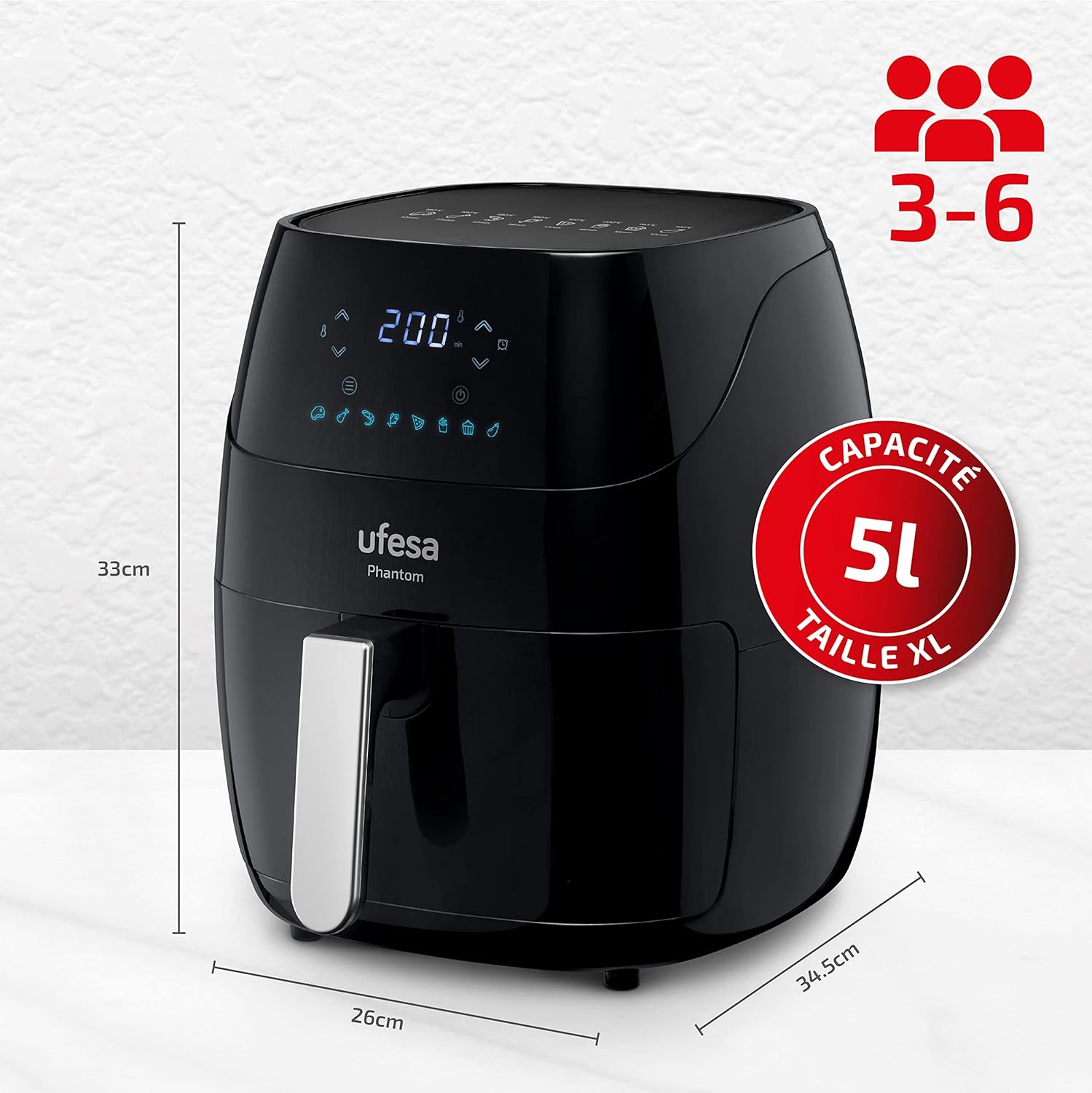
Image: The Ufesa AF5000 Phantom Air Fryer with its dimensions (33cm height, 34.5cm depth, 26cm width) and a 5L capacity label, indicating suitability for 3-6 portions.

Image: Close-up view of the removable non-stick cooking basket and crisper plate of the Ufesa AF5000 Phantom Air Fryer.
Setup and First Use
- Unpacking: Carefully remove all packaging materials and stickers from the appliance.
- Cleaning: Wash the basket and crisper plate with hot water, dish soap, and a non-abrasive sponge. Wipe the inside and outside of the appliance with a damp cloth. Ensure all parts are completely dry before use.
- Placement: Place the air fryer on a stable, horizontal, and heat-resistant surface. Ensure there is at least 10 cm of free space at the back and sides of the appliance, and above it, for proper ventilation.
- Power Connection: Plug the power cord into a grounded wall outlet.
- Initial Run (Optional but Recommended): For the first use, it is recommended to run the air fryer empty for about 10-15 minutes at 180°C (350°F) to eliminate any manufacturing odors. A slight smell or smoke may occur, which is normal.
Operating Instructions
Basic Operation
- Prepare Food: Place your ingredients in the air fryer basket. Do not overfill.
- Insert Basket: Slide the basket back into the air fryer until it clicks into place.
- Power On: Plug in the appliance. The digital display will light up.
- Set Temperature and Time:
- Use the temperature control buttons (up/down arrows) to set the desired cooking temperature (80°C to 200°C).
- Use the time control buttons (up/down arrows) to set the desired cooking time.
- Start Cooking: Press the start/pause button to begin the cooking process.
- Shake/Flip (Optional): For even cooking, some foods may require shaking or flipping halfway through the cooking time. The air fryer may beep to remind you. Carefully remove the basket, shake/flip, and reinsert.
- Finish Cooking: The air fryer will beep when the set cooking time has elapsed. Carefully pull out the basket and remove the food.
Using Preset Programs
The Ufesa AF5000 Phantom features 8 preset programs for common dishes:

Image: Digital control panel of the Ufesa AF5000 Phantom Air Fryer showing icons for 8 preset programs: Meat, Chicken, Seafood, Fish, Pizza, Chips, Muffins, and Vegetables.
- Place food in the basket.
- Select the desired preset program by pressing the program selection button (usually an icon resembling a menu or specific food item). The corresponding icon will light up.
- The air fryer will automatically set the optimal temperature and time for that program.
- Press the start/pause button to begin. You can manually adjust the time and temperature even after selecting a preset if needed.
Ufesa Connect App (WiFi Control)
The Ufesa AF5000 Phantom can be controlled via the Ufesa Connect mobile application.
- Download the "Ufesa Connect" app from your smartphone's app store.
- Follow the in-app instructions to pair your air fryer with your device.
- Once connected, you can control temperature, time, select programs, and access recipes directly from your phone.
Energy Efficiency and Healthy Cooking
The Ufesa AF5000 Phantom utilizes 360° high-speed air circulation technology for oil-free cooking, promoting healthier meals.
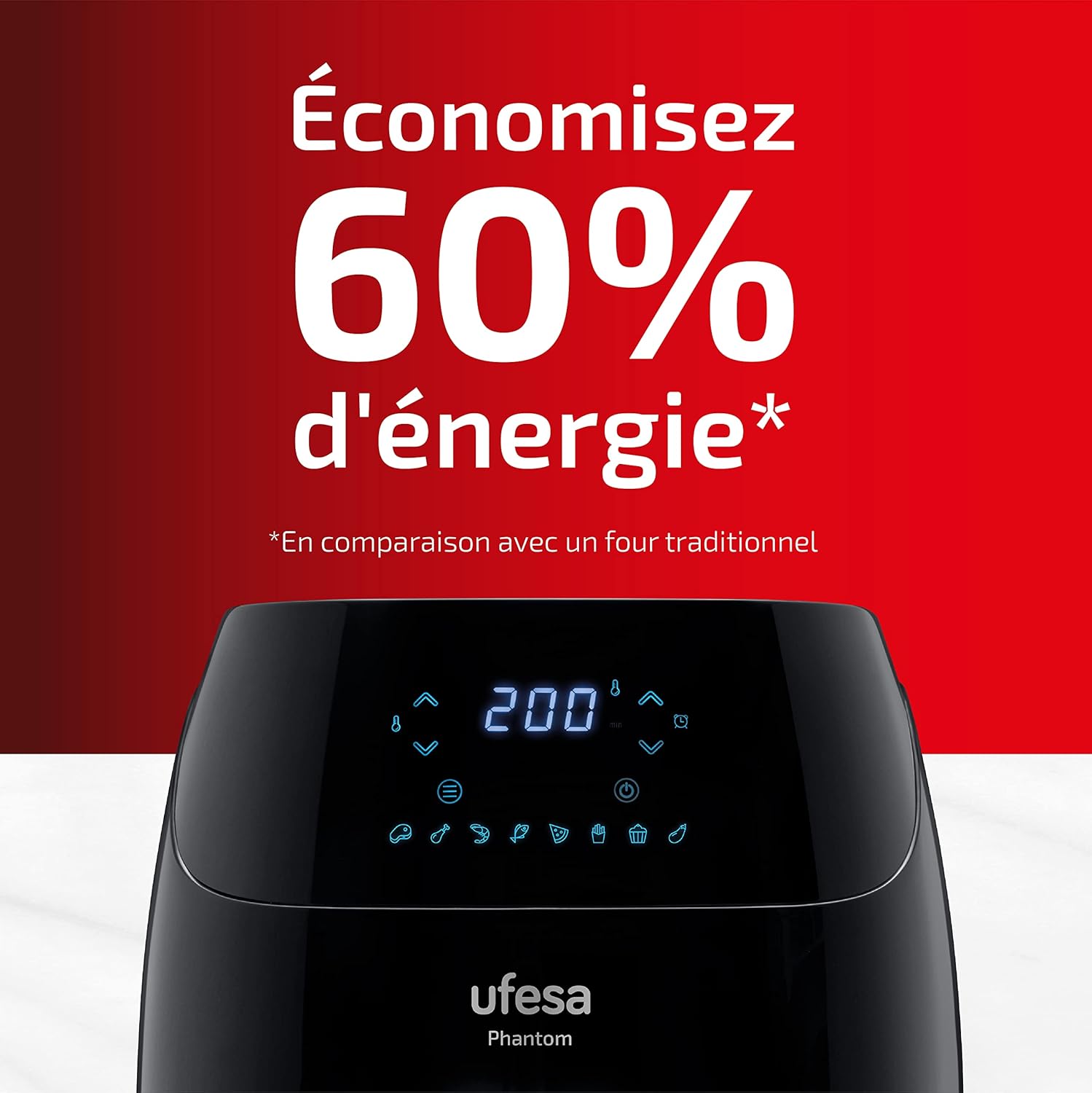
Image: The Ufesa AF5000 Phantom Air Fryer display, highlighting "Save 60% energy" compared to a traditional oven.

Image: The Ufesa AF5000 Phantom Air Fryer, indicating it is BPA and PFOA free, and promotes healthy cooking with less oil.
Maintenance and Cleaning
Regular cleaning ensures optimal performance and extends the lifespan of your air fryer.
- Unplug and Cool: Always unplug the appliance and allow it to cool completely before cleaning.
- Basket and Tray: The non-stick basket and crisper plate are removable and can be washed with hot water, dish soap, and a non-abrasive sponge. They are also dishwasher safe.
- Interior: Wipe the interior of the appliance with a damp cloth. For stubborn food residue, use a mild detergent. Avoid abrasive cleaners or metal scouring pads.
- Exterior: Clean the exterior with a damp cloth.
- Heating Element: Use a cleaning brush to remove any food residue from the heating element.
- Storage: Ensure all parts are clean and dry before storing the air fryer in a cool, dry place.
Troubleshooting
| Problem | Possible Cause | Solution |
|---|---|---|
| Air fryer does not turn on. | Appliance not plugged in. Power outlet not working. | Ensure the power cord is securely plugged into a working outlet. Check the circuit breaker. |
| Food is not cooked evenly. | Basket is overcrowded. Food not shaken/flipped. | Do not overcrowd the basket. Cook in smaller batches. Shake or flip food halfway through cooking. |
| White smoke comes from the appliance. | Grease residue from previous use. Fatty ingredients. | Clean the basket and crisper plate thoroughly after each use. Remove excess oil from fatty foods. |
| Food is not crispy. | Too much moisture in food. Not enough oil (for certain foods). Temperature too low. | Pat food dry before air frying. Lightly brush or spray with oil if desired. Increase temperature slightly. |
| WiFi connection issues. | Incorrect network password. Router too far. App issues. | Ensure correct WiFi password. Move air fryer closer to router. Restart app or air fryer. Consult app's help section. |
Specifications
- Model Number: AF5000
- Brand: Ufesa
- Capacity: 5 Liters
- Power: 1500 Watts
- Voltage: 220 Volts
- Temperature Range: 80°C - 200°C
- Dimensions (L x W x H): 33 x 26 x 34.5 cm (approx.)
- Weight: 4.7 Kilograms
- Material: Plastic
- Special Features: Programmable, Digital Touch Control, WiFi Connectivity (Ufesa Connect App), 8 Preset Programs, Automatic Shut-off, Cool-touch body and handle, Non-slip base.
- Country of Origin: China
Warranty and Support
For warranty information, product registration, or technical support, please refer to the official Ufesa website or contact their customer service department. Keep your purchase receipt as proof of purchase.
Availability of Spare Parts: 3 Years (as per product information).
You can often find additional resources and FAQs on the manufacturer's support pages. For the most up-to-date information, please visit: www.ufesa.es