
NEBO NEB-HLP-1005
NEBO MYCRO 500+ Rechargeable Headlamp User Manual
Model: NEB-HLP-1005
Introduction
This manual provides comprehensive instructions for the safe and effective use of your NEBO MYCRO 500+ Rechargeable Headlamp. Please read this manual thoroughly before operating the device and retain it for future reference. The NEBO MYCRO 500+ is a versatile and lightweight lighting solution designed for various activities, offering multiple light modes and convenient recharging.
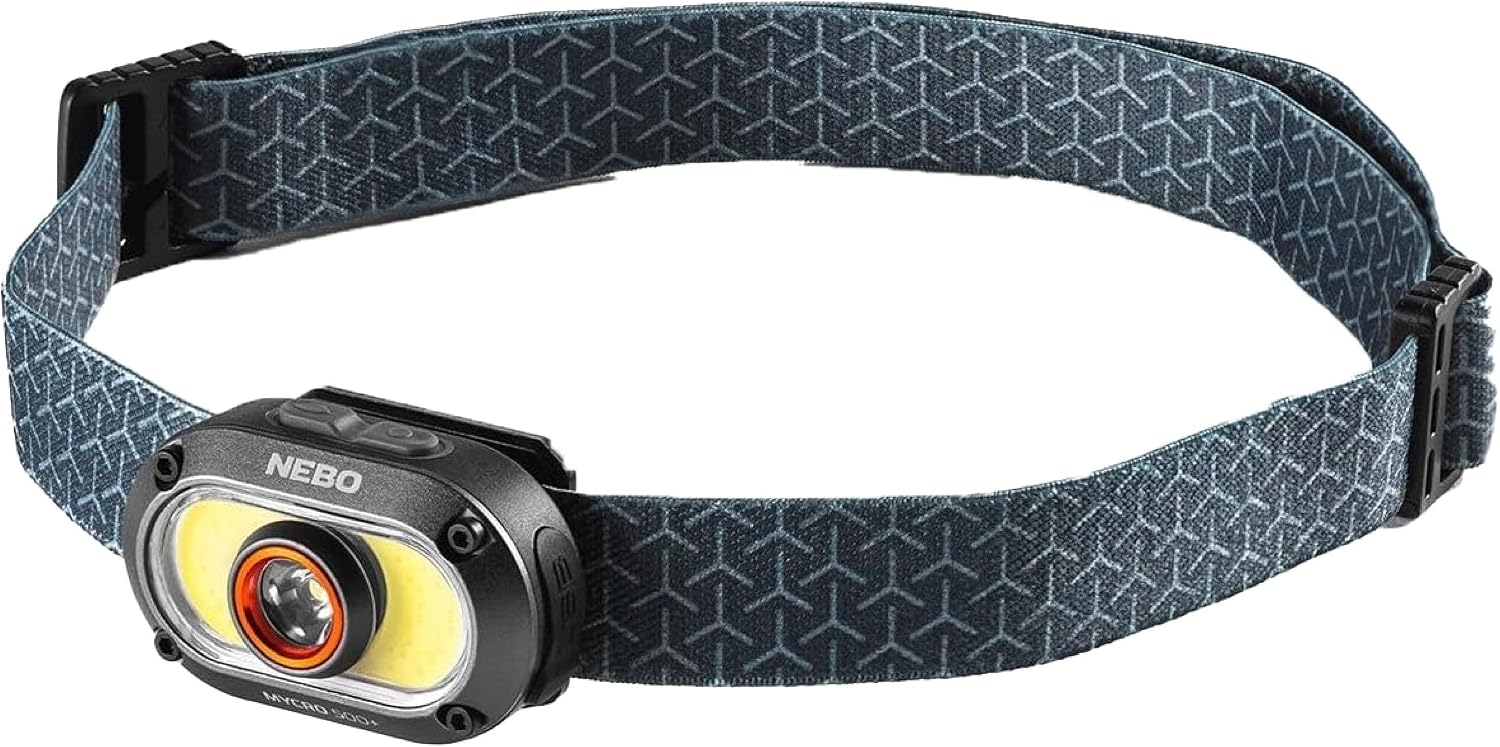
Image: The NEBO MYCRO 500+ Rechargeable Headlamp, showcasing its compact design and adjustable head strap.
Product Overview
Features
- High Brightness: Up to 500 lumens in Turbo mode.
- Multiple Light Modes: 7 distinct modes including Spotlight (Turbo, High, Medium, Low) and COB Flood Light (High, Low, Red).
- Durable Construction: Water-resistant (IPX4) and impact-resistant design.
- Versatile Wear: Includes a detachable cap clip for use on headwear and an adjustable head strap.
- Smart Power Control (SPC): Ensures smooth transitions between light modes to optimize battery life.
- Direct-to-Red Functionality: Allows direct access to red light mode to preserve night vision.
- Rechargeable: Integrated Lithium Polymer battery, rechargeable via USB-C.
- Lightweight and Compact: Designed for comfortable, extended wear.
Components
- NEBO MYCRO 500+ Headlamp Unit
- Adjustable Head Strap
- USB-C to USB Charging Cable
- Detachable Cap Clip (pre-attached or included separately)

Image: Overview of the MYCRO 500+ Headlamp and Cap Light highlighting key features such as lightweight design, memory recall, ultra-brightness, and adjustable strap.
Setup
Attaching the Head Strap
- Locate the adjustable head strap and the headlamp unit.
- Thread each end of the head strap through the designated slots on the sides of the headlamp unit.
- Adjust the strap length to ensure a comfortable and secure fit around your head.

Image: The NEBO MYCRO 500+ Headlamp shown with its adjustable head strap, illustrating how it can be worn.
Using the Cap Clip
The headlamp features a detachable clip for attaching it to the brim of a cap or other suitable surfaces. To use, simply slide the clip onto the desired edge. The headlamp unit can be tilted to adjust the beam angle.

Image: A person wearing the NEBO MYCRO 500+ Headlamp clipped to a cap, demonstrating its cap-compatible feature and red light mode.
Initial Charging
Before first use, fully charge the headlamp. Connect the included USB-C cable to the charging port on the headlamp and the other end to a USB power source (e.g., wall adapter, computer USB port). The charging indicator light will show the charging status. A full charge typically takes approximately 2 hours.
Operating Instructions
Power Button and Mode Selection
The NEBO MYCRO 500+ features a single power button for controlling all light functions.
- Press and Release: To cycle through the Spotlight modes (High, Medium, Low).
- Double Press: To activate the COB Flood Light modes (High, Low, Red).
- Press and Hold (from OFF): To activate Direct-to-Red mode.
- Press and Hold (from ON): To activate Turbo mode (500 lumens). Turbo mode will run for 30 seconds, then return to the previously used mode.
- Single Press (from any mode after 8 seconds): To turn the unit OFF.
The Smart Power Control (SPC) feature ensures smooth transitions between light modes and helps extend battery life.
Light Modes and Performance
The headlamp offers a variety of light modes to suit different needs:
| Mode | Lumens | Runtime | Beam Distance |
|---|---|---|---|
| Spotlight Turbo | 500 | 30-second interval | 90 meters |
| Spotlight High | 200 | 1 hour | 60 meters |
| Spotlight Medium | 100 | 2 hours | 42 meters |
| Spotlight Low | 30 | 3 hours | 23 meters |
| COB Flood High | 200 | 1 hour | 21 meters |
| COB Flood Low | 50 | 2 hours | 15 meters |
| COB Flood Red | 25 | 1 hour | 10 meters |

Image: Detailed performance specifications for each light mode of the NEBO MYCRO 500+, including lumens, runtime, and beam distance.

Image: A visual guide to the 7 illumination modes available on the NEBO MYCRO 500+ headlamp.
Charging the Headlamp
To charge the headlamp, open the rubber charging port cover and insert the USB-C cable. The indicator light will show red while charging and turn green when fully charged. Ensure the rubber cover is securely closed after charging to maintain water resistance.
Maintenance
- Cleaning: Wipe the headlamp with a soft, damp cloth. Do not use abrasive cleaners or solvents.
- Storage: Store the headlamp in a cool, dry place when not in use. For long-term storage, ensure the battery is partially charged (around 50%) to prolong its lifespan.
- Battery Care: Recharge the battery regularly, even if not frequently used, to maintain battery health. Avoid fully discharging the battery for extended periods.
- Water Resistance: Ensure the USB-C port cover is fully sealed to maintain the IPX4 water resistance rating.
Troubleshooting
| Problem | Possible Cause | Solution |
|---|---|---|
| Headlamp does not turn on. | Low or depleted battery. | Charge the headlamp fully using the provided USB-C cable. |
| Headlamp does not charge. | Faulty charging cable or power source. | Try a different USB-C cable and/or a different USB power adapter. Ensure the cable is fully inserted. |
| Short battery life. | Frequent use of high lumen modes (Turbo, High Spotlight, High COB). Battery degradation over time. | Use lower lumen modes when possible to extend runtime. Ensure the battery is fully charged before use. If the issue persists after a year of use, battery capacity may have naturally decreased. |
| Light modes are not cycling correctly. | Incorrect button press sequence. | Refer to the "Power Button and Mode Selection" section for correct operation. |
| Red light mode not working. | Software glitch or internal fault. | Try fully discharging and recharging the unit. If the problem persists, contact customer support. |
Specifications
| Feature | Detail |
|---|---|
| Model Number | NEB-HLP-1005 |
| Light Source Type | LED (Spotlight) and COB (Flood Light) |
| Max Brightness | 500 Lumens (Turbo Mode) |
| Power Source | Battery Powered |
| Battery Type | 200 mAh (3.7V) Lithium Polymer Rechargeable |
| Charging Port | USB-C |
| Charging Time | Approximately 2 hours |
| Dimensions (Light Only) | 2.85" (L) x 1.2" (W) x 1" (H) |
| Weight | 0.1875 lbs (approx. 3.2 ounces) |
| Water Resistance | IPX4 (Water Resistant) |
| Special Features | Adjustable, LED Headlamp, Lightweight, Smart Power Control, Direct-to-Red |

Image: A summary of the NEBO MYCRO 500+ product specifications, including physical dimensions and performance metrics.
Warranty and Support
Warranty Information
The NEBO MYCRO 500+ Rechargeable Headlamp comes with a 1-year manufacturer's warranty. This warranty covers defects in materials and workmanship under normal use. Please retain your proof of purchase for warranty claims. The warranty does not cover damage caused by misuse, accidents, unauthorized modifications, or normal wear and tear.
Customer Support
For technical assistance, warranty claims, or general inquiries, please visit the official NEBO website or contact their customer service department. You can find more information and products at the NEBO Store on Amazon.
Ask a question about this manual
Ask about setup, troubleshooting, compatibility, parts, safety, or missing instructions. Manuals+ will review the question and use this page’s manual context to help answer it.