
Product Overview
The Sakar Sonic The Hedgehog Gaming Headset is designed for clear communication and immersive audio during gaming sessions and online learning. It features a built-in boom microphone for crystal clear voice clarity and high-quality audio drivers for an enhanced sound experience. The headset is also suitable for extended use thanks to its comfortable design.
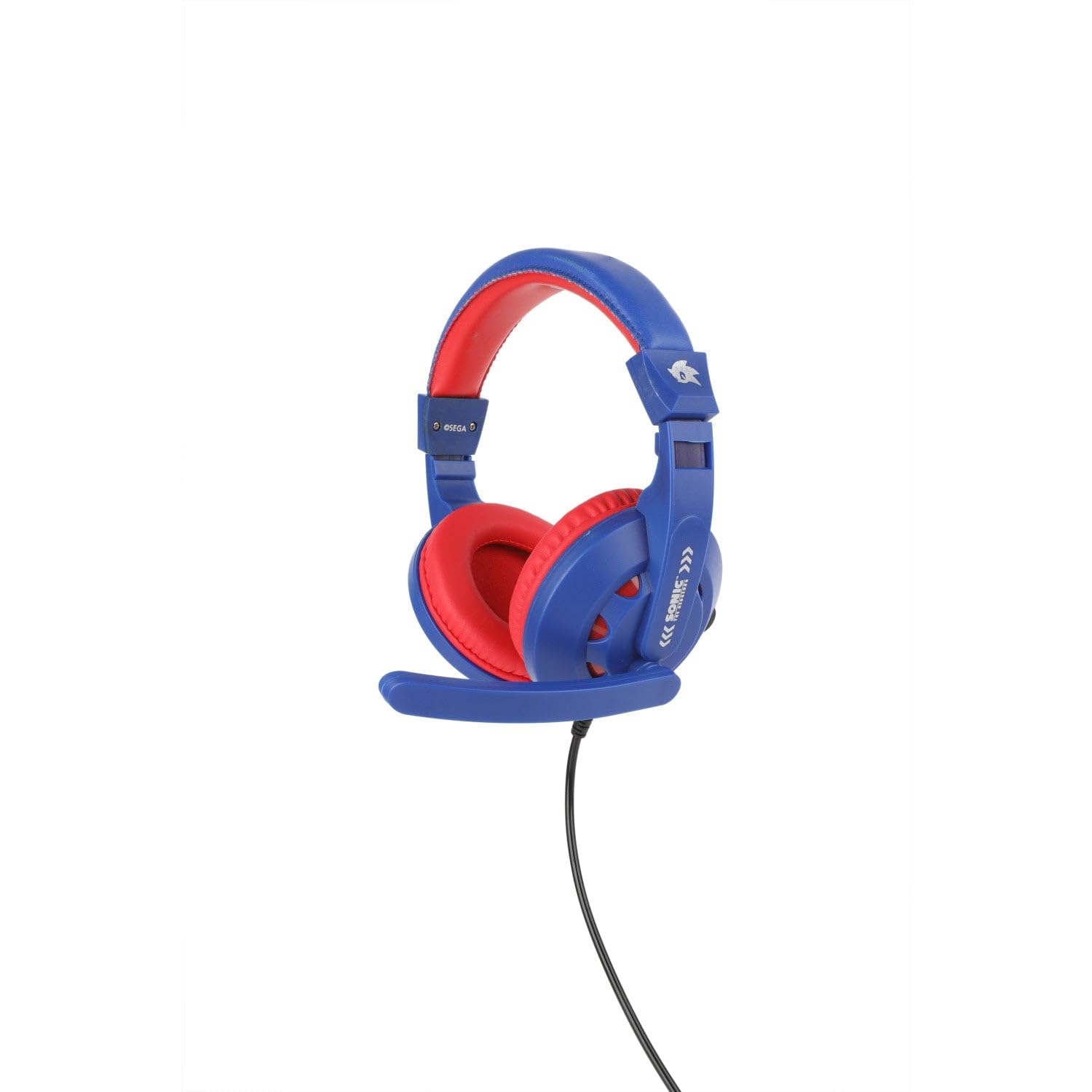
Image: The Sonic The Hedgehog Gaming Headset, featuring blue earcups and headband with red cushioning, and an attached boom microphone.
Key Features:
- Crystal Clear Boom Microphone: Ensures precise communication for gaming and online calls.
- High-Quality Audio Drivers: Delivers immersive sound for an engaging experience.
- Cushioned Ear Cups: Designed for comfort during prolonged use, preventing warmth buildup.
- Lightweight Construction: Contributes to extended comfort during long gaming or learning sessions.
- Versatile Functionality: Ideal for both gaming and online educational activities.
- Sonic-Themed Design: Features the iconic Sonic logo and colors, appealing to fans.
- Broad Compatibility: Works with PCs and major gaming platforms via a standard 3.5mm jack.
Setup Instructions
Follow these steps to connect your Sonic The Hedgehog Gaming Headset to your device.
- Identify the Audio Jack: Locate the 3.5mm audio jack on your gaming console controller, PC, smartphone, or tablet.
- Connect the Headset: Insert the 3.5mm plug from the headset firmly into the audio jack of your device.
- Adjust Volume: Use the inline volume control on the headset cable or your device's system settings to adjust the audio volume to a comfortable level.
- Position Microphone: Adjust the flexible boom microphone to a position near your mouth for optimal voice clarity.
- Test Functionality: Perform a quick audio and microphone test through your device's settings or a communication application to ensure proper operation.
Note: Some devices may require specific audio settings adjustments for headset and microphone input/output. Refer to your device's user manual for detailed audio configuration.
Operating Instructions
This section covers the basic operation of your gaming headset.
- Wearing the Headset: Place the headset over your head with the earcups covering your ears. Adjust the headband for a snug yet comfortable fit. The cushioned earcups are designed for extended wear.
- Volume Control: The headset features an inline volume control. Rotate the dial to increase or decrease the audio output.
- Microphone Usage: The boom microphone is designed for clear voice pickup. Position it approximately 1-2 inches from your mouth. For privacy or when the microphone is not needed, you can typically mute it via your device's software settings or by moving the boom mic away from your mouth if it has a swivel feature (check product for specific mic mute button if any, none mentioned in data).
- Compatibility: The headset is compatible with PCs, gaming consoles (e.g., PlayStation, Xbox, Nintendo Switch via controller), smartphones, and tablets that feature a standard 3.5mm audio jack.
Official Product Video:
Video: An official overview of the Sonic Gaming Headset with Communication Mic, demonstrating its features and design. Duration: 1 minute 22 seconds.
Maintenance
Proper care and maintenance will ensure the longevity of your headset.
- Cleaning: Use a soft, dry cloth to wipe down the earcups and headband. For stubborn dirt, a slightly damp cloth can be used, but ensure no moisture enters the speaker grilles or microphone. Avoid harsh chemicals or abrasive cleaners.
- Cable Care: Do not pull on the cable to disconnect the headset. Always grasp the plug. Avoid sharp bends or kinks in the cable, as this can damage internal wiring.
- Storage: When not in use, store the headset in a clean, dry place away from extreme temperatures and direct sunlight. Avoid placing heavy objects on top of the headset.
- Microphone Care: Keep the microphone clean and free from dust. If the microphone is detachable or retractable, handle it gently.
Troubleshooting Guide
If you encounter issues with your headset, refer to the following common solutions.
| Problem | Solution |
|---|---|
| No Sound from Headset |
|
| Microphone Not Working |
|
| Sound is Distorted or Unclear |
|
| Headset is Uncomfortable |
|
Product Specifications
- Model Number:
- GAM83211
- Brand:
- Sakar
- Connectivity Technology:
- Wired (3.5mm Audio Jack)
- Ear Placement:
- Over Ear
- Form Factor:
- Over Ear
- Noise Control:
- Passive Noise Cancellation
- Microphone:
- Built-in Boom Microphone
- Control Type:
- Volume Control
- Compatible Devices:
- PCs, Gaming Consoles, Smartphones, Tablets
- Material:
- Plastic
- Color:
- Multicolor (Blue/Red)
- Item Weight:
- 12.3 ounces (approximately 348.7 grams)
- Package Dimensions:
- 9.33 x 9.29 x 4.02 inches
- UPC:
- 021331041456
Warranty and Support
For warranty information and technical support, please refer to the documentation included with your product packaging or visit the official Sakar website. You may also contact Sakar customer service directly for assistance with product issues or inquiries.
Please retain your proof of purchase for warranty claims.

