1. Introduction
The Generic AK15 Smart Watch is designed to be a personal health and fitness companion, specifically tailored for women. This device combines elegant design with advanced features for health monitoring and activity tracking. It helps you monitor your daily activities, track vital health metrics, and stay connected.
This manual provides detailed instructions on how to set up, operate, and maintain your AK15 Smart Watch to ensure optimal performance and longevity.
2. Product Overview
The AK15 Smart Watch features a vibrant color screen and a stylish design, making it suitable for daily wear. Key features include:
- Fitness Tracking: Monitors steps, distance, and calories burned.
- Health Monitoring: Tracks heart rate, blood pressure, and sleep patterns.
- Physiological Cycle Reminder: Built-in function to track and remind users about safety, menstrual, ovulation, and pregnancy periods.
- Waterproof Design: IP67 rated for resistance against splashes and brief immersion.
- Multilingual Support: App and watch UI support multiple languages including Chinese, English, Japanese, French, German, Italian, Spanish, Russian, Portuguese, Korean, and Vietnamese.
- Durable Display: Features spherical tempered glass for wear and scratch resistance.

Figure 2.1: The AK15 Smart Watch features spherical tempered glass and a slim, elegant strap for comfortable wear.

Figure 2.2: The AK15 Smart Watch is designed with an emphasis on aesthetic appeal and luxurious details.
3. Setup
3.1 Charging the Device
Before first use, fully charge your AK15 Smart Watch. Connect the charging cable to the designated charging port on the watch and a standard USB power adapter (not included). The watch display will indicate charging status. A full charge typically takes 1-2 hours.
3.2 App Installation
To unlock the full functionality of your AK15 Smart Watch, you need to download and install the companion application on your smartphone. Search for the app name (usually indicated in the packaging or a quick start guide) in your smartphone's app store (Google Play Store for Android or Apple App Store for iOS). Install the app and grant necessary permissions.
3.3 Pairing with Your Smartphone
- Ensure Bluetooth is enabled on your smartphone.
- Open the installed companion app on your smartphone.
- Follow the in-app instructions to search for and connect to your AK15 Smart Watch. The watch's model number (AK15) should appear in the list of available devices.
- Confirm the pairing request on both your smartphone and the watch if prompted.
4. Operating Instructions
4.1 Basic Navigation
The AK15 Smart Watch features a touchscreen display. Swipe left, right, up, or down to navigate through different menus and functions. Tap to select an option or confirm an action.
4.2 Fitness Tracking
The watch automatically tracks your daily steps, distance traveled, and calories burned. This data is synchronized with the companion app, providing a comprehensive overview of your activity levels.

Figure 4.1: The watch provides real-time fitness data including steps, distance, and calories, helping you monitor your daily activity.
4.3 Health Monitoring
The AK15 Smart Watch is equipped with sensors to monitor various health metrics:
- Heart Rate: The watch continuously monitors your heart rate. Access the heart rate interface on the watch or through the app to view your current and historical data.
- Blood Pressure: The watch can measure blood pressure. For accurate readings, ensure the watch is worn snugly on your wrist. Consult a medical professional for any health concerns.
- Sleep Tracking: Wear the watch to bed, and it will automatically track your sleep patterns, including deep sleep, light sleep, and awake times. This data is available in the companion app.

Figure 4.2: Monitor your heart rate regularly to gain insights into your cardiovascular health.

Figure 4.3: The watch provides real-time blood pressure measurements, offering valuable reference for your body condition.
4.4 Physiological Cycle Reminder
This exclusive feature helps women track their physiological cycles. Once enabled and configured in the companion app (registering as a female user), the watch will display different status prompts for:
- Safety Period
- Menstrual Period
- Ovulation Period
- Pregnancy Period
This function serves as a personal health assistant, providing timely reminders and insights.
4.5 Notifications and Other Features
When paired with your smartphone, the AK15 Smart Watch can receive notifications for calls, messages, and app alerts. The watch also supports features like remote camera control (Bluetooth photo) and a multilingual user interface for enhanced usability.

Figure 4.4: The watch offers an HD color screen and various smart features including sports tracking and remote photo control.
5. Maintenance
5.1 Cleaning
To keep your AK15 Smart Watch clean, gently wipe the screen and strap with a soft, dry, or slightly damp cloth. Avoid using harsh chemicals or abrasive materials, as these can damage the watch's finish and sensors.
5.2 Waterproofing
The AK15 Smart Watch is IP67 waterproof, meaning it is resistant to splashes, rain, and brief immersion in shallow water. It is suitable for daily use, such as washing hands. However, it is not recommended for swimming, diving, or showering with hot water. Do not expose the watch to hot water above 45°C (113°F), as this can compromise the waterproof seals.
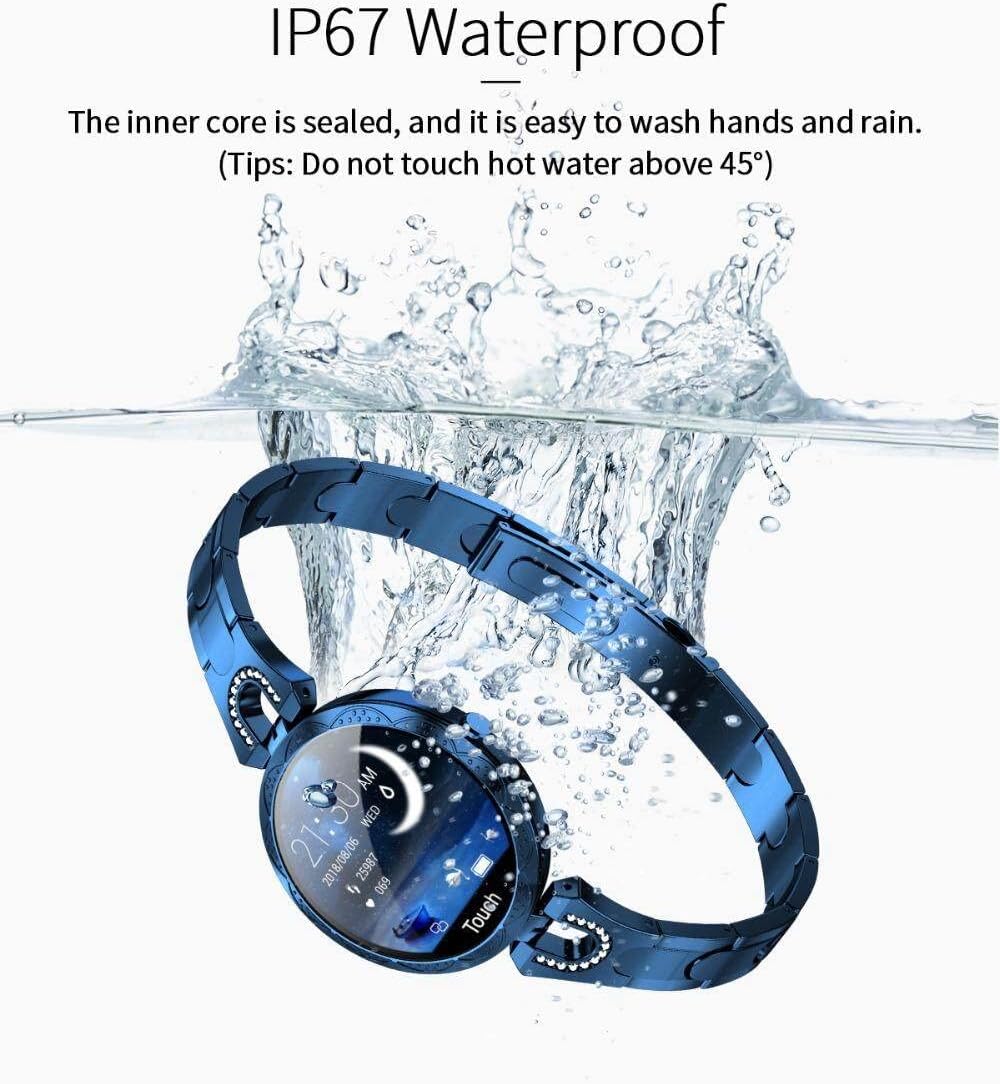
Figure 5.1: The AK15 Smart Watch features IP67 waterproofing, making it resistant to water splashes and brief immersion.
6. Troubleshooting
- Watch not turning on: Ensure the watch is fully charged. Connect it to the charger for at least 30 minutes.
- Cannot pair with smartphone: Make sure Bluetooth is enabled on your phone and the watch is within range. Restart both the watch and your phone, then try pairing again through the app.
- Inaccurate health data: Ensure the watch is worn snugly on your wrist, not too tight or too loose. Avoid excessive movement during measurements.
- Notifications not received: Check app permissions on your smartphone to ensure the companion app has access to notifications. Verify that notifications are enabled within the app settings.
- Screen unresponsive: Try restarting the watch. If the issue persists, ensure the screen is clean and dry.
7. Specifications
| Feature | Specification |
|---|---|
| Brand | Generic |
| Model | AK15 |
| Manufacturer | GeeLee |
| Display Size | 1.08 Inches |
| Display Technology | LCD |
| Scanner Resolution | 240 x 240 |
| Operating System | Android (Compatible) |
| Connectivity | Bluetooth |
| Human Interface Input | Touchscreen |
| Waterproof Rating | IP67 |
| Product Dimensions | 3.8 x 3.8 x 2.5 cm |
| Item Weight | 250 g |
8. Warranty and Support
For information regarding warranty coverage and customer support, please refer to the documentation provided with your purchase or contact the retailer from whom you purchased the Generic AK15 Smart Watch. Specific warranty terms may vary by region and retailer.


