1. Product Overview
The MACAX TPMS (Tire Pressure Monitoring System) sensor is designed to accurately monitor your vehicle's tire pressure and transmit this data to the onboard computer. This system helps ensure vehicle safety by providing timely alerts for abnormal tire pressure, contributing to improved driving stability, reduced tire wear, and optimized fuel consumption.

Image 1.1: Four MACAX TPMS sensors, ready for installation.
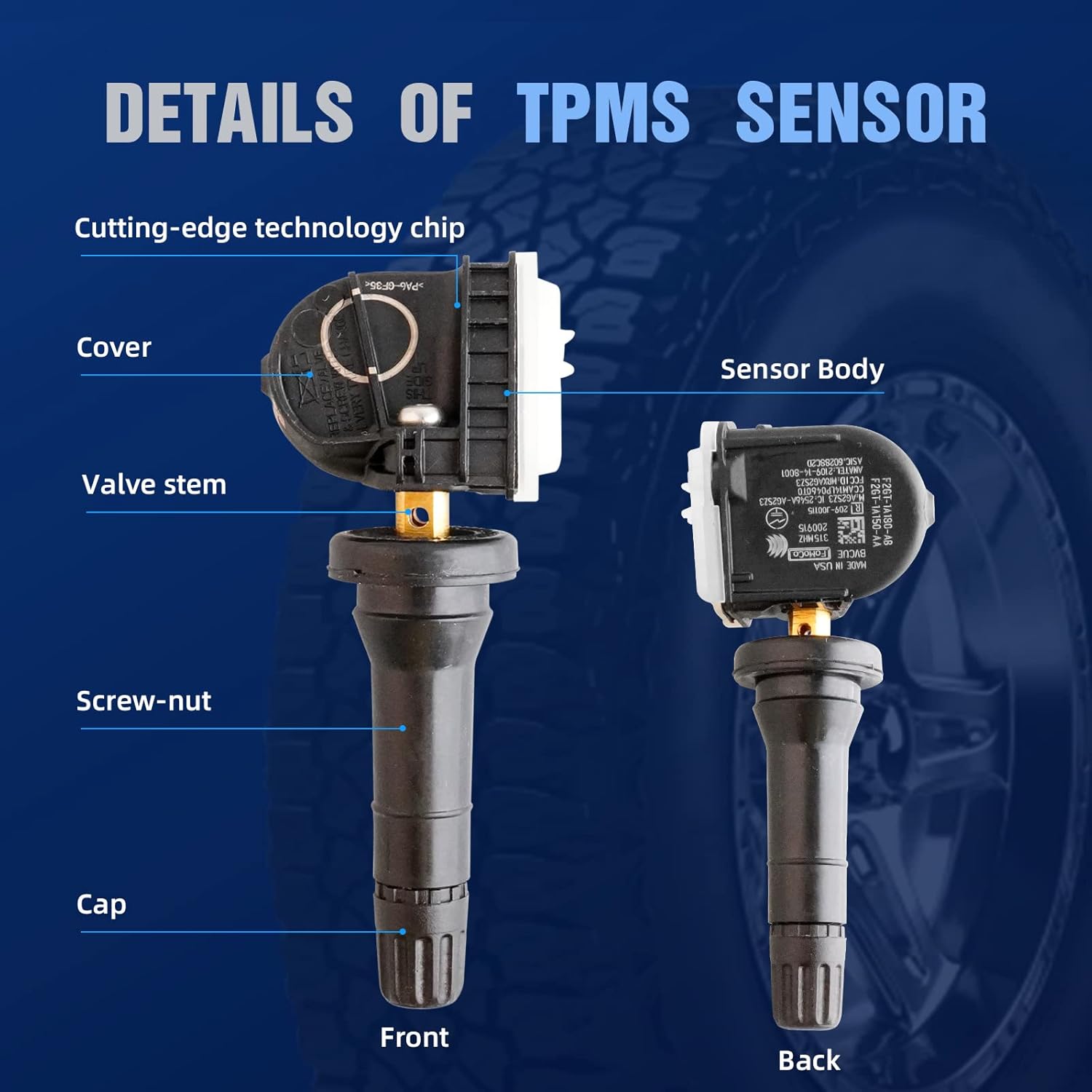
Image 1.2: Detailed view of a TPMS sensor, highlighting its cover, valve stem, screw-nut, cap, and sensor body.

Image 1.3: A MACAX TPMS sensor correctly installed inside a vehicle's wheel rim.
2. Installation and Setup
These MACAX TPMS sensors are built-in programmed and do not require additional programming. However, a re-learn procedure is necessary for your vehicle's system to recognize the new sensors.
2.1 Re-learn Methods
There are two primary methods for the vehicle to adapt to the new TPMS sensors:
- OBD (On-Board Diagnostics) Re-learn: Many vehicles feature an OBD system that can automatically detect and register the tire pressure sensors. For this method, the vehicle typically needs to be driven at a specific speed for a certain duration. This allows the OBD system to detect the sensors and register their unique identification codes.
- Manual Re-learn: In this method, your vehicle's computer is put into a learning mode. The tire pressure sensors are then activated one by one using a special tool or a specific sequence of actions (refer to your vehicle's owner's manual for the exact procedure). The computer then learns the unique identification code of each sensor and associates it with the correct wheel position.
It is crucial to perform one of these re-learn procedures after installing the new sensors to ensure proper functionality of your TPMS.

Image 2.1: Professional installation of a TPMS sensor onto a wheel.
3. Operating Instructions
Once installed and re-learned, the MACAX TPMS sensors will continuously monitor the air pressure within your tires. The sensors utilize an original import chip for accurate data processing, ensuring reliable transmission of tire pressure information to your vehicle's onboard computer.
If an abnormal tire pressure is detected (either too low or too high), the system will trigger a warning on your vehicle's dashboard or driver information center, alerting you to the issue. This timely alert allows you to address the tire pressure problem promptly, preventing potential safety hazards and further damage to your tires.

Image 3.1: Example of tire pressure data displayed on a vehicle's dashboard, indicating real-time monitoring.
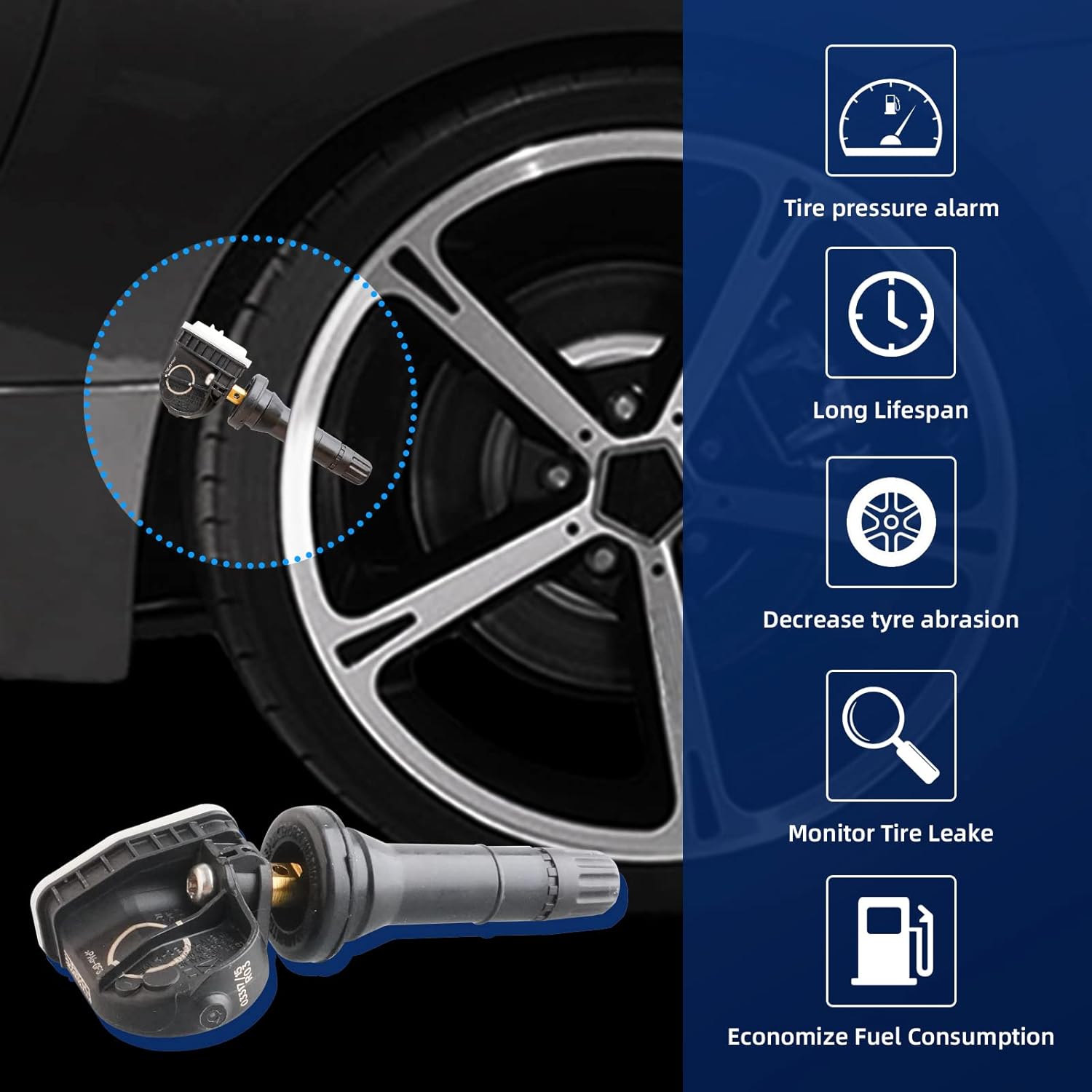
Image 3.2: Key benefits of a functional TPMS, including safety alerts and efficiency improvements.

Image 3.3: The advanced chip inside the MACAX TPMS sensor, responsible for accurate data processing.
4. Maintenance
MACAX TPMS sensors are designed for long-term reliability. To ensure optimal performance and longevity of your TPMS and tires, consider the following:
- Regular Tire Checks: Even with TPMS, it is good practice to visually inspect your tires regularly for any signs of damage or uneven wear.
- Proper Tire Inflation: Always maintain your tires at the manufacturer's recommended pressure, as indicated on the placard inside your vehicle's door jamb or owner's manual.
- Professional Installation: For sensor replacement, it is recommended to have them installed by a qualified technician to prevent damage to the sensor or wheel.
- Battery Life: The sensors contain a powerful battery designed for long operating life. No user maintenance is required for the battery.
5. Troubleshooting
If you encounter issues with your TPMS after installing MACAX sensors, consider the following common scenarios:
- Sensor Not Detected / TPMS Light On: If the TPMS warning light remains on after installation, ensure that the re-learn procedure (OBD or Manual) has been correctly performed. These sensors are pre-programmed but require the vehicle to learn their unique IDs.
- Incorrect Frequency / Incompatibility: While these sensors are designed for specific Ford, Lincoln, and Mercury models (315 MHz frequency), some vehicles may require a different frequency or sensor type. Always verify compatibility with your vehicle's make, model, and year before purchase and installation. Refer to the compatibility list in Section 7.
- Intermittent Readings: If readings are inconsistent, ensure proper installation and that the re-learn process was completed successfully. Environmental factors or interference are rare but possible.
- All Sensors Fail Simultaneously: If all four sensors appear to stop working at once, it is highly likely a re-learn issue or a vehicle system problem rather than simultaneous sensor failure. Re-attempt the re-learn procedure.
If troubleshooting steps do not resolve the issue, please contact MACAX customer support for further assistance.
6. Specifications
| Feature | Specification |
|---|---|
| Brand | MACAX |
| Model Number | TPMS-F2GT-1A180-AB-22021702 |
| OEM Part Numbers | F2GT1A180AB, F2GZ1A189A, TPMS35, F2GT-1A150-AB |
| Frequency | 315 MHz |
| Measurement Accuracy | High |
| Mounting Type | Flange Mount |
| Output Type | Push Button |
| Item Weight | 5.3 ounces |
| Batteries | 1 CR2032 batteries required (included) |
7. Vehicle Compatibility
These TPMS sensors are compatible with a range of Ford, Lincoln, and Mercury vehicles. Please verify your vehicle's specific requirements before installation.
Compatible with Ford:
- 2009-2014 F150
- 2009-2019 Escape
- 2010-2020 Focus
- 2011-2017 Explorer
- 2010-2016 Fusion
- 2011-2017 Expedition
- 2010-2019 Transit
- 2010-2019 E-Series
- 2010-2018 Transit Connect
- 2010-2020 Taurus
- 2011-2017 Fiesta
- 2011-2014 Edge
- 2012-2019 C-Max
- 2011-2020 Flex
- 2013-2019 Police Interceptor Sedan
- 2013-2015 Police Interceptor Utility
- 2014-2017 Special Service Police Sedan
8. Warranty and Support
MACAX TPMS sensors come complete with a One-Year Warranty. If a TPMS sensor fails on your vehicle within this period, simply contact us for a replacement. This warranty is designed to save you time and money by ensuring product reliability.
For any questions, technical assistance, or warranty claims, please contact MACAX customer support. Refer to your purchase documentation or the MACAX brand website for contact information.

Image 8.1: Contact MACAX for support regarding your TPMS sensors.


