
1. Product Overview
The Aqara Zigbee Door and Window Sensor is a compact device designed to detect the open/closed status of doors, windows, drawers, or other similar fixtures. It operates using the Zigbee protocol and requires an Aqara Hub for functionality. This 3-pack allows for monitoring multiple entry points or objects within your smart home ecosystem.

Image: Three Aqara Door and Window Sensors, each consisting of a main unit and a smaller magnet unit, ready for installation.
2. Package Contents
- 3 x Aqara Door and Window Sensor (main unit and magnet unit)
- 3 x Sticker (for mounting)
- 1 x Quick Start Guide
- 1 x Lithium Metal battery (CR1632) per sensor (pre-installed)
3. System Requirements
An Aqara Hub is required for the operation of these sensors and is sold separately. The sensors communicate with the hub via Zigbee. Ensure your Aqara Hub is connected to a secure 2.4GHz Wi-Fi network (or 2.4/5GHz for Camera Hub G3, or wired Ethernet for Hub M2). For optimal performance, place the sensor within 10 meters (400 inches) of the Aqara Hub.

Image: An Aqara Hub M2 is shown centrally, with three Aqara Door and Window Sensors connected to it via a Zigbee connection, illustrating the required ecosystem.
4. Installation
- Choose a Location: Identify a flat, clean surface on your door, window, or other fixture where the sensor can be mounted. The main sensor unit and the magnet unit must be aligned and placed within a maximum gap of 22mm (0.86 inches) when the door/window is closed.
- Clean the Surface: Ensure the mounting surfaces are clean and dry for optimal adhesive performance.
- Attach the Main Unit: Peel the backing from one of the provided stickers and attach it to the back of the larger main sensor unit. Press firmly onto the chosen surface.
- Attach the Magnet Unit: Similarly, attach the smaller magnet unit to the adjacent surface, ensuring it aligns with the main unit and the gap is within 22mm when closed.
No tools are required for installation, making the process straightforward.

Image: A hand demonstrates the installation of the Aqara Door and Window Sensor, emphasizing its compact design and the ease of tool-free setup.

Image: The Aqara Door and Window Sensor is shown installed on a wooden door, illustrating the maximum allowed gap of 22mm between the main sensor and its magnet component.
5. Pairing and Setup
- Add to Aqara App: Open the Aqara Home app on your smartphone. Navigate to the 'Devices' section and select 'Add Device'.
- Initiate Pairing: Follow the on-screen instructions in the app. Typically, you will need to press and hold the reset button on the sensor for approximately 8 seconds until the indicator light flashes. Release the button and then repeatedly press it about once per second until the hub confirms pairing.
- Integrate with Smart Home Platforms: Once paired with the Aqara Hub, the sensor can be integrated with compatible platforms such as Apple HomeKit and Amazon Alexa for hands-free voice control and advanced automation. (Note: Compatibility with SmartThings is not currently supported.)

Image: A smartphone displays the Aqara Home app, showing a dashboard with various connected devices, including the Door and Window Sensor status.
6. Operation and Automation
The Aqara Door and Window Sensor provides real-time monitoring of the open/closed status of your doors and windows. When a change in status is detected, the sensor sends a signal to the Aqara Hub, which can then trigger various actions.
6.1. Alerts and Notifications
Upon detecting an unexpected opening, the sensor can send instant alerts to your smartphone via the Aqara Home app. It can also trigger the Aqara Hub's local alarm, providing immediate notification of potential unauthorized entry.

Image: A smartphone shows a push notification from the Aqara Home app, alerting the user that the front door has been opened.
6.2. Home Automation
The sensor can be used to create custom automation rules within the Aqara Home app or integrated smart home platforms. For example:
- Turn on lights automatically when a door is opened (requires an Aqara Smart Plug or other compatible lighting device).
- Adjust thermostat settings when a window is opened.
- Trigger security scenes when a door is opened while the system is armed.

Image: The Aqara Door and Window Sensor is shown alongside an Aqara Smart Plug, demonstrating an automation scenario where opening a door activates connected lighting.
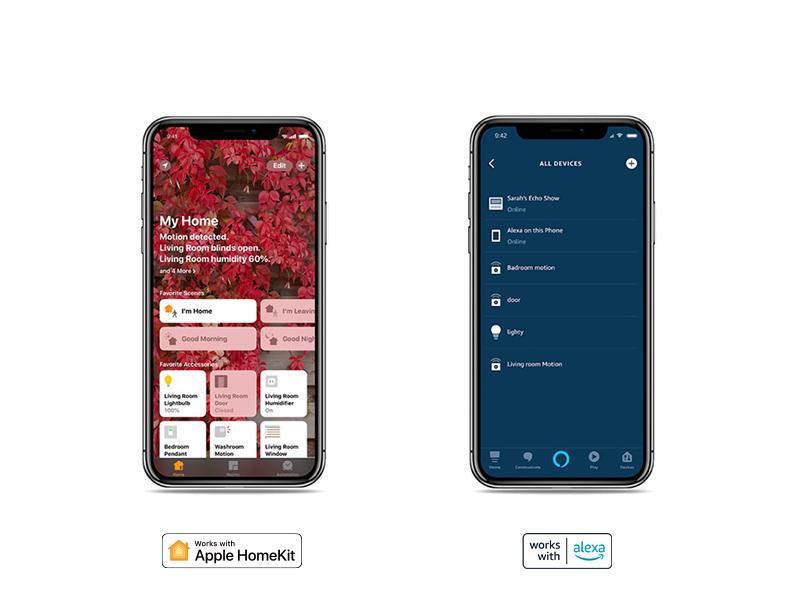
Image: A diagram showcasing the interconnectedness of Aqara Smart Home devices and their capabilities, such as home automation, security monitoring, and app control.
7. Maintenance
7.1. Battery Life and Replacement
Each sensor is powered by a CR1632 Lithium Metal battery, which is included and pre-installed. The expected battery life is approximately 2 years under normal usage conditions. When the battery level is low, you will receive a notification via the Aqara Home app.
To replace the battery:
- Gently pry open the main sensor unit casing.
- Remove the old CR1632 battery.
- Insert a new CR1632 battery, ensuring correct polarity.
- Close the casing securely.
8. Troubleshooting
If you encounter issues with your Aqara Door and Window Sensor, consider the following:
- Connectivity Issues: Ensure the sensor is within 10 meters (400 inches) of the Aqara Hub. Verify that the Aqara Hub is powered on and connected to your Wi-Fi network.
- Pairing Difficulties: If the sensor fails to pair, try resetting it by holding the reset button for 8 seconds. Ensure your Aqara Hub is in pairing mode. For Home Assistant users, the pairing process may require holding the sync button for 8 seconds, then repeatedly pressing it once per second while Home Assistant scans for new Zigbee devices.
- Incorrect Status Detection: Check the alignment and gap between the main sensor unit and the magnet unit. The gap should not exceed 22mm (0.86 inches) when the door/window is closed. Ensure the mounting surfaces are flat and stable.
- Battery Depletion: If the sensor is unresponsive, the battery may be depleted. Replace the CR1632 battery as described in the Maintenance section.
For more detailed troubleshooting, refer to the official Aqara Troubleshooting Guide (PDF).
9. Product Specifications
| Model Number | TZ-006 |
| Dimensions | 1.61 x 0.87 x 0.43 inches (41 x 22 x 11 mm) |
| Item Weight | 1.64 ounces (46.5 grams) |
| Color | White |
| Connectivity | Zigbee |
| Power Source | 1 x CR1632 Lithium Metal Battery (included) |
| Mounting Type | Adhesive (Door Mount) |
| Max. Gap for Detection | 0.86 inches (22 mm) |
| Control Method | App |
| Compatible Devices | Aqara Hub, Apple HomeKit, Amazon Alexa (Aqara Hub required) |
10. Warranty and Support
Aqara products are designed for reliability and performance. For specific warranty information, including terms and conditions, please refer to the warranty card included with your product or visit the official Aqara website. For technical support, product updates, and additional resources, please visit the official Aqara support page or contact their customer service.
Official Aqara Website: www.aqara.com


