1. Introduction
This manual provides instructions for the JISOWA replacement remote control, designed for use with various Hisense 4K UHD LED Smart TV models. This remote control offers a convenient and direct replacement solution, requiring no complex programming.
2. Setup
2.1 Battery Installation
- Locate the battery compartment cover on the back of the remote control.
- Slide the cover downwards or press the latch to open it.
- Insert two (2) AAA 1.5V batteries, ensuring the positive (+) and negative (-) terminals align correctly with the markings inside the compartment.
- Close the battery compartment cover securely.
Note: AAA batteries are not included with this product.
2.2 No Programming Required
This replacement remote control is pre-programmed for compatible Hisense TV models. No additional setup, programming, or pairing is required. Simply insert the batteries, and the remote is ready for use.
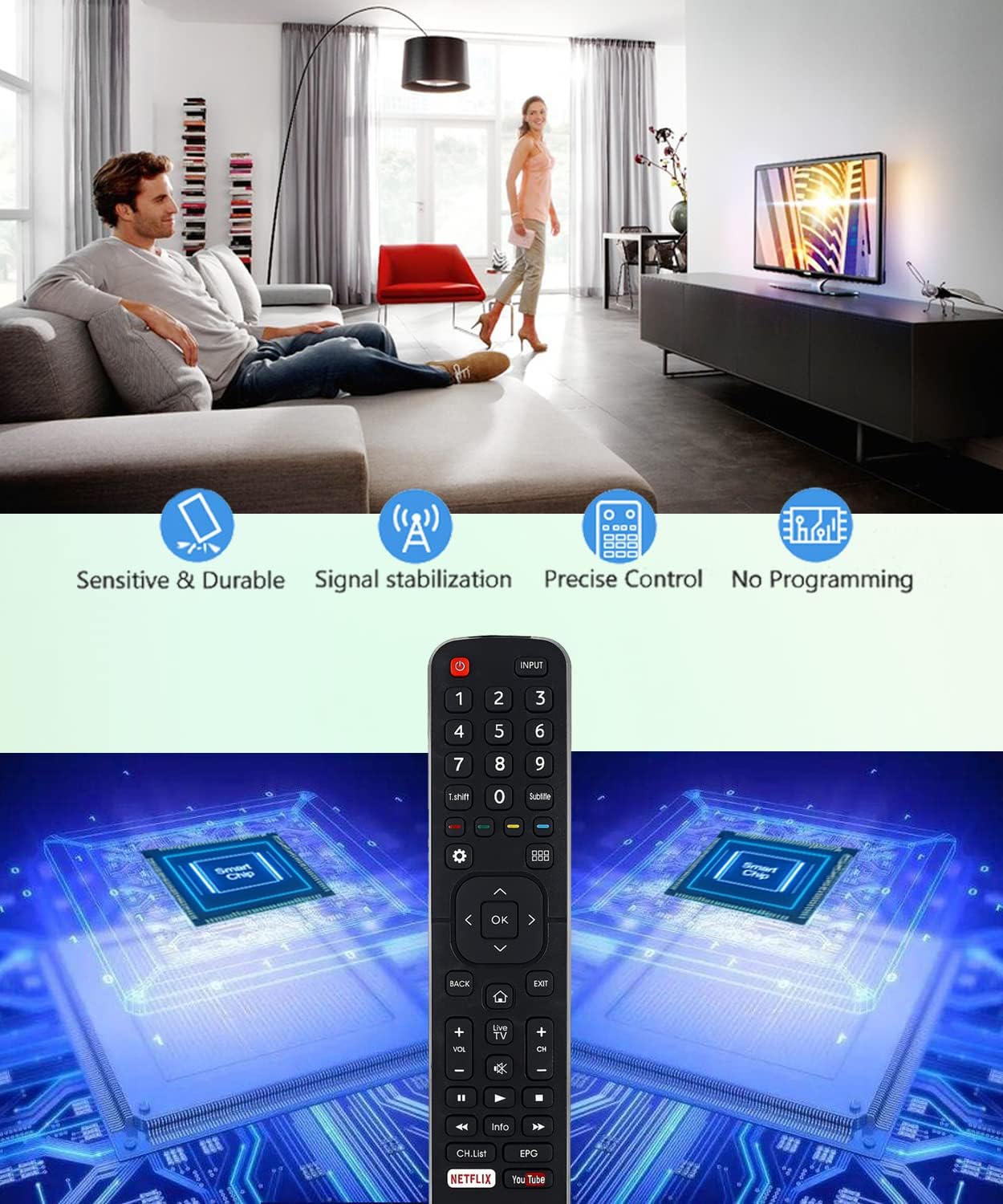
Image: The JISOWA replacement remote control, highlighting its features such as sensitivity, durability, stable signal, precise control, and the absence of programming requirements. This image illustrates the ease of use and reliability of the device.
3. Operating Instructions
The remote control features an ergonomic design for comfortable handling and agile operation. Below is a general overview of the button layout and their functions.
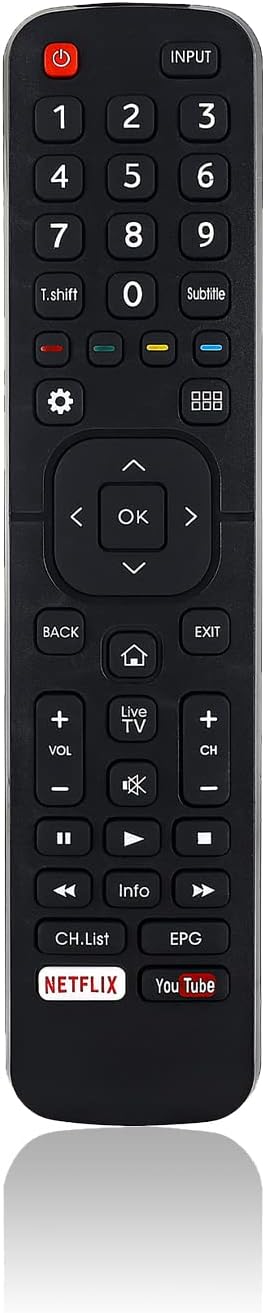
Image: A clear front view of the JISOWA replacement remote control, displaying all buttons including power, input, number pad, navigation, volume, channel, and dedicated Netflix and YouTube buttons.
3.1 Button Functions
- Power (⏻): Turns the TV on or off.
- INPUT: Selects the input source (e.g., HDMI 1, HDMI 2, AV).
- Number Pad (0-9): Directly selects TV channels.
- Subtitle: Activates or deactivates subtitles.
- Navigation Buttons (▲ ◀ OK ▶ ▼): Used to navigate menus and confirm selections.
- BACK: Returns to the previous menu or screen.
- EXIT: Exits the current menu or application.
- HOME (⌂): Accesses the TV's main home screen or smart TV interface.
- VOL (+/-): Adjusts the volume level.
- Mute (🔇): Mutes or unmutes the TV audio.
- CH (+/-): Changes TV channels.
- Media Control Buttons (◀◀, ▶, ▶▶, ■): Control playback of media (e.g., play, pause, fast forward, rewind, stop).
- Info: Displays information about the current program or content.
- CH.List: Opens the channel list.
- EPG: Accesses the Electronic Program Guide (functionality depends on TV model).
3.2 Shortcut Keys
The remote control includes dedicated shortcut buttons for popular streaming services:
- NETFLIX: Directly launches the Netflix application.
- YouTube: Directly launches the YouTube application.
4. Maintenance
4.1 Cleaning
To clean the remote control, use a soft, dry cloth. Avoid using liquid cleaners, sprays, or abrasive materials, as these can damage the remote's surface or internal components.
4.2 Battery Replacement
Replace batteries when the remote control's response becomes sluggish or stops working. Always replace both batteries at the same time with new ones of the same type (AAA 1.5V). If the remote will not be used for an extended period, remove the batteries to prevent leakage and potential damage.
5. Troubleshooting
- Remote not responding:
- Check if the batteries are inserted correctly with the correct polarity.
- Replace old batteries with new ones.
- Ensure there is a clear line of sight between the remote control and the TV's infrared receiver. Remove any obstructions.
- Specific buttons not working:
- Some advanced functions, such as the EPG button, may not work if your specific TV model did not originally feature that button on its factory remote.
- Ensure the TV is fully powered on and not in a standby state.
- Remote range is limited:
- Ensure batteries are fresh.
- The effective operating range is typically over 40 feet (approximately 12 meters). Ensure you are within this range and facing the TV.
6. Specifications

Image: The JISOWA replacement remote control shown from front and side profiles, with precise dimensions indicated for length (8.07 inches), width (1.90 inches), and thickness (0.59 inches).
| Feature | Detail |
|---|---|
| Product Dimensions | 8.07 x 1.9 x 0.59 inches |
| Item Weight | 1.76 ounces |
| Connectivity Technology | Infrared |
| Power Source | 2 AAA batteries (not included) |
| Compatible Devices | Television |
| Special Feature | Universal replacement, Pre-programmed |
7. Compatible Hisense TV Models
This remote control is compatible with a wide range of Hisense 4K UHD LED Smart TV models, including but not limited to:
- EN2B27, EN-2B27, EN2B27D, EN2B27HI
- 40K321UW, 40K321UWT, 50K321UW, 55K321UW, 58K321UW, 65K321UW
- 58K700UWD, 65K700UWD, 75K700UWD
- 55K720UW, 65K720UW, 55K720UWG, 65K720UWG
- 32K3110W, 40K3110PW, 43K3110PW, 50K3110PW, 55K3110PW, 65K3110PW
- 40K3300UW, 50K3300UW, 55K3300UW, 65K3300UW
- 50M7000UW, 55M7000UW, 65M7000UW, 70M7000UW, 75M7000UWD
- 50M7000UWG, 55M7000UWG, 65M7000UWG, 70M7000UWG, 75M7000UWG
- 32N4, 39N4, 50N4, 55N4
- 55N5, 58N5, 65N5
- 43N6, 50N6, 55N6, 65N6
If your specific model is not listed, please verify compatibility with the product description or contact customer support.
8. Warranty and Support
JISOWA offers an unconditional money-back guarantee for any defective items. For any issues or inquiries regarding this remote control, please contact JISOWA customer service. A suitable solution will be offered within 1 business day.