1. Introduction
Welcome to the user manual for your new OBARTER X1 Electric Scooter. This manual provides essential information for the safe operation, maintenance, and troubleshooting of your scooter. Please read this manual thoroughly before your first ride to ensure optimal performance and safety.
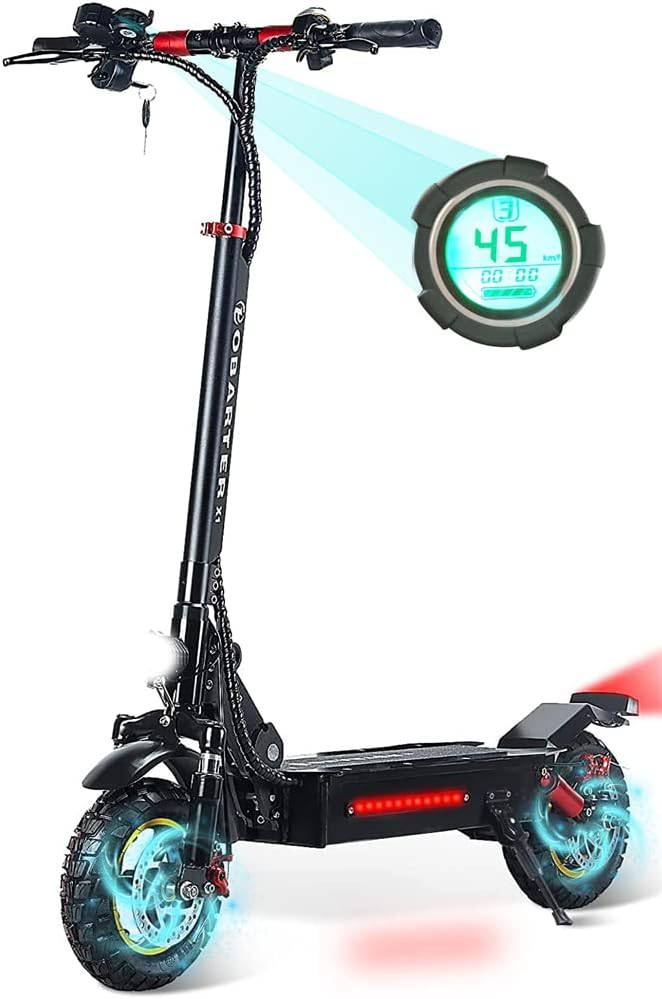
Figure 1.1: The OBARTER X1 Electric Scooter, highlighting its digital display.
2. Safety Information
Operating an electric scooter carries inherent risks. Always prioritize safety.
- Always wear a helmet and appropriate safety gear (knee pads, elbow pads, gloves).
- Do not ride in wet conditions, heavy rain, or through puddles. The scooter has an IP54 waterproof rating, meaning it is protected from water splashes, but not immersion.
- Ensure all bolts and quick-release mechanisms are securely fastened before each ride.
- Familiarize yourself with local laws and regulations regarding electric scooter usage.
- Avoid riding on uneven terrain, steep slopes, or slippery surfaces.
- Maintain a safe distance from other vehicles and pedestrians.
- Do not perform stunts or reckless maneuvers.
- The maximum load capacity is 300 lbs. Do not exceed this limit.
- This product is recommended for adults only.
3. Package Contents
Upon opening the package, please verify that all the following items are included:
- 1x OBARTER X1 Electric Scooter
- 1x Charger (DC 48V / 2A)
- 2x Manual Keys
- 1x Wrench
- 1x User Manual (this document)

Figure 3.1: The OBARTER X1 Electric Scooter, sometimes packaged with an additional storage bag.
4. Setup and Assembly
Your OBARTER X1 Electric Scooter comes mostly pre-assembled. Follow these steps to prepare it for its first use:
- Unfold the Scooter: Carefully lift the handlebar stem until it locks into the upright position. Ensure the folding mechanism is securely latched.
- Attach Handlebars: If detached, slide the handlebars onto the stem and tighten any securing clamps or screws using the provided wrench.
- Check Tire Pressure: Ensure both 10-inch pneumatic off-road tires are inflated to the recommended pressure (check tire sidewall for details).
- Initial Charge: Before the first ride, fully charge the scooter's 48V 13AH battery. Connect the charger to the charging port and then to a power outlet. The charging indicator on the charger will change when fully charged (approximately 8 hours).
- Inspect Brakes: Verify that the dual disc brakes are functioning correctly. Squeeze both brake levers to ensure they engage smoothly and effectively.
5. Operating Instructions
5.1 Powering On and Basic Operation
- Power On: Insert one of the manual keys into the ignition and turn it to the 'ON' position.
- Display Activation: Press the power button on the LCD meter to activate the display. The display provides necessary information such as speed, mileage, battery level, and speed gear.
- Acceleration: Use the throttle lever on the handlebar to accelerate.
- Braking: Use the brake levers on the handlebars to engage the dual disc brakes. Apply both brakes simultaneously for optimal stopping power.
- Lights: The scooter is equipped with headlights and taillights for visibility. Activate them via the dedicated switch on the handlebar.

Figure 5.1: Headlights and LCD display for night riding and information display.
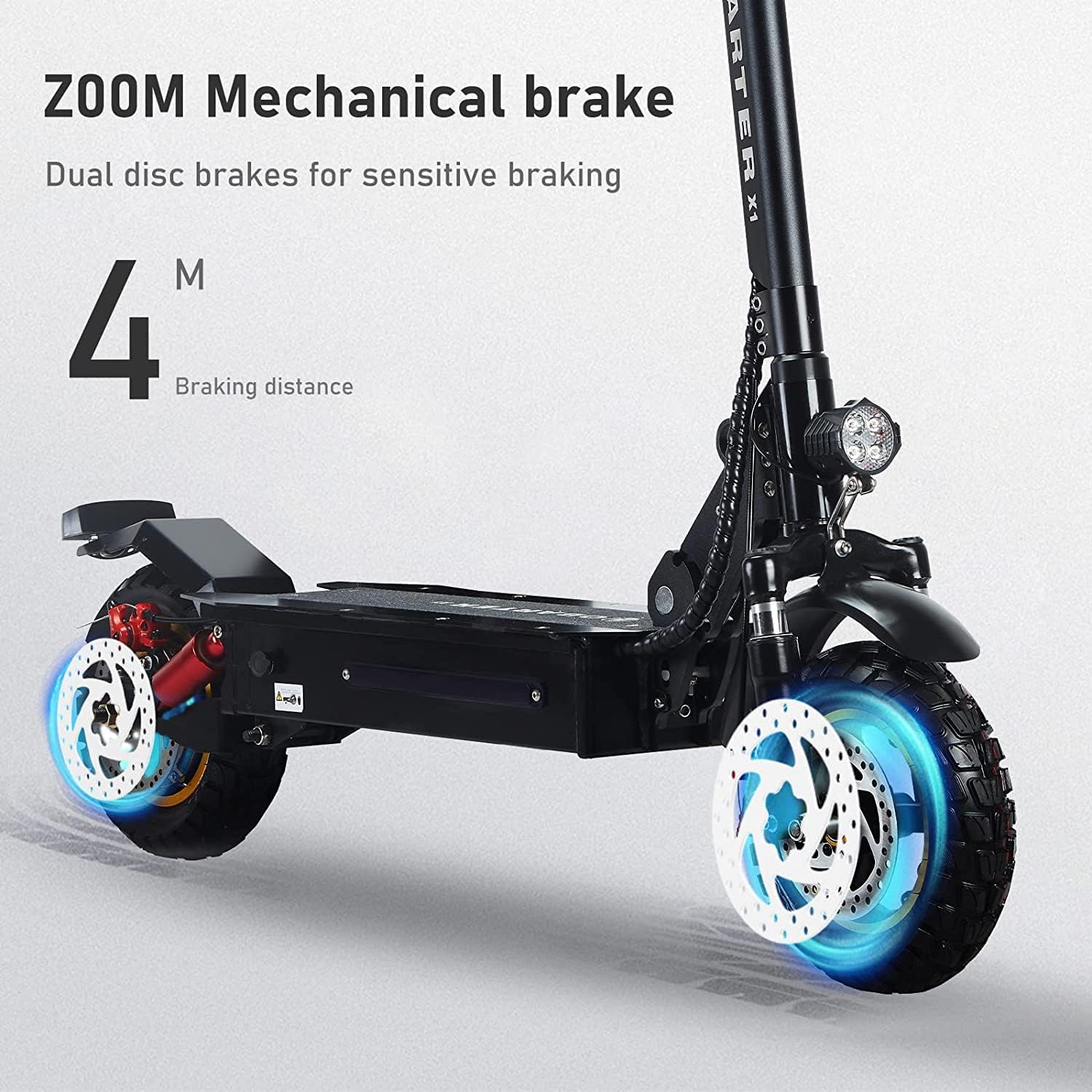
Figure 5.2: The dual disc braking system provides sensitive and effective stopping power.
5.2 Removing Speed Limit
The scooter may have a speed limit set from the factory. To remove this limit and achieve the maximum speed of 28 MPH, follow these steps:
- Ensure the scooter is powered on.
- Switch on the display.
- Press and hold both buttons on the display for 3 seconds to enter P-setting mode.
- Press the button above (usually the 'Mode' or 'M' button) to cycle through settings until you reach P-08.
- Press and hold the button above for 3 seconds to enter the editable state for P-08. The small number on the display will flash, indicating it is changeable.
- Press the button below (usually the 'Down' or 'Set' button) to adjust the value to 100. A value of 100 indicates the speed limit has been removed.
- Press and hold both buttons simultaneously to save the current settings and exit P-setting mode.
5.3 Folding Mechanism
The OBARTER X1 features a fast foldable design for convenient storage and transport.
- To fold: Locate the folding latch mechanism near the base of the handlebar stem. Follow the instructions on the latch to release it and carefully fold the stem downwards until it clicks into place.
- To unfold: Reverse the process, ensuring the stem is fully upright and the latch is securely engaged before riding.
6. Maintenance
Regular maintenance ensures the longevity and safe operation of your scooter.
- Cleaning: Wipe the scooter with a damp cloth. Do not use high-pressure water jets or immerse the scooter in water.
- Tires: Regularly check tire pressure and inflate as needed. Inspect tires for wear and tear. The 10-inch off-road tires are designed for durability.
- Brakes: Periodically check the brake pads for wear and ensure the brake levers operate smoothly. Adjust or replace components as necessary.
- Battery Care:
- Charge the battery fully before long periods of storage.
- If storing for extended periods, charge the battery every 1-2 months to maintain its health.
- Do not overcharge or completely drain the battery.
- Fasteners: Regularly check all screws, bolts, and quick-release mechanisms to ensure they are tight and secure.
7. Troubleshooting
This section addresses common issues you might encounter.
| Problem | Possible Cause | Solution |
|---|---|---|
| Scooter does not power on. | Battery is low or dead; Key not inserted/turned; Loose connection. | Charge the battery; Ensure key is fully inserted and turned to 'ON'; Check all visible cable connections. |
| Reduced speed or range. | Battery not fully charged; Speed limit active; Tire pressure low; Overload. | Fully charge battery; Follow steps in Section 5.2 to remove speed limit; Inflate tires to recommended pressure; Reduce load. |
| Brakes feel weak. | Brake pads worn; Brake cable loose; Disc rotor dirty. | Inspect and replace brake pads if worn; Adjust brake cable tension; Clean disc rotors with a clean cloth. |
| Unusual noises during operation. | Loose components; Debris in wheels/motor; Worn bearings. | Check all fasteners; Inspect wheels and motor for foreign objects; If noise persists, contact customer support. |
8. Specifications
Detailed technical specifications for the OBARTER X1 Electric Scooter:
| Feature | Specification |
|---|---|
| Material | Aluminum alloy |
| Starter | Keys |
| Meter | LCD meter |
| Battery | 48V 13AH |
| Motor Power | 1000 W |
| Charger | DC 48 V / 2 A |
| Charging Time | 8 hours |
| Mileage (Range) | 25-30 miles |
| Max Speed | 28 MPH |
| Brake System | Dual Disc brake |
| Climbing Angle | 30° |
| Waterproof Rating | IP54 |
| Max Load | 300 lbs |
| Tire Size | 10 inch pneumatic off-road tires |
| Wheel Base | 93 cm / 36.6 in |
| Product Size (Unfolded) | 45.7 * 24.8 * 49.2 in (L*W*H) |
| Fold Size | 45 * 9.7 * 22 in (L*W*H) |
| Product Weight | 64.6 lb (29.3 kg) |
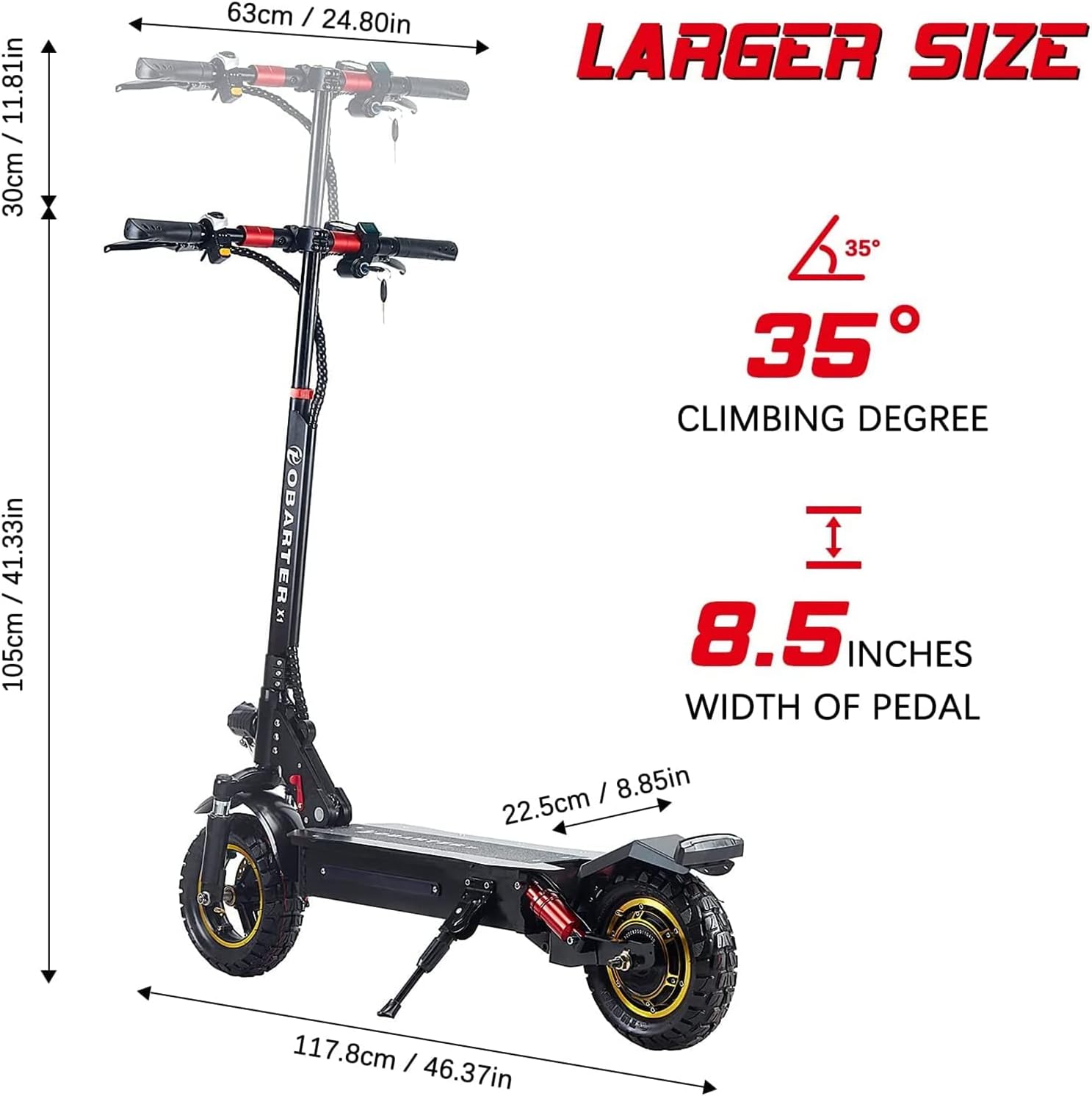
Figure 8.1: Key dimensions and climbing capability of the OBARTER X1 Electric Scooter.

Figure 8.2: The powerful 1000W motor and 48V 13AH battery system.

Figure 8.3: The 10-inch pneumatic off-road tires designed for various terrains.
9. Warranty and Support
Specific warranty details and direct customer support contact information are not provided in this manual. Please refer to your purchase documentation or the retailer's website for warranty terms and conditions. For technical support or service inquiries, please contact the seller or manufacturer through the platform where the product was purchased.
Manufacturer: Dongguan Lvkang Energy Saving Technology Co., LTD


