
Introduction
This manual provides instructions for the VINABTY AVR130 Replacement Remote Control. This remote is designed to function as a direct replacement for the original Harman Kardon AVR130 remote control. It operates using infrared technology and requires no programming for compatible devices.
Setup
1. Battery Installation
The VINABTY AVR130 remote control requires two (2) AAA alkaline batteries (not included).
- Locate the battery compartment on the back of the remote control.
- Press down on the tab and slide the battery cover downwards to open.
- Insert two AAA batteries, ensuring the positive (+) and negative (-) terminals align correctly with the markings inside the compartment.
- Slide the battery cover back into place until it clicks securely.
This image displays the back of the remote control. The battery compartment is open, ready for battery insertion, and the detached battery cover is shown next to it.
Operating Instructions
The VINABTY AVR130 remote control is pre-programmed to work with Harman Kardon AVR130 audio/video receivers. No additional programming is required.
Basic Functions
Point the remote control directly at your Harman Kardon AVR130 receiver. Ensure there are no obstructions between the remote and the receiver.
- Power Button: Press to turn the receiver on or off.
- Volume Up/Down (VOL +/-): Adjusts the master volume level.
- Channel Up/Down (CH +/-): Navigates through channels or presets.
- Input Selection (e.g., HDMI1, CD, DVD): Selects the desired audio/video input source.
- Mute: Silences the audio output.
- Navigation Buttons (Arrow keys, OK): Used for menu navigation and selection.
- Numeric Keypad (0-9): For direct input of channel numbers or other numerical settings.

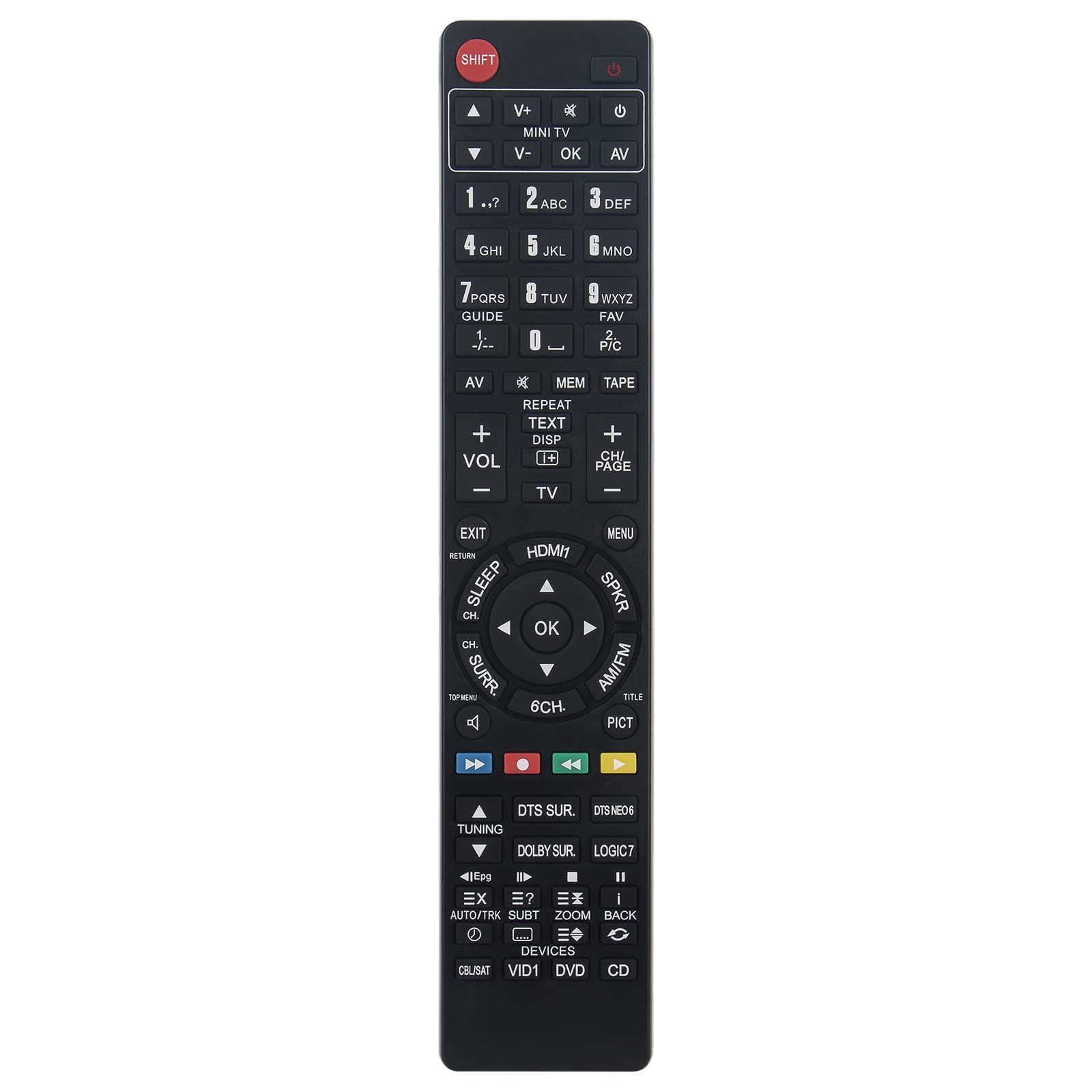
This image presents an angled view of the remote control's front face, highlighting the arrangement of its various function buttons, including power, volume, input selectors, and numeric keys.

This image provides a direct front view of the remote control, allowing for clear identification of all buttons and their corresponding labels for various functions.
Maintenance
Cleaning
To clean the remote control, use a soft, dry cloth. Do not use abrasive cleaners, solvents, or alcohol, as these can damage the surface and markings.
Storage
When not in use for extended periods, remove the batteries to prevent leakage and potential damage to the remote control. Store the remote in a cool, dry place.
Troubleshooting
Remote Control Not Responding
- Check Batteries: Ensure batteries are inserted correctly with the correct polarity (+/-). Replace old or depleted batteries with new AAA alkaline batteries.
- Line of Sight: Verify there are no obstructions between the remote control and the Harman Kardon AVR130 receiver.
- Distance: Ensure you are within the effective operating range (approximately 10 meters) of the receiver.
- Infrared Interference: Bright sunlight or other strong infrared sources can interfere with the remote's signal. Try operating the remote in a different lighting condition.
Specific Buttons Not Working
- Clean Buttons: Dirt or debris might be preventing a button from making proper contact. Gently clean around the button with a soft, dry cloth.
- Battery Check: Low batteries can sometimes cause intermittent button functionality. Replace batteries.
Specifications
| Feature | Detail |
|---|---|
| Model | AVR130 |
| Brand | VINABTY |
| Compatible Brand | Harman Kardon |
| Compatible Model | AVR130 |
| Connectivity Technology | Infrared |
| Power Source | 2 x AAA Batteries (not included) |
| Material | ABS |
| Color | Black |
| Max Range | 10 Meters (approx. 33 feet) |
| Special Feature | Ergonomic Design |
Warranty Information
Specific warranty details for this VINABTY product are not provided in the available product information. Please refer to the seller or manufacturer's website for any applicable warranty terms.
Support
For further assistance or inquiries regarding your VINABTY AVR130 Replacement Remote Control, please contact the seller directly through the platform where the purchase was made.