
1. Introduction
This manual provides essential instructions for setting up, operating, and maintaining your Lrecat TS29 Smartwatch. Please read this guide thoroughly to ensure proper use and to maximize the features of your device. The Lrecat TS29 is designed to assist with activity tracking, health monitoring, and smart notifications.
2. Setup
2.1 Package Contents
- Lrecat TS29 Smartwatch
- Charging Cable
- User Manual

Image: Lrecat TS29 Smartwatch with its dimensions and included accessories.
2.2 Charging the Smartwatch
Before first use, fully charge your smartwatch. Connect the charging cable to the charging contacts on the back of the watch and to a USB power source. A full charge takes approximately 2 hours, providing up to 7 days of normal use or 30 days of standby time.

Image: Visual representation of 2 hours charge, 7 days battery life, and 30 days standby time.
2.3 App Installation and Pairing
To unlock the full functionality of your smartwatch, download and install the "DA FIT" application on your smartphone. The smartwatch is compatible with iOS 9.0 or higher and Android 5.0 or higher.
- Scan the QR code displayed on your TS29 smartwatch or search for "DA FIT" in your phone's app store.
- Download and install the "DA FIT" application.
- Enable Bluetooth on your smartphone.
- Open the "DA FIT" app, navigate to "ADD A DEVICE", and select your TS29 smartwatch from the list to pair.

Image: Step-by-step guide showing how to connect the TS29 smartwatch to the DA FIT application.
3. Operating Instructions
3.1 Display and Navigation
The Lrecat TS29 features a 1.69-inch TFT HD color touch screen for intuitive operation. Swipe across the screen to navigate through menus and tap to select options. The display brightness can be adjusted for clear visibility in various lighting conditions, including direct sunlight.

Image: The Lrecat TS29 smartwatch displaying its 1.69-inch TFT color screen.
3.2 Customizing Watch Faces
The smartwatch comes with 4+1 dynamic built-in watch faces. Additionally, over 200 watch faces are available for selection within the DA FIT app. You can also personalize your watch face by uploading your favorite photos through the application.
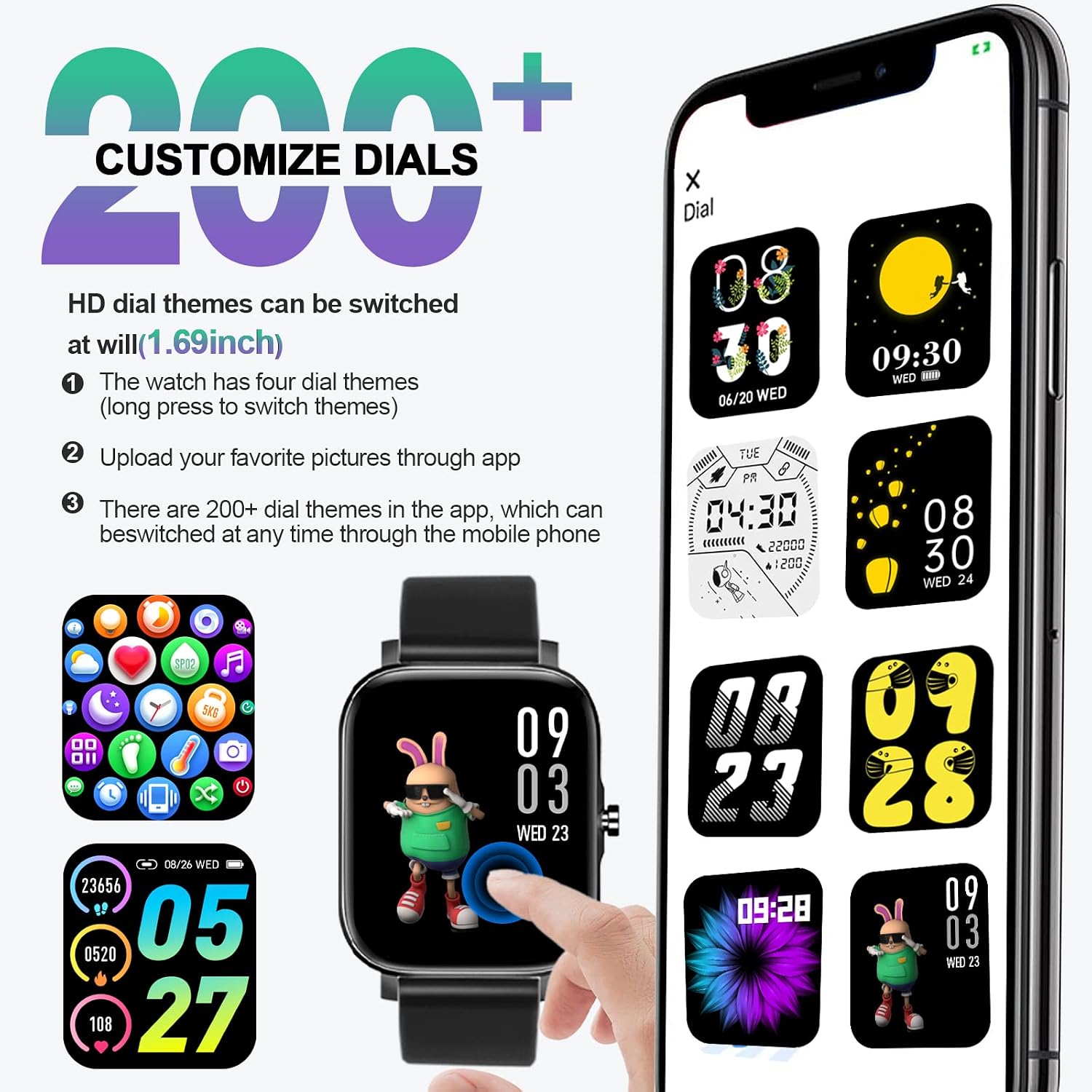
Image: Examples of customizable watch faces available for the Lrecat TS29 smartwatch.
4. Health Monitoring
The Lrecat TS29 smartwatch provides comprehensive health monitoring features, utilizing an HR3300 frequency sensor for accurate data collection.
- Heart Rate Monitoring: Continuously monitors your heart rate throughout the day and records resting heart rate data for the past 7 days.
- Blood Oxygen (SpO2) Monitoring: Tracks your blood oxygen levels.
- Sleep Tracking: Records sleep information, including awake, light sleep, and deep sleep stages, to help improve sleep quality.
- Menstrual Cycle Tracking: Includes a unique reminder function for menstrual cycles and pregnancy preparation, designed to support women's health.
- Stress Measurement: Provides insights into your stress levels.

Image: Overview of health monitoring features including heart rate, blood oxygen, stress, sleep, and menstrual cycle tracking.

Image: The smartwatch displaying real-time heart rate, blood oxygen, and sleep data.
5. Activity Tracking
The Lrecat TS29 smartwatch supports 12 sports modes to help you track your fitness activities effectively. It records exercise data such as steps (pedometer), calories burned, and distance covered. GPS connectivity via your smartphone enhances tracking accuracy for outdoor activities.
5.1 Available Sport Modes
The 12 sports modes include activities such as running, dancing, football, yoga, and more. These modes are designed to make your exercise tracking more professional and scientific.

Image: The smartwatch interface showing various sport modes and recorded exercise data.

Image: A user tracking activities with the Lrecat smartwatch, highlighting GPS connectivity.
6. Notifications and Other Features
When connected to the "DA FIT" app via Bluetooth, your smartwatch can receive calls, SMS, and app notifications (e.g., Facebook, WhatsApp, Instagram). The watch will vibrate to alert you, ensuring you don't miss important communications.
6.1 Smart Notifications
Receive alerts directly on your wrist for incoming calls, text messages, and notifications from various social media applications.

Image: The smartwatch showing incoming notifications and icons for various reminders.
6.2 Additional Functions
The smartwatch includes several useful functions:
- Weather Forecast: View current weather conditions and forecasts.
- Sedentary Reminder: Alerts you to move after periods of inactivity.
- Alarm Clock: Set alarms to wake up or for important events.
- Music Control: Control music playback on your smartphone.
- Camera Control: Remotely trigger your smartphone's camera.
- Stopwatch: For timing activities.
- Breathing Exercises: Guided breathing sessions for relaxation.

Image: The smartwatch showing weather information, stopwatch function, and a breathing exercise interface.
Image: Illustration of the remote photography feature, allowing control of your phone's camera from the watch.
Image: A user controlling music playback on their smartphone using the smartwatch.
7. Waterproof Information
The Lrecat TS29 smartwatch has an IP68 waterproof rating, making it suitable for daily activities such as hand washing, exposure to rain, and swimming. The water resistance depth is rated at 1.5 meters.
Important Note: Do not use the smartwatch for diving or in excessively hot water environments, such as hot springs or saunas, as this may damage the device.
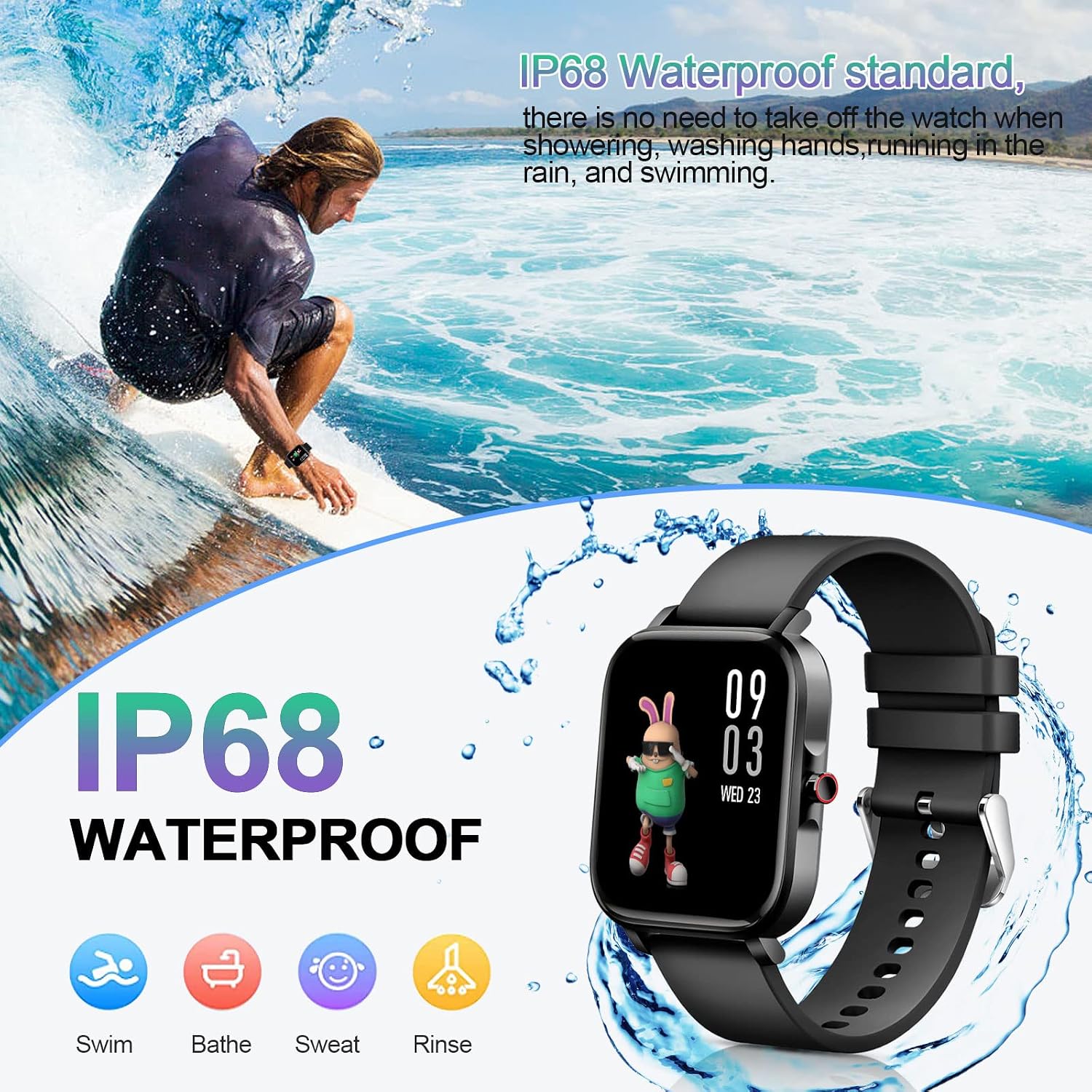
Image: The smartwatch being used in water, illustrating its IP68 waterproof capability.
8. Maintenance
To ensure the longevity and optimal performance of your Lrecat TS29 Smartwatch, follow these maintenance guidelines:
- Cleaning: Regularly wipe the watch and strap with a soft, dry cloth. For stubborn dirt, use a slightly damp cloth and dry thoroughly.
- Avoid Chemicals: Do not use harsh chemicals, cleaning solvents, or strong detergents, as these can damage the watch's finish and seals.
- Temperature: Avoid exposing the watch to extreme temperatures (very hot or very cold) for extended periods.
- Water Exposure: While IP68 waterproof, avoid prolonged submersion in water, especially saltwater, and do not press buttons underwater. Ensure the watch is dry before charging.
- Storage: Store the watch in a cool, dry place when not in use.
9. Troubleshooting
If you encounter issues with your Lrecat TS29 Smartwatch, refer to the following common solutions:
- Watch not turning on: Ensure the watch is fully charged. Connect it to the charging cable and a power source for at least 30 minutes.
- Cannot pair with phone:
- Ensure Bluetooth is enabled on your phone.
- Make sure the watch is within Bluetooth range of your phone.
- Restart both your phone and the smartwatch.
- Try unpairing and re-pairing the device through the DA FIT app.
- Inaccurate health data: Ensure the watch is worn snugly on your wrist, not too tight or too loose. Clean the sensor on the back of the watch. Note that the smartwatch is not a medical device and its readings are for reference only.
- Notifications not received:
- Check if the DA FIT app is running in the background.
- Verify that notification permissions are enabled for the DA FIT app in your phone's settings.
- Ensure notification alerts are enabled within the DA FIT app for specific applications.
- Screen unresponsive: Try restarting the smartwatch. If the issue persists, ensure the screen is clean and dry.
10. Specifications
| Feature | Detail |
|---|---|
| Brand | Lrecat |
| Model Name | TS29 |
| Item Model Number | TS29 |
| Screen Size | 1.69 Inches |
| Display Type | TFT |
| Resolution | 240 x 280 |
| Connectivity Technology | Bluetooth |
| Wireless Communication Standard | Bluetooth |
| GPS Feature | GPS via smartphone |
| Supported Application | DA FIT |
| Compatible Devices | Smartphone (iOS 9.0+ / Android 5.0+) |
| International Protection Rating | IP68 |
| Water Resistance Depth | 1.5 Meters |
| Battery Type | Lithium Polymer (230 mAh) |
| Battery Life (Normal Use) | Up to 7 days |
| Standby Time | Approximately 30 days |
| Charging Time | 2 hours |
| Band Material Type | Silicone, Rubber |
| Item Weight | 40 Grams |
| Item Dimensions | 45 x 37 x 11 millimeters |
| Target Audience | Adults - Unisex |
11. Warranty and Support
11.1 Warranty Information
The Lrecat TS29 Smartwatch comes with a limited warranty. Please refer to the product packaging or contact your retailer for specific warranty terms and conditions.
11.2 Customer Support
For any questions, technical assistance, or support regarding your Lrecat TS29 Smartwatch, please contact the retailer or visit the official Lrecat support website. Ensure you have your product model number (TS29) and purchase details ready when seeking support.

