
Philips HD9870/20
Philips Premium Air Fryer XXL User Manual
Model: HD9870/20
Introduction
Welcome to the user manual for your Philips Premium Air Fryer XXL with Smart Sensing Technology. This appliance is designed to help you prepare delicious and healthier meals with minimal effort. Its advanced features, including Smart Sensing technology, automatically adjust cooking time and temperature for optimal results. This manual provides essential information on safety, operation, maintenance, and troubleshooting to ensure you get the most out of your air fryer.
Important Safety Information
Before using the appliance, please read this user manual carefully and save it for future reference.
- Always place the appliance on a stable, horizontal, and level surface.
- Do not place the appliance against a wall or against other appliances. Leave at least 10 cm free space on the back and sides and 10 cm free space above the appliance.
- Do not cover the air inlet and air outlet openings while the appliance is operating.
- Never immerse the housing, which contains electrical components and the heating element, in water or rinse it under the tap.
- Do not fill the pan with oil or other liquids.
- Always return the appliance to a service center authorized by Philips for examination or repair. Do not attempt to repair the appliance yourself.
- This appliance is intended for household use only.
Product Overview
Familiarize yourself with the components of your Philips Premium Air Fryer XXL.

Front view of the Philips Premium Air Fryer XXL in white, showcasing its digital display and control knob.
- Digital Display Panel
- Temperature Control Buttons
- Time Control Buttons
- Smart Sensing Program Selection
- Power On/Off Button
- Basket with Non-Stick Coating
- Pan
- Handle
- Air Inlet
- Air Outlet Openings
- Power Cord
Setup and First Use
Follow these steps to prepare your air fryer for its first use.
- Remove all packaging materials and stickers.
- Clean the pan and basket thoroughly with hot water, some dishwashing liquid, and a non-abrasive sponge.
- Wipe the inside and outside of the appliance with a moist cloth.
- Place the appliance on a stable, horizontal, and level surface. Ensure there is adequate ventilation around the unit.
- Plug the power cord into a grounded wall outlet.
- Perform a short empty run (e.g., 10 minutes at 180°C) to burn off any manufacturing residues. A slight odor may be present during this process.
Operating Instructions
Using Smart Sensing Technology
The Smart Sensing technology automatically adjusts the time and temperature for effortless perfect results.
- Place the food in the basket.
- Slide the pan back into the air fryer.
- Press the power button to turn on the appliance.
- Select a Smart Sensing program using the control knob. The display will show the recommended temperature and time.
- Press the start button to begin cooking. The air fryer will automatically detect the food quantity and adjust settings.

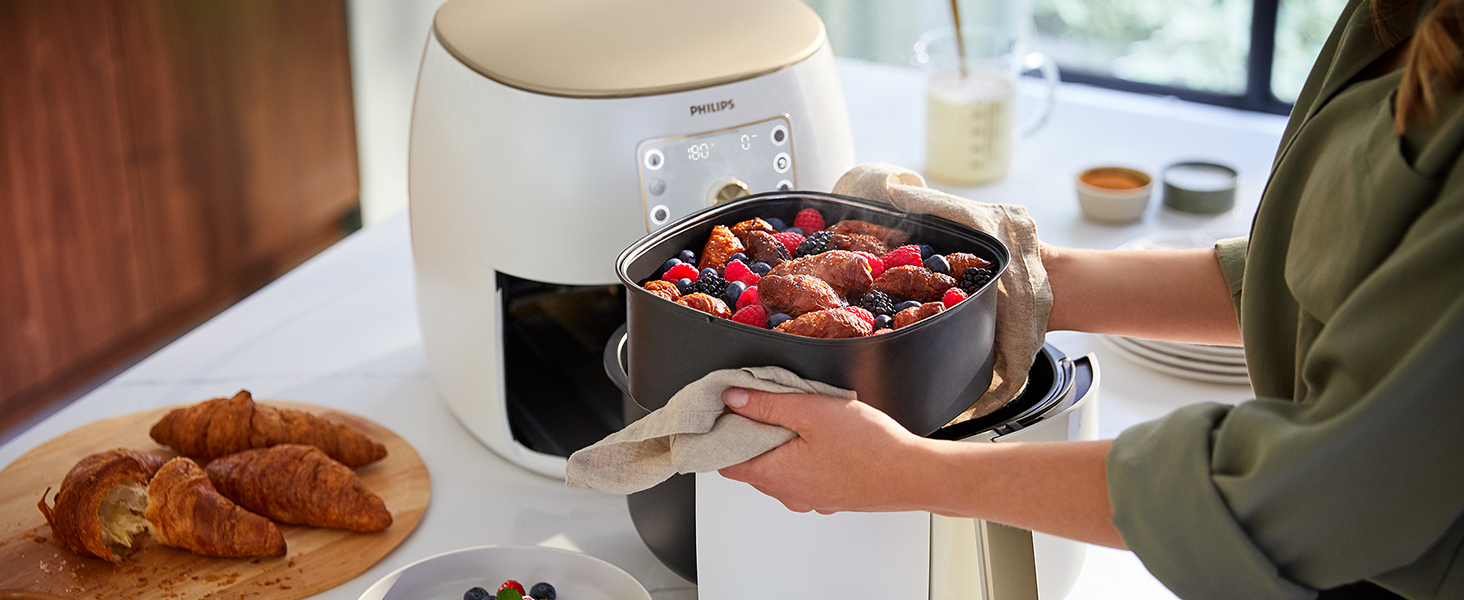
The large capacity basket accommodates family-sized dishes like lasagna, ensuring even cooking.
Manual Mode Operation
For custom cooking, you can manually set the temperature and time.
- Place the food in the basket and slide the pan into the air fryer.
- Press the power button.
- Use the temperature control buttons to set the desired temperature.
- Use the time control buttons to set the desired cooking time.
- Press the start button to begin cooking.
Cooking Functions
Your Philips Premium Air Fryer XXL is versatile and can perform various cooking tasks:
- Fry: For crispy results with little to no oil.
- Bake: Ideal for cakes, muffins, bread, and casseroles.
- Grill: Perfect for meats, fish, and vegetables.
- Roast: For whole chickens, roasts, and larger cuts of meat.
- Reheat: To warm up leftovers efficiently.

The XXL capacity allows for roasting a whole chicken, demonstrating the appliance's versatility.
Cooking Tips
- For best results, shake smaller ingredients halfway through the cooking time.
- Preheating is generally not required for most recipes, but can improve results for certain foods.
- Use the NutriU app for a wide range of recipes and cooking inspiration.
- Avoid overfilling the basket to ensure even cooking and crispiness.
- For homemade fries, soak potato sticks in water for 30 minutes, then dry thoroughly before air frying for crispier results.
Maintenance and Cleaning
Regular cleaning ensures optimal performance and extends the lifespan of your air fryer.
- Always unplug the appliance and let it cool down completely before cleaning.
- Clean the pan and basket with hot water, dishwashing liquid, and a non-abrasive sponge. The pan and basket are dishwasher-safe.
- For stubborn food residues, soak the pan and basket in hot water with some dishwashing liquid for about 10 minutes.
- Wipe the outside of the appliance with a moist cloth.
- Clean the heating element with a cleaning brush to remove any food residues.

The design of the air fryer emphasizes ease of cleaning, with many parts being dishwasher-safe.
Troubleshooting
If you encounter issues with your air fryer, refer to the table below for common problems and solutions.
| Problem | Possible Cause | Solution |
|---|---|---|
| Air fryer does not work. | The appliance is not plugged in. | Plug the main plug into a grounded wall socket. |
| Food is not cooked evenly. | Too much food in the basket; food not shaken. | Reduce food quantity; shake the basket halfway through cooking. |
| White smoke comes from the appliance. | Fat residues from previous use; fatty ingredients. | Clean the pan and basket thoroughly; remove excess oil from ingredients. |
| Fresh fries are not crispy. | Potatoes not properly prepared or dried. | Soak potato sticks in water for 30 mins, dry thoroughly, then add a little oil before frying. |
Specifications
| Feature | Detail |
|---|---|
| Brand | Philips |
| Model Number | HD9870/20 |
| Colour | White |
| Capacity | 7.3 Litres |
| Power/Wattage | 2225 watts |
| Material | Plastic |
| Special Features | Temperature Control, Automatic Shut-Off, Programmable, Smart Sensing Technology |
| Item Weight | 10.8 kg |
Warranty and Support
For warranty information and customer support, please refer to the documentation included with your purchase or visit the official Philips website.
Online Support: www.philips.com/support
Related Documents - HD9870/20
 |
Philips Airfryer HD9212/41: Healthy Frying with Rapid Air Technology Discover the Philips Airfryer HD9212/41, a versatile low-fat fryer and multicooker featuring Rapid Air Technology for crispy, delicious results with little to no oil. Learn about its features, specifications, and benefits for healthy home cooking. |
 |
Philips HD4995/HD4996 Induction Stove User Manual and Specifications Comprehensive user manual for the Philips HD4995 and HD4996 induction stoves, covering features, operation, cleaning, maintenance, and specifications. |
 |
Philips All-In-One Cooker HD2151 User Manual Comprehensive user manual for the Philips All-In-One Cooker HD2151, detailing its features, operation, safety precautions, cleaning, maintenance, and troubleshooting. |
 |
Philips Airfryer XXL HD9750-serie User Manual User manual for the Philips Airfryer XXL HD9750-serie, providing instructions on setup, operation, cleaning, and troubleshooting for healthy cooking with hot air. Learn how to prepare various dishes, from fries to chicken, with minimal oil. |
 |
Philips Airfryer XXL HD9630 User Manual - Cooking Guide and Troubleshooting Comprehensive user manual for the Philips Airfryer XXL HD9630, covering setup, usage, cooking guides, cleaning, and troubleshooting. Learn how to make healthy, crispy fried foods. |
 |
Philips Airfryer XXL User Manual: HD965X & HD976X Comprehensive user manual for the Philips Airfryer XXL (models HD965X and HD976X). Learn about setup, operation, cooking, cleaning, and troubleshooting for healthy, crispy air-fried meals. |
Ask a question about this manual
Ask about setup, troubleshooting, compatibility, parts, safety, or missing instructions. Manuals+ will review the question and use this page’s manual context to help answer it.