
Introduction
Thank you for purchasing the QT Shopping Ultra Portable Wireless Bluetooth Speaker TG 117. This manual provides detailed instructions for setting up, operating, and maintaining your speaker. Please read this manual thoroughly before use to ensure optimal performance and longevity of your device.
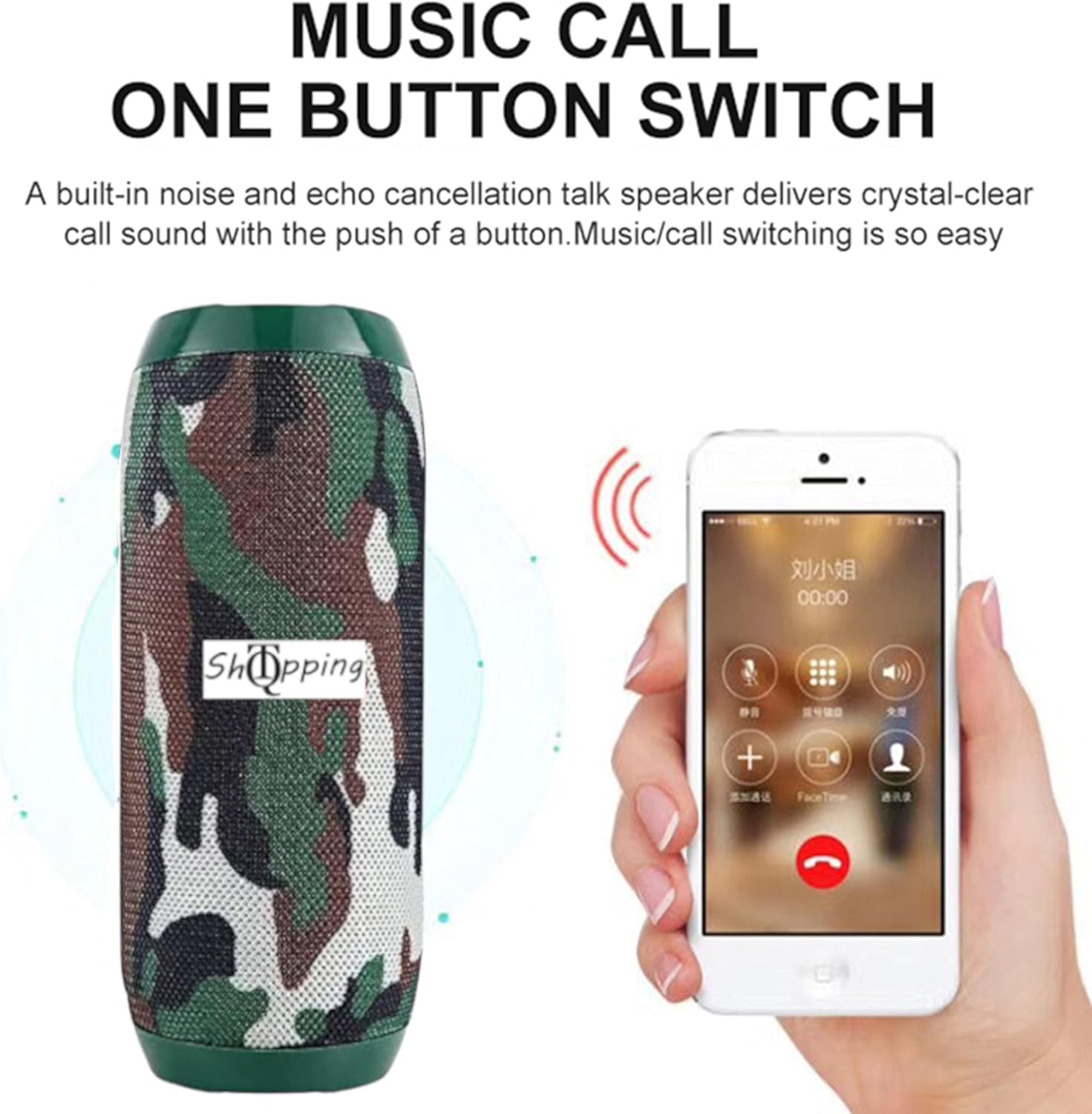
Image: Front view of the QT Shopping TG 117 Portable Bluetooth Speaker, featuring a camouflage pattern.
Product Overview
Key Features
- Audio Output: Dual 52mm speaker drivers with 2 x 5W output for clear sound and enhanced bass.
- Connectivity: Bluetooth 3.0 for wireless audio streaming, 3.5mm AUX input for wired connections.
- Media Playback: Supports FM Radio, TF (Micro SD) card, and USB drive for MP3 playback.
- Hands-Free Calling: Built-in microphone for voice-activated hands-free phone calls.
- Portability: Compact design (6.3 x 2.36 inches) with a 1200mAh rechargeable battery for 3-10 hours of playtime.
- Durability: IPX5 water-resistant rating, protecting against gentle water spray and splashes.
- Compatibility: Compatible with most Bluetooth-enabled devices including smartphones, tablets, laptops, and MP3 players.

Image: The speaker emphasizing its dual passive radiator for enhanced bass performance.
Package Contents
- 1 x QT Shopping Bluetooth Speaker TG 117
- 1 x Micro USB Charging Cable
- 1 x 3.5mm Audio Cable
- 1 x User Manual (this document)
Setup
1. Charging the Speaker
Before first use, fully charge the speaker. Connect the micro USB charging cable to the DC 5V port on the speaker and the other end to a USB power adapter (not included) or a computer's USB port. The charging time is approximately 2-3 hours. The LED indicator will show charging status.
2. Powering On/Off
- To Power On: Long press the Power button (ⓘ) for approximately 4 seconds until you hear an audible prompt and the blue LED indicator flashes.
- To Power Off: Long press the Power button (ⓘ) again until the speaker powers down.
3. Bluetooth Pairing
- Ensure the speaker is powered off.
- Long press the Power button (ⓘ) for 4 seconds or more until the blue LED indicator flashes rapidly, indicating it is in pairing mode.
- On your device (smartphone, tablet, etc.), enable Bluetooth and search for available devices.
- Select "TG 117" from the list of found devices.
- Once connected, the blue light will flash, and you will hear a successful connection prompt.
Note: The speaker will attempt to reconnect to the last paired device automatically when powered on.
Operating Instructions
Control Buttons and Ports

Image: Top and side views of the speaker, indicating the location of Power, Volume, Menu buttons, TF Card Slot, DC 5V charging port, AUX Port, and USB Port.
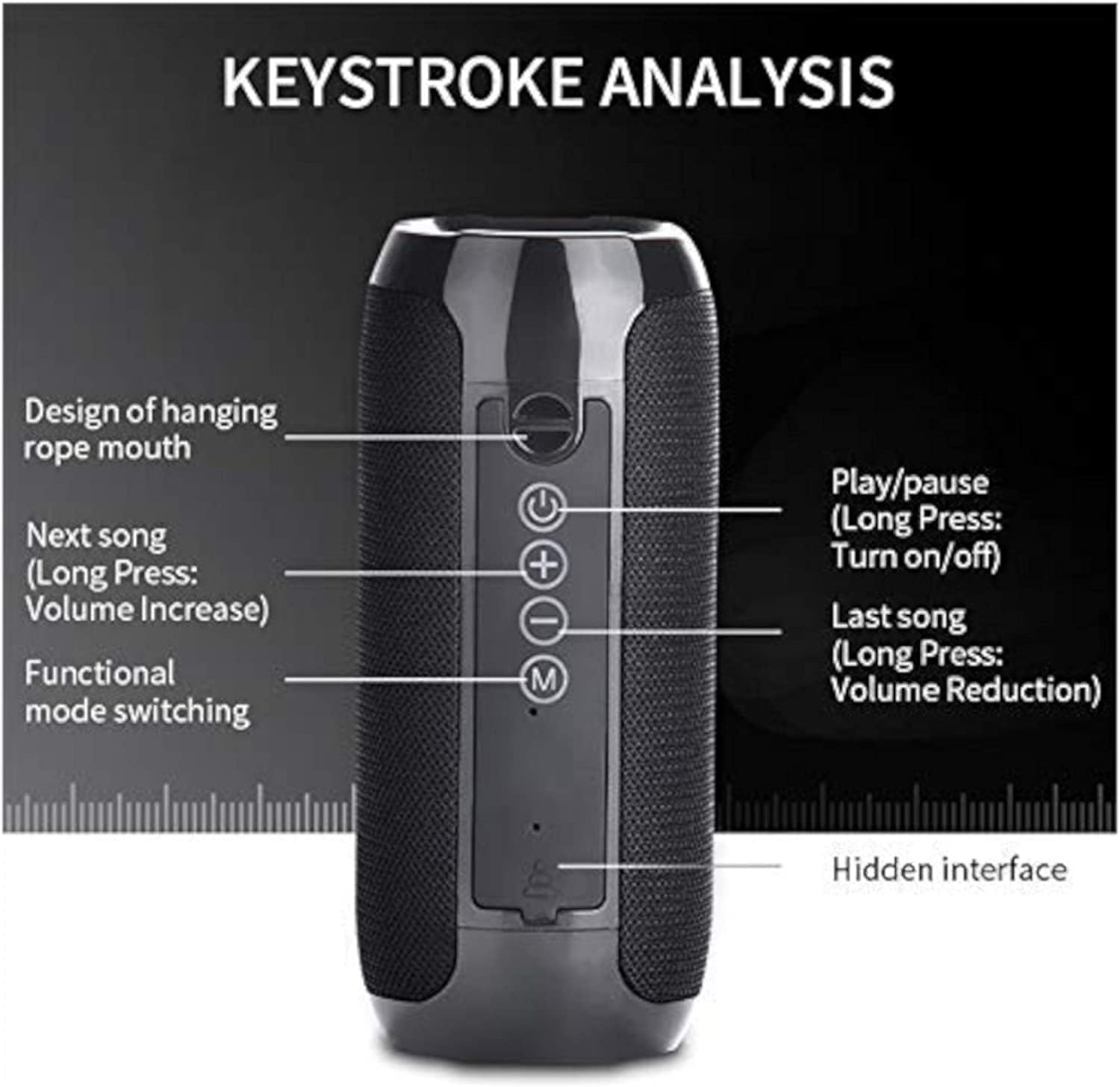
Image: Side view of the speaker with detailed button functions: Play/Pause (long press for Turn on/off), Next song (long press for Volume Increase), Last song (long press for Volume Reduction), and Functional mode switching.
- Power Button (ⓘ): Long press to power on/off. Short press to Play/Pause music.
- Volume Up (+) / Next Track: Short press to increase volume. Long press to skip to the next track.
- Volume Down (-) / Previous Track: Short press to decrease volume. Long press to go to the previous track.
- Mode Button (M): Short press to switch between Bluetooth, FM Radio, AUX, TF Card, and USB modes.
- TF Card Slot: Insert a TF (Micro SD) card for MP3 playback.
- USB Port: Insert a USB drive for MP3 playback.
- AUX Port: Connect external audio devices using the 3.5mm audio cable.
- DC 5V Port: For charging the speaker using the micro USB cable.
1. Bluetooth Mode
After successful pairing, the speaker will automatically enter Bluetooth mode. You can play audio from your connected device. Use the Play/Pause, Volume Up/Down, and Next/Previous Track buttons on the speaker or your device to control playback.
2. FM Radio Mode
- Press the Mode button (M) to switch to FM Radio mode.
- In FM mode, short press the Play/Pause button to automatically scan and save available radio stations.
- Use the Next/Previous Track buttons to switch between saved stations.
- Adjust volume using the Volume Up/Down buttons.
3. Hands-Free Calling
When connected via Bluetooth, the speaker supports hands-free calling.
- Answering a Call: Short press the Play/Pause button to answer an incoming call.
- Ending a Call: Short press the Play/Pause button to end an active call.
- Rejecting a Call: Long press the Play/Pause button to reject an incoming call.

Image: The speaker demonstrating its one-button switch for music and call functions, shown alongside a smartphone displaying an incoming call.
4. Auxiliary Input (AUX) Mode
To play audio from devices without Bluetooth capability:
- Connect one end of the 3.5mm audio cable to the AUX port on the speaker.
- Connect the other end to the audio output jack of your external device.
- Press the Mode button (M) to switch to AUX mode.
- Control playback and volume from your external device.
5. TF Card / USB Playback Mode
To play music directly from a memory card or USB drive:
- Insert a TF (Micro SD) card into the TF Card Slot or a USB drive into the USB Port.
- Press the Mode button (M) to switch to TF Card or USB mode. The speaker will automatically detect and play MP3 files.
- Use the Play/Pause, Volume Up/Down, and Next/Previous Track buttons to control playback.
Maintenance
Water Resistance (IPX5)
The QT Shopping TG 117 speaker has an IPX5 water-resistant rating. This means it is protected against low-pressure water jets from any direction. It is splash-proof and rainproof, making it suitable for outdoor use, such as at the beach or poolside. However, it is not designed to be partially or fully submerged in water. Do not expose the speaker to strong water streams or prolonged submersion.
Image: A blue variant of the speaker with water splashes, demonstrating its splash-proof design.
Cleaning and Storage
- Wipe the speaker with a soft, damp cloth. Do not use abrasive cleaners or solvents.
- Ensure all ports are dry before charging.
- Store the speaker in a cool, dry place away from direct sunlight and extreme temperatures.
Troubleshooting
| Problem | Possible Cause | Solution |
|---|---|---|
| Speaker does not power on. | Low battery. | Charge the speaker for 2-3 hours. |
| Cannot pair with Bluetooth device. | Speaker not in pairing mode; Bluetooth disabled on device; device too far. | Ensure speaker is in pairing mode (rapidly flashing blue LED). Enable Bluetooth on your device. Move device closer to speaker (within 10 meters). |
| No sound or low volume. | Volume too low on speaker or device; incorrect mode selected. | Increase volume on both the speaker and your connected device. Ensure the correct mode (Bluetooth, AUX, FM, TF, USB) is selected. |
| FM radio reception is poor. | Weak signal; environmental interference. | Move the speaker to a location with better signal reception. |
| Speaker disconnects frequently. | Device too far; interference; low battery. | Keep device within 10 meters. Avoid obstacles. Charge the speaker. |
Specifications
| Model Number | TG 117 |
| Brand | QT Shopping |
| Speaker Output | 2 x 5W (Total 10W) |
| Speaker Driver Size | 2 x 52mm |
| Bluetooth Version | 3.0 |
| Battery Capacity | 1200mAh |
| Playtime | 3-10 hours (varies by volume and content) |
| Charging Time | 2-3 hours |
| Water Resistance Rating | IPX5 |
| Dimensions | 6.3 x 2.36 inches |
| Item Weight | 11.4 ounces (322 Grams) |
| Connectivity | Bluetooth, USB, 3.5mm AUX |
| Supported Media | FM Radio, TF Card, USB Drive (MP3) |
Warranty and Support
Warranty Information
This product comes with a limited warranty. Please refer to the product packaging or contact the seller for specific warranty terms and conditions.
Customer Support
If you encounter any issues or have questions regarding your QT Shopping Ultra Portable Wireless Bluetooth Speaker TG 117, please contact the seller or manufacturer for assistance. Contact information can typically be found on the product packaging or the point of purchase.