1. Introduction
This instruction manual provides detailed guidance for the installation, operation, and maintenance of your VIANIS V8110 Dusk to Dawn Motion Sensor Outdoor Wall Lantern. Designed for exterior use, this fixture combines modern aesthetics with advanced motion sensing and light control features to enhance security and convenience around your home.

Image: Overview of the VIANIS Motion Sensor Outdoor Wall Lantern highlighting its key features.
2. Safety Information
- WARNING: Risk of electric shock. Disconnect power at the fuse or circuit breaker before installing or servicing.
- All wiring connections must be in accordance with local and national electrical codes. If you are unfamiliar with proper wiring connections, consult a qualified electrician.
- Ensure the mounting surface is structurally sound and can support the weight of the fixture.
- Use only dimmable LED bulbs or incandescent bulbs with an E26 base to avoid flickering issues. (Bulb not included).
- Do not exceed the maximum wattage of 100 watts.
- This fixture is designed for outdoor, wet location use.
3. Package Contents
Verify that all components are present before beginning installation:
- VIANIS Outdoor Wall Lantern (pre-assembled)
- Mounting Hardware
- Shade (integrated)
- Instruction Manual
Note: Bulb is not included and must be purchased separately.
4. Specifications
| Feature | Detail |
|---|---|
| Brand | VIANIS |
| Model Name | V8110 |
| Color | Black |
| Material | Aluminum, Tempered Ripple Glass |
| Style | Modern |
| Product Dimensions | 9.25"L x 7.48"W x 14.17"H |
| Indoor/Outdoor Usage | Outdoor |
| Power Source | Corded Electric |
| Installation Type | Semi Flush Mount |
| Special Features | Motion Sensor, Anti-rust Aluminum Body, Dusk to Dawn Sensor, Tempered Water Glass, Waterproof |
| Control Method | Push Button (on sensor) |
| Light Source Type | Dimmable LED (recommended) |
| Bulb Base | E26 |
| Maximum Compatible Wattage | 100 Watts |
| Water Resistance Level | Water Resistant |

Image: Detailed product dimensions and key features including the E26 socket and Dusk to Dawn Motion Sensor.
5. Setup & Installation
5.1 Pre-Installation
- Turn off power: Before starting any electrical work, ensure the power to the circuit is turned off at the main circuit breaker or fuse box.
- Prepare the mounting location: Ensure the electrical box is securely mounted and the wiring is accessible.
5.2 Mounting the Fixture
The fixture comes pre-assembled for ease of installation.
- Attach the mounting bracket (included) to your electrical box using the provided screws.
- Connect the fixture's wires to your household wiring:
- Connect the black wire from the fixture to the black (live) wire from the electrical box.
- Connect the white wire from the fixture to the white (neutral) wire from the electrical box.
- Connect the ground wire from the fixture to the ground wire from the electrical box.
- Secure connections with wire nuts (included).
- Carefully tuck all wires into the electrical box.
- Align the fixture with the mounting bracket and secure it with the provided cap screws.
Video: Official VIANIS product video demonstrating the features and installation process of the Dusk to Dawn Motion Sensor Outdoor Wall Lantern.
5.3 Bulb Installation
The fixture features an open bottom design for easy bulb replacement.
- Insert an E26 base bulb (dimmable LED or incandescent, max 100W) into the socket.
- Ensure the bulb is securely screwed in.
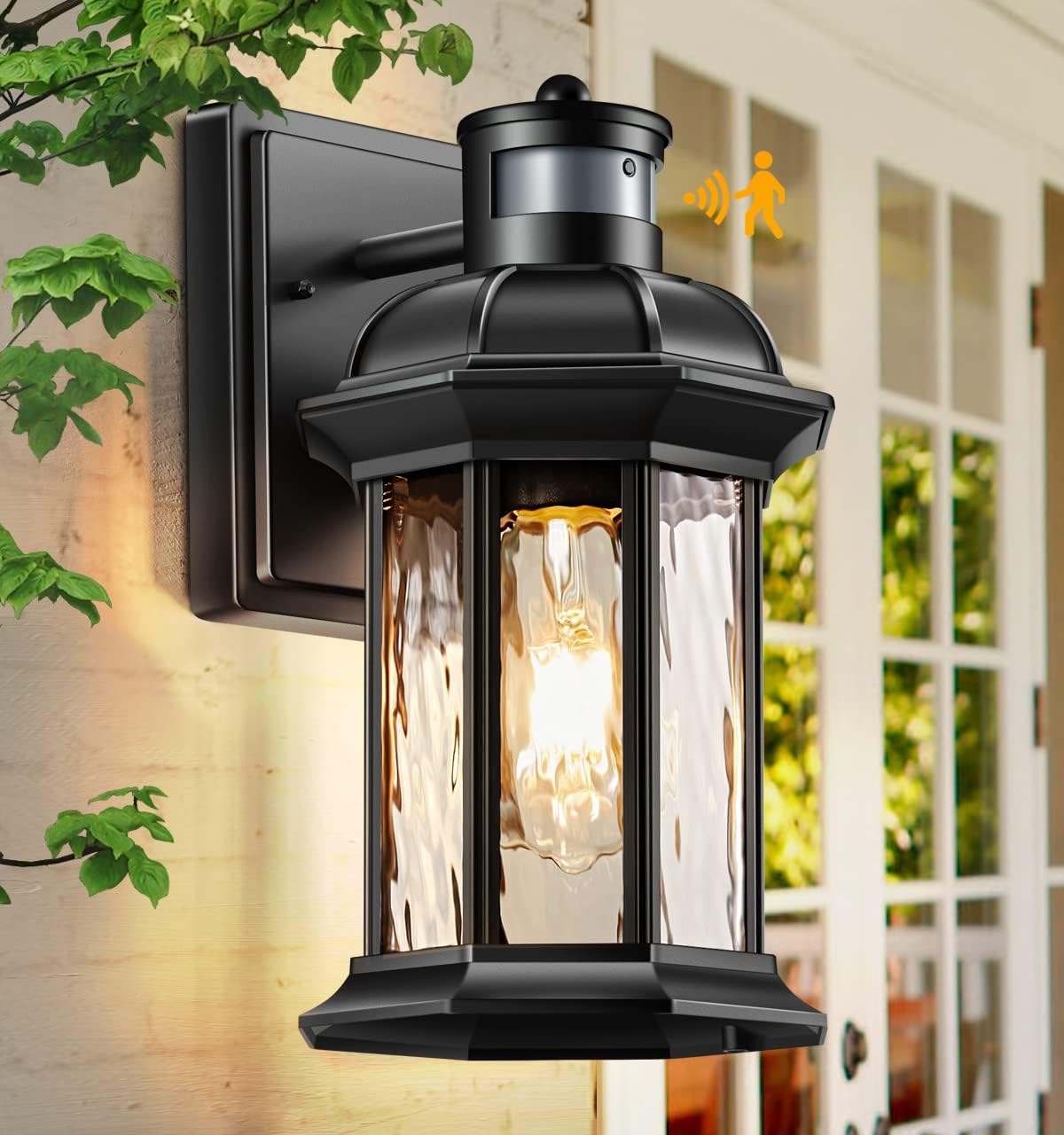
Image: The VIANIS Outdoor Wall Lantern, showing the E26 bulb socket accessible from the open bottom.
6. Operating Modes
The fixture features an advanced PIR motion sensor and a mode switch button for easy selection of operating modes. The light will automatically turn off during dawn in all modes.

Image: Visual guide to the one-click mode switching feature on the VIANIS outdoor light.
6.1 Mode Selection
Press the mode switch button located on the top of the sensor to cycle through the following modes:
- DIM Mode: At sunset, the light will turn on at 30% brightness. When motion is detected, it will illuminate at 100% brightness. After motion ceases, it will revert to 30% brightness.
- ECO+ Mode: The light remains off at night. When motion is detected, it will turn on at 100% brightness. After motion ceases, it will turn completely off.
- Dusk to Dawn (D2D) Mode: The light automatically turns on at dusk and turns off at dawn, maintaining a constant brightness level (adjustable). Motion sensing is not active in this mode.

Image: Detailed explanation of the DIM Mode operation, showing light levels at different stages.

Image: Detailed explanation of the ECO+ Mode operation, showing light levels at different stages.

Image: Detailed explanation of the Dusk to Dawn Mode operation, showing automatic on/off based on ambient light.
The light will remember your last selected setting.
6.2 Brightness Adjustment (Dimmable Bulbs Only)
For dimmable bulbs, you can adjust the brightness level (15%-100%) by long-pressing the mode switch button. Release the button when the desired brightness is reached.

Image: Illustration of the built-in dimmer, showing how to adjust brightness from 15% to 100%.
6.3 Motion Sensor Adjustment
The motion sensor offers an adjustable sensing range up to 40 feet (12 meters) with a 220° sensing angle. The sensor has three adjustable distances: Far, Medium, and Nearest. Adjust the sensor's position or settings as needed for optimal coverage.

Image: Diagram illustrating the ultra-wide sensing coverage and adjustable detection range of the motion sensor.
6.4 Manual Override Mode
To activate Manual Override Mode (for continuous 100% brightness at night, e.g., during parties):
- From any auto mode, quickly toggle your wall switch "OFF-ON" within 0.5 to 2 seconds.
- The light will turn on and maintain 100% brightness for approximately 8 hours.
- It will automatically turn off at dawn and return to the previously selected auto mode.

Image: Explanation of the Manual Override Mode, showing the light staying on for extended periods.
7. Maintenance
7.1 Cleaning
- Ensure power is off before cleaning.
- Wipe the fixture with a soft, damp cloth. Do not use abrasive cleaners or solvents, as they may damage the finish or glass.
7.2 Bulb Replacement
- Ensure power is off before replacing the bulb.
- The open bottom design allows for easy bulb access without tools. Simply unscrew the old bulb and screw in a new E26 base bulb (dimmable LED or incandescent, max 100W).
8. Troubleshooting
| Problem | Possible Cause | Solution |
|---|---|---|
| Light does not turn on. | No power; faulty bulb; incorrect wiring; sensor malfunction. | Check circuit breaker. Replace bulb. Verify wiring connections. Contact support if sensor is faulty. |
| Light flickers. | Non-dimmable bulb used with dimming feature; incompatible bulb. | Use a dimmable LED or incandescent E26 bulb. |
| Motion sensor not detecting. | Incorrect mode selected; sensor obstructed; sensing range too low. | Ensure DIM or ECO+ mode is selected. Clear obstructions. Adjust sensing range. |
| Light stays on continuously in auto mode. | Manual Override Mode activated; continuous motion detected; sensor malfunction. | Toggle wall switch OFF-ON to exit Manual Override. Check for constant motion sources. Contact support. |
9. Warranty & Support
VIANIS products are manufactured under strict quality standards. This product comes with a limited warranty against defects in materials and workmanship. For specific warranty details or technical support, please refer to the warranty card included with your product or visit the official VIANIS website.
For further assistance, please contact VIANIS customer service.