Product Overview
This digital motorcycle gauge combines a tachometer, speedometer, and gear indicator into a single unit. It features a robust ABS shell, clear lens, and is designed to be waterproof and impact-resistant. The anti-glare LCD display offers 7 adjustable backlight colors for visibility in various lighting conditions.
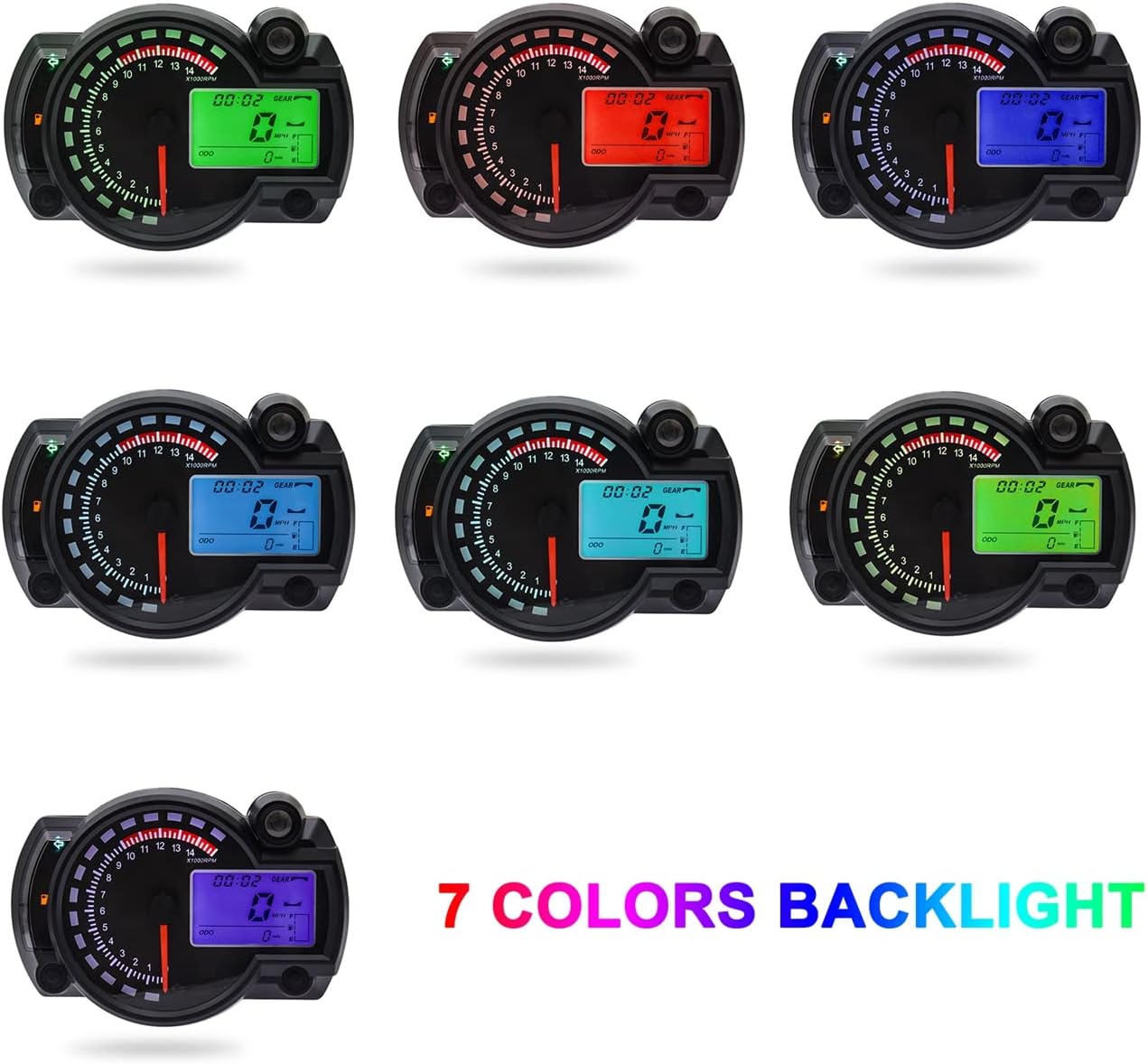
KAOLALI Motorcycle Digital Speedometer with 7 adjustable backlight colors shown.

Diagram illustrating the various components and indicators on the KAOLALI Motorcycle Digital Speedometer, including speed, clock, gear indicator, tachometer, fuel indicator, odometer, turn signals, high beam, oil signal, water temperature, battery undervoltage lamp, and engine fault light.
Key Features
- Multi-Function Display: Integrates tachometer, speedometer, and gear indicator.
- Speed Sensor: Equipped with a speed sensor for precise operation.
- Durable Construction: Robust ABS shell with clear lens, waterproof, and impact-resistant.
- Anti-Glare Display: Ensures clear viewing in all lighting conditions.
- Adjustable Backlight: 7 selectable backlight colors, adjustable via the right button in ODO mode.
Specifications
| Manufacturer | KAOLALI |
| Brand | KAOLALI |
| Model Number | S1-0 |
| Material | Acrylonitrile Butadiene Styrene (ABS), Plastic |
| Item Weight | 14.9 ounces (422 Grams) |
| Package Dimensions | 6.02 x 4.37 x 3.15 inches |
| Date First Available | February 19, 2022 |

Diagram showing the dimensions of the KAOLALI Motorcycle Digital Speedometer: 140mm width, 100mm height, 41mm depth, and 260mm wiring harness length.
Installation Guide
This section provides general guidance for installing the KAOLALI Motorcycle Digital Speedometer. Professional installation is recommended.
Wiring Diagram
Refer to the provided wiring diagram for correct connections. Ensure all connections are secure and insulated.
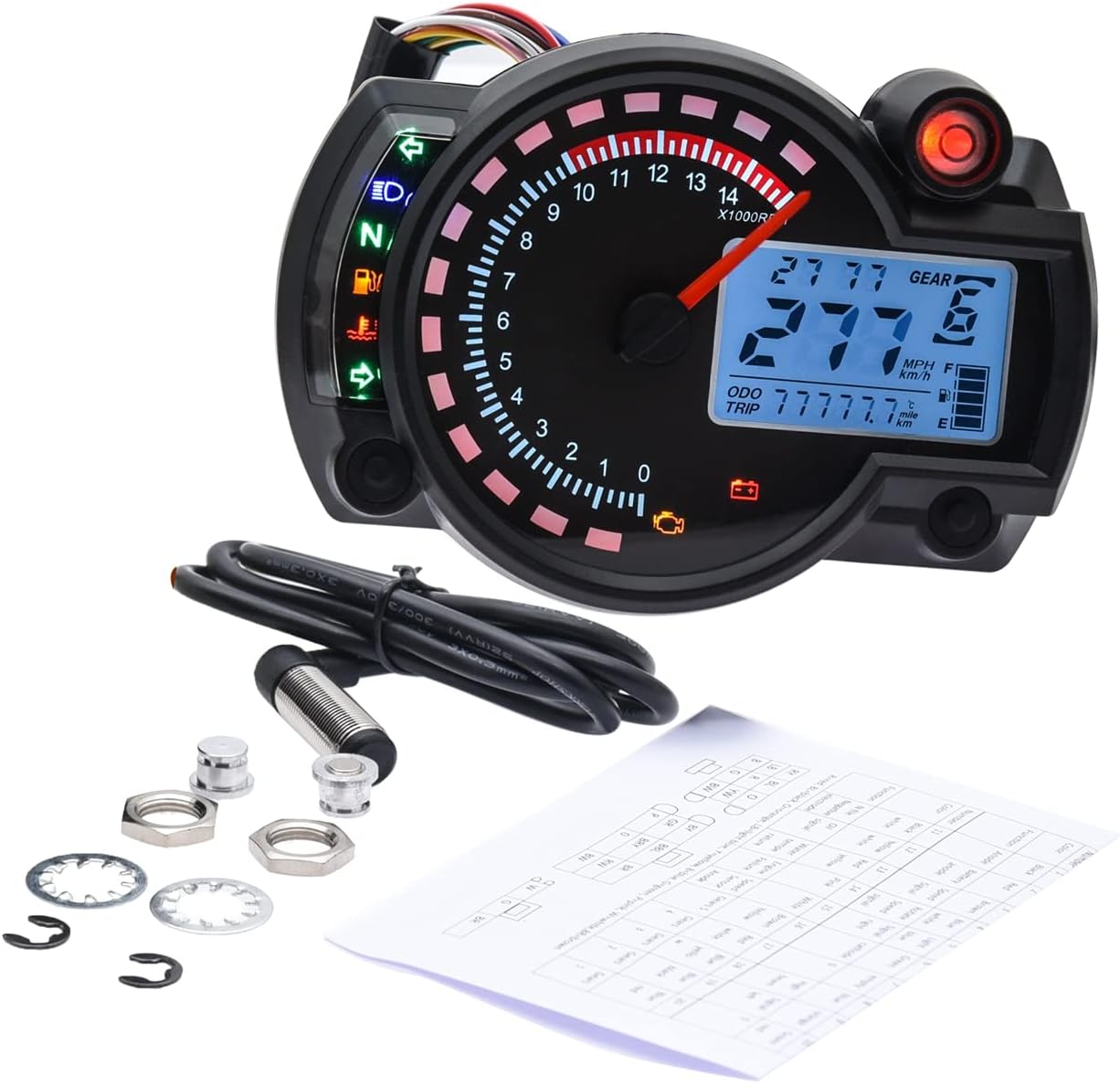
Image showing the KAOLALI Motorcycle Digital Speedometer, speed sensor, mounting hardware, and a wiring diagram sheet.
Speed Sensor Installation
The speed sensor is crucial for accurate speed readings. Mount it securely according to your motorcycle's specifications.
Mounting
Securely mount the speedometer to your motorcycle's dashboard or a suitable location using appropriate brackets (not included).
Video demonstrating the KAOLALI Motorcycle Digital Speedometer, its components including the wiring harness, and the included speed sensor and mounting hardware. This provides a visual overview of the parts involved in installation.
Operating Instructions
Power On
Upon turning on your motorcycle's ignition, the speedometer will perform a self-check and illuminate.
Backlight Color Adjustment
To change the backlight color, press the right button while the display is in ODO (Odometer) mode. There are 7 colors available.
Video demonstrating the power-on sequence and backlight color adjustment feature of the KAOLALI Motorcycle Digital Speedometer. Watch as the display cycles through its 7 adjustable colors by pressing the control button.
Display Modes
The display shows various information including speed (MPH/KM/H), RPM, gear indicator, odometer (ODO), and trip meter (TRIP).
Unit Switching (MPH/KM/H)
Instructions for switching between MPH and KM/H units will typically involve pressing and holding a button or a specific sequence. Refer to the detailed wiring diagram and included paper instructions for precise steps.
Odometer and Trip Meter
The odometer tracks total distance. The trip meter can be reset for individual journey tracking. Consult the detailed instructions for resetting the trip meter.
Maintenance
- Keep the display clean using a soft, damp cloth. Avoid abrasive cleaners.
- Regularly check all wiring connections for security and signs of wear.
- Ensure the speed sensor is free from debris and properly aligned.
- The unit is waterproof, but avoid direct high-pressure water jets.
Troubleshooting
Display Not Lighting Up
- Check power connections to ensure they are secure.
- Verify the motorcycle's battery voltage.
- Inspect fuses related to the instrument cluster.
Inaccurate Speed Reading
- Ensure the speed sensor is correctly installed and positioned.
- Check the speed sensor wiring for damage or loose connections.
- Calibration may be required. Refer to the detailed instructions for calibration procedures.
Tachometer Not Working
- Verify the tachometer signal wire connection to the ignition coil or ECU.
- Ensure the correct cylinder setting is configured (if applicable).
Backlight Not Changing Colors
- Ensure the display is in ODO mode before attempting to change colors.
- Check the functionality of the right control button.
Warranty and Support
For warranty information or technical support, please contact KAOLALI customer service or refer to the official product website. Keep your purchase receipt for warranty claims.
You can visit the KAOLALI Store on Amazon for more product information.


