
Introduction
Thank you for choosing the GKUTW 5 in 1 Wireless Portable Charger Power Bank. This versatile device is designed to provide reliable power for your electronic devices on the go, featuring multiple output and input options, including solar charging capabilities. Please read this manual carefully to ensure safe and optimal use of your power bank.
Safety Information
Important Safety Precautions:
- Do not expose the power bank to extreme temperatures (above 60°C/140°F) or direct sunlight for prolonged periods.
- Avoid dropping, puncturing, or disassembling the device.
- Keep away from water and high humidity. The IP65 rating provides protection against water jets and dust, but it is not designed for submersion.
- Do not use if the power bank is damaged, swollen, or leaking.
- Keep out of reach of children.
- Dispose of the power bank responsibly according to local regulations.
What's in the Box
- Wireless Portable Charger / USB Power Bank / Solar Charger / External Battery Pack Backup Charging (1 unit)
- USB Cable (1 unit)
- User Manual (1 unit)

Image: The power bank, USB cable, and user manual laid out next to the product box.
Features
- 5-in-1 Portable Charger: Features 5 outputs (Wireless charging, Dual QC4.0, USB 2.1A, 25W PD/Type-C) and 3 inputs (Solar charger, Type-C 3A, Micro USB 2.1A). Supports pass-through technology and simultaneous multi-device charging.
- 36800mAh Ultra-High Capacity: Provides multiple charges for smartphones (6-10 times), ideal for travel, home, and outdoor activities.
- 15W Max Wireless Charging: Supports 5W, 7.5W, 10W, and 15W wireless fast charging. Simply place your compatible device on the charging pad.
- 25W PD & Dual QC4.0 Fast USB Charging: Delivers optimized charge up to 25W, capable of fast charging smart cell phones up to 100% in 1-1.5 hours.
- Built-in Intelligent Chip IC: Protects devices and battery packs from overcurrent, overheating, overvoltage, and short circuits. FCC, CE, ROHS certified.
- Solar Power Bank: Equipped with solar panels for emergency power sources. Note: Solar charging is supplementary and slower than wired charging.
- Durable Design: IP65 rated for water and dust resistance, and shockproof.

Image: Internal view of the power bank highlighting its 36800mAh Li-Polymer battery and built-in smart chip for protection.
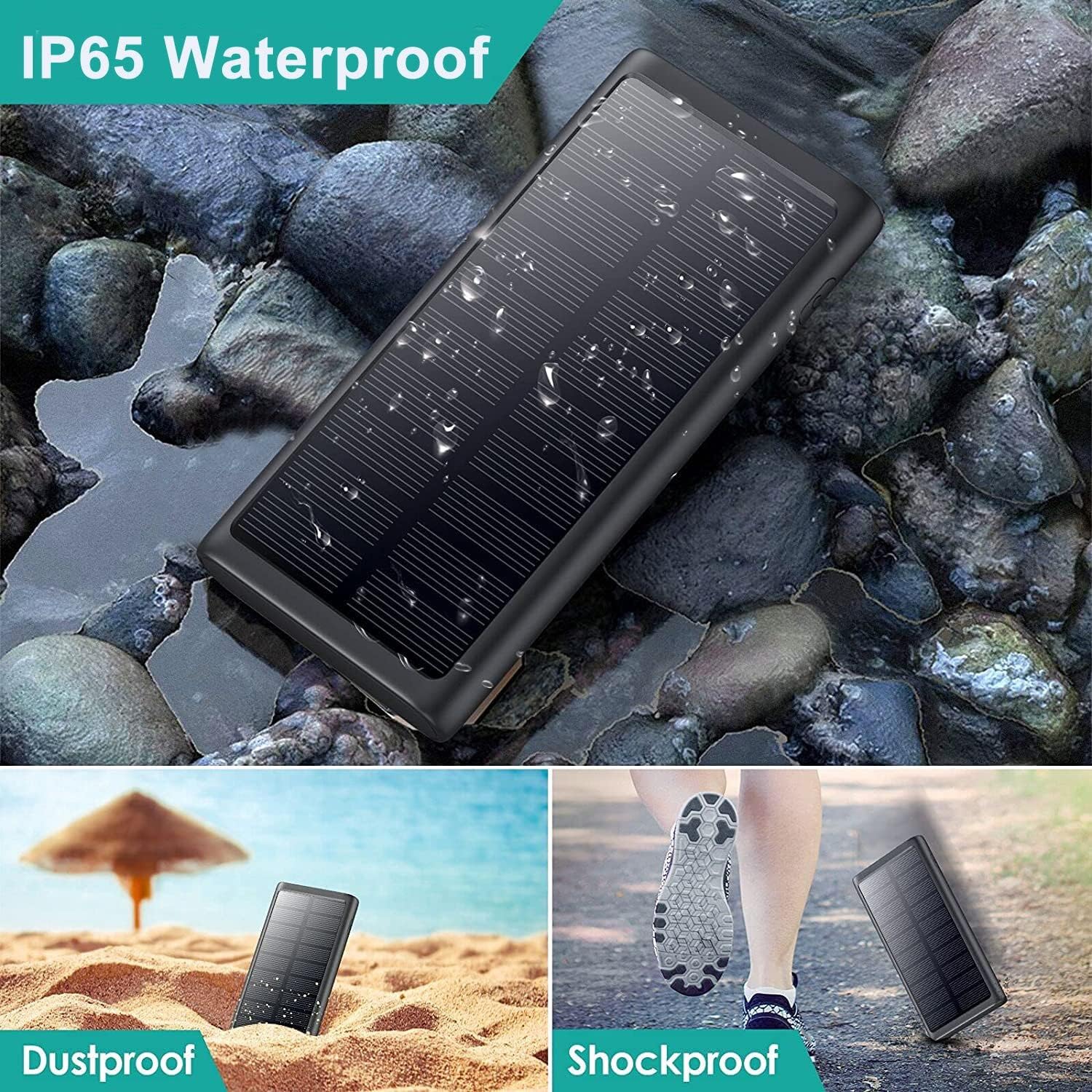
Image: The power bank demonstrating its IP65 waterproof, dustproof, and shockproof capabilities in different environments.
Setup
Before first use, it is recommended to fully charge your power bank using a wall adapter. This ensures the battery is calibrated and ready for optimal performance.
- Connect the provided USB cable to the Type-C or Micro USB input port on the power bank.
- Plug the other end of the USB cable into a compatible USB wall adapter (not included).
- The LED indicators on the power bank will illuminate to show the charging progress. All LEDs will be solid when fully charged.

Image: The power bank being charged via a wall outlet and also showing its solar charging capability.
Operating Instructions
The power bank offers multiple ways to charge your devices.
Wired Charging
- Identify the appropriate output port for your device (USB 2.1A, Dual QC4.0, or 25W PD/Type-C).
- Connect your device's charging cable to the power bank's output port.
- Connect the other end of the cable to your device. The power bank will automatically begin charging.
Wireless Charging
- Ensure your device is wireless charging compatible.
- Place your device centrally on the wireless charging pad located on the power bank.
- The power bank will automatically detect and begin wireless charging.
Solar Charging
The solar panel is designed for emergency use and supplementary charging. For primary charging, use a wall adapter.
- Place the power bank with the solar panel facing direct sunlight.
- The solar charging indicator will light up when receiving sufficient sunlight.

Image: The power bank demonstrating its ability to charge multiple devices via QC 4.0, USB 2.1, PD Fast Charging, and Wireless Charging.

Image: The power bank providing PD 25W Quick Charge to a smartphone.

Image: The power bank being used outdoors, emphasizing its solar charging feature.
Maintenance
- Clean the power bank with a soft, dry cloth. Do not use harsh chemicals or abrasive materials.
- Store in a cool, dry place away from direct sunlight and extreme temperatures.
- If not used for extended periods, charge the power bank at least once every three months to maintain battery health.
Troubleshooting
- Device not charging: Ensure the power bank is charged. Check cable connections. Try a different cable or port. For wireless charging, ensure the device is properly aligned on the pad and is compatible.
- Slow charging: Ensure you are using a fast-charging compatible cable and wall adapter for optimal input charging. For output, ensure your device supports fast charging and you are using the correct port (QC4.0 or PD/Type-C).
- Solar charging is slow: Solar charging is supplementary. Ensure the solar panel is in direct, unobstructed sunlight. It is not intended as the primary charging method.
- Power bank not turning on: Press the power button to check battery level. If no lights appear, the power bank may be fully discharged and needs to be charged.
Specifications
| Feature | Detail |
|---|---|
| Model Number | HX200Q5 |
| Battery Capacity | 36800 mAh |
| Product Dimensions | 5.91 x 2.95 x 0.6 inches |
| Item Weight | 1.06 pounds |
| Inputs | Type-C (5V=3A), Micro USB (5V=2.1A), Solar Charger |
| Outputs | Wireless Charging (15W Max), Dual QC4.0, USB 2.1A, 25W PD/Type-C (5V=3A) |
| Connectivity | USB, Wireless |
| Color | Black |
| Special Features | 5 Outputs, 3 Inputs, Wireless charging, QC 4.0, PD Fast USB C charging, Solar charger, Durable, IP65 Waterproof, Dustproof, Shockproof |

Image: Detailed view of the power bank with dimensions and port labels.
Warranty and Support
This product comes with a 45-Day Money Back Guarantee and a 3 Years Warranty. Lifetime technical support is also provided. If you have any questions or encounter issues with your power bank, please contact us for assistance.
Note: The external backup phone battery is not suitable for wireless charging of Bluetooth headphones.