
MYMULIKE B09SPTJQLK
MYMULIKE 3.6V Cordless Electric Screwdriver Instruction Manual
Brand: MYMULIKE | Model: B09SPTJQLK
1. Introduction
This manual provides detailed instructions for the safe and efficient operation, maintenance, and troubleshooting of your MYMULIKE 3.6V Cordless Electric Screwdriver. Designed for household and hobby use, this compact and lightweight tool offers powerful performance for various fastening and drilling tasks.
2. What's Included
Your MYMULIKE Cordless Electric Screwdriver set comes with a comprehensive collection of accessories to support a wide range of tasks. All components are neatly organized within a durable carrying case for easy transport and storage.
- 1 x 3.6V Electric Screwdriver
- 1 x Magnetic Soft Shaft (Flexible Extension)
- 29 x 25mm Screwdriver Bits (various types)
- 4 x 50mm Screwdriver Bits (longer reach)
- 8 x Socket Wrenches (various sizes)
- 2 x Drill Bits (HSS2, HSS2.5)
- 1 x Screwdriver Bit Extension Rod
- 1 x BMC Carrying Case
- 1 x User Manual
- 1 x USB Charging Cable

Image: The complete MYMULIKE Cordless Electric Screwdriver set, including the screwdriver, various bits, sockets, flexible shaft, and charging cable, all organized within its durable carrying case.
Video: An unboxing and overview of the MYMULIKE Cordless Electric Screwdriver set, demonstrating the contents of the carrying case and initial handling of the tool.
3. Setup
3.1 Initial Charging
Before first use, ensure the screwdriver is fully charged. The unit typically comes with some charge, but a full charge is recommended for optimal performance and battery longevity.
- Connect the provided USB charging cable to the Micro USB charging port located on the screwdriver.
- Plug the other end of the USB cable into a compatible USB power adapter (not included) or a USB port on a computer.
- The Charger Indicator light will illuminate during charging.
- Charging time is approximately 2-4 hours for a full charge. Disconnect the unit once fully charged.

Image: Detail view of the screwdriver's USB charging port and the charger indicator light, which signals charging status.
4. Operating Instructions
4.1 Inserting/Changing Bits
The screwdriver features a self-lock chuck for easy bit changes. Simply push the desired bit into the chuck until it clicks securely into place.
4.2 90° Rotation Handle
The handle can be rotated 90 degrees to convert the screwdriver from a pistol grip to a straight inline configuration, ideal for reaching tight spaces.
- To rotate, press the yellow button located at the top of the handle with your thumb.
- While holding the button, rotate the handle to the desired position (straight or pistol grip).
- Release the button to lock the handle in place.

Image: Visual guide demonstrating how to rotate the screwdriver handle for different operating angles.
4.3 Forward/Reverse Operation
The screwdriver features a forward/reverse button to control the direction of rotation.
- Press the right side of the button for clockwise rotation (forward, for tightening screws).
- Press the left side of the button for counter-clockwise rotation (reverse, for loosening screws).
- The center position locks the trigger, preventing accidental activation.
4.4 LED Work Light
A bright LED light automatically illuminates when the screwdriver is in operation, providing visibility in dark or confined work areas.
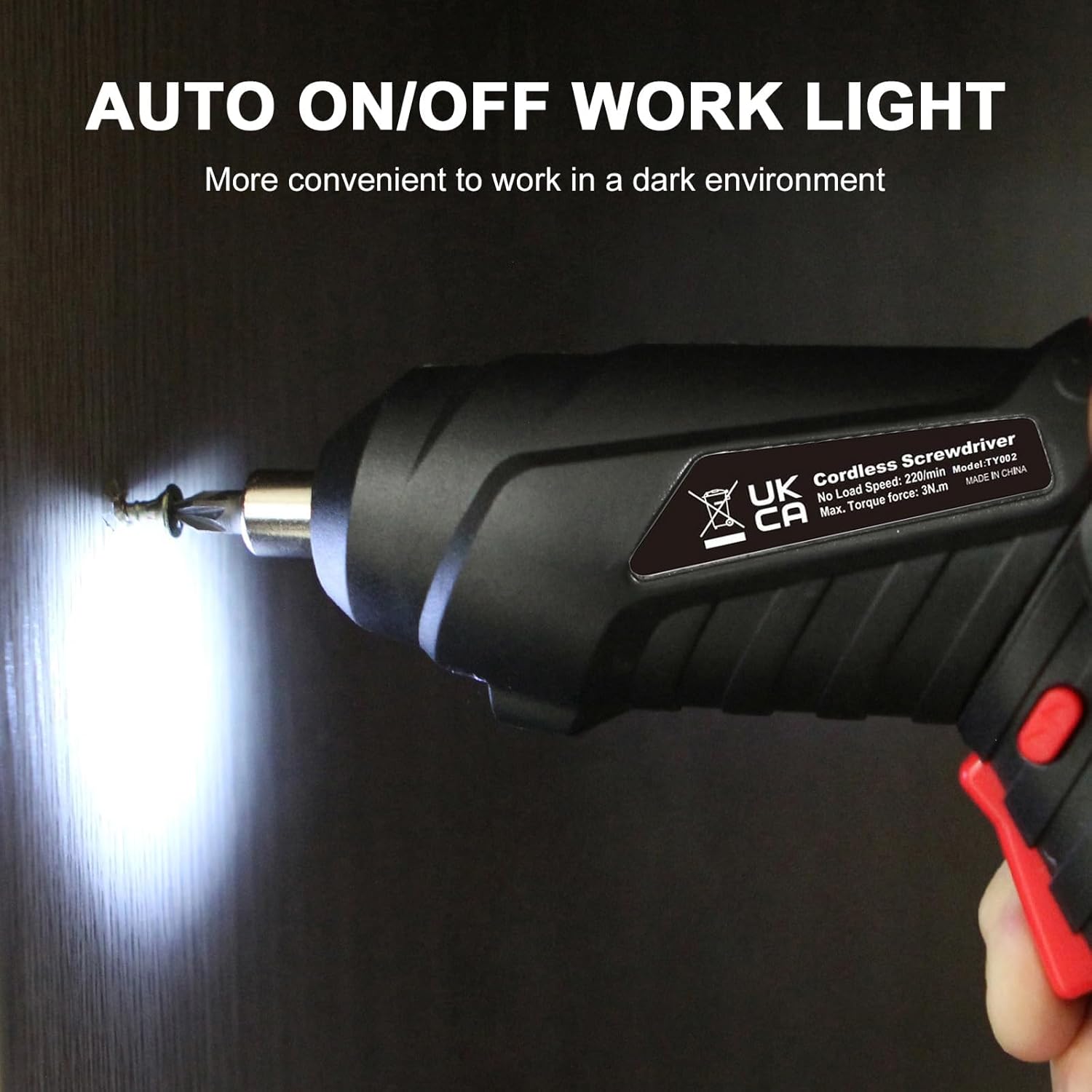
Image: The screwdriver's integrated LED light in action, providing illumination for precision work in low-light conditions.
4.5 Using the Flexible Shaft
The included magnetic flexible shaft is designed to reach screws in extremely awkward or unseen locations, offering enhanced versatility.
- Insert the flexible shaft into the screwdriver's chuck.
- Attach the desired screwdriver bit to the end of the flexible shaft.
- Maneuver the flexible shaft to access screws in tight or obstructed areas.

Image: The flexible shaft attachment allowing the screwdriver to access screws in hard-to-reach places, such as behind a door handle.
5. Maintenance
Regular maintenance ensures the longevity and optimal performance of your electric screwdriver.
- Cleaning: Use only mild soap and a damp cloth to clean the tool. Do not allow any liquids to get inside the tool.
- Storage: Store the screwdriver and its accessories in the provided BMC case in a dry, cool place, away from direct sunlight and moisture.
- Battery Care: For extended storage, charge the battery to approximately 50% every 3-6 months to maintain battery health.
6. Troubleshooting
If you encounter issues with your screwdriver, refer to the following common troubleshooting steps:
| Problem | Possible Cause | Solution |
|---|---|---|
| Screwdriver does not turn on. | Low or no battery charge. | Charge the battery for 2-4 hours. Check the charger indicator. |
| Screwdriver stops during use. | Overload or low battery. | Reduce pressure or allow the tool to cool. Recharge the battery. |
| Bit slips in chuck. | Bit not fully inserted or chuck is dirty. | Ensure bit is pushed firmly into the self-lock chuck. Clean the chuck if necessary. |
| LED light not working. | Tool not in operation or fault. | The LED light only illuminates when the trigger is pressed. If still not working, contact support. |
7. Specifications
| Feature | Detail |
|---|---|
| Brand | MYMULIKE |
| Model Number | B09SPTJQLK |
| Voltage | 3.6 Volts |
| Power Source | Battery Powered |
| Speed | 250 RPM |
| Item Torque | 3 Newton Meters |
| Item Weight | 0.95 Kilograms (2.08 pounds) |
| Number of Batteries | 1 (Lithium) |
| Recommended Uses | Household/Hobby |
| Material | Plastic, Stainless Steel or Aluminum |
| Product Dimensions | 0.39 x 0.39 x 0.39 inches |
8. Warranty and Support
For any questions, technical support, or warranty inquiries, please refer to the official user guide or contact MYMULIKE customer service.
An official Instructions for Use (IFU) document is available for download: Download User Guide (PDF)
Ask a question about this manual
Ask about setup, troubleshooting, compatibility, parts, safety, or missing instructions. Manuals+ will review the question and use this page’s manual context to help answer it.