
This manual provides detailed instructions for the EKVANBEL Bluetooth Headset Model M102. Please read thoroughly before use to ensure proper operation and maintenance.
1. Package Contents
Verify that all items are present in the package:
- Bluetooth Headphones (M102) x 1
- Type-C Charging Cable x 1
- User Manual x 1

Image: EKVANBEL M102 Headset package contents.
2. Product Overview
Familiarize yourself with the various components and controls of your EKVANBEL M102 Bluetooth Headset.

Image: EKVANBEL M102 Headset component diagram.
Description of Components:
- Volume + / Volume -: Adjust audio volume.
- MFB (Multi-Function Button): Controls power, pairing, and call management.
- Noise-Cancelling Microphone: Captures your voice while reducing background noise.
- Mute Button: Mutes/unmutes the microphone (primarily for cell phones).
- Toggle Switches: Power on/off.
- Indicator Light: Displays device status (pairing, connected, charging).
- Type-C Charging Interface: Port for charging the headset.
3. Charging the Headset
Before initial use, fully charge the headset. A full charge typically takes approximately 2 hours.
- Connect the provided Type-C charging cable to the headset's charging port.
- Connect the other end of the USB cable to a compatible USB power source (e.g., computer USB port, USB wall adapter).
- The indicator light will show charging status and change once fully charged.
Image: Close-up of the Type-C Charging Interface.
The headset offers up to 45 hours of talk time and 400 hours of standby time on a single charge.

Image: Battery life indicators for the headset.
4. Bluetooth Pairing and Connection
Follow these steps to pair your headset with a Bluetooth-enabled device:
- In the off state, switch the headset to the "ON" position. The red and blue lights will flash alternately, indicating pairing mode.
- On your device (cell phone, laptop, etc.), enable Bluetooth and search for new devices.
- Select "M102" from the list of available devices.
- Once connected, the LED will flash a blue light slowly, and you will hear a voice prompt stating, "Your headset is connected."
- The headset supports dual connections, allowing it to connect to two devices simultaneously for calls and music.

Image: Bluetooth 5.2 connectivity with multiple devices.
Video: Demonstration of connecting the headset to a mobile device for streaming and communication.
5. Operating the Headset
The EKVANBEL M102 headset features intuitive controls for managing calls and audio.
5.1 Call Management
- Answer/End Call: Press the MFB button once.
- Reject Call: Press and hold the MFB button for 2 seconds.
- Mute Microphone: Press the Mute Button on the microphone arm. Note: The mute button functions only on cell phones. For PC applications like Skype, mute via the software.
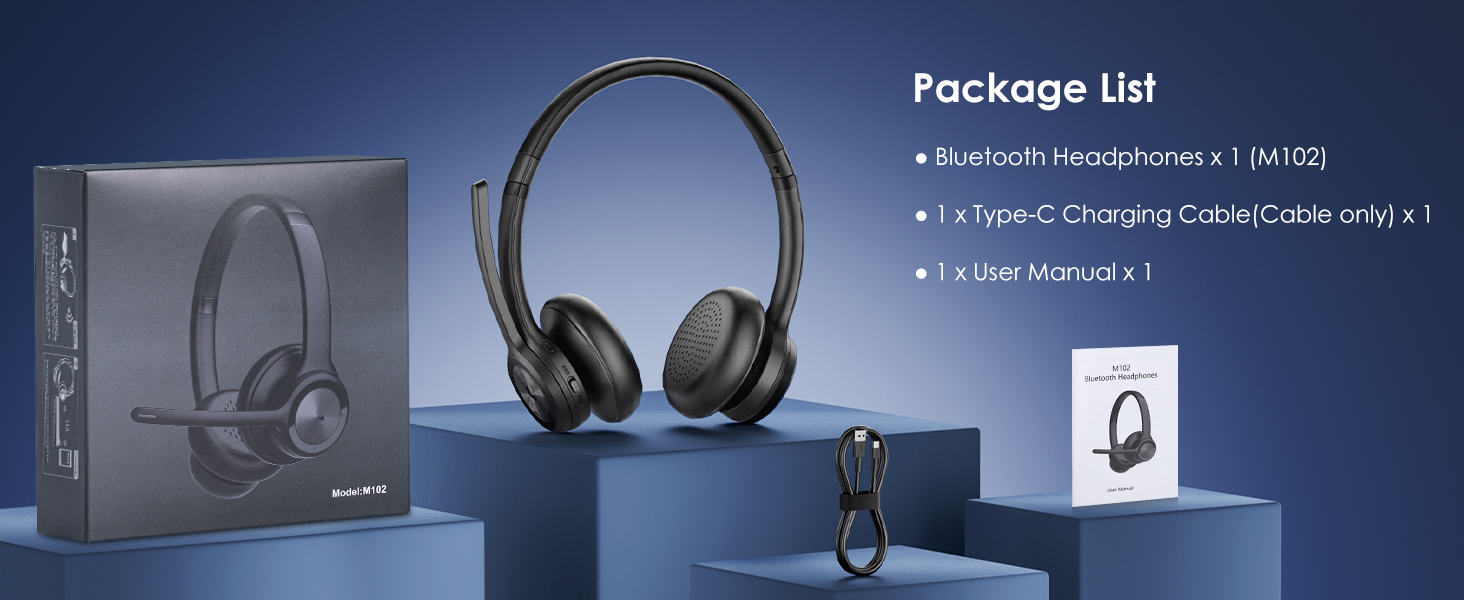
Image: Hands-Free Call functionality.

Image: Microphone mute function for privacy.
5.2 Audio Control
- Volume Up/Down: Use the Volume + and Volume - buttons.
- Next/Previous Track: Press and hold Volume + for next track, and Volume - for previous track.
- Voice Assistant: Triple-click the MFB button to activate your device's voice assistant.

Image: Noise-cancelling microphone in action.
6. Comfort and Design
The headset is designed for extended wear with comfort in mind.
- Adjustable Headband: The headband can be adjusted to fit various head sizes.
- Soft Earpads: High-quality soft earpads provide a comfortable seal and help block out ambient noise.
- Lightweight Design: Ensures comfort during long periods of use without burdening the head or ears.

Image: Comfortable wearing features.

Image: Comfort and convenience of the headset.
7. Specifications
| Feature | Detail |
|---|---|
| Model Name | M102 |
| Connectivity Technology | Bluetooth, Wireless |
| Wireless Communication Technology | Bluetooth |
| Bluetooth Version | 5.2 |
| Bluetooth Range | 33 Feet |
| Noise Control | Active Noise Cancellation |
| Battery Life | 45 Hours (Talk Time) |
| Standby Time | 400 Hours |
| Charging Time | 2 Hours |
| Item Weight | 10.6 Ounces |
| Ear Placement | On Ear |
| Compatible Devices | Cellphones, Laptops, Tablets, Gaming Consoles |
8. Troubleshooting
If you encounter issues with your EKVANBEL M102 headset, refer to the following common solutions:
8.1 Pairing Issues
- Ensure the headset is in pairing mode (red and blue lights flashing alternately).
- Make sure Bluetooth is enabled on your device and it is within 33 feet (10 meters) of the headset.
- Clear previous pairing records on your device and try pairing again.
8.2 Audio/Microphone Issues
- Check the volume levels on both the headset and your connected device.
- Ensure the microphone is not muted. Remember, the mute button on the headset works primarily for cell phones; for PC applications, mute via the software.
- Verify that the headset is selected as the audio input/output device in your device's sound settings.
- If experiencing static or unclear audio, try moving closer to your connected device or away from potential interference sources.
8.3 Battery Issues
- Ensure the headset is fully charged using the provided Type-C cable.
- If the headset is not charging, try a different USB port or power adapter.
9. Warranty and Support
For warranty information or further assistance, please refer to the contact details provided with your purchase or visit the official EKVANBEL website.
This user manual is included with your purchase for detailed guidance.