
Amazfit GTS 2 Mini Blue-New Version
Amazfit GTS 2 Mini Smartwatch User Manual
Model: GTS 2 Mini Blue-New Version
1. Introduction
This user manual provides comprehensive instructions for the Amazfit GTS 2 Mini smartwatch. It covers essential information regarding product features, setup, operation, maintenance, and troubleshooting to ensure optimal performance and user experience. Please read this manual thoroughly before using your device.

Image: The Amazfit GTS 2 Mini smartwatch, showcasing its vibrant display and sleek design.
2. Product Overview
The Amazfit GTS 2 Mini is a compact and feature-rich smartwatch designed for health and fitness tracking. Key components include the watch body, a standard strap, and a charging base.
2.1 Key Features
- Alexa Built-in: Interact with Alexa for queries, translations, alarms, timers, shopping lists, weather, and smart home control.
- 14-Day Battery Life: Optimized power management provides extended usage on a single charge.
- 68 Sports Modes & 5 ATM Water Resistance: Comprehensive tracking for various sports activities and suitable for swimming.
- Comprehensive Health Monitoring: 24-hour heart rate, SpO2 measurement, sleep quality, and stress level monitoring. Includes PAI Health Assessment System.
- Vibrant AMOLED Display: 1.55-inch AMOLED screen with over 80 watch faces, many supporting always-on display.
- Lightweight Design: Weighs only 19.5g with a borderless design and 2.5D curved glass.
2.2 Package Contents
- Amazfit GTS 2 Mini Watch Body (with standard strap)
- Charging Base
- User Manual
3. Setup
3.1 Charging the Device
Before first use, fully charge your Amazfit GTS 2 Mini. Connect the charging base to a USB power source and place the watch onto the magnetic charging pins. The watch display will indicate charging status.

Image: The Amazfit GTS 2 Mini being charged on its magnetic charging base, illustrating the battery life feature.
3.2 Pairing with Your Smartphone
- Download the Zepp App from your smartphone's app store (App Store for iOS, Google Play Store for Android).
- Open the Zepp App and create an account or log in.
- Turn on Bluetooth on your smartphone.
- In the Zepp App, navigate to "Profile" > "My Devices" > "Add device" and select "Watch" > "Watch with a QR code".
- Scan the QR code displayed on your Amazfit GTS 2 Mini's screen using the Zepp App.
- Follow the on-screen prompts in the app to complete the pairing process.

Image: The Zepp App interface, demonstrating its ability to track fitness, sleep, and other lifestyle metrics.
4. Operating Instructions
4.1 Basic Navigation
- Touchscreen: Swipe up, down, left, or right to navigate through menus and notifications. Tap to select.
- Side Button: Press to wake the screen, return to the watch face, or access the app list.
4.2 Health Monitoring
The Amazfit GTS 2 Mini offers comprehensive health tracking features:
- Heart Rate Monitoring: The watch continuously monitors your heart rate. View real-time data on the watch or detailed graphs in the Zepp App.
- SpO2 Measurement: To measure blood oxygen saturation, ensure the watch is worn snugly on your wrist. Navigate to the SpO2 function on the watch and follow instructions.
- Sleep Quality Monitoring: The watch automatically tracks your sleep stages (light, deep, REM) and provides a sleep score. View detailed sleep analysis in the Zepp App.
- Stress Level Monitoring: The watch estimates your stress level based on heart rate variability. Manage stress by following guided breathing exercises available on the watch.
- PAI Health Assessment System: PAI (Personal Activity Intelligence) converts complex health data into a single, personalized score, helping you understand your overall physical condition.
- Female Cycle Tracking: Track menstrual cycles and predict fertile windows directly from the watch or Zepp App.
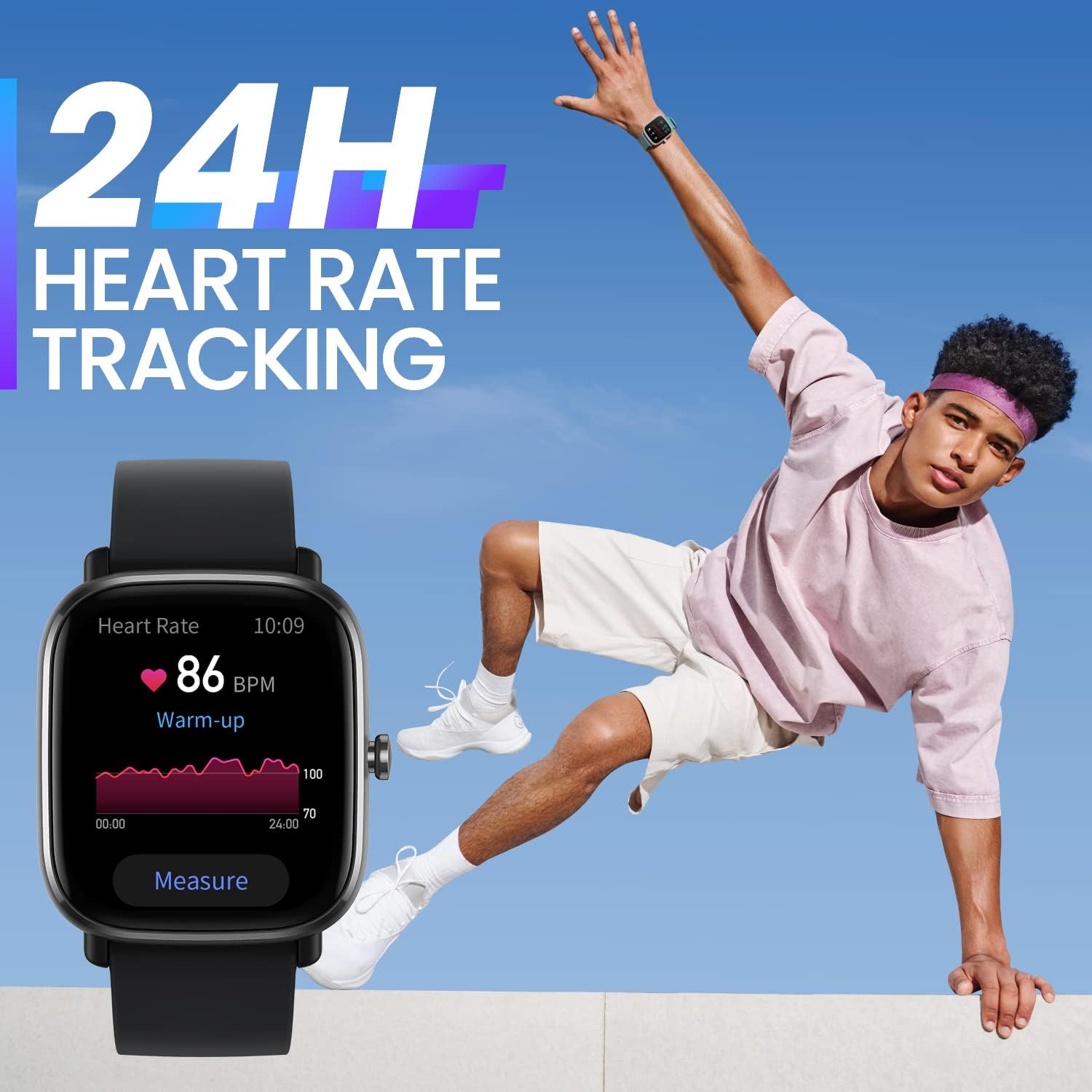
Image: The Amazfit GTS 2 Mini showing 24-hour heart rate tracking, with a graph illustrating heart rate zones.

Image: Multiple Amazfit GTS 2 Mini watches demonstrating the blood-oxygen monitoring feature, showing a 98% SpO2 reading.

Image: A person sleeping, with the Amazfit GTS 2 Mini on their wrist, highlighting the sleep quality monitoring feature.

Image: The Amazfit GTS 2 Mini displaying the female cycle tracking feature, showing days to period.
4.3 Sports Modes
The Amazfit GTS 2 Mini supports 68 built-in sports modes. To start a workout:
- Swipe left on the watch face to access the sports modes list.
- Select your desired activity (e.g., Outdoor Running, Cycling, Swimming).
- Tap "GO" to start tracking. The watch will record data such as duration, distance, calories burned, and heart rate.
- After your workout, sync with the Zepp App to view detailed reports and analysis.

Image: A woman performing stretches, representing the 68 sports modes and water resistance features of the watch.
4.4 Alexa Integration
With Alexa built-in, you can use voice commands for various tasks:
- To activate Alexa, swipe right on the watch face or press and hold the side button (if configured).
- Speak your command clearly, such as "What's the weather?", "Set a timer for 10 minutes," or "Play some music."
- Ensure your watch is connected to your smartphone and has an active internet connection for Alexa to function.

Image: A user interacting with the Amazfit GTS 2 Mini, demonstrating the Alexa Built-in feature with the watch displaying "Listening."
4.5 Other Functions
- Notifications: Receive call, message, and app notifications directly on your watch.
- Music Control: Control music playback on your smartphone from the watch.
- Bluetooth Camera Control: Use your watch as a remote shutter for your phone's camera.
- Always-On Display: Configure the display to show time and basic information continuously.
- Watch Faces: Customize your watch face from over 80 options available in the Zepp App, or upload your own photos.

Image: Two Amazfit GTS 2 Mini watches, illustrating the Always-On AMOLED Display feature.
5. Maintenance
5.1 Cleaning the Watch
- Wipe the watch body and strap regularly with a soft, damp cloth.
- For stubborn stains, use a mild soap solution and rinse thoroughly.
- Ensure the watch is completely dry before charging or prolonged use.
5.2 Water Resistance
The Amazfit GTS 2 Mini has a 5 ATM water resistance rating, meaning it can withstand pressures equivalent to a depth of 50 meters. It is suitable for showering, swimming in pools, and shallow-water activities. However, it is not suitable for diving, high-speed water sports, or hot showers/saunas as steam can affect the seal.
5.3 Battery Care
- Avoid exposing the watch to extreme temperatures.
- Charge the watch using only the provided charging base.
- If storing the watch for an extended period, charge it to about 50% to preserve battery health.
6. Troubleshooting
| Problem | Possible Solution |
|---|---|
| Watch not turning on/charging. | Ensure the charging pins on the watch and base are clean and making proper contact. Try a different USB power source. Allow the watch to charge for at least 10 minutes before attempting to turn it on. |
| Unable to pair with smartphone. | Check if Bluetooth is enabled on your phone. Ensure the watch is close to your phone. Restart both the watch and the phone. Clear Bluetooth cache on your phone (Android). Reinstall the Zepp App. |
| Inaccurate heart rate/SpO2 readings. | Ensure the watch is worn snugly, but not too tightly, on your wrist. Avoid excessive movement during measurement. Clean the sensor on the back of the watch. |
| Notifications not appearing. | Check notification permissions in the Zepp App and your phone's settings. Ensure the Zepp App is running in the background. Disable battery optimization for the Zepp App. |
| Alexa not responding. | Ensure the watch is connected to your phone and your phone has an active internet connection. Check Alexa settings in the Zepp App. |
If you encounter issues not listed here, please refer to the official Amazfit support website or contact customer service.
7. Specifications
| Feature | Detail |
|---|---|
| Brand | Amazfit |
| Model Name | Amazfit Gts 2 Mini Nuova Versione |
| Model Number | GTS 2 Mini Blue-New Version |
| Product Dimensions | 4.05 x 3.58 x 0.89 cm |
| Item Weight | 19 g |
| Display Type | AMOLED |
| Screen Size | 1.55 Inches |
| Operating System | Zepp OS |
| Battery Life (Average) | 14 Days |
| Battery Capacity | 220 mAh |
| Water Resistance | 5 ATM |
| Connectivity | Bluetooth |
| GPS | Integrated GPS |
| Material | Aluminium |
8. Warranty and Support
For warranty information, please refer to the warranty card included with your product or visit the official Amazfit website. For technical support, product inquiries, or service requests, please contact Amazfit customer support through their official channels.
You can find more information and support resources on the official Amazfit website: www.amazfit.com