ciciglow Universal Metal Radio Mounting Bracket Instruction Manual
Model: ciciglowe51phnbzou6292
1. Product Overview
The ciciglow Universal Metal Radio Mounting Bracket is designed to securely mount various mobile radios. Constructed from durable metal with a black finish, it offers a wear-resistant solution for your radio installation needs. Its high-standard craftsmanship ensures a smooth surface, preventing wear to your mobile radio.
This bracket is compatible with a range of ICOM mobile radios, including but not limited to: MBF4, IC-V8000, IC-A110, IC-2820H, IC-E2820, IC-2730, ID-880H, IC-2820, ID4100A, and ID5100A.

Image 1.1: The ciciglow universal metal radio mounting bracket, highlighting its compatibility with various ICOM mobile radio models.
2. Package Contents
Before proceeding with installation, please verify that all components are present in the package:
- 1 x Metal Mounting Bracket
- 8 x Screws
- 8 x Gaskets

Image 2.1: All components included in the package: the metal bracket, eight screws, and eight gaskets.
3. Setup and Installation
The installation of the ciciglow radio mounting bracket is designed to be straightforward. No additional installation accessories are required beyond what is provided in the package.
- Prepare the Mounting Location: Identify a suitable, stable surface for mounting your mobile radio. Ensure the location provides adequate space and access for the radio and its connections.
- Position the Bracket: Place the metal mounting bracket in the desired position. The bracket features multiple slots and holes to accommodate various mounting configurations and radio models.

Image 3.1: The metal mounting bracket viewed from an angle, showing the various slots for secure attachment.
- Secure the Bracket: Use the provided screws and gaskets to firmly attach the bracket to your chosen mounting surface. Ensure all screws are tightened to prevent movement. The gaskets help to provide a secure fit and prevent vibration.
- Mount the Radio: Once the bracket is securely installed, align your mobile radio with the bracket's mounting points. Use appropriate screws (typically provided with your radio, or compatible ones) to attach the radio to the bracket.
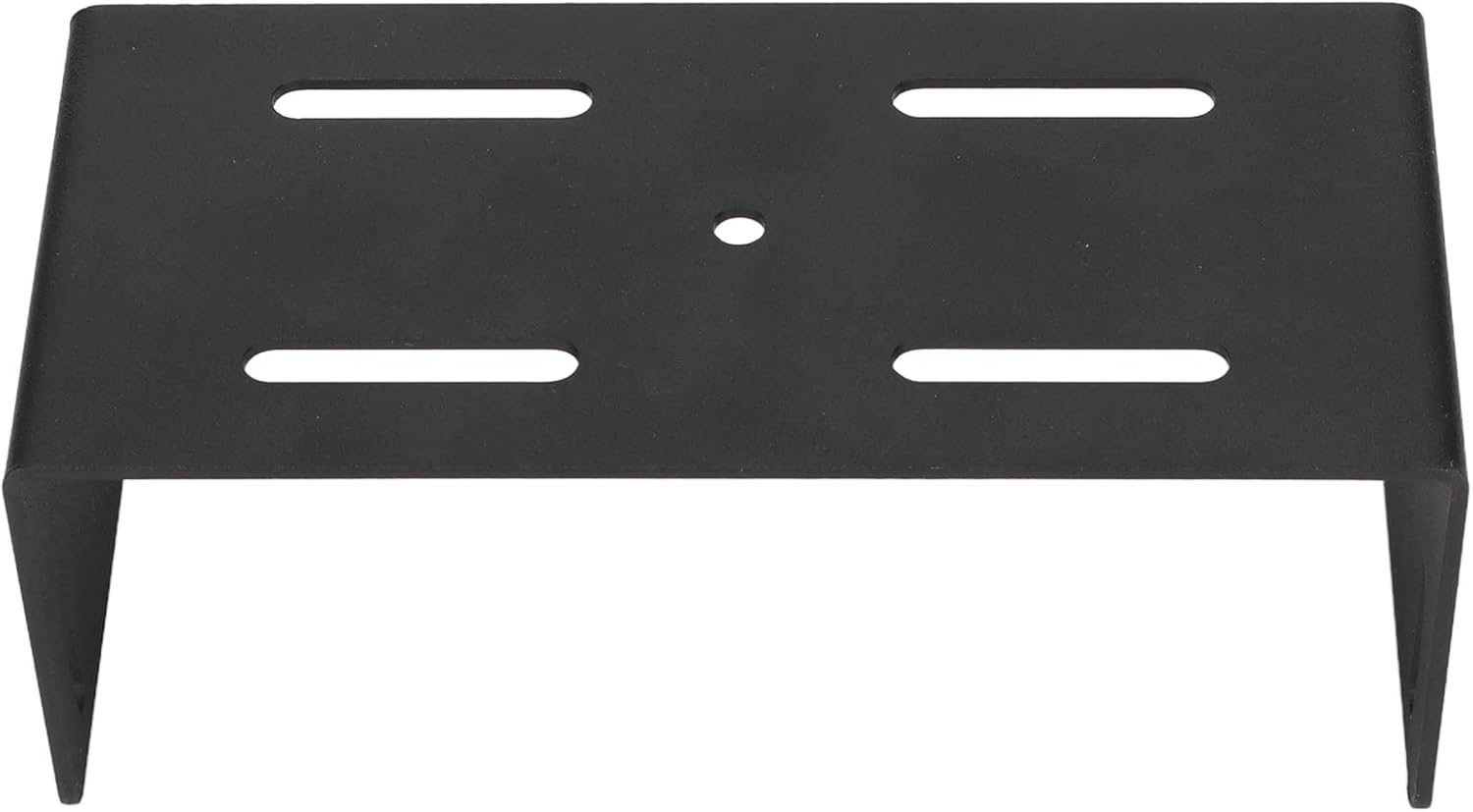
Image 3.2: A top-down view of the bracket, illustrating the central and slotted holes for attaching the radio.
- Final Check: Verify that both the bracket and the radio are securely mounted and do not wobble.
4. Operating Instructions
This product is a mounting bracket and does not have operational functions in itself. Once properly installed, it provides a stable and secure platform for your mobile radio. Refer to your mobile radio's instruction manual for its specific operating procedures.
5. Maintenance
To ensure the longevity and continued performance of your ciciglow mounting bracket:
- Cleaning: Wipe the bracket periodically with a soft, dry cloth to remove dust and dirt. Avoid abrasive cleaners or solvents that could damage the finish.
- Fastener Check: Periodically inspect all screws and fasteners to ensure they remain tight. Re-tighten if any looseness is detected to maintain a secure mount for your radio.
- Environmental Conditions: While wear-resistant, prolonged exposure to extreme weather conditions or corrosive substances may affect the bracket's finish and integrity.
6. Troubleshooting
If you encounter issues with your mounting bracket, consider the following:
- Bracket Feels Loose:
- Ensure all mounting screws are fully tightened.
- Verify that the mounting surface is stable and not flexing.
- Radio Does Not Fit:
- Confirm that your radio model is listed as compatible with this bracket (refer to Section 1: Product Overview).
- Check the orientation of the radio and bracket.
- Missing Parts:
- Refer to Section 2: Package Contents. If any parts are missing, contact the seller or manufacturer for assistance.
7. Specifications
| Item Type | Radio Mounting Bracket |
| Material | Metal |
| Color | Black |
| Model Number | ciciglowe51phnbzou6292 |
| Compatible Devices | MBF4, IC-V8000, IC-A110, IC-2820H, IC-E2820, IC-2730, ID-880H, IC-2820, ID4100A, ID5100A Mobile Radios |
| Mounting Type | Vehicle Mount |
| Special Feature | Wear Resistant |
| Item Weight | 10.2 ounces (289.2 grams) |
| Package Dimensions | 17.09 x 5.47 x 2.44 inches (43.4 x 13.9 x 6.2 cm) |
8. Warranty and Support
For warranty information, technical support, or further inquiries regarding your ciciglow product, please contact the seller or refer to the official ciciglow brand store.
You can visit the ciciglow store at: ciciglow Official Store