Introduction
This manual provides detailed instructions for the setup, operation, and maintenance of your TOMLOV DM201 HDMI Digital Microscope. Please read this manual thoroughly before using the device to ensure proper function and longevity.
Product Overview
The TOMLOV DM201 is a versatile digital microscope featuring a 7-inch HD screen, 16MP camera, and dual HDMI/USB output. It is designed for various applications including coin inspection, soldering, and general observation.
Key Features:
- 7-inch HD IPS Screen: Provides clear and vivid images with a wide viewing angle.
- 16MP HD Camera: Captures high-resolution photos and videos.
- 2-1200X Magnification: Adjustable magnification for observing fine details.
- Dual Illumination System: Equipped with 6 LED lights around the lens and 2 adjustable side lights for optimal lighting.
- HDMI/USB Output: Connects to external monitors (HDMI) or computers (Windows/Mac via USB) for larger viewing.
- Extension Tube: Included for increased working distance, ideal for viewing entire coins.
- Smart Remote Control: Allows for hands-free operation, photo/video capture, and settings adjustment.
- Adjustable Stand and Monitor: Ergonomic design for flexible positioning and comfortable viewing.
- 32GB Micro-SD Card: Included for saving captured images and videos.
Package Contents:

Image: Contents of the TOMLOV DM201 package, including the microscope unit, bracket, base plate, extension tube, remote control, user manual, HDMI cable, USB cable, lens cleaning cloth, 5V charger, and light barrier.
Please verify that all items listed below are present in your package:
- DM201 Microscope Unit
- Adjustable Bracket
- Base Plate
- Extension Tube
- Remote Control
- User Manual
- HDMI Cable
- USB Cable
- Lens Cleaning Cloth
- 5V Charger
- Light Barrier
- 32GB Micro-SD Card (pre-installed or separate)
Setup Instructions
1. Assembly:
Follow these steps to assemble your TOMLOV DM201 Digital Microscope:
- Attach the adjustable bracket to the base plate using the provided screws.
- Slide the microscope unit onto the vertical rod of the bracket. Secure it at the desired height using the locking knob.
- Connect the two flexible side LED lights to the designated ports on the base plate. Position them to illuminate your observation area.
- If observing larger objects like entire coins, insert the extension tube between the microscope lens and the main unit to increase the working distance.

Image: Fully assembled TOMLOV DM201 Digital Microscope with the 7-inch screen, main lens, flexible side lights, and remote control. An extension tube and 32GB Micro-SD card are also shown separately.
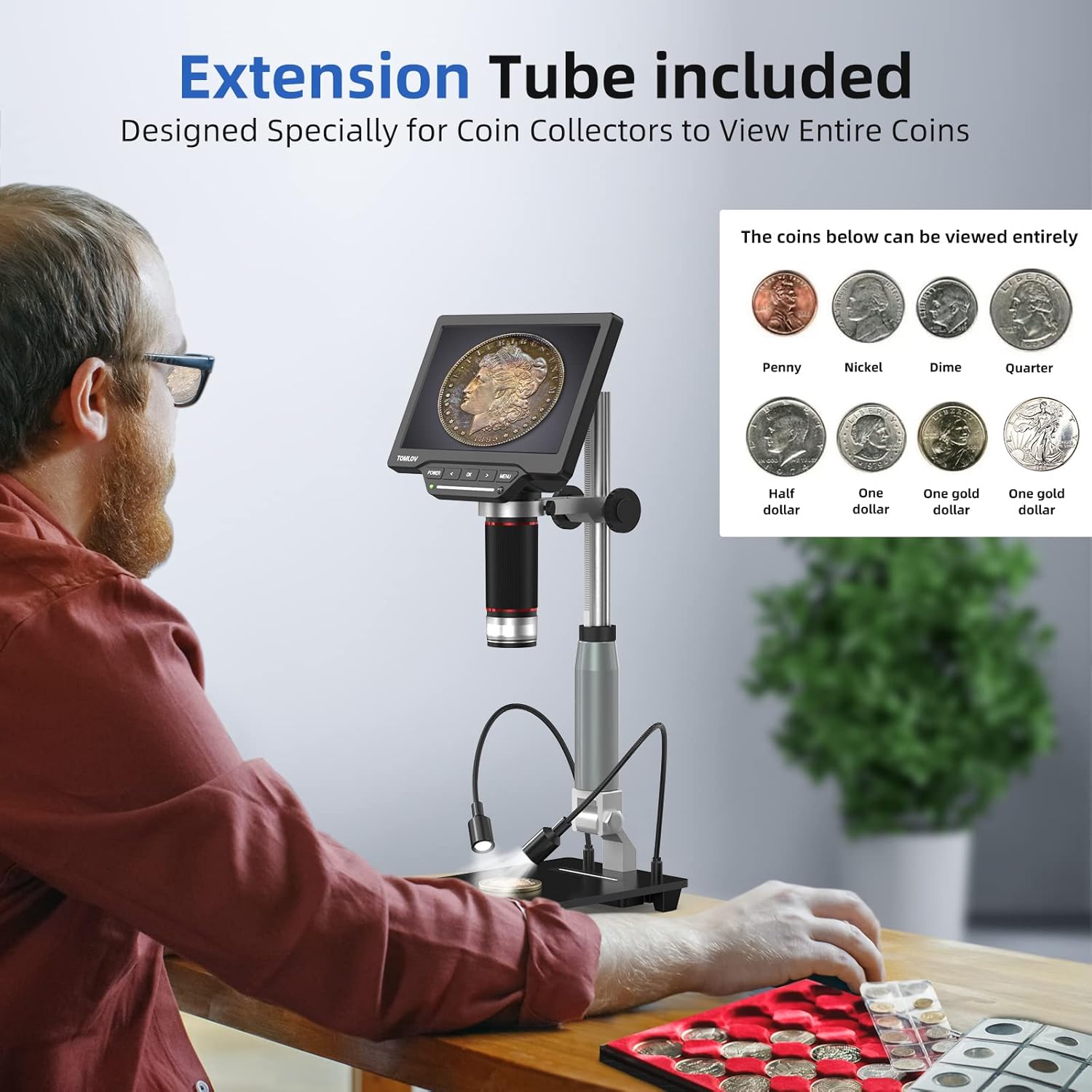
Image: A user observing a coin using the TOMLOV DM201 microscope with the extension tube installed, demonstrating its capability to view entire coins.
2. Powering On:
Connect the 5V charger to the microscope's power input and plug it into a power outlet. Press and hold the POWER button on the microscope unit to turn it on. The screen will illuminate.
3. External Display Connection (Optional):
The DM201 supports output to external displays via HDMI or USB.
- HDMI Output: Connect the provided HDMI cable from the microscope's HDMI port to an HDMI-enabled TV or monitor. The microscope display will automatically switch to the external screen.
- USB Output (PC/Mac): Connect the provided USB cable from the microscope's USB port to your computer.
- Windows 10: Open the default "Windows Camera" application.
- macOS: Open the "Photo Booth" application.

Image: The TOMLOV DM201 microscope connected to a large external monitor via HDMI, showcasing its dual output capability for a larger viewing experience.
Operating Instructions
1. Basic Operation:
- Power On/Off: Press and hold the POWER button.
- Focus Adjustment: Rotate the large focusing knob on the microscope unit to achieve a clear image.
- Magnification (Zoom): The DM201 offers 2X to 1200X magnification. Adjust the distance between the lens and the object, and fine-tune with the focusing knob.
- Menu Navigation: Use the MENU button to access settings. Use the LEFT and RIGHT arrow buttons to navigate, and OK to confirm selections.

Image: A user demonstrating the 2X-1200X zoom capability of the TOMLOV DM201 microscope, observing a peacock feather on the screen.
2. Lighting Adjustment:
The microscope features a dual illumination system:
- Top LED Lights: 6 LEDs surround the main lens. Their brightness can be adjusted via the microscope's controls or remote.
- Side Flexible Lights: 2 adjustable gooseneck lights provide additional illumination. These can be positioned to reduce shadows and highlight specific features of the object.

Image: Diagram illustrating the dual illumination system of the TOMLOV DM201, showing both the top LED lights and the two flexible side lights, highlighting their versatility.
3. Capturing Photos and Videos:
The DM201 can capture images up to 16MP and record videos at 1080p 30fps or 720p 60fps. All captures are saved to the included 32GB Micro-SD card.
- Take a Photo: In live view mode, press the OK button on the microscope or the camera button on the remote control.
- Record Video: In live view mode, press the MENU button to switch to video mode (indicated by a video icon). Then, press OK or the video button on the remote to start/stop recording.
- Playback: Access the gallery/playback mode via the MENU button to review captured media.

Image: A collage of images and video frames captured by the TOMLOV DM201, demonstrating its capability to record various subjects like coins, insects, electronic components, and plants.
4. Using the Remote Control:
The remote control provides convenient access to functions without touching the microscope, minimizing vibrations during capture.
- Power: Turn the microscope on/off.
- Photo/Video: Switch between photo and video modes, and trigger capture.
- Navigation: Control menu navigation and settings adjustments.
- Brightness: Adjust the intensity of the LED lights.
Maintenance
- Cleaning the Lens: Use the provided lens cleaning cloth or a soft, lint-free cloth specifically designed for optics. Do not use abrasive materials or harsh chemicals.
- Cleaning the Screen: Wipe the screen gently with a microfiber cloth. Avoid excessive pressure.
- General Cleaning: Use a soft, dry cloth to wipe the microscope body and stand.
- Storage: Store the microscope in a clean, dry, and dust-free environment when not in use. Avoid extreme temperatures and direct sunlight.
- Battery Care: The microscope contains a Lithium Polymer battery. For optimal battery life, avoid fully discharging the battery frequently and store it with a partial charge if not used for extended periods.
Troubleshooting
| Problem | Possible Cause | Solution |
|---|---|---|
| Microscope does not power on. | Low battery or power adapter issue. | Ensure the microscope is fully charged or connected to a working power outlet. Check the power adapter and cable. |
| Image is blurry. | Incorrect focus or working distance. | Rotate the focusing knob to adjust focus. Adjust the height of the microscope unit on the stand. Ensure the object is within the working distance. |
| No image on external monitor/PC. | Incorrect cable connection or software issue. | Verify HDMI/USB cable connections. For PC/Mac, ensure the correct application ("Windows Camera" or "Photo Booth") is open and selected the microscope as the input device. |
| Cannot save photos/videos. | SD card full, not inserted, or corrupted. | Check if the 32GB Micro-SD card is properly inserted. Ensure there is sufficient space. Format the SD card (this will erase all data) or replace it if corrupted. |
| Remote control not working. | Battery depleted or line of sight blocked. | Replace the remote control battery. Ensure there is a clear line of sight between the remote and the microscope's IR receiver. |
Specifications
| Model Name | DM201 |
| Brand | TOMLOV |
| Screen Size | 7-inch HD IPS |
| Camera Resolution | 16 Megapixels |
| Magnification Range | 2X to 1200X |
| Output Ports | HDMI, USB |
| Compatible Devices | HDMI Projector & Monitor, Laptop, Personal Computer, Television |
| Storage | 32GB Micro-SD Card (included) |
| Light Source | LED (6 top, 2 flexible side) |
| Power Source | Battery Powered (1 Lithium Polymer battery included) |
| Material | Metal |
| Color | Silver |
| Item Dimensions | 28.1 x 26.9 x 9.8 cm |
| Item Weight | 1.64 kg |
Warranty and Support
TOMLOV products are designed for reliability and performance. For warranty information and technical support, please refer to the official TOMLOV website or contact their customer service directly. Keep your purchase receipt as proof of purchase for warranty claims.
For further assistance, please visit: www.tomlov.com


