
Runleader RL-HM011HB
Runleader Digital LCD Tach/Hour Meter User Manual
Model: RL-HM011HB
1. Product Overview
The Runleader Digital LCD Tach/Hour Meter is a versatile instrument designed to monitor engine performance and track maintenance intervals for various gas-powered equipment. It features a digital LCD display with backlight, providing clear readings of engine RPM, total operating hours, and trip hours. The device also includes maintenance reminders and an RPM alert function.

Figure 1: Runleader Digital LCD Tach/Hour Meter
2. Key Features
- Hours Tracking: Records total operating time (TOT) and hours per trip (JOB). Allows setting previous hours (INT) for replacement units.
- Maintenance Reminders (SVC): Tracks service intervals for maintenance tasks like oil changes. SVC timer range: 5-2000 hours.
- RPM Monitoring: Displays real-time engine rotation speed (RPM) from 0-25000 RPM. Helps adjust idle and choose proper engine firing patterns.
- RPM Alert: Features an alert channel for revolution exceed reminder (100-25000 RPM). Displays the highest revolution since the engine started.
- Display: White backlight for easy reading in low light. Red backlight flashes for maintenance reminders and RPM exceed alerts. Three separate display areas for easy function checking and programming.
- Installation Versatility: Supports screw-on, stick-on, and snap-in mounting options. Panel cut-out size: 2.08x1.57 inches. Includes accessories for various requirements.
- Engine Signal Detection: One-wire hook-up design for engine signal detection with approximately 68.8 inches (1.75m) wire length.
- Durability: Favorable water and shock resistance due to whole housing design, PC display window, and O-ring sealing.
- Power Management: Battery capacity maintained with insulation sheet during transport. Replaceable battery compartment and LCD shutdown feature extend lifetime during vacant periods.
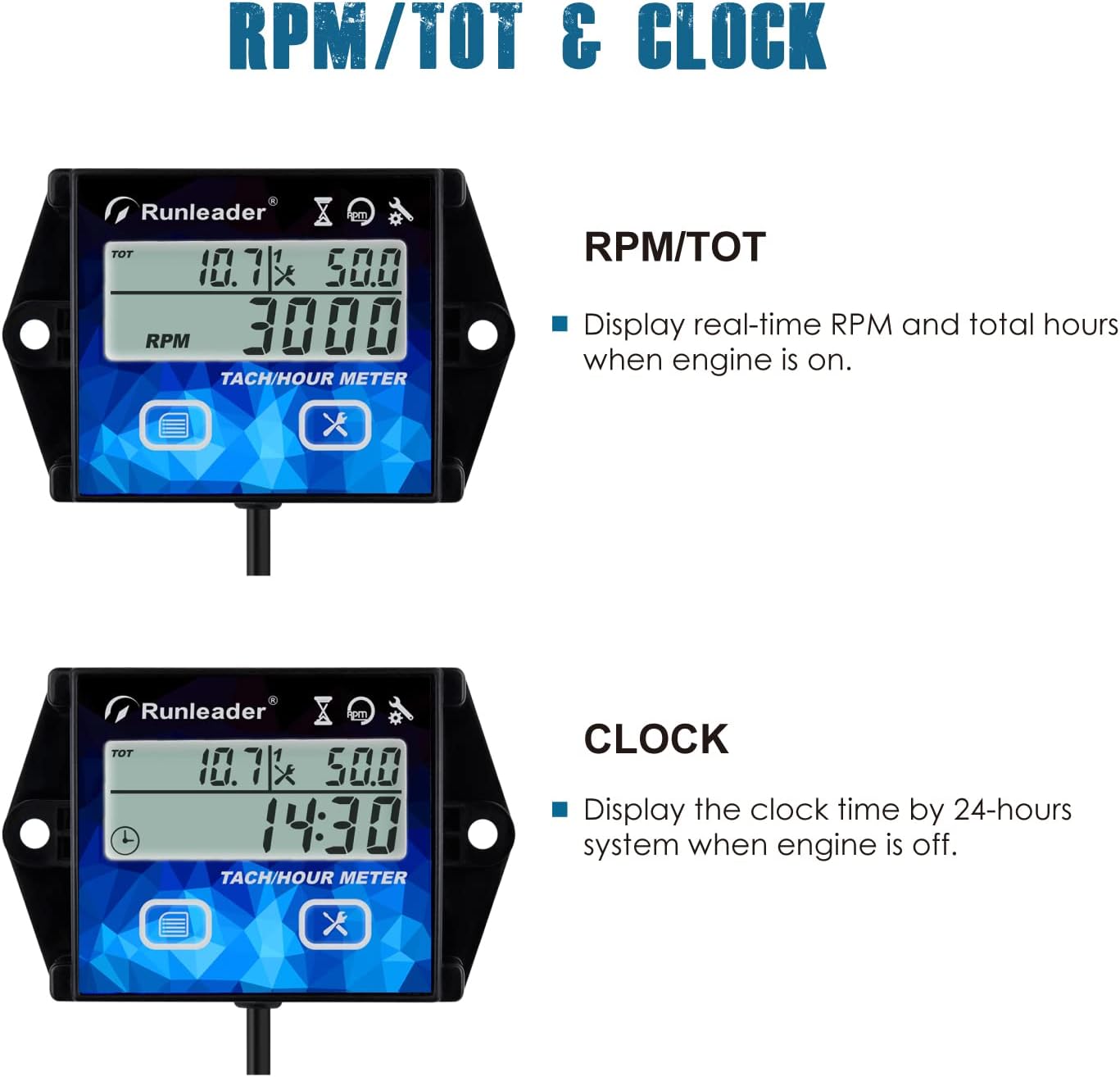
Figure 2: RPM/TOT and Clock Display Functionality

Figure 3: Two Individual Maintenance Timers and Reminder

Figure 4: MAX RPM and RPM Alert Functionality
3. Setup and Installation
3.1 Package Contents
Before installation, ensure all components are present:
- Runleader Tach/Hour Meter Unit
- User Manual
- Installation Manual
- 3M Adhesive Velcro
- Mini Screwdriver
- M4x35 Screws (x2)
- M4x16 Screws (x2)
- M4 Spring Washers (x4)
- M4 Flat Washers (x4)
- M4 Hex Nuts (x4)
- Cut-out Sticker
- Cable Ties (x2)

Figure 5: Product Dimensions and Included Accessories
3.2 Mounting Options
The meter offers three primary mounting methods:
- Stick-on Mounting: Use the provided 3M adhesive velcro to attach the meter to a clean, flat surface.
- Snap-in Mounting: Cut a panel opening of 2.08 x 1.57 inches (53 x 40 mm) using the cut-out sticker as a guide. Insert the meter and secure it from the back.
- Screw-on Mounting: Use the provided screws and nuts to fasten the meter through its mounting tabs to a desired surface.

Figure 6: Various Product Mounting Methods
3.3 Engine Signal Connection
The meter detects engine signals via a single wire. Wrap this wire around the engine's spark plug wire for approximately 5 turns. Secure the wrapped wire with a cable tie if necessary. The meter is compatible with 13 types of gas engines, including 2-stroke (1/2/3/4/6 cylinders) and 4-stroke (1/2/3/4/5/12/16 cylinders).

Figure 7: Engine Signal Wire Connection
4. Operating Instructions
4.1 Power On/Off
The meter automatically powers on when the engine starts. To manually turn off the display, press and hold the two buttons simultaneously. The display will automatically turn on when the engine is started again.
4.2 Display Modes
The meter cycles through different display modes. Refer to the specific instructions in the included user manual for detailed navigation and setting adjustments for each mode (TOT, JOB, INT, SVC, RPM, MAX RPM, Clock).
- TOT (Total Hours): Records the cumulative operating time of the engine.
- JOB (Trip Hours): Records the operating time for a single trip or session.
- INT (Initial Hours): Allows setting a previous hour reading for replacement meters.
- SVC (Service Reminder): Configurable timers for maintenance alerts.
- RPM (Revolutions Per Minute): Displays real-time engine speed when the engine is running.
- MAX RPM: Shows the highest RPM recorded since the engine was last started.
- Clock: Displays the current time in a 24-hour system when the engine is off.
5. Maintenance
5.1 Setting Service Reminders (SVC)
The meter features two independent SVC timers to help manage maintenance schedules. These timers can be set from 5 to 2000 hours. When a set SVC interval is reached, the display will flash with a red backlight to remind you that maintenance is due.
Refer to the detailed programming instructions in the user manual for setting and resetting the SVC timers.
5.2 Battery Replacement
The meter uses a replaceable CR2032 battery (included). When the battery level is low, the display may dim or become unresponsive. To replace the battery, locate the battery compartment on the back of the unit, open it using the mini screwdriver, and replace the old battery with a new CR2032, ensuring correct polarity. The LCD shutdown feature helps extend battery life when the meter is not in use.
6. Troubleshooting
| Problem | Possible Cause | Solution |
|---|---|---|
| Display is blank or dim. | Low or dead battery. | Replace the CR2032 battery. |
| RPM reading is inaccurate or erratic. | Signal wire not properly wrapped around spark plug wire; incorrect engine firing pattern setting. | Ensure the signal wire is wrapped at least 5 times around the spark plug wire. Verify the correct engine firing pattern is selected in the meter's settings (refer to user manual). |
| Meter does not turn on with engine. | Signal wire connection issue; battery issue. | Check signal wire connection. Ensure battery is installed correctly and has sufficient charge. |
| Maintenance reminder (SVC) not activating. | SVC timer not set or reset correctly. | Review the user manual for proper SVC timer setting and resetting procedures. |
7. Specifications
- Brand: Runleader
- Model Number: RL-HM011HB
- Material: Polycarbonate (PC)
- Item Dimensions (L x W x H): 2.95 x 2.76 inches (approx. 75 x 70 mm)
- Item Weight: 64 Grams (approx. 2.26 ounces)
- UPC: 787997590157
- Power Source: 1 x CR2032 battery (included)
- RPM Measurement Range: 0-25000 RPM
- RPM Alert Range: 100-25000 RPM
- Hour Meter Range: Up to 999,99 hours
- SVC Timer Range: 5-2000 hours
- Water Resistance: IP65 (Favorable water resistance)
- Manufacturer: Ningbo Jiangbei Run Leader Electronics Co., Ltd
- First Available Date: February 12, 2022
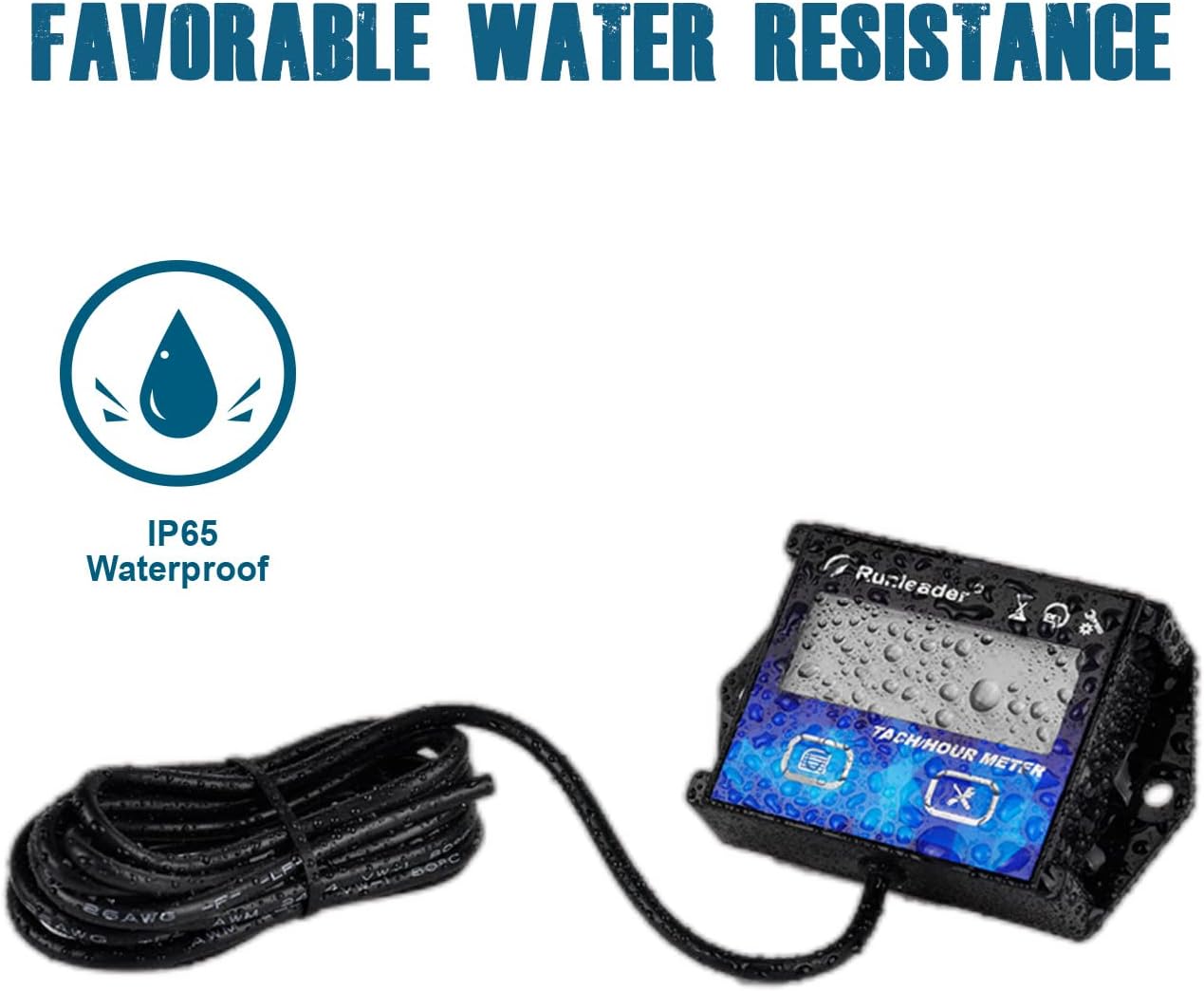
Figure 8: IP65 Water Resistance

Figure 9: Applicable Equipment Types
8. Safety Warnings
WARNING:
- INGESTION HAZARD: This product contains a button cell or coin battery.
- DEATH or serious injury can occur if ingested.
- A swallowed button cell or coin battery can cause Internal Chemical Burns in as little as 2 hours.
- KEEP new and used batteries OUT OF REACH OF CHILDREN.
- Seek immediate medical attention if a battery is suspected to be swallowed or inserted inside any part of the body.

Figure 10: Important Safety Warnings
9. Warranty and Support
Runleader provides reliable technical support and after-sales service for this product, including a 2-year warranty. For any inquiries, technical assistance, or warranty claims, please contact Runleader customer support through their official channels or the retailer where the product was purchased.
Visit the Runleader Store on Amazon for more information and contact details.
Ask a question about this manual
Ask about setup, troubleshooting, compatibility, parts, safety, or missing instructions. Manuals+ will review the question and use this page’s manual context to help answer it.