
Introduction
This manual provides essential information for the safe and efficient use of your LEDKIA LIGHTING RGB Dimmable LED Neon Strip. Please read these instructions carefully before installation and operation, and retain them for future reference.
The LED Neon Strip is a versatile and durable lighting solution designed for both indoor and outdoor applications. It features RGB color changing capabilities, dimmable brightness, and a robust PVC construction, ensuring a long operational life of up to 50,000 hours.
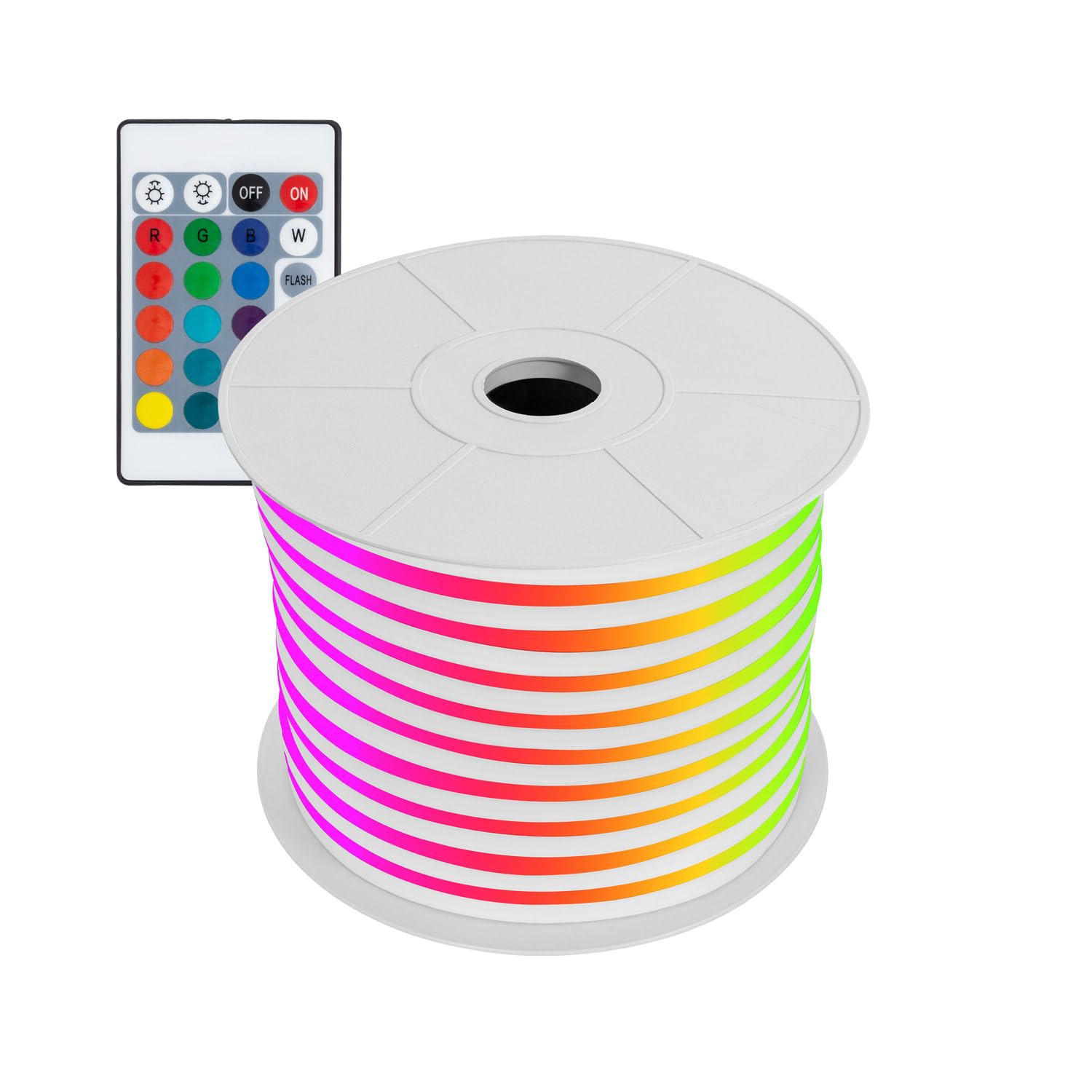
Image: A coiled section of the LEDKIA LIGHTING RGB LED Neon Strip, showcasing its flexible design and vibrant colors.
Safety Information
- Electrical Safety: This product operates on 220V AC. Ensure all connections are properly insulated and protected, especially for outdoor use. Installation should be performed by a qualified professional if you are unsure.
- Overheating Prevention: Never power on the LED strip when it is still coiled or rolled up. This can lead to overheating and damage to the product or pose a fire hazard.
- Ventilation: Use the LED strip in well-ventilated areas. Avoid direct sunlight exposure and temperatures exceeding 40°C (104°F).
- Cutting Instructions: The LED strip can be cut every 100 cm. Only cut at the designated marks to prevent damage to the strip. Improper cutting will void the warranty.
- Water Resistance: The strip has an IP67 rating, making it resistant to dust and water immersion up to 1 meter for 30 minutes. However, ensure all power connections and end caps are properly sealed and protected to maintain this rating, especially in outdoor environments.
- Material: The strip is made of Polychlorure de vinyle (PVC).
Product Features
- RGB Color Changing: Offers a wide range of colors to create various ambiances.
- Dimmable Functionality: Adjust the light intensity to suit your preferences.
- High Brightness: 11W/m power consumption with 60 LEDs/m for vibrant illumination.
- Durable Construction: Made from resistant PVC for long-term performance.
- IP67 Waterproof Rating: Suitable for both indoor and outdoor use, resistant to dust and water.
- Cuttable Design: Can be cut every 100 cm at marked intervals for custom lengths.
- Flexible: Ideal for creative installations, logos, and decorative lighting.
- Long Lifespan: Up to 50,000 hours of average operational life.

Image: A coiled LEDKIA LIGHTING RGB LED Neon Strip, demonstrating its flexibility and the smooth, continuous light it emits.
Package Contents
Verify that all components are present and undamaged:
- LEDKIA LIGHTING RGB Dimmable LED Neon Strip (Length as purchased)
- Power Cable (Câble d'alimentation)
- IR Controller (if included with your specific model)
- Remote Control (if included with your specific model)

Image: The power cable and IR controller connected to the LED Neon Strip, showing the input and output connections.

Image: A remote control with various color buttons (R, G, B, W), brightness controls, and mode buttons (Flash, Strobe, Fade, Smooth) for controlling the LED Neon Strip.
Setup
- Unpack the Strip: Carefully remove the LED Neon Strip from its packaging. Ensure it is fully uncoiled before connecting to power.
- Plan Installation: Determine the desired length and path for your LED strip. Remember that the strip can be cut every 100 cm.
- Cutting (if necessary): If a custom length is required, locate the designated cut marks on the strip (usually indicated by a scissor icon). Use sharp scissors to cut precisely at these marks. Do not cut at any other point.
- Connect Power: Connect the power cable to the LED Neon Strip. Ensure a secure connection. For outdoor installations, ensure the connection points are properly sealed against moisture.
- Mounting: Secure the LED strip in place using appropriate mounting clips or adhesive (not included, unless specified). Ensure the strip is not bent beyond its minimum curvature radius to prevent damage.
- Power On: Plug the power cable into a standard 220V AC outlet.
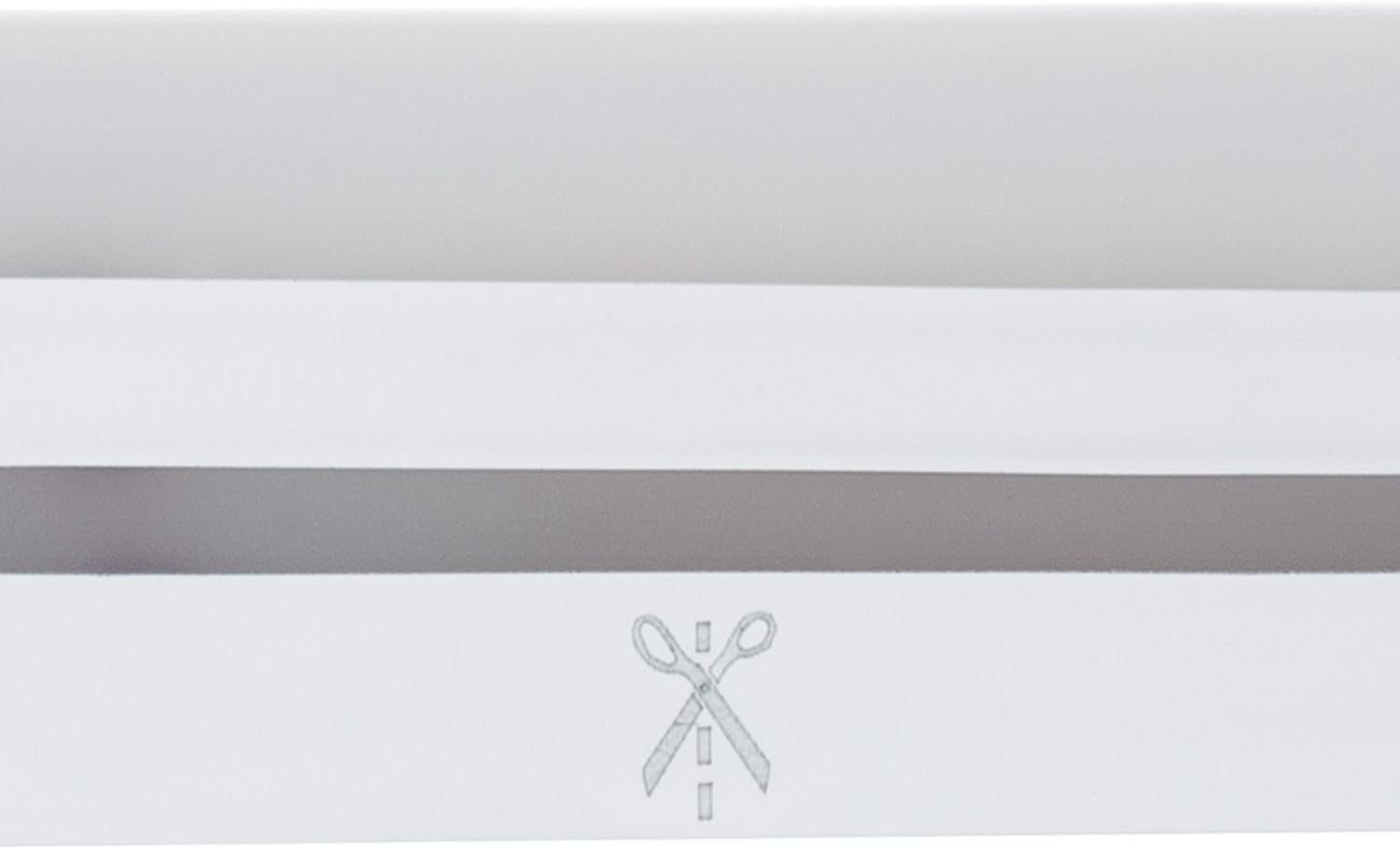
Image: A close-up view of the LED Neon Strip, clearly showing a scissor icon indicating the precise point where the strip can be safely cut.

Image: A diagram showing the minimum curvature radius for the LED Neon Strip, indicating that the bend diameter should be greater than 120mm to avoid damage.
Operating Instructions
Once the LED Neon Strip is installed and powered, use the remote control (if applicable) to operate it:
- Power On/Off: Press the "ON" button to turn the strip on, and "OFF" to turn it off.
- Color Selection: Use the color buttons (R, G, B, W, and other color presets) to select your desired light color.
- Brightness Adjustment: Use the brightness control buttons (sun icons) to increase or decrease the light intensity.
- Mode Selection: Select from various dynamic modes such as "FLASH", "STROBE", "FADE", and "SMOOTH" to create different lighting effects.

Image: An outdoor bar area illuminated by LEDKIA LIGHTING RGB LED Neon Strips, showcasing various colors like pink, green, and purple, highlighting the strip's application in creating ambient lighting.
Maintenance
- Cleaning: Disconnect power before cleaning. Use a soft, dry cloth to wipe the surface of the LED strip. Do not use abrasive cleaners or solvents.
- Inspection: Periodically inspect the strip and its connections for any signs of wear, damage, or loose connections, especially for outdoor installations.
- Connection Sealing: For outdoor use, regularly check the integrity of the seals on all connections to ensure continued IP67 protection.
- Storage: If storing the LED strip, ensure it is clean, dry, and loosely coiled to prevent damage. Avoid tight coiling.
Troubleshooting
| Problem | Possible Cause | Solution |
|---|---|---|
| LED strip does not light up. |
|
|
| Colors are incorrect or inconsistent. |
|
|
| Strip flickers or dims unexpectedly. |
|
|
Specifications
| Feature | Detail |
|---|---|
| Brand | LEDKIA LIGHTING |
| Model Number | 88603_184776 |
| Power Consumption | 11W/m (Total Power: 550 Watts, likely for a very long strip, e.g., 50m) |
| Voltage | 220V AC |
| LEDs per Meter | 60 LED/m |
| Color | RGB |
| Dimmable | Yes |
| Protection Rating | IP67 (Dust tight, protected against temporary immersion in water) |
| Cuttable Interval | Every 100 cm |
| Material | Polychlorure de vinyle (PVC) |
| Average Lifespan | 50,000 Hours |
| Product Dimensions (L x W x H) | 1 x 1.1 x 2.2 cm (Note: This refers to a small segment or packaging, not the full strip length) |
| Item Weight | 1 Kilogram (Note: This is likely for a specific length, e.g., 10m) |
| Power Source | Electric Cable |
| Controller Type | Plug-in Control |
| Usage | Indoor/Outdoor |
Warranty and Support
LEDKIA LIGHTING products are designed for durability and performance. For warranty information, please refer to the specific terms provided at the time of purchase or contact LEDKIA LIGHTING customer support directly.
Customer Support: For technical assistance, troubleshooting not covered in this manual, or warranty claims, please visit the official LEDKIA LIGHTING website or contact their customer service department. Contact details can typically be found on the product packaging or the brand's official online store.
Please note that returns for reasons unrelated to product functionality may be at the customer's expense, as visual perception of dimensions, colors, and textures can be influenced by environmental light, screen calibration, viewing angle, or the user's device.