
Introduction
The Type S Dynamic Light DL20 1000A Car Battery Jump Starter is a compact and powerful device designed to provide reliable assistance for vehicle battery issues and portable power needs. This manual provides essential information for safe and effective use, maintenance, and troubleshooting of your jump starter.
Product Overview
The Type S Dynamic Light DL20 is a versatile tool featuring a 1000 Amp peak current, capable of jump-starting 12V gasoline engines up to 6.0L and diesel engines up to 3.0L. Beyond jump-starting, it functions as a 10,000mAh power bank with USB-C input/output for rapid charging of mobile devices. It also includes an integrated LCD display with JumpGuide step-by-step instructions, a 100-lumen LED flashlight, and emergency red hazard lights for enhanced safety and convenience.
What's in the Box
- 1 x Jump Starter Power Bank
- 1 x 12V USB Charger & Micro USB Charging Cable
- 1 x Storage Case
- 1 x Safe & Smart Jumper Cables
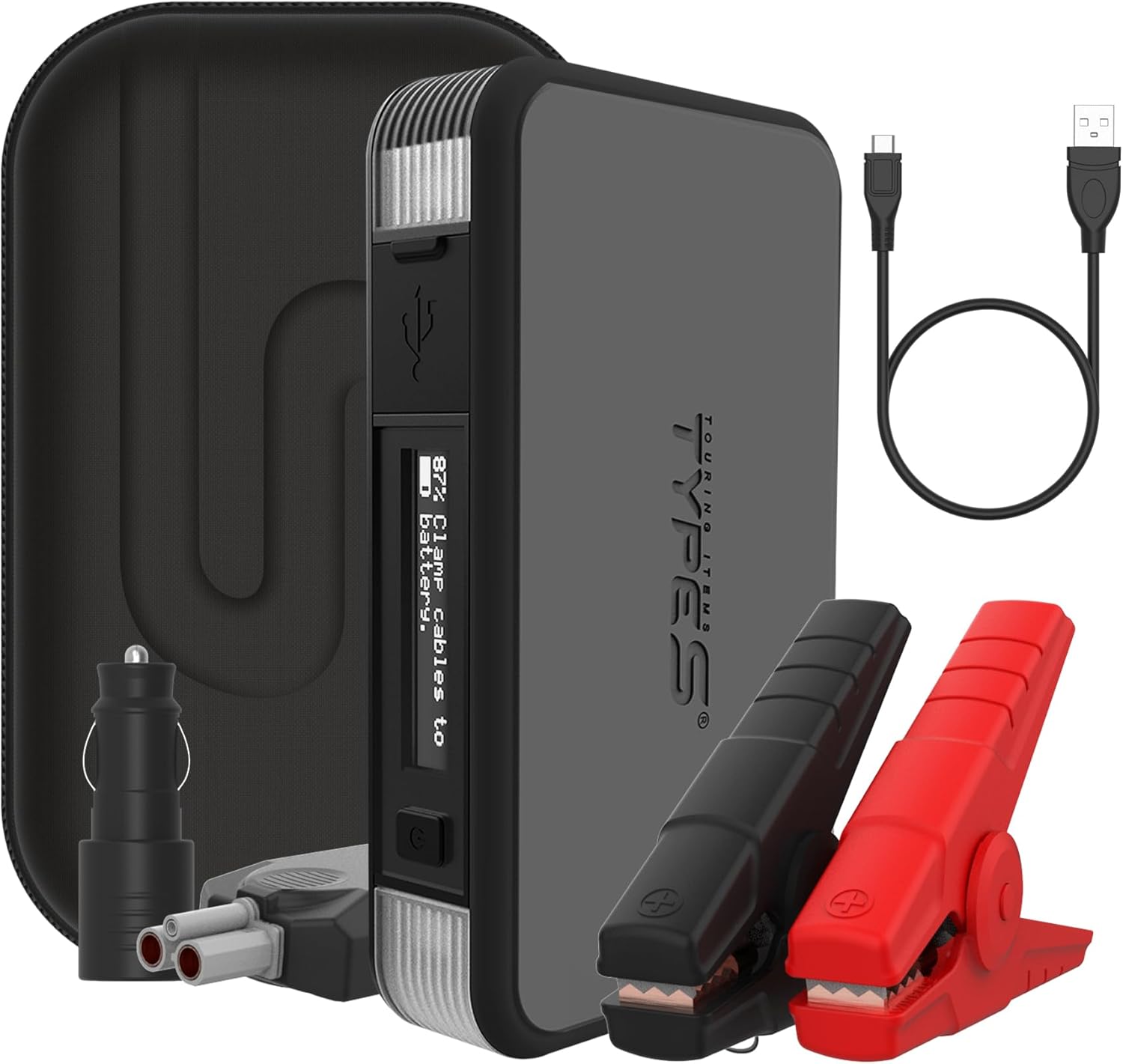
Figure 1: Type S Dynamic Light DL20 Jump Starter and Accessories

Figure 2: Contents of the Type S Jump Starter Package

Figure 3: SmartJump Guide LCD Display

Figure 4: Integrated LED Flashlight
Official Product Videos
Video 1: Overview of the Type S 1000A Car Battery Jump Starter, highlighting its features and benefits.
Video 2: Demonstrates the portability and convenience of the jump starter for everyday use.
Setup
Initial Charging
Before first use, fully charge the Type S Dynamic Light DL20 jump starter. Connect the provided USB-C charging cable to the jump starter's USB-C port and plug the other end into a compatible USB power adapter (not included) or a 12V USB car charger. The LCD screen will indicate charging status. Ensure the unit is fully charged for optimal performance.
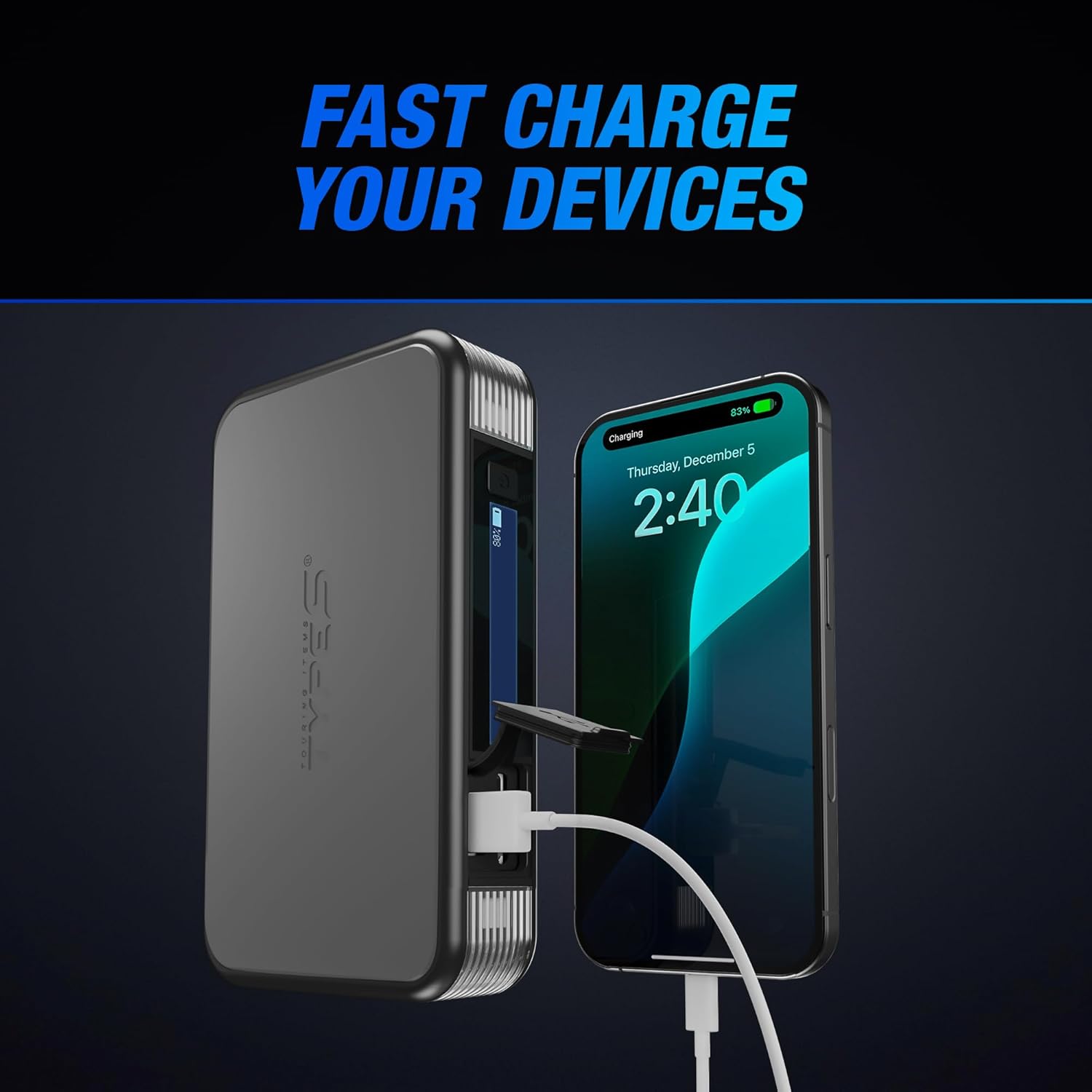
Figure 5: Charging Mobile Devices with the Power Bank (illustrates USB-C port usage)
Connecting Jumper Cables
Ensure the jump starter is turned off before connecting the jumper cables. Plug the smart jumper cables into the jump starter's designated port. The LCD screen will display instructions. Connect the red (positive) clamp to the positive (+) terminal of the vehicle's battery and the black (negative) clamp to a clean, unpainted metal part of the vehicle's engine block or chassis, away from the battery.

Figure 6: Connecting Jumper Cables to a Car Battery
Operating Instructions
Jump Starting a Vehicle
- Ensure the jump starter is fully charged and turned off.
- Connect the smart jumper cables to the jump starter.
- Connect the red clamp to the positive (+) battery terminal and the black clamp to a solid, unpainted metal part of the engine block or chassis.
- The LCD screen will display "Clamp cables to battery." Once connected correctly, it will show "Ready. Start vehicle ignition."
- Start your vehicle. If it doesn't start immediately, wait 30 seconds and try again. Do not attempt more than 3 consecutive jump starts.
- Once the vehicle starts, the LCD will show "Successful Jump, Unplug cables." Disconnect the black clamp first, then the red clamp, and finally unplug the cables from the jump starter.
Figure 7: SmartJump Guide LCD Display for Jump Starting
Video 3: Step-by-step demonstration of jump-starting a car battery using the Type S unit.
Video 4: Shows the jump starter in action, successfully starting a vehicle.
Using the Power Bank
To charge mobile devices, open the rubber flap on the side of the jump starter to reveal the USB-A and USB-C ports. Connect your device's charging cable to the appropriate port. The 10,000mAh capacity allows for multiple charges of smartphones, tablets, and other USB-powered devices.
Figure 8: Charging Devices with USB Ports
Activating Lights
The jump starter features a 100-lumen LED flashlight and integrated red hazard lights.
- Flashlight: Press and hold the power button for 3 seconds to turn on the LED flashlight. Press again to cycle through different modes (solid, strobe, SOS).
- Hazard Lights: Double-press the power button quickly to activate the red hazard lights. Double-press again to cycle through modes (solid, flashing).
Figure 9: LED Flashlight and Hazard Lights
Maintenance
Recharging the Unit
For optimal battery life, recharge the jump starter every 3-6 months, even if not in use. This prevents deep discharge and prolongs the internal battery's lifespan. Always use the provided charging cable.
Storage
Store the jump starter in its provided storage case in a cool, dry place, away from direct sunlight and extreme temperatures. Avoid storing it in temperatures below -4°F (-20°C) or above 140°F (60°C).
Cleaning
Wipe the unit with a soft, damp cloth. Do not use harsh chemicals or abrasive materials. Ensure all ports are free of dust and debris.
Troubleshooting
If you encounter issues with your Type S Dynamic Light DL20 jump starter, refer to the following common problems and solutions:
| Problem | Possible Cause | Solution |
|---|---|---|
| Unit does not turn on. | Battery is fully discharged. | Charge the unit fully using the provided USB-C cable. |
| Vehicle does not jump start. | Incorrect cable connection; Battery is severely damaged; Vehicle issue. | Check cable connections (red to positive, black to chassis). Refer to the smart cable's indicator lights for polarity protection status. Consult a mechanic if the battery is severely damaged or if the vehicle has other issues. |
| LCD screen displays an error message. | Refer to the smart cable's "Polarity Protection Circuit Status" chart. | The smart cable has indicator lights and a chart (often on the cable itself) that explains different error codes (e.g., reverse polarity, short circuit, overheat). Follow the instructions provided by the smart cable's display/lights. |
| Device not charging from power bank. | Jump starter battery low; Incorrect cable; Device incompatibility. | Ensure the jump starter is sufficiently charged. Try a different USB cable. Verify device compatibility with USB-A/USB-C outputs. |
Specifications
| Feature | Detail |
|---|---|
| Brand | TYPE S TOURING ITEMS |
| Model | Dynamic Light DL20 |
| Item Model Number | AC532632-1 |
| Peak Output Current | 1000 Amps |
| Engine Compatibility (Gas) | Up to 6.0L |
| Engine Compatibility (Diesel) | Up to 3.0L |
| Battery Capacity | 10,000mAh Lithium Ion |
| Product Dimensions | 6.12"D x 1.2"W x 3.6"H |
| Item Weight | 2.68 pounds |
| Specification Met | UL Listed |
| UPC | 840005327821 |
Warranty & Support
TYPE S TOURING ITEMS products are designed by California-based car enthusiasts and are UL Lab Tested for safety and reliability. For specific warranty information and customer support, please refer to the documentation included with your product or visit the official TYPE S website. They offer a US-based Customer Care Hotline and a YouTube channel for installation videos.
For extended warranty registration, please visit the manufacturer's website as instructed in your product packaging.