
1. Introduction
This manual provides detailed instructions for the setup, operation, and maintenance of your T-DAGGER Bora T-TGK313 Mechanical Gaming Keyboard. Please read this manual thoroughly before using the product to ensure optimal performance and longevity.
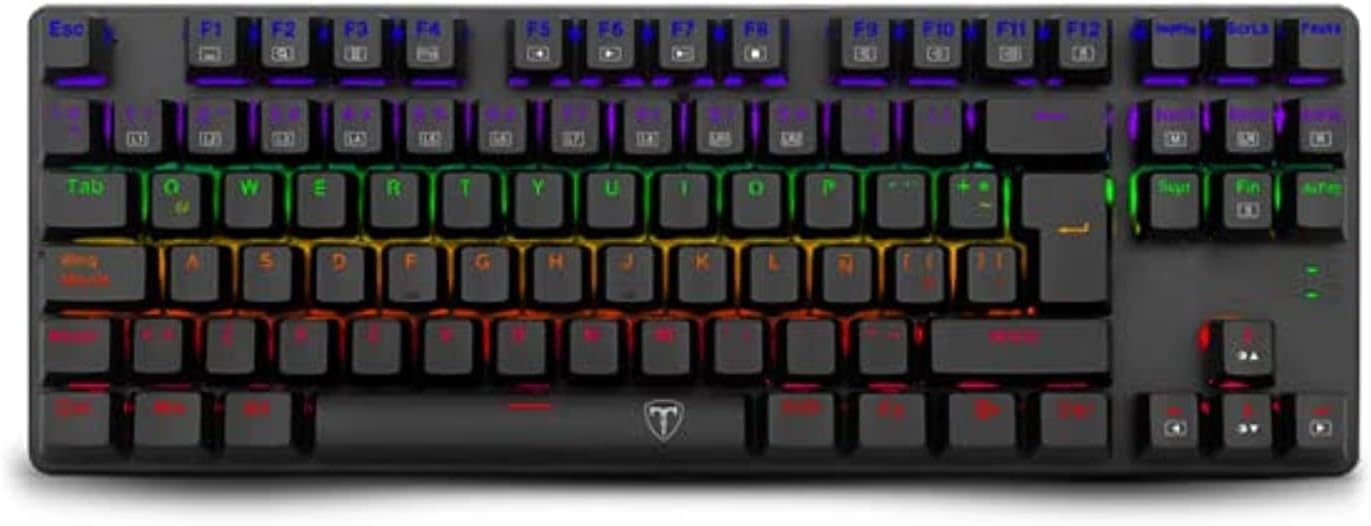
Image 1.1: The T-DAGGER Bora T-TGK313 mechanical gaming keyboard, showcasing its compact tenkeyless design and rainbow backlighting.
2. Package Contents
Verify that all items are present in the package:
- T-DAGGER Bora T-TGK313 Mechanical Gaming Keyboard
- User Manual (this document)
- Keycap Extractor
- Switch Extractor
- Micro-USB to USB-A Cable (1.60 meters, removable)
3. Setup
- Connect the Keyboard: Locate the Micro-USB port on the keyboard. Connect the provided Micro-USB to USB-A cable to the keyboard and then plug the USB-A end into an available USB port on your computer or gaming console.

Image 3.1: The T-DAGGER Bora T-TGK313 keyboard connected via its detachable USB cable.
- Driver Installation: The keyboard is plug-and-play. Your operating system (Windows, macOS, Linux) should automatically detect and install the necessary drivers. No additional software is required for basic functionality.
- Placement: Position the keyboard comfortably on your desk. The tenkeyless (TKL) design provides more space for mouse movement.
4. Operating Instructions
4.1. Key Functions
The T-DAGGER Bora T-TGK313 features a standard QWERTY layout with additional functions accessible via the Function (FN) key.
- Multimedia Keys: Access multimedia controls by holding the FN key and pressing the corresponding F1-F12 keys. Specific functions may vary based on the operating system.
- Windows Key Lock: The keyboard includes a Windows Key Lock feature to prevent accidental presses of the Windows key during gameplay. Refer to the keyboard's keycap legends for the specific FN combination to activate/deactivate this feature.
- Anti-Ghosting: The keyboard supports 100% Anti-Ghosting with Full Key Rollover, ensuring that all simultaneous key presses are registered accurately.
4.2. Mechanical Switches
The Bora T-TGK313 is equipped with T-Dagger Red mechanical switches. These switches are characterized by their linear actuation and low operating force (45 grams), providing a smooth and quiet typing experience, ideal for gaming.

Image 4.1: A close-up view of the T-Dagger Red mechanical switches and the durable double-shot injection keycaps.
4.3. Rainbow Backlighting
The keyboard features Rainbow backlighting. Use the dedicated lighting control keys or FN key combinations (as indicated on the keycaps) to adjust brightness, change lighting modes, or turn the backlight on/off.
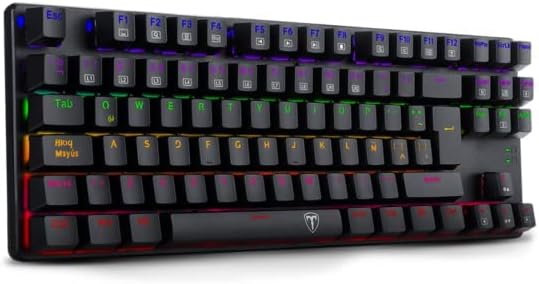
Image 4.2: A side perspective of the T-DAGGER Bora T-TGK313, highlighting its vibrant rainbow backlighting.
5. Maintenance
- Cleaning: Use a soft, dry cloth to wipe the keyboard surface. For deeper cleaning, you may use a can of compressed air to remove dust and debris from between the keycaps.
- Keycap Removal: The included keycap extractor can be used to safely remove keycaps for cleaning or replacement. Gently pull the keycap straight up using the tool.
- Switch Removal: The included switch extractor allows for the removal of individual mechanical switches. Exercise caution when removing switches to avoid damaging the PCB or switch pins.
- Cable Care: The Micro-USB cable is detachable. Store it properly when not in use to prevent kinks or damage.
6. Troubleshooting
- Keyboard Not Responding:
- Ensure the USB cable is securely connected to both the keyboard and the computer.
- Try connecting the keyboard to a different USB port on your computer.
- Test the keyboard on another computer to rule out system-specific issues.
- Backlighting Not Working:
- Check if the backlighting is turned off or set to minimum brightness using the keyboard's lighting controls (FN key combinations).
- Ensure the keyboard is receiving sufficient power from the USB port.
- Keys Not Registering:
- Clean around the affected keycap to ensure no debris is obstructing the switch.
- If a specific switch is faulty, it may require replacement using the switch extractor.
7. Specifications
| Model | T-TGK313 |
| Type | Mechanical |
| Switches | T-Dagger Red (45 grs actuation force) |
| Keycap Material | Double-shot injection, laser engraved |
| Keyboard Size | Tenkeyless (TKL) |
| Backlighting | Rainbow |
| Cable | USB-A to Micro USB, PVC, 1.60 m, removable |
| Matrix | 100% Anti-Ghosting with Full Key Rollover |
| Construction | Reinforced ABS plastic |
| Weight | 340 g |
| Dimensions (L x W x H) | 355 x 124 x 28 mm |
| Compatible Devices | PC, Laptop, Gaming Console |
| Power Source | USB power |
8. Warranty and Support
For warranty information and technical support, please refer to the official T-DAGGER website or contact your local retailer. Keep your proof of purchase for warranty claims.

