
Leonora VQ-BH16
Leonora VQ-BH16 Bluetooth Earphones User Manual
Model: VQ-BH16
Introduction
The Leonora VQ-BH16 Bluetooth Earphones are designed for convenience and performance, especially suitable for sports activities. Featuring a comfortable, wireless design, these earphones are IPX4 water-resistant and anti-sweat, allowing for hands-free calls and an immersive audio experience.
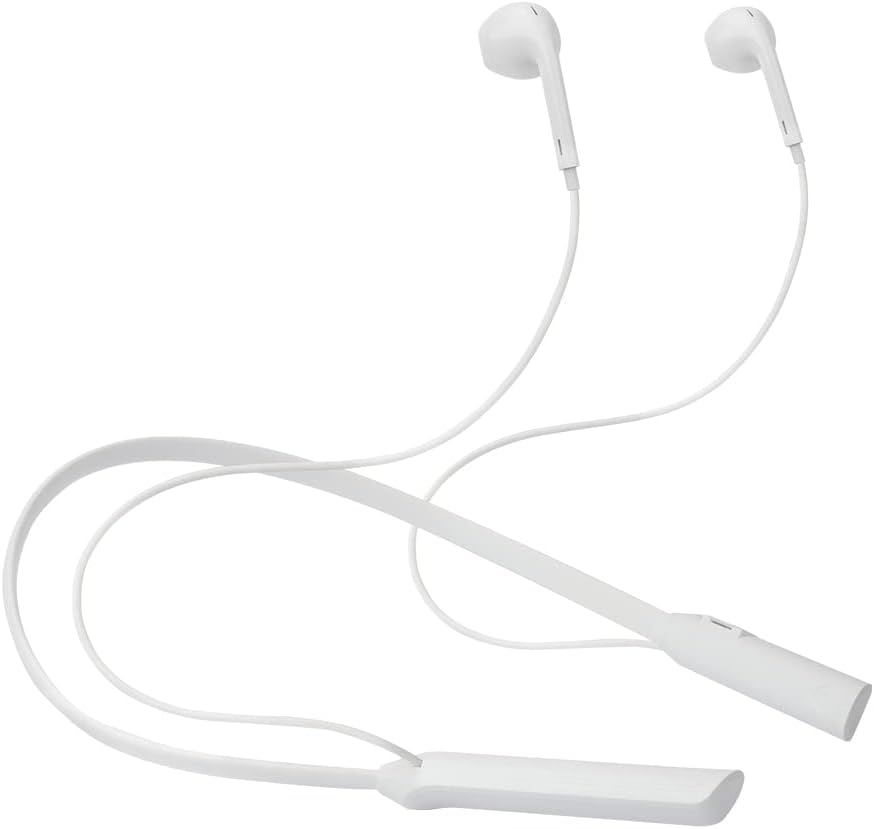
Image: Leonora VQ-BH16 Bluetooth Earphones, showcasing the white neckband design.

Image: Close-up view of the VQ-BH16 earbud tips, highlighting their design.
Setup
Charging the Earphones
Before first use, fully charge your earphones. Connect the provided Micro USB charging cable to the charging port on the earphone unit and the other end to a USB power source. The charging indicator light will show the charging status. A full charge takes approximately 1 hour.
Pairing with a Bluetooth Device
To pair your VQ-BH16 earphones with a Bluetooth device:
- Ensure the earphones are powered off.
- Press and hold the multi-function button until the indicator light flashes rapidly, indicating pairing mode.
- On your device (smartphone, tablet, etc.), enable Bluetooth and search for available devices.
- Select 'VQ-BH16' from the list.
- Once connected, the indicator light will change, and you will hear a confirmation tone.
The earphones will automatically reconnect to the last paired device when powered on, if the device's Bluetooth is active and within range.

Image: Earphones paired with a smartphone, demonstrating the wireless connection.
Operating Instructions
The VQ-BH16 earphones feature intuitive controls located on the neckband unit:
- Power On/Off: Press and hold the multi-function button.
- Play/Pause: Short press the multi-function button.
- Volume Up/Next Track: Short press '+' for volume up, long press '+' for next track.
- Volume Down/Previous Track: Short press '-' for volume down, long press '-' for previous track.
- Answer/End Call: Short press the multi-function button during an incoming call.
- Reject Call: Long press the multi-function button during an incoming call.
- Voice Assistant: Double-press the multi-function button (if supported by your device).

Image: Detailed view of the control buttons on the earphone's neckband.
Maintenance
To ensure the longevity and optimal performance of your Leonora VQ-BH16 earphones:
- Cleaning: Wipe the earphones with a soft, dry cloth. For stubborn dirt, use a slightly damp cloth and dry immediately. Do not use harsh chemicals or abrasive cleaners.
- Water Resistance: The earphones are IPX4 water-resistant, meaning they are protected against splashing water from any direction. They are anti-sweat, making them suitable for sports. Do not submerge the earphones in water or expose them to strong jets of water.
- Storage: Store the earphones in a cool, dry place away from direct sunlight and extreme temperatures.
- Battery Care: Avoid fully discharging the battery frequently. Charge the earphones regularly, even if not in use for extended periods, to maintain battery health.
Troubleshooting
If you encounter issues with your VQ-BH16 earphones, refer to the following common solutions:
- No Power: Ensure the earphones are fully charged. Connect them to a power source and check the charging indicator.
- Cannot Pair:
- Make sure Bluetooth is enabled on your device and the earphones are in pairing mode (flashing indicator light).
- Move the earphones closer to your device.
- Forget 'VQ-BH16' from your device's Bluetooth list and try pairing again.
- Ensure no other devices are currently connected to the earphones.
- No Sound/Low Volume:
- Check the volume level on both the earphones and your connected device.
- Ensure the earphones are properly paired and connected.
- Try playing different audio sources.
- Intermittent Connection:
- Reduce the distance between the earphones and your device.
- Avoid obstacles (walls, large objects) that may interfere with the Bluetooth signal.
- Minimize interference from other wireless devices.
- Poor Call Quality:
- Ensure the microphone is not obstructed.
- Check network signal strength on your phone.
- Move to a quieter environment.
Specifications
Detailed technical specifications for the Leonora VQ-BH16 Bluetooth Earphones:
| Feature | Detail |
|---|---|
| Model | VQ-BH16 (74649) |
| Connectivity | Bluetooth |
| Earphone Type | In-ear |
| Color | White |
| Water Resistance | IPX4 (Water-resistant, Anti-sweat) |
| Battery Life (Usage) | Approximately 5 hours |
| Battery Life (Standby) | Approximately 100 hours |
| Charging Time | Approximately 1 hour |
| Battery Capacity | 90mAh |
| Charging Port | Micro USB |
| Acoustic Box Diameter | 14mm |
| Impedance | 16 Ohm ± 15% |
| Compatible Devices | Cell phones, Tablets, Desktops, Notebooks, Game Consoles |
| Weight | 80 g |
| Included Components | Earphones, Micro USB Charging Cable |
| Specific Use | Sport |

Image: Full view of the Leonora VQ-BH16 earphones, illustrating their complete design.
Warranty and Support
Warranty Information:
The Leonora VQ-BH16 Bluetooth Earphones come with a 1-year manufacturer's warranty from the date of purchase. This warranty covers defects in materials and workmanship under normal use. It does not cover damage caused by misuse, accidents, unauthorized modifications, or normal wear and tear. Please retain your proof of purchase for warranty claims.
Customer Support:
For further assistance, technical support, or warranty inquiries, please contact Leonora customer service through their official website or the contact information provided with your purchase. You may also refer to the product's Amazon listing for additional support resources.
Ask a question about this manual
Ask about setup, troubleshooting, compatibility, parts, safety, or missing instructions. Manuals+ will review the question and use this page’s manual context to help answer it.