
Introduction
Thank you for choosing the BOROFONE BJ9 Uranus Power Bank. This portable charger is designed to provide reliable and fast power to your electronic devices on the go. With a 10000mAh capacity, Power Delivery (PD), and Quick Charge 3.0 (QC3.0) technologies, it ensures efficient charging for smartphones, tablets, and other compatible gadgets. Please read this manual carefully to understand the product's features, operation, and maintenance for optimal performance and safety.
Product Overview
Key Features:
- High Capacity: 10000mAh lithium-ion battery for extended power.
- Fast Charging Technologies: Supports Power Delivery (PD) and Qualcomm Quick Charge 3.0 (QC3.0) for rapid charging.
- Multiple Outputs: Features USB-C (18W), USB (18W), and USB (2A) outputs to charge various devices simultaneously.
- Dual Input: Recharge the power bank via USB-C or Micro-USB ports.
- LED Indicator: Displays remaining battery level and charging status.
- Dedicated On/Off Switch: For convenient power management.
- Slim & Lightweight Design: Easy to carry for travel and daily use.
- Airline Safe: Complies with airline regulations for portable power banks.
- Smart Identification: Automatically detects and delivers optimal charging current to connected devices.
Package Contents:
- BOROFONE BJ9 Uranus Power Bank
- USB Type-C Charging Cable
- Micro-USB Charging Cable
- User Manual (this document)
Product Diagram:
Refer to the image below for an overview of the power bank's components and ports.
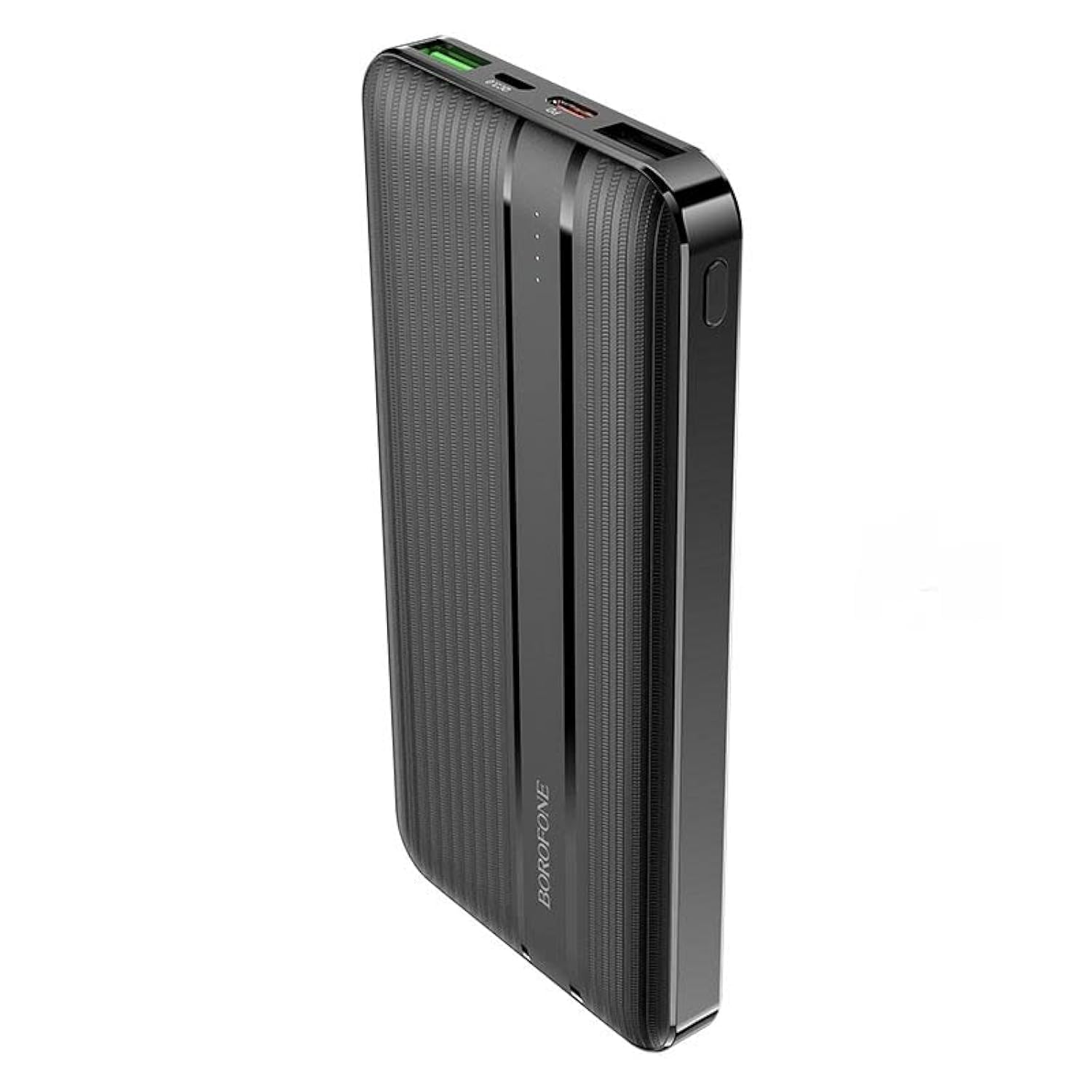
Image: Front view of the BOROFONE BJ9 Uranus Power Bank, showing USB-A, USB-C, and Micro-USB ports, along with the power button and LED indicators.
Setup
Initial Charging of the Power Bank:
- Connect one end of the provided USB-C or Micro-USB cable to the corresponding input port on the power bank.
- Connect the other end of the cable to a compatible USB wall charger (not included).
- The LED indicators will illuminate to show the charging progress. When all LEDs are solid, the power bank is fully charged.
- It is recommended to fully charge the power bank before first use.
Note: For faster recharging of the power bank, use a PD or QC3.0 compatible wall charger with the USB-C input port.
Operating Instructions
Charging Your Devices:
- Connect your device's charging cable to one of the output ports on the power bank (USB-C, USB1, or USB2).
- Connect the other end of the cable to your device.
- Press the power button on the power bank to initiate charging. The LED indicators will light up to show the power bank's remaining charge.
- Your device should begin charging automatically.
- To stop charging, disconnect your device or press the power button again (if the power bank does not automatically shut off after a period of inactivity).
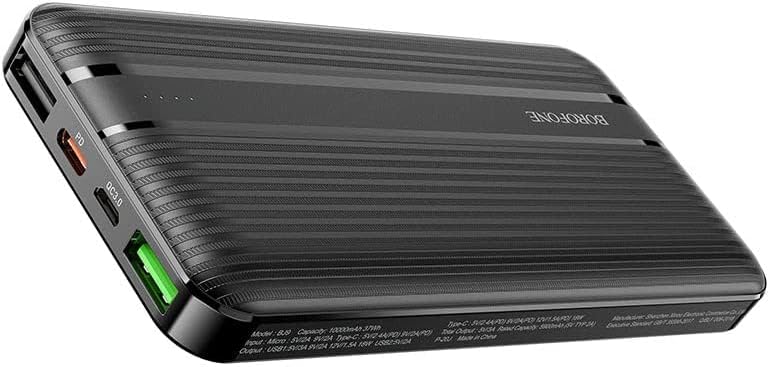
Image: The BOROFONE BJ9 Uranus Power Bank connected via cable to a smartphone, indicating active charging.

Image: The BOROFONE BJ9 Uranus Power Bank connected via cable to a laptop, demonstrating its capability to charge larger devices.
Checking Battery Level:
Press the power button once. The LED indicators will light up, showing the current battery level of the power bank. Each LED typically represents a percentage of the total charge (e.g., 4 LEDs = 75-100%, 3 LEDs = 50-75%, etc.).
Maintenance
- Storage: Store the power bank in a cool, dry place away from direct sunlight and extreme temperatures.
- Cleaning: Use a soft, dry cloth to clean the power bank. Do not use harsh chemicals or abrasive materials.
- Battery Care: To prolong battery life, fully charge the power bank at least once every three months if not in regular use. Avoid fully discharging the battery frequently.
- Avoid Drops: Do not drop or subject the power bank to strong impacts.
Troubleshooting
| Problem | Possible Cause | Solution |
|---|---|---|
| Power bank not charging | Cable is faulty or not properly connected; Wall charger is not working; Power bank is fully charged. | Check cable connections; Try a different cable or wall charger; Check LED indicators (if all are solid, it's fully charged). |
| Device not charging from power bank | Power bank battery is depleted; Cable is faulty or not properly connected; Device is incompatible; Power button not pressed. | Recharge the power bank; Check cable connections; Ensure your device is compatible; Press the power button to activate charging. |
| Slow charging | Using a non-fast charging port/cable; Device does not support fast charging; High power consumption by device during charging. | Ensure you are using a PD/QC3.0 compatible port and cable for fast charging; Close background apps on your device. |
| LED indicators not working | Power bank is completely discharged; Internal malfunction. | Try charging the power bank for a few hours; If problem persists, contact customer support. |
Specifications
| Model | BJ9 Uranus |
| Brand | BOROFONE |
| Battery Capacity | 10000mAh |
| Battery Type | Lithium-ion |
| Input (Micro-USB) | 5V/2A, 9V/2A, 12V/1.5A (18W Max) |
| Input (USB-C) | 5V/2A, 9V/2A, 12V/1.5A (18W Max) |
| Output (USB-C PD) | 5V/2.4A, 9V/2A, 12V/1.5A (18W Max) |
| Output (USB1 QC3.0) | 5V/2.4A, 9V/2A, 12V/1.5A (18W Max) |
| Output (USB2) | 5V/2A |
| Total Output | 20W Max |
| Color | Black |
| Compatible Devices | Smartphones, Tablets, PCs, Digital Video Game Players, iPod Touch |
| Special Features | LED Power Indicator, Dedicated On/Off Switch, Airline Safe, Smart Identification |
Safety Information
- Do not expose the power bank to water, moisture, or high humidity.
- Do not disassemble, modify, or repair the device yourself.
- Keep away from heat sources, open flames, and direct sunlight.
- Do not use if the power bank is damaged or swollen.
- Keep out of reach of children.
- Dispose of the power bank responsibly according to local regulations.
Warranty and Support
The BOROFONE BJ9 Uranus Power Bank comes with a standard manufacturer's warranty. For detailed warranty information, please refer to the warranty card included with your purchase or visit the official BOROFONE website. If you encounter any issues or have questions not covered in this manual, please contact BOROFONE customer support for assistance.


