
LG 55NANO75UQA
LG NANO75 Series Smart TV User Manual
Model: 55NANO75UQA
Introduction
This user manual provides essential information for the setup, operation, and maintenance of your LG NANO75 Series 55-Inch Class Smart TV (Model: 55NANO75UQA). This television features a NanoCell display for vibrant colors, an α5 Gen 5 AI Processor 4K for enhanced picture and sound, and integrated smart functionalities including Alexa Built-In and webOS. Please read this manual thoroughly before using your television to ensure proper and safe operation.
Setup Guide
1. Unboxing and Component Check
Carefully remove the television and all components from the packaging. Ensure all items listed below are present. It is recommended to retain the original packaging for future transport or service needs.

Image Description: A diagram illustrating the physical dimensions of the LG NanoCell 55-inch TV and a list of items included in the box: Magic Remote, remote control batteries (AA), power cable, and quick start guide. The TV dimensions are shown as 48.6 inches wide, 28.1 inches high (without stand), and 30.5 inches high (with stand), with a depth of 9.1 inches (with stand).
Included Components:
- LG NANO75 Series 55-Inch Smart TV
- Magic Remote
- Remote Control Batteries (AA)
- Power Cable
- Quick Start Guide
Note: TV stand and VESA mount are sold separately.
2. Stand Installation or Wall Mounting
If using the included stand, carefully attach it to the television following the instructions provided in the Quick Start Guide. Ensure all screws are securely fastened. If wall mounting, use a compatible VESA 300 x 300 mount (sold separately) and follow the mount manufacturer's instructions. Always ensure the TV is securely mounted to prevent accidents.
3. Connecting External Devices
Connect your external devices such as cable boxes, Blu-ray players, gaming consoles, and sound systems to the appropriate ports on the back or side of the TV. The LG NANO75UQA features multiple HDMI and USB ports, as well as an optical digital audio out and LAN port.
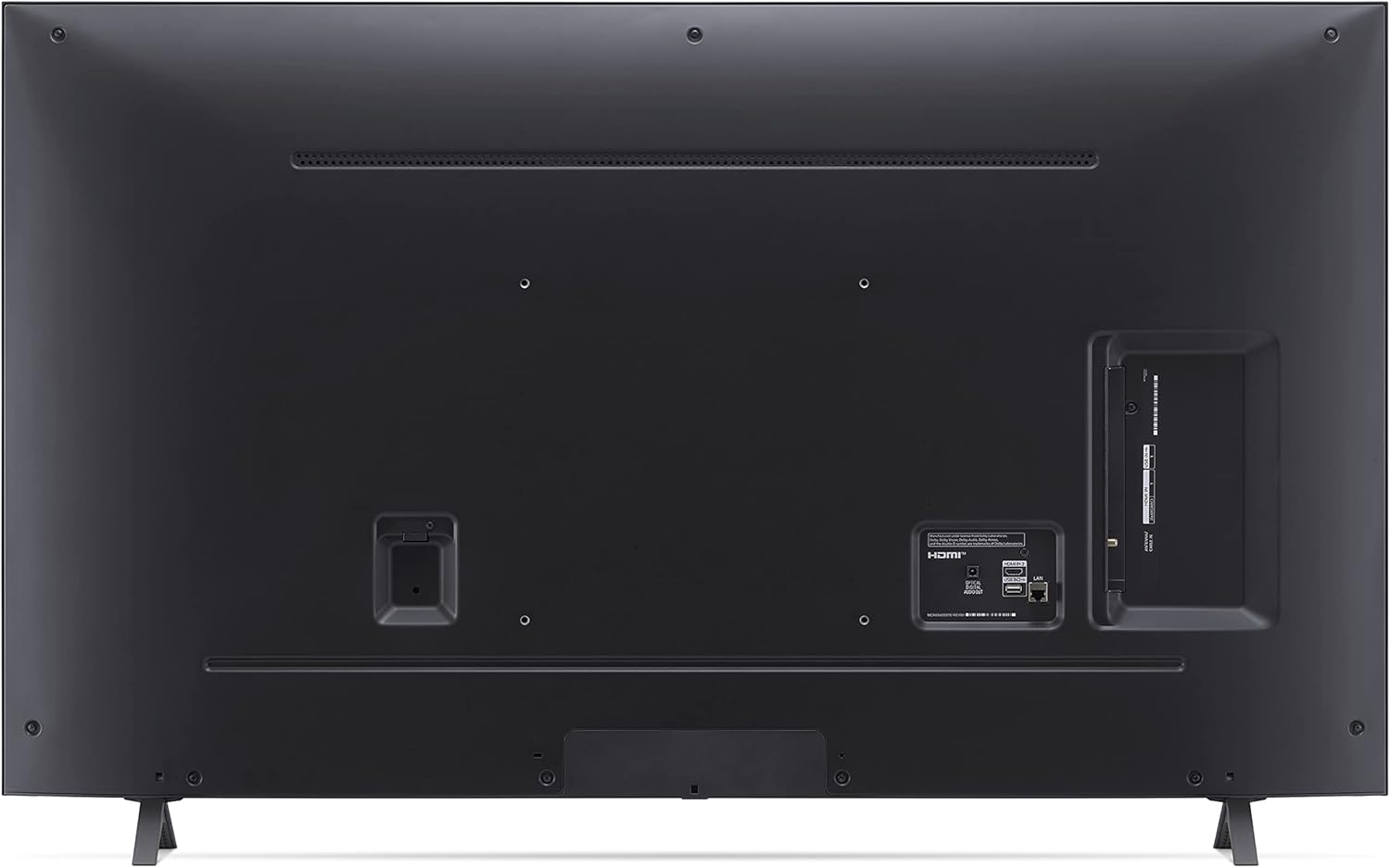
Image Description: A detailed view of the back panel of the LG NanoCell TV, highlighting the various connectivity ports. These include multiple HDMI inputs, USB ports, an optical digital audio output, and an Ethernet (LAN) port for wired network connection. There is also an antenna/cable input.

Image Description: A close-up image of the side-mounted ports on the LG NanoCell TV. This view clearly shows additional HDMI and USB input ports, which are easily accessible for connecting devices like gaming consoles or USB drives.
Common Connections:
- HDMI: For high-definition video and audio from Blu-ray players, game consoles, and set-top boxes.
- USB: For connecting USB storage devices to play media files.
- Optical Digital Audio Out: For connecting to a soundbar or home theater system.
- LAN: For a wired internet connection.
- Antenna/Cable In: For connecting an antenna or cable TV signal.
4. Power Connection
Plug the power cable securely into the TV's power input and then into a wall outlet. The TV will enter standby mode.
5. Initial Power On and Setup Wizard
Press the power button on the remote control or the TV. The initial setup wizard will guide you through language selection, network connection, channel tuning, and smart features setup. Follow the on-screen prompts.

Image Description: A close-up image of the LG Magic Remote. The remote features a central scroll wheel and directional pad, dedicated buttons for streaming services (Netflix, Prime Video, Disney+, HBO Max, LG Channels), voice control, and standard TV functions like power, volume, and channel selection.
Operating Your LG Smart TV
1. Using the Magic Remote
The LG Magic Remote allows for intuitive control of your TV. You can point, click, scroll, or use voice commands. The remote features dedicated buttons for popular streaming services and voice assistants.
Key Remote Functions:
- Pointer: Move the remote to control an on-screen pointer.
- Scroll Wheel: Scroll through menus and web pages.
- Voice Command Button: Activate voice assistants like Alexa or Google Assistant.
- Home Button: Access the webOS Home Dashboard.
- Quick Access Buttons: Directly launch Netflix, Prime Video, Disney+, HBO Max, and LG Channels.

Image Description: A screenshot of the LG webOS smart TV home screen. It displays recommended content, current weather, and a row of application icons at the bottom, including Netflix, Prime Video, Disney+, HBO Max, Hulu, Sling, Apple TV, YouTube, Peacock, Paramount+, Discovery+, and LG Channels.
2. Smart Features: webOS and ThinQ AI
Your LG Smart TV runs on webOS, providing a user-friendly interface for accessing apps, live TV, and connected devices. ThinQ AI integrates voice control and smart home capabilities, allowing you to control your TV and other compatible devices with your voice.

Image Description: An image promoting LG ThinQ AI and webOS, showing icons for Google Assistant, Alexa, Apple AirPlay2, and Apple HomeKit. The text "Just say 'Hi, LG'" indicates voice control functionality. Below, a partial view of the webOS interface is visible, similar to the previous image.
Voice Control:
Press the voice button on your Magic Remote and speak your commands. You can search for content, change settings, or control smart home devices. The TV supports Google Assistant, Amazon Alexa, Apple AirPlay2, and HomeKit.
3. Picture and Sound Enhancement
The LG NANO75UQA utilizes NanoCell technology and the α5 Gen 5 AI Processor 4K to deliver an optimized viewing experience.

Image Description: An LG NanoCell TV screen displaying a vibrant, colorful abstract image, with the text "Over a Billion Colors" above it. This highlights the TV's ability to produce a wide spectrum of hues.
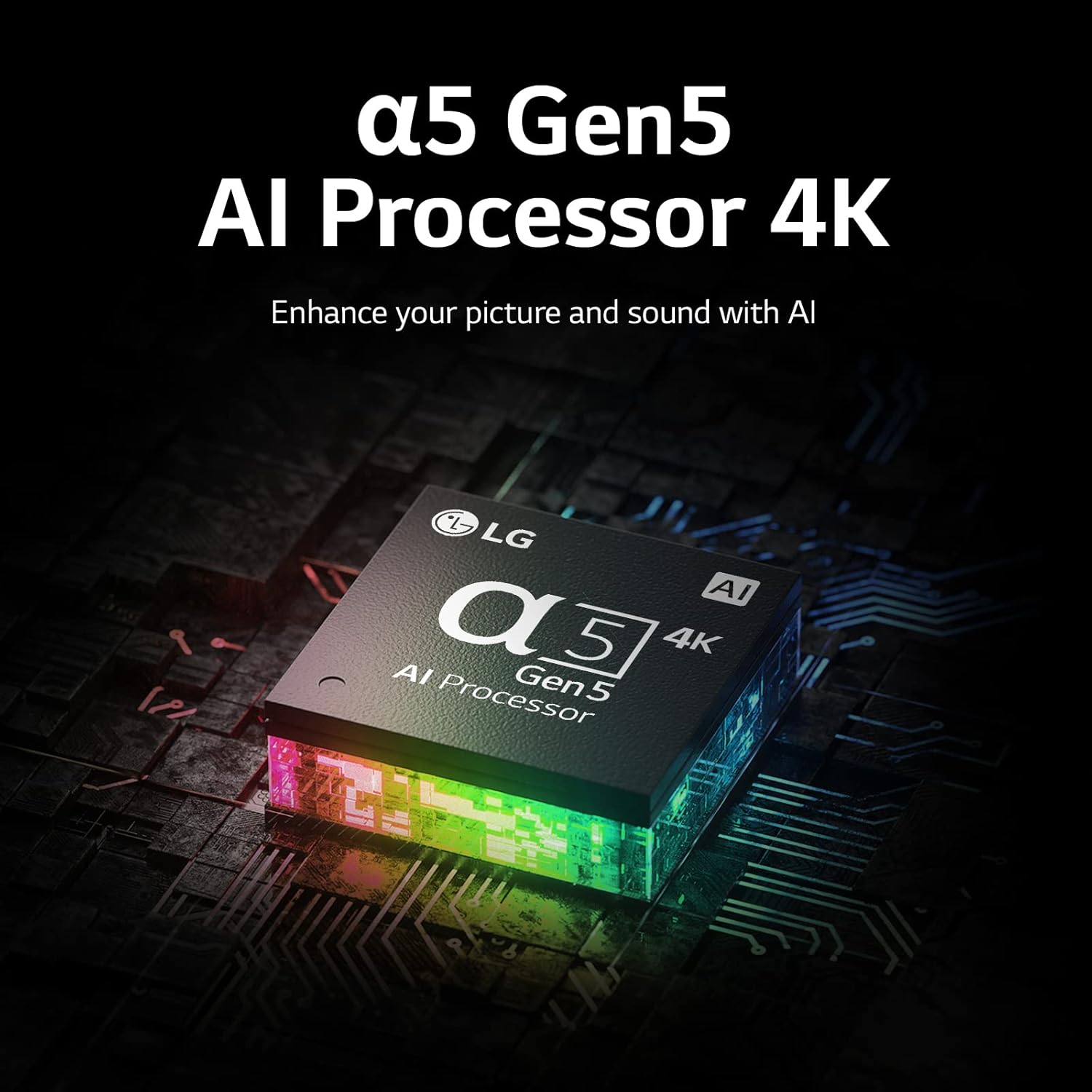
Image Description: A close-up, stylized image of the LG α5 Gen 5 AI Processor 4K chip, depicted with glowing circuits. The accompanying text states, "Enhance your picture and sound with AI," emphasizing the processor's role in optimizing media quality.
- NanoCell Display: Experience over a billion rich and vivid colors for a lifelike image.
- α5 Gen 5 AI Processor 4K: Automatically adjusts picture and sound based on content type, up-mixing 2-channel sound to virtual 5.1.2-channel audio.
- AI Brightness Control: Adjusts screen brightness automatically based on room lighting conditions.
- Active HDR: Supports multiple HDR formats for enhanced contrast and color.
- Filmmaker Mode: Preserves the director's original vision by disabling motion smoothing and other processing.
4. Gaming Features
The LG NANO75UQA is designed to enhance your gaming experience with features like Game Optimizer and cloud gaming support.

Image Description: A dynamic gaming scene displayed on an LG TV, illustrating the benefits of gaming features. Overlays show "With ALLM" (Auto Low-Latency Mode) and "With HGiG" (HDR Gaming Interest Group) compared to "Without ALLM" and "Without HGiG," demonstrating improved responsiveness and HDR tone mapping for gaming.
- Game Optimizer: A dedicated dashboard to adjust all your game settings quickly.
- Auto Low-Latency Mode (ALLM): Reduces input lag for smoother gameplay.
- HGiG Compliance: Ensures HDR game graphics are displayed as intended by game developers.
- Cloud Gaming Support: Stream games directly with services like GEFORCE Now.
Maintenance
1. Cleaning Your TV
To clean the screen, gently wipe it with a soft, lint-free cloth. For stubborn marks, slightly dampen the cloth with water or a specialized screen cleaner. Avoid using harsh chemicals or abrasive materials. For the TV frame and stand, use a soft, dry cloth.
2. Software Updates
Ensure your TV's software is up to date for optimal performance and access to the latest features. You can check for updates via the TV's settings menu (Settings > All Settings > General > About This TV > Check for Updates).
Troubleshooting
If you encounter issues with your LG Smart TV, refer to the following common troubleshooting tips. For more detailed solutions, please consult the full User Manual (PDF) available online.
Common Issues and Solutions:
| Problem | Possible Solution |
|---|---|
| No Power | Check if the power cable is securely plugged into the TV and the wall outlet. Try a different outlet. |
| No Picture/Sound | Verify the correct input source is selected. Check cable connections to external devices. |
| Remote Control Not Working | Replace batteries. Ensure no obstructions between the remote and TV. Re-pair the Magic Remote if necessary. |
| No Internet Connection | Check your Wi-Fi router. Reconnect to the network in TV settings. Try a wired LAN connection. |
| Smart Features Slow/Unresponsive | Restart the TV (unplug from power for 1 minute). Check for software updates. Clear app cache if possible. |
Specifications
| Feature | Detail |
|---|---|
| Brand | LG |
| Model Number | 55NANO75UQA |
| Screen Size | 54.6 Inches (Diagonal) |
| Display Technology | NanoCell |
| Resolution | 4K UHD (3840 x 2160) |
| Refresh Rate | 60 Hz |
| Processor | α5 Gen 5 AI Processor 4K |
| Smart TV Platform | webOS |
| Voice Assistants | Alexa Built-In, Google Assistant, Apple AirPlay2, HomeKit |
| Connectivity | Wi-Fi, Ethernet (LAN) |
| Ports | Multiple HDMI, Multiple USB, Optical Digital Audio Out, Antenna/Cable In |
| Dimensions (W x H x D) | 48.6" x 30.5" x 9.1" (with stand) |
| Weight | 32.6 pounds |
| Power Consumption (On-mode) | 22 watts |
Warranty and Support
For warranty information, please refer to the warranty card included with your product or visit the official LG website. For technical support, troubleshooting assistance, or service requests, please contact LG Customer Service.
A comprehensive User Manual (PDF) is available for download: Download User Manual (PDF)
You can also visit the official LG Store on Amazon for more product information and support: Visit LG Store