Introduction
This manual provides essential instructions for the proper installation, operation, and maintenance of your Pioneer DMH-342EX Digital Multimedia Receiver. Please read this manual thoroughly before using the product to ensure correct usage and to prevent damage.
The Pioneer DMH-342EX is an in-dash multimedia receiver designed to enhance your in-car entertainment and connectivity. It features a vibrant 6.8-inch WVGA capacitive touchscreen display for intuitive control and clear visuals. Key functionalities include high-resolution audio playback, built-in Bluetooth for hands-free calling and wireless audio streaming, and Amazon Alexa integration via the Vozsis smartphone app. The unit is also compatible with a rear-view camera for improved safety.
Safety Information
WARNING: Failure to follow these safety instructions may result in fire, electric shock, injury, or damage to the product or vehicle.
- Professional Installation Recommended: Installation of this product requires technical expertise. It is highly recommended to have the unit installed by a qualified professional.
- Power Supply: Connect the unit only to a 12V DC negative ground electrical system.
- Wiring: Ensure all wiring is correctly connected according to the wiring diagram. Incorrect wiring can cause damage or fire. Do not extend power cables.
- Fuses: Always use fuses of the specified rating. Using incorrect fuses can cause fire or damage.
- Driving Safety: Do not operate the unit in a way that distracts you from driving safely. Always keep your eyes on the road.
- Volume Level: Keep the volume at a level where you can still hear outside traffic sounds.
- Moisture: Do not expose the unit to moisture or water.
- Ventilation: Ensure adequate ventilation around the unit to prevent overheating.
What's in the Box
Upon opening the package, verify that all the following components are present:
- Digital receiver with fixed 6.8" touchscreen monitor (includes 10A fuse)
- Wiring harness
- Remote control (Model: CXE9605)
- CR2025 3V lithium battery (pre-installed in remote)
- 1.5m USB Extension Cable Type A (Male) to Type A (Female)

Image: The Pioneer DMH-342EX Digital Multimedia Receiver unit, showing its 6.8-inch touchscreen and physical buttons on the left side.
Setup and Installation
Proper installation is crucial for optimal performance and safety. It is strongly recommended that installation be performed by a qualified professional.
1. Pre-Installation Checks
- Disconnect the vehicle's negative battery terminal before starting any electrical work.
- Ensure you have all necessary tools and mounting hardware.
- Review the wiring diagram provided with the unit for specific connections.
2. Wiring Connections
Connect the included wiring harness to your vehicle's electrical system. Typical connections include:
- Power (Yellow): Constant 12V supply.
- Accessory (Red): Switched 12V supply (turns on/off with ignition).
- Ground (Black): Connect securely to a metal part of the vehicle chassis.
- Speaker Outputs: Connect to your vehicle's speakers (Front Left, Front Right, Rear Left, Rear Right). Ensure correct polarity.
- Remote Turn-On (Blue/White): For external amplifiers or power antennas.
- Parking Brake Wire: Connect to the vehicle's parking brake circuit as per local regulations for video playback safety.
- Reverse Gear Signal (Purple/White): For automatic rear-view camera activation.
3. Mounting the Unit
Install the DMH-342EX into your vehicle's double-DIN opening using the appropriate mounting brackets. Secure the unit firmly to prevent vibration and movement.
4. Initial Power-On
- Reconnect the vehicle's negative battery terminal.
- Turn on your vehicle's ignition. The unit should power on.
- Follow any on-screen prompts for initial setup, such as language selection or clock setting.
Operating Instructions
1. Touchscreen Interface
The 6.8-inch capacitive touchscreen provides access to all functions. Tap icons to select sources, adjust settings, or navigate menus. Swipe gestures may also be supported for certain functions.

Image: The main menu screen of the Pioneer DMH-342EX, displaying various input source icons including Radio, Bluetooth Audio, USB, iPod, WebLink, Phone, AUX, and Camera View.
2. Audio Playback
The DMH-342EX supports high-resolution audio playback and various formats including AAC, FLAC, MP3, WAV, and WMA. Select your desired audio source (Radio, USB, iPod, Bluetooth Audio) from the main menu.
- Radio: Tune to AM/FM stations. Save favorite stations as presets.
- USB: Connect a USB device containing audio files. The unit will automatically detect and play compatible files.
- iPod: Connect your iPod/iPhone via USB for direct control and audio playback.
- AUX: Connect external audio players using a 3.5mm stereo mini-jack cable.
Audio Settings: Access the audio settings menu to customize sound. The built-in 13-band graphic equalizer allows fine-tuning of bass, treble, and other audio parameters. Pioneer's advanced sound retrieval technology helps restore details lost during digital compression.

Image: The Pioneer DMH-342EX screen showing iPod music playback, including track information and playback controls.
3. Bluetooth Connectivity
The built-in Bluetooth module enables hands-free calling and wireless audio streaming from your smartphone.
- Pairing: On your smartphone, search for Bluetooth devices and select "DMH-342EX". Confirm the pairing code on both devices if prompted.
- Hands-Free Calling: Once paired, you can make and receive calls directly through the receiver's touchscreen and microphone.
- Audio Streaming: Play music from your smartphone wirelessly via Bluetooth Audio.
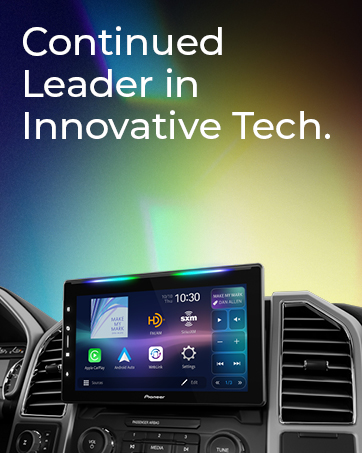
Image: A car interior view showing the Pioneer head unit installed, displaying a navigation application on its screen.
4. Amazon Alexa Integration
The DMH-342EX supports Amazon Alexa functionality through the Pioneer Vozsis smartphone app. Download the Vozsis app on your iOS or Android device to enable Alexa in your car.
- Install the Vozsis app on your smartphone.
- Connect your smartphone to the DMH-342EX via Bluetooth.
- Launch the Vozsis app and follow the on-screen instructions to link your Amazon account.
- Use voice commands to access Alexa features such as music playback, navigation, news, and more.
5. Rear View Camera
The unit is compatible with an optional rear-view camera (sold separately). When connected, the camera feed will automatically display on the screen when the vehicle is shifted into reverse gear, providing assistance for parking and maneuvering.

Image: The Pioneer DMH-342EX screen displaying a rear-view camera image with superimposed parking guidelines, indicating the area behind the vehicle.
Maintenance
- Cleaning the Screen: Use a soft, dry cloth to gently wipe the touchscreen. For stubborn smudges, slightly dampen the cloth with water or a screen-safe cleaner. Do not use abrasive cleaners or solvents.
- General Cleaning: Keep the unit free from dust and debris. Use a soft brush or compressed air to clean vents and button areas.
- Software Updates: Periodically check the Pioneer website for any available firmware updates for your DMH-342EX model. Follow the instructions provided with the update carefully.
- Fuse Replacement: If the unit does not power on, check the fuse located on the rear of the unit (10A). Replace it only with a fuse of the same rating.
Troubleshooting
If you encounter issues with your DMH-342EX, refer to the following common problems and solutions:
| Problem | Possible Cause | Solution |
|---|---|---|
| No Power / Unit Does Not Turn On |
|
|
| No Sound |
|
|
| Bluetooth Connection Issues |
|
|
| Rear View Camera Not Displaying |
|
|
| Screen is White or Unresponsive |
|
|
Specifications
| Brand | PIONEER |
| Model Number | DMH-342EX |
| Item Type Name | In-dash Receiver |
| Connectivity Technology | Bluetooth, USB |
| Wireless Technology | Bluetooth |
| Controller Type | Push Button, Remote, Touch |
| Special Features | Built-In Bluetooth, Rear View Camera Input, Touchscreen |
| Compatible Devices | Apple iPhone, Smartphone |
| Connector Type | RCA |
| Audio Output Mode | Stereo |
| Surround Sound Channel Configuration | [POSSIBLE] 5.1 |
| Video Encoding | AVI, MPG/MPEG, MP4, MKV, MOV, FLV, M4V, H.263, H.264 |
| Color | Black |
| Output Power | 88 Watts |
| Wattage (RMS) | 14 Watts |
| Number of Channels | 4 |
| Supported Internet Services | Maps |
| Audio Output Type | Speakers |
| Supported Audio Formats | WMA (and others like AAC, FLAC, MP3, WAV mentioned in description) |
| Item Weight | 2.4 Pounds |
| UPC | 884938485616 |
| GTIN | 884938485616 |
Warranty Information
The Pioneer DMH-342EX Digital Multimedia Receiver comes with a 1-year limited warranty from the date of purchase. This warranty covers defects in materials and workmanship under normal use. Please retain your proof of purchase for warranty claims.
For full details regarding warranty terms, conditions, and exclusions, please refer to the official warranty documentation included with your product or visit the Pioneer official website.
Customer Support
For further assistance, technical support, or service inquiries, please contact Pioneer customer support:
- Pioneer Official Website: www.pioneerelectronics.com (Check for product registration, FAQs, and support contact information)
- Refer to the comprehensive owner's manual for detailed operational instructions and advanced features.