1. Introduction
Thank you for choosing the MCP SF802 Digital Kitchen Weighing Scale. This manual provides essential information for the proper setup, operation, and maintenance of your new weighing scale. Designed for home use, this compact scale offers high accuracy and a maximum capacity of 25 Kg, making it suitable for various kitchen and household weighing needs. Please read this manual thoroughly before using the product to ensure optimal performance and longevity.
2. Product Overview
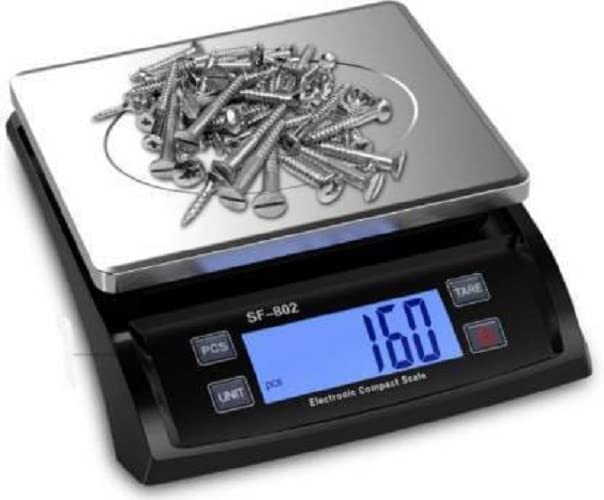
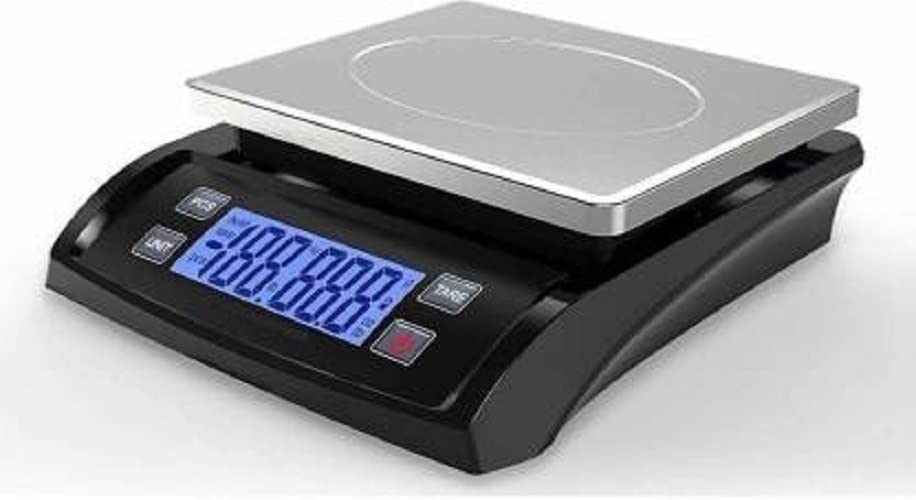
The MCP SF802 Digital Kitchen Weighing Scale features a durable stainless steel pan and a clear white backlight LCD display. Its compact design makes it ideal for small spaces while providing accurate measurements.

3. Setup
Before first use, please follow these steps to set up your scale:
- Power Source: The scale can be powered by 3 AAA batteries (not included) or directly via the included AC adapter.
- Battery Installation: Open the battery compartment on the underside of the scale. Insert 3 AAA batteries, ensuring correct polarity (+/-).
- AC Adapter Use: If using the AC adapter, plug it into the scale's power port and then into a wall outlet. Important Note: The scale does not have a rechargeable battery. The AC adapter powers the scale directly and does not recharge the AAA cells. Do not use both batteries and the adapter simultaneously. The adapter should only be used when you are not using the AAA cells.
- Initial Activation: Before first use, remove the plastic cap from behind the cells (if batteries are installed) to activate the scale.


4. Operating Instructions
Familiarize yourself with the scale's functions for accurate and efficient weighing.
4.1. Basic Weighing
- Place the scale on a flat, stable surface.
- Press the ON/OFF button to turn on the scale. Wait for the display to show "0.00" or "0".
- Place the item to be weighed gently on the center of the stainless steel pan.
- Read the weight displayed on the LCD screen.
4.2. Unit Conversion
The scale supports both Kilogram (Kg) and Gram (gms) units of measurement.
- Press the UNIT button to cycle through the available units (Kg, gms).
- The selected unit will be indicated on the display.

4.3. Tare Function
The Tare function allows you to subtract the weight of a container, so you can weigh only the contents.
- Place an empty container on the scale platform.
- Press the TARE button. The display will reset to "0.00".
- Add the items you wish to weigh into the container. The display will show the net weight of the items.
4.4. Hold Function
The Hold function is useful for locking the displayed weight, especially for oversized packages that might obscure the display.
- After placing an item on the scale and the weight stabilizes, press the HOLD button (if available, or refer to specific button for this function).
- The displayed weight will be locked, allowing you to remove the item and still read the measurement.
4.5. Auto-Off Feature
To conserve power, the scale features an automatic shut-off function.
- When operating on batteries, the scale will automatically turn off after approximately 90 seconds of inactivity.
- When powered by the AC adapter, the auto-off function is disabled, and the scale will remain on until manually turned off.
4.6. Piece Counting Function
The scale includes a piece counting function for counting multiple small, identical items.
- Refer to the PCS button on the scale. Consult the quick start guide for detailed steps on calibrating and using the piece counting function.
5. Maintenance
Proper care and maintenance will ensure the longevity and accuracy of your MCP SF802 Digital Kitchen Weighing Scale.
- Cleaning: Wipe the scale surface with a soft, damp cloth. Do not use abrasive cleaners or immerse the scale in water. The stainless steel pan can be wiped clean easily.
- Storage: Store the scale in a dry place at room temperature. Avoid extreme temperatures and humidity.
- Battery Replacement: The life of AAA cells is approximately 30-50 days depending on usage. When the batteries get low, the scale will indicate a low battery warning. Replace all three AAA batteries with new ones when this occurs. Used cells are disposable and not rechargeable.
- Avoid Overload: Do not exceed the maximum weight capacity of 25 Kg to prevent damage to the scale's sensors.
- Handle with Care: Avoid dropping the scale or subjecting it to strong impacts, as this can affect its accuracy and functionality.
6. Troubleshooting
If you encounter any issues with your scale, please refer to the following common problems and solutions:
| Problem | Possible Cause | Solution |
|---|---|---|
| Scale does not turn on | Low or dead batteries; Plastic cap not removed from batteries; Loose battery connection; No power from AC adapter. | Replace batteries; Ensure plastic cap is removed; Reinsert batteries correctly; Check AC adapter connection and power outlet. |
| Inaccurate readings | Scale not on a flat, stable surface; Overload; Damaged sensor; Drafts or vibrations. | Place on a firm, level surface; Do not exceed 25 Kg capacity; Avoid placing near fans or vents; If problem persists, contact support. |
| Display shows "Lo" or "Err" | Low battery; Overload; Malfunction. | Replace batteries; Remove excess weight; Turn off and on again. If error persists, contact support. |
| Auto-off too quickly/not at all | Using batteries (auto-off enabled); Using AC adapter (auto-off disabled). | This is normal behavior. Auto-off is 90 seconds on battery power and disabled when using the AC adapter. |
7. Specifications
Detailed technical specifications for the MCP SF802 Digital Kitchen Weighing Scale:
- Model: SF-802
- Brand: MCP
- Colour: White
- Material: Stainless Steel (Pan)
- Display Type: LCD with White Backlight
- Weight Limit: 25 Kilograms
- Readout Accuracy: 2 Grams
- Units of Measurement: Kilograms (Kg), Grams (gms)
- Special Features: Auto Shut Off, Tare Function, Hold Function, Piece Counting Function
- Power Source: 3 x AAA Batteries (Not Included), AC Adapter (Included)
- Item Weight: Approximately 900 Grams
- Package Dimensions: 26.7 x 25.5 x 7.1 cm
- Platform Pan Size: 21.5 cm x 17.5 cm (approx. 8.5 inches x 7 inches)

8. Warranty and Support
Your MCP SF802 Digital Kitchen Weighing Scale comes with a 6-month warranty from the date of purchase, covering manufacturing defects.
- Warranty Coverage: This warranty covers defects in materials and workmanship under normal use. It does not cover damage caused by misuse, accident, unauthorized modification, or failure to follow the instructions in this manual.
- Customer Support: For warranty claims, technical assistance, or any questions regarding your product, please contact MCP customer service. Refer to your purchase documentation or the MCP official website for contact details.
Please retain your purchase receipt as proof of purchase for warranty purposes.